
0:36
Explore
00:00:00 / 00:28:49
- Length
- 0:28
- Scenes
- 8 · 3.6 s avg
- Product on screen
- 0:00
- Features shown
- 4
- Voiceover
- No
- Views
- 315 on YouTube
as of November 26, 2026
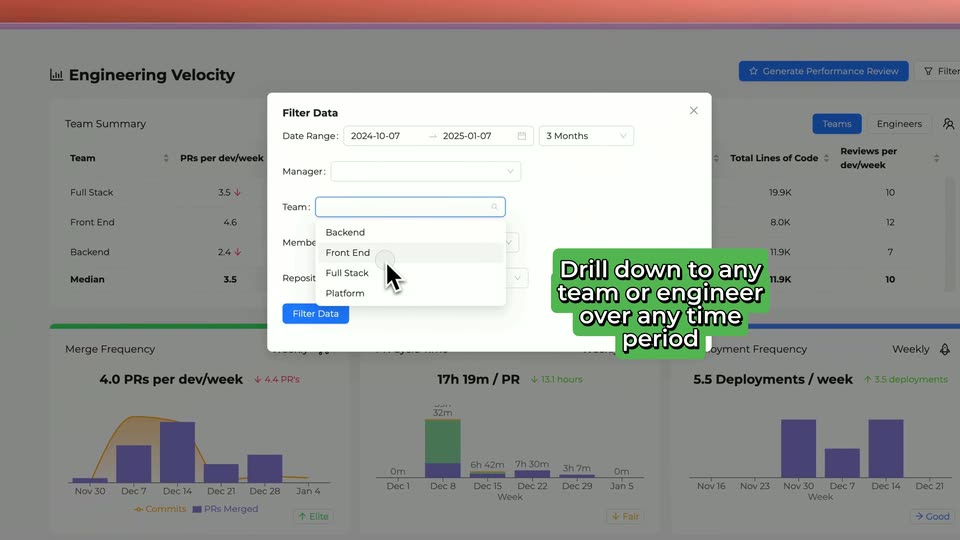
Bilanc’s 0:28 launch film runs 8 scenes, about 3.6 s each. The product is on screen from the first frame and 4 features are revealed. There is no explicit call to action. The video is a straight feature tour: a green caption box names each capability while a screen recording of the dashboard tilts into a 3D card over a warm gradient. Cuts run about four per minute with push-ins on the interface, keeping the pace quick and the focus on the product.
No filming indicatedEstimated needs: 4 capture groups — your screens or recordings · 2 3D passages — build or supply
Is this your launch? to your site or press kit.
More like this
0:23
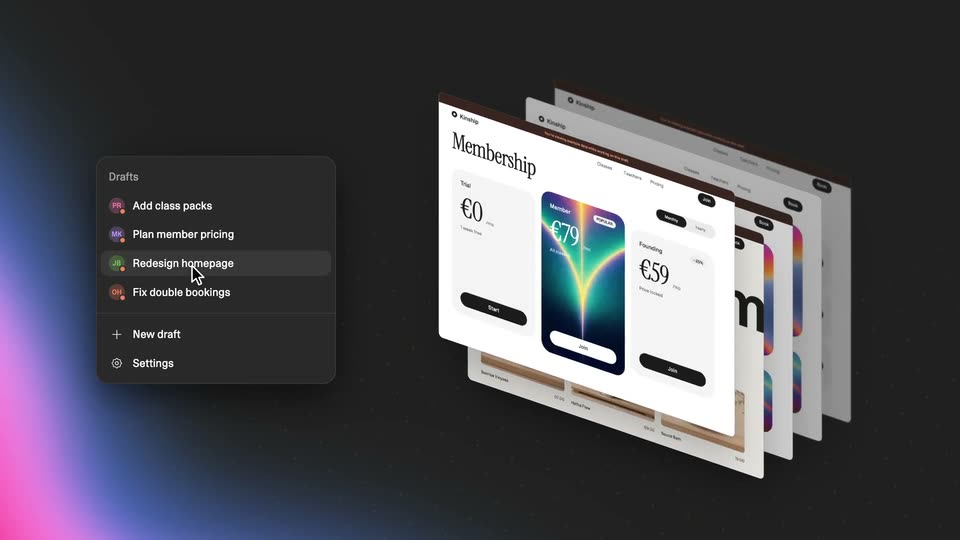

Anton Osika - Today, we’re launching Drafts in @Lovable. Build a new feature, try
Lovable · Developer tools · Nov 2026
0:36
Similar soundtrack
Films whose music sounds like this one, voice left out
0:50

Alfi - Your group chat designed to bring friends together
Text.ai · Modern electronic dance music, specifically nu-disco, indie dance, and deep house.
1:30

Alkera AI (S26) | Launch Video
Alkera AI · Upbeat, modern electronic promotional music
1:40

Catamaran Demo
Catamaran · Electronic
Bilanc - AI for Engineering Management, scene by scene
· 8 scenes as text
01 · Feature reveal · 0:00–0:05
A flat engineering dashboard fills the frame as the camera pushes in on the top-right corner. A cursor clicks Filter, opening a modal where dropdowns pick a time range and two teams, then the page reloads into gray skeleton bars. A green caption box holds on the right.
On-screen text: “Drill down to any team or engineer over any time period”
Techniques: UI zoom, Cursor demo
Camera: Push in
02 · Feature reveal · 0:05–0:13
A metrics dashboard opens tilted in 3D on a warm gradient, then flattens to a front view. Green caption blocks pop in at the edges. The view zooms into the chart grid as a cursor clicks time-range dropdowns, then scrolls down to the pull-request and collaboration tables.
On-screen text: “Drill down to any team or engineer over any time period”, “Interact with the charts, or pull custom metrics through our API”
Techniques: 3D mockup, UI zoom, Cursor demo
Camera: Push in
03 · Feature reveal · 0:13–0:15
A blurred data table darkens as a white modal window with placeholder text lines appears in the center. A green callout box with white text sits on the right, and a cursor hovers over the table.
On-screen text: “AI generated summaries of every PR & Release”
Techniques: Cursor demo
Camera: Static
04 · Feature reveal · 0:15–0:18
A pull request detail modal with a numbered summary overlays a dashboard table, beside a green-highlighted caption. The modal closes, the view pulls back to full dashboard charts, and the screen fades to white.
On-screen text: “AI generated summaries of every PR & Release”
Techniques: UI zoom
Camera: Pull out
05 · Feature reveal · 0:18–0:19
A tilted 3D dashboard titled Engineering Velocity floats on a red gradient background with abstract shapes. A cursor moves to the Generate Performance Review button and clicks it, opening a Create AI Report dialog over the dimmed interface.
Techniques: 3D mockup, Cursor demo
Camera: Push in
06 · Feature reveal · 0:19–0:21
A blurred metrics dashboard sits behind an open Create AI Report dialog. A cursor selects a date range from a dropdown, then opens a member list, while a green caption block stays fixed in the center.
On-screen text: “Draft a Performance Review for any engineer in seconds”
Techniques: Cursor demo
Camera: Static
07 · Feature reveal · 0:21–0:22
A light product interface opens as a close-up on a loading message, then zooms out to reveal a vertical icon sidebar on the left and a cursor near the top right. A green caption box with white text stays fixed in the lower center.
On-screen text: “Draft a Performance Review for any engineer in seconds”
Techniques: UI zoom
Camera: Static
08 · Feature reveal · 0:22–0:28
A tilted 3D window of an AI performance review document floats over a red gradient. A cursor hovers the metric cards, then opens the Share menu at top right. A green caption box with the tagline sits in the lower center.
On-screen text: “Draft a Performance Review for any engineer in seconds”
Techniques: 3D mockup, Cursor demo
Camera: Static