2:35
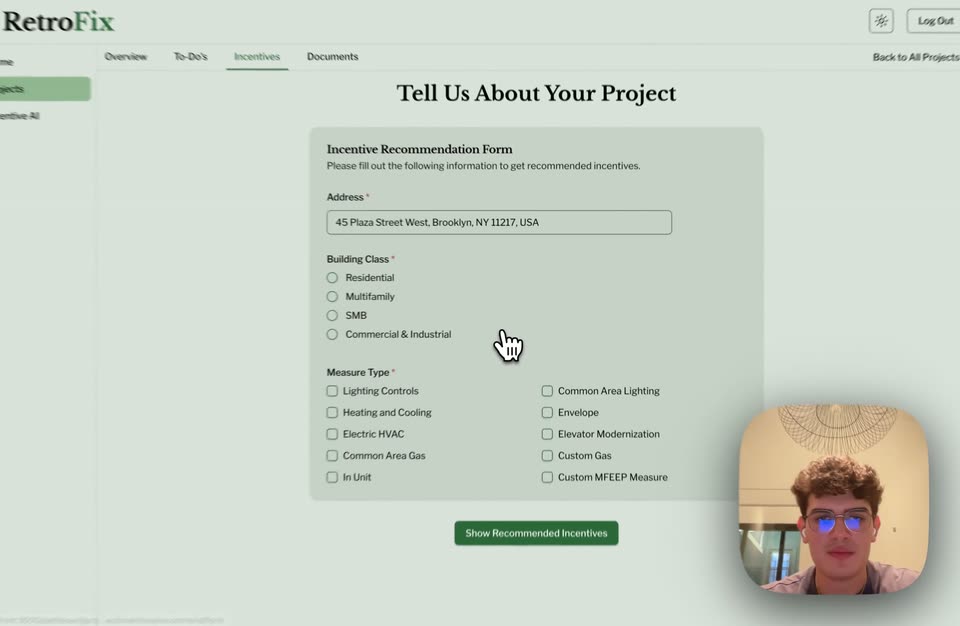

RetroFix Product Demo
RetroFix · B2B · Jul 2024
Conductor Quantum · Jan 2026 · 3:30 · Full motion · AI-annotated
Conductor Quantum’s 3:30 launch film runs 10 scenes, about 21 s each. The product is on screen from the first frame and 3 features are revealed. There is no explicit call to action; a voiceover carries the film. The video is a continuous screen recording with a fixed circular presenter inset, moving from prompt entry to generated code, simulation, and hardware results. Its pacing follows cursor actions and UI state changes, using zoom-ins on dropdowns, code blocks, charts, and modals to mark each step.
Is this your launch? to your site or press kit.
RetroFix · B2B · Jul 2024
Corsair · B2B · Aug 2026
Andco · B2B · Jul 2025
A white interface with a prompt box and suggestion chips fills the frame. A cursor types quantum questions, the view zooms in on the mode dropdown, and it switches from Learn to Build, swapping the heading. A circular presenter video sits bottom right.
Techniques: Cursor demo, UI zoom
Camera: Pull out
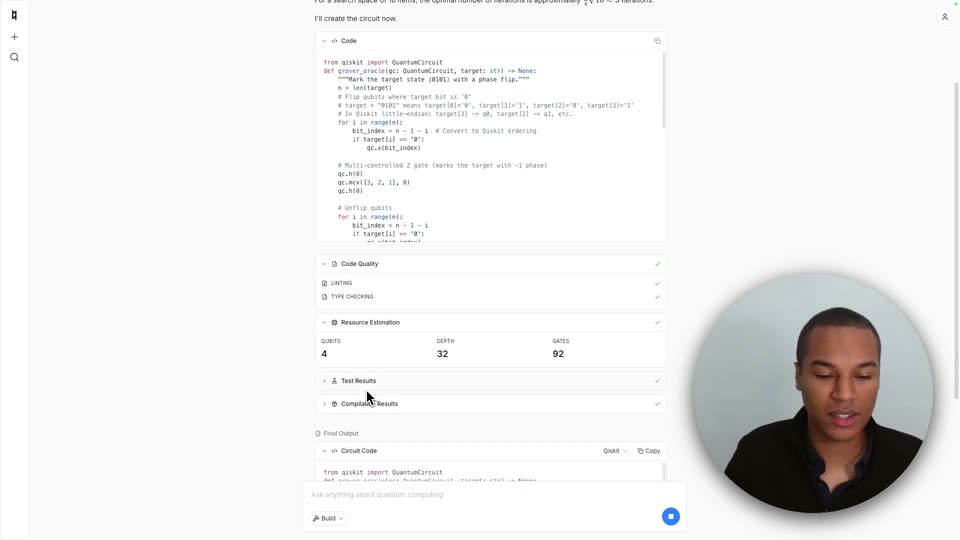
A white chat interface streams a Grover's-algorithm answer with code blocks and checklists while a circular presenter video sits in the corner. The view zooms into the code, then the cursor opens a language dropdown.
Techniques: Kinetic type, UI zoom, Cursor demo
Camera: Push in
A notebook page of quantum gate code and a blue Run on QPU button sits above a results panel with a probability table. A hand cursor hovers over the text and table, and a circular inset shows a presenter speaking in the corner.
Techniques: Cursor demo
Camera: Pan
On a white interface, a cursor clicks a Simulation Results row, expanding a bar chart where a blue bar grows and a tooltip reads 0101. The cursor then clicks a blue button, opening a Run on Quantum Hardware dialog. A circular presenter video sits bottom right.
Techniques: Cursor demo
Camera: Pan
A hand cursor opens a processor dropdown in a modal, selects IonQ Forte, ticks a credits box and submits. The view then zooms out to the full code editor page, where a success toast appears and a presenter talks in a circular inset.
Techniques: Cursor demo, UI zoom
Camera: Push in
A chat app interface fills the frame with a sidebar of recent prompts on the left and a quantum code panel on the right. A cursor clicks a recent chat, the screen blurs, and the cursor drifts to the empty center as a new view loads.
Techniques: Cursor demo
Camera: Pan
A light-themed code editor scrolls down through a Python quantum circuit script, the cursor drifting right toward a blue Run on QPU button. A circular webcam avatar of a man sits in the lower right corner as the view lands on a QPU results panel.
Techniques: Cursor demo
Camera: Pan
A chat app screen with a recent-prompts sidebar, a Python code panel, and a circular webcam of a man in the corner. The view zooms into the center thread, reframing on a simulation result line and a small comparison table.
Techniques: UI zoom
Camera: Pan
A screen recording of a quantum-coding interface scrolls vertically past Python code, a blue Run on QPU button, and a results table, while a hand cursor hovers over the QPU Results row. A circular webcam of the presenter sits in the lower right corner.
Techniques: Cursor demo
Camera: Pan
A document interface for a quantum simulation fills the screen: a bar chart, a results table, and a circular video of a presenter in the bottom right. A cursor hovers over the chart, the view pulls back to the full page, then zooms in on the results text.
Techniques: Cursor demo, UI zoom
Camera: Pull out