
0:37
Explore
cmux - the terminal built for multitasking
cmux · Feb 2026 · 1:51 · Full motion · AI-annotated
- Length
- 1:51
- Scenes
- 31 · 3.6 s avg
- Product on screen
- 0:00
- Features shown
- 7
- Voiceover
- Yes
- Views
- 51K on YouTube
as of November 24, 2026
00:00:00 / 01:51:11
- Length
- 1:51
- Scenes
- 31 · 3.6 s avg
- Product on screen
- 0:00
- Features shown
- 7
- Voiceover
- Yes
- Views
- 51K on YouTube
as of November 24, 2026
cmux’s 1:51 launch film runs 31 scenes, about 3.6 s each. The product is on screen from the first frame and 7 features are revealed. There is no explicit call to action; a voiceover carries the film. A single continuous screen recording of the CMUX terminal, cut into short beats at roughly fourteen per minute, each beat holding one red block caption with a hand-drawn arrow that names the feature being shown. The style is flat and locked-off: dark UI, no camera movement, no mascot, with the only motion coming from live typing, scrolling logs, and the pop-in of the red callouts, so the signature move is the caption-plus-arrow annotation over a static terminal grid.
No filming indicatedEstimated needs: 10 capture groups — your screens or recordings · 1 official logo — reused across the film · 1 3D passage — build or supply
Is this your launch? to your site or press kit.
More like this
2:20

Executor Demo
Executor · B2B · Aug 2026
2:33

Paratus Health - Product Demo
Paratus Health · Healthcare · Feb 2025
Similar soundtrack
Films whose music sounds like this one, voice left out
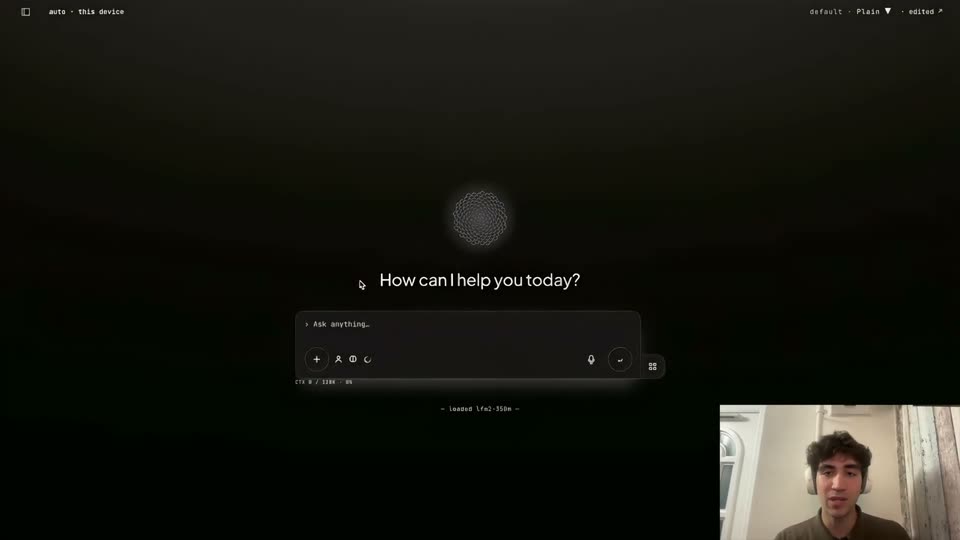
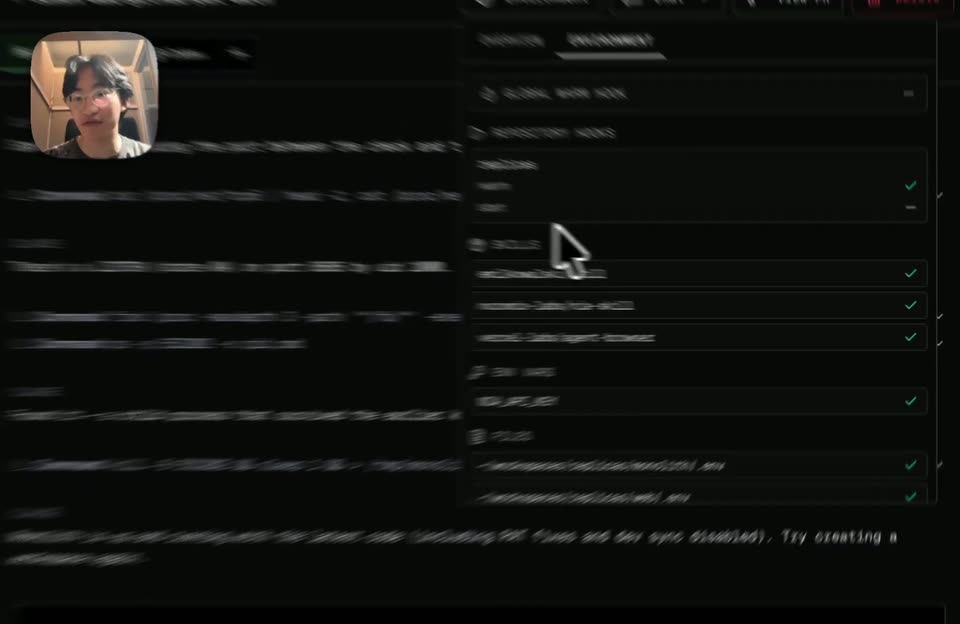


cmux - the terminal built for multitasking, scene by scene
· 31 scenes as text
01 · Product intro · 0:00–0:08
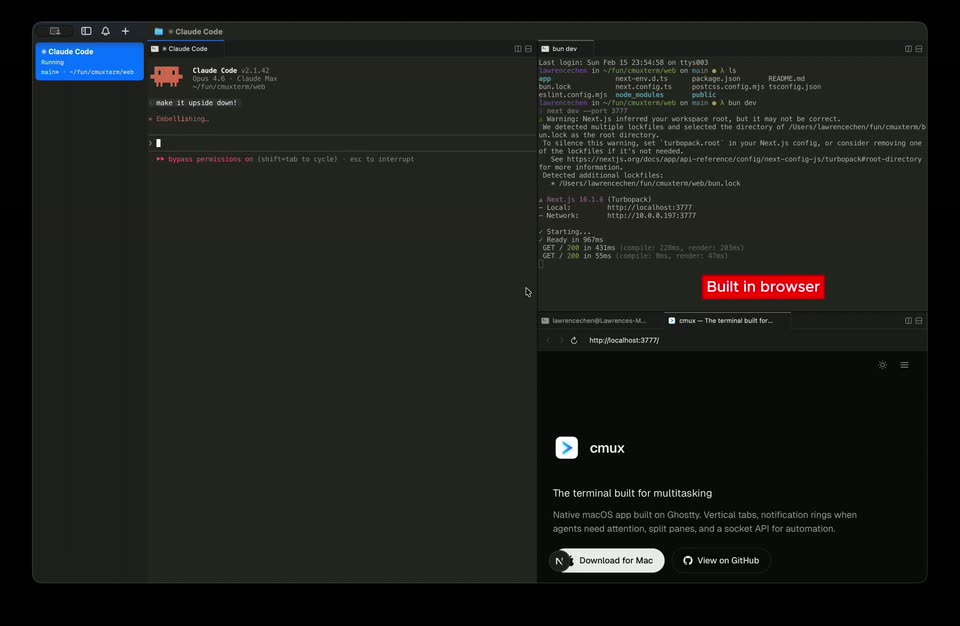
A dark terminal app fills the frame as the right pane types ls and bun dev, then a browser split opens at the bottom right and its address bar fills with localhost:3777. A red block caption with an arrow, Splits can have tabs, points to the tab row.
On-screen text: “Splits can have tabs”
Camera: Static
02 · Feature reveal · 0:08–0:14
A locked-off view of a dark terminal app in split panes; a red callout with an arrow points to the browser tabs, then a second red label appears over the embedded browser as the agent types in the left panel.
On-screen text: “Splits can have tabs”, “Built in browser”
Camera: Static
03 · Feature reveal · 0:14–0:16
A dark desktop splits into a Claude Code chat, a terminal log, and a browser at localhost:3777. The browser page loads the cmux landing view while a red “Built in browser” caption hovers over it and a cursor moves inside the window.
On-screen text: “Built in browser”
Techniques: Cursor demo
Camera: Static
04 · Feature reveal · 0:16–0:20
A split terminal shows a Claude Code chat left and a cmux browser preview right, both typing live. A blue outline frames the chat as a red arrow and red caption 'Signals when Claude needs attention' pop in, then vanish.
On-screen text: “Signals when Claude needs attention”
Camera: Static
05 · Feature reveal · 0:20–0:22
A dark multi-pane terminal layout with a cmux browser window at bottom right. A red arrow and red caption label the left pane's notification ring, then fade out as the page headline finishes typing.
On-screen text: “Signals when Claude needs attention”
Camera: Static
06 · Feature reveal · 0:22–0:24
A multi-pane terminal interface cuts to a closer view of a vertical tab bar. A red arrow and a red label box reading 'Vertical tabs to organize workspaces' point at the highlighted tab, held on a locked-off frame.
On-screen text: “Vertical tabs to organize workspaces”
Techniques: UI zoom
Camera: Static
07 · Feature reveal · 0:24–0:32
A dark terminal window fills the frame, its left sidebar showing vertical tabs. A red callout box with a hand-drawn arrow highlights the tabs, then vanishes mid-scene. A new tab is added, a prompt is typed into Claude Code, and a browser tab opens.
On-screen text: “Vertical tabs to organize workspaces”
Camera: Static
08 · Feature reveal · 0:32–0:37
A dark terminal window shows a Claude Code agent typing a reply and running a bash command, then a browser pane opens on the right with the Uber Eats URL. A red callout with an arrow points at the address bar.
On-screen text: “Agents can control the browser”
Techniques: Split screen
Camera: Static
09 · Feature reveal · 0:37–0:41
A dark terminal pane on the left logs an agent's commands while a browser pane on the right loads an Uber Eats pizza search from gray skeletons to full restaurant cards. A red callout with white text and an arrow points from the terminal to the browser tab.
On-screen text: “Agents can control the browser”
Techniques: Split screen
Camera: Static
10 · Feature reveal · 0:41–0:44
A dark terminal window sits in 3D perspective, tilted slightly toward the viewer. A long monospace command types itself across the prompt while a small caption reads Agents can control the browser.
On-screen text: “Agents can control”, “the browser”
Techniques: 3D mockup
Camera: Static
11 · Feature reveal · 0:44–0:48
A dark terminal window fills the frame, its left sidebar listing sessions with the codex tab highlighted. The codex output updates line by line as the agent works, while a red caption box with white text reading 'Agents can create subagents' holds in the lower-left.
On-screen text: “Agents can create subagents”
Camera: Static
12 · Feature reveal · 0:48–0:52
A dark cmux terminal fills the frame, a red callout reading 'Agents can create subagents' sits center-left with a right-pointing arrow. The single pane divides into a 2x2 grid of extra terminal panes across the clip.
On-screen text: “Agents can create subagents”
Techniques: Split screen
Camera: Static
13 · Feature reveal · 0:52–0:56
A dark multi-pane terminal grid sits behind a left sidebar of session entries. A red circle marks the top-left entry, which shows a blue badge, and a red callout box with white text pops in beside it. The frame stays locked off.
On-screen text: “Finished tasks show badge”, “+ latest notification”
Camera: Static
14 · Feature reveal · 0:56–0:59
A dark terminal multiplexer fills the frame. A red circle and red callout label mark the left sidebar, then vanish as a notifications dropdown drops in over it. The right side reflows from one wide pane into a 2x2 grid of smaller panes.
On-screen text: “Finished tasks show badge”, “+ latest notification”
Camera: Static
15 · Demo · 0:59–1:00
A dark developer workspace shows two panels side by side. The left Claude Code chat lists a conversation about flipping a page upside down, with a CSS diff highlighted in green. The right side holds a terminal log and a browser at localhost:3777 rendering upside-down text. The frame stays static.
Camera: Static
16 · Demo · 1:00–1:04
A flat code editor fills the frame, divided into a chat panel, a terminal log and a browser preview. A cursor drifts to the right as the preview loads a page rendered upside down, its text flipped and mirrored.
Techniques: Cursor demo
Camera: Static
17 · Feature reveal · 1:04–1:06
A terminal app fills the frame with several agent panes; the layout reshuffles into a 2x2 grid of sessions, and a red callout box with an arrow points to one pane. A mouse pointer drifts across the left pane.
On-screen text: “See which panels/splits need attention”
Techniques: Cursor demo
Camera: Static
18 · Feature reveal · 1:06–1:08
A dark code editor fills the frame in a 2x2 grid of panels, each showing live chat and terminal text. A red callout box with a left-pointing arrow sits at the lower center, labeling one panel. The panels update in place as the agent works.
On-screen text: “See which panels/splits need attention”
Camera: Static
19 · Feature reveal · 1:08–1:12
A dark grid of terminal panes runs Claude Code sessions side by side. A red arrow and red callout box mark one pane, and a cursor drifts across the layout as new output lines stream in.
On-screen text: “See which panels/splits need attention”
Techniques: Cursor demo
Camera: Static
20 · Feature reveal · 1:12–1:16
A terminal app fills the frame as a 2x2 grid of Claude Code panes. A red arrow and a red caption point at the top-right pane, which is outlined in blue. The caption breaks apart and fades out at the end.
On-screen text: “See which panels/splits need attention”
Camera: Static
21 · Demo · 1:16–1:20
A dark multi-pane terminal app fills the frame, locked off. A left sidebar lists sessions above a 2x2 grid of panes showing chat text and small orange pixel icons. A mouse cursor hovers in the lower-right pane while the pane text updates line by line.
Camera: Static
22 · Demo · 1:20–1:21
A dark terminal window fills the frame, divided into several panes of streaming AI session logs beside a left sidebar of session tabs. A mouse cursor glides down the sidebar, pausing on each tab.
Techniques: Cursor demo
Camera: Static
23 · Demo · 1:21–1:24
A locked-off split screen pairs a dark terminal log on the left with a browser on the right. The Uber Eats tab loads from gray skeleton boxes into the full home page with category icons and restaurant cards as new log lines appear in the terminal.
Techniques: Split screen
Camera: Static
24 · Demo · 1:24–1:28
A split screen shows a dark code terminal on the left and the Uber Eats homepage in a browser on the right. A cookie banner slides up at the bottom of the browser while the terminal text stays still.
Techniques: Split screen
Camera: Static
25 · Demo · 1:28–1:36
A split screen shows a dark code terminal on the left and an Uber Eats browser window on the right. The terminal log scrolls with new command lines while the browser page scrolls down through food cards and store listings.
Techniques: Split screen
Camera: Static
26 · Demo · 1:36–1:36
A dark agent console on the left lists bash commands and a running task, while a browser window on the right shows an Uber Eats restaurant grid with a delivery-fee banner. The two panes sit side by side and remain static.
Camera: Static
27 · Demo · 1:36–1:40
A dark terminal multiplexer fills the frame, split into six panes of Claude Code agent sessions. The lower-center pane carries a blue border while a white cursor drifts from it into the right pane. The view stays flat and static.
Techniques: Cursor demo
Camera: Static
28 · Demo · 1:40–1:44
A dark tiling terminal fills the frame, showing a grid of panes with live agent output and a left sidebar. A white cursor moves between panes as token counts and tool-use numbers tick upward.
Techniques: Cursor demo
Camera: Static
29 · Demo · 1:44–1:46
A dark multi-pane terminal fills the frame. A blue highlighted session card sits top-left; a cursor moves down and hovers over a second item while the left pane's log scrolls with fresh lines.
Techniques: Cursor demo
Camera: Static
30 · Demo · 1:46–1:48
Two windows sit side by side: a dark terminal on the left listing SF pizza spots in a table, and an Uber Eats browser on the right. The left pane gains a blue focus ring while the right dims, drawing the eye to the terminal.
Techniques: Split screen
Camera: Static
31 · Demo · 1:48–1:51
Side by side, a dark terminal lists pizza restaurants in a comparison table while a browser shows the Uber Eats home page. A cursor rests over the table, then moves to the top edge of the frame.
Techniques: Split screen
Camera: Static