2:20


Executor Demo
Executor · B2B · Aug 2026
Liquid · 0:37 · AI-annotated
Liquid’s 0:37 launch film runs 9 scenes, about 4.1 s each. The product is on screen from the first frame and 2 features are revealed. There is no explicit call to action. A continuous screen-capture demo that holds a white desktop app and a dark Telegram phone mockup side by side, moving focus between them with slow zooms, pans and a blur transition. The signature move is the 3D tilt that rotates the chat card upright before pulling back to the flat split view.
Is this your launch? to your site or press kit.
Executor · B2B · Aug 2026
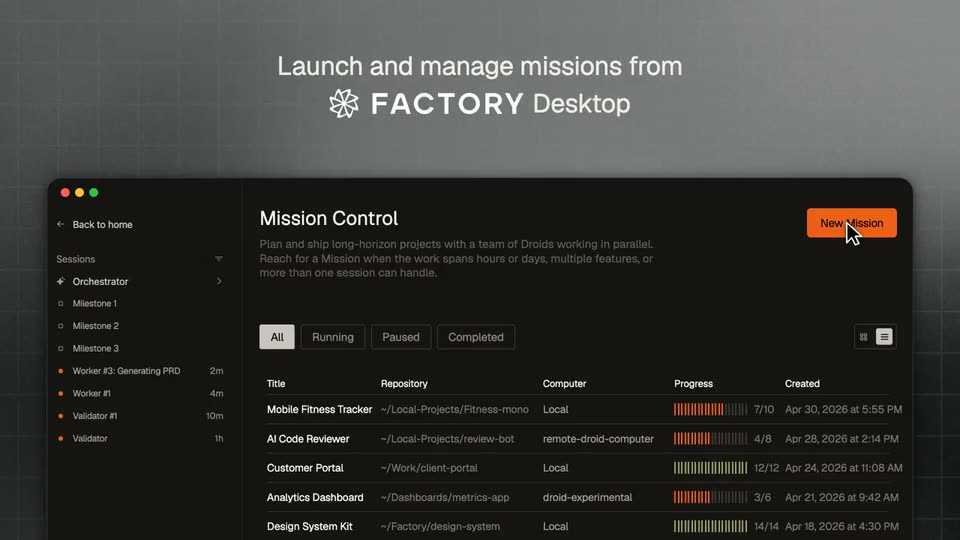
Factory · Jun 2026
A white desktop chat app and a dark phone mockup of a Telegram chat sit side by side. The left reply box streams a numbered model list while a terminal logs below. On the right, a cursor hovers as the chat scrolls to its top.
Techniques: Split screen, Cursor demo
Camera: Static
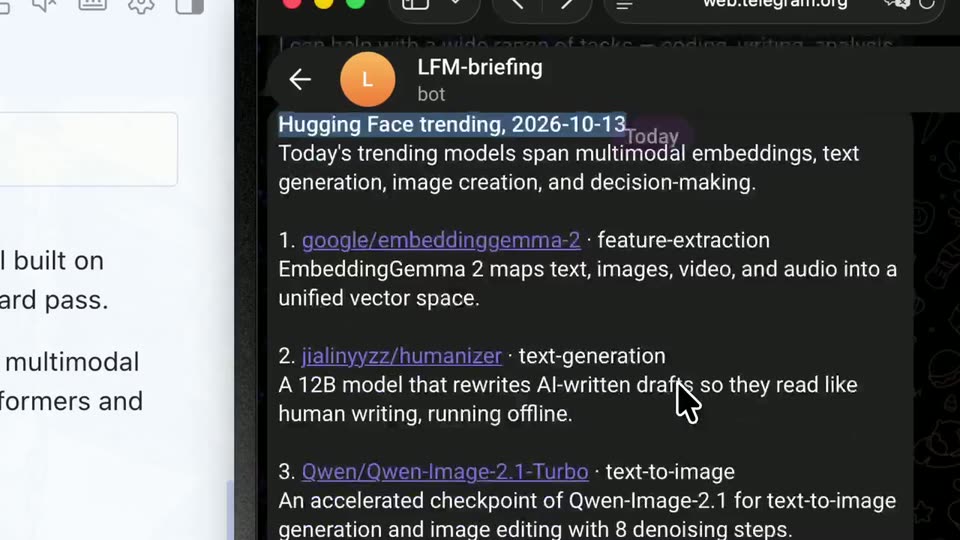
A split view shows a light chat assistant with a terminal panel on the left and a dark Telegram bot message on the right. The frame then zooms into the Telegram panel as a cursor hovers over the model list.
Techniques: Split screen, UI zoom, Cursor demo
Camera: Push in
A dark chat interface displays a list of trending AI models. A cursor highlights the headline text, then the view scrolls down to reveal more items.
Techniques: Cursor demo
Camera: Pull out
A split screen holds two views side by side: a light desktop window with a chat panel, a numbered model list and a terminal log, and a dark phone mockup showing the same model list in a Telegram chat. Both stay static.
Techniques: Split screen
Camera: Pull out
Split screen pairs a desktop chat app with a tilted phone. The shot zooms in as a caret types and sends a question in the phone field. Both panels react: the desktop logs a command, the phone adds a terminal card. A blur transition ends the shot.
Techniques: Split screen, UI zoom, Cursor demo, 3D mockup
Camera: Push in
A terminal card and a dark chat panel slide into alignment over a faint line-doodle background, with a white side panel at the left edge. A bone-shaped cursor blinks in the message bar while the model description text stays static.
Camera: Static
A dark messaging screen shows a terminal panel and a chat bubble holding a model summary and a link. A hand cursor moves in and taps the red heart reaction beside the 14:41 timestamp.
Techniques: Cursor demo
Camera: Static
A dark chat card, tilted in 3D over a black field of faint purple line doodles, rotates upright to show a numbered model list and a terminal reply. The camera pulls back to a flat desktop, revealing a matching white chat window on the left.
Techniques: 3D mockup, UI zoom
Camera: Pull out
A desktop chat window and a tablet Telegram view sit side by side, both showing the same question about the d1-3b model and its answer. A terminal log with a blinking cursor fills the lower left panel.
Techniques: Split screen
Camera: Static