0:22
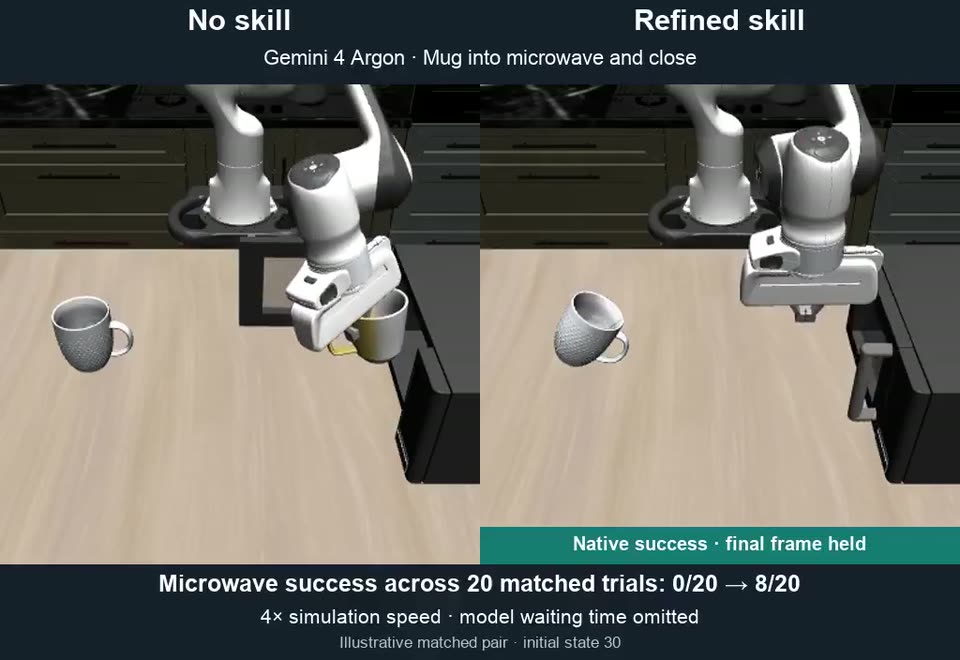
Runtime - Frontier models like GPT-6 Astra and Gemini Argon 4 can control robot
Runtime.si · Industrials · Oct 2026
Alex · May 2025 · 1:26 · Full motion · AI-annotated
Alex’s 1:26 launch film runs 19 scenes, about 4.5 s each. The product is on screen from the first frame and 5 features are revealed. There is no explicit call to action. The video is built as a series of black title cards, each naming one Xcode feature, followed by tight screen recordings that zoom into the chat panel and let the agent act on the simulator, logs, and file tree. Pacing is brisk and UI driven, with whip cuts, 3D title fades, and repeated close-ups on the ALEX input bar as the signature move.
Is this your launch? to your site or press kit.
Runtime.si · Industrials · Oct 2026
A static IDE screen: Swift code fills the left, a phone simulator shows a Workouts list in the center, a chat panel with a small phone mockup sits right. A large white caption 'Simulator Use' is cut off at the bottom left.
On-screen text: “Simulator Use”
Camera: Static
On a black background, the centered title fades in with a brief 3D extrusion, holds flat, then fades out. The frame stays locked off throughout the short clip.
On-screen text: “Automatic Simulator Use”
Camera: Static
A fast zoom dives into the bottom-right corner of the IDE, reframing on the chat prompt box. The close-up lands on the placeholder line, microphone icon, and the model and action buttons beneath it.
Techniques: UI zoom
Camera: Push in
A close-up of a dark chat input field types out a test prompt word by word, then dissolves to the full IDE where the code editor and AI panel sit side by side and a white iPhone simulator window pops up in the center.
Techniques: Kinetic type
Camera: Pull out
Xcode code, a centered iPhone simulator, and a dark AI chat panel share the frame. The agent runs the app, then fills the New Workout form with a name, icon, and a Squats exercise. Saving returns to the list, which zooms in on the new Full Body Blast row.
Techniques: Split screen, UI zoom, Cursor demo
Camera: Push in
A white headline “Read Console Logs” fades in centered on a black screen. A dimmed code editor with an AI chat panel fades in behind it, while the headline stays locked in the center.
On-screen text: “Read Console Logs”
Camera: Static
A cursor types 'Can you read my console logs?' into a dark IDE chat box, then a blurred whip cut reframes to the thread, where the assistant's answer and a 'Read Console Logs' action box appear line by line.
Techniques: Cursor demo, Speed ramp
Camera: Static
A dark code editor fills the frame, with a line of code at the top and a toolbar labeled WorkoutApp above a preview panel reading Boo! with a ghost icon. The view eases in from motion blur to a sharp, static frame.
Camera: Static
A black frame holds the white bold headline centered, then the Xcode editor window with the ALEX side panel fades in behind it while the headline stays locked over the code.
On-screen text: “Drag & Drop Folders”
Camera: Static
A dark Xcode editor shows Swift code beside the ALEX side panel. A cursor glides down into the chat field and types a query, then the frame zooms in on the panel and the input box.
Techniques: Cursor demo, UI zoom
Camera: Push in
A dark code editor fills the left half with Swift code and a green diff line. The right panel shows the ALEX logo, two quick-action buttons, and a chat box where a white cursor sits as the prompt types out letter by letter.
Techniques: Cursor demo
Camera: Static
A dark code editor sits left of a black ALEX panel showing Quick Actions buttons. In the chat box below, a cursor hovers as the question about views types out character by character.
Techniques: Cursor demo
Camera: Static
A dark code editor fills the screen: Swift source on the left, the ALEX chat panel on the right. After a brief blur, the assistant's answer streams in as a long bulleted list of view names, then the quick action buttons reappear.
Techniques: Cursor demo, Kinetic type
Camera: Pull out
A white bold title holds centered on black, then the background becomes an Xcode window with a Swift file and a chat panel docked on the right, the title still overlaid in the middle.
On-screen text: “Context Bar & Infinite Chat”
Camera: Static
A screen recording of a code editor zooms into the right-hand ALEX chat panel. A cursor hovers the token bar, opens a breakdown tooltip, toggles the cost figure, then closes the row as the view pulls back into a tilted 3D perspective.
Techniques: UI zoom, Cursor demo, 3D mockup
Camera: Pull out
A black screen holds the white title Index Multiple Folders centered. The Xcode window fades in behind it, code editor on the left, ALEX sidebar panel on the right, then the title fades out leaving the interface in full view.
On-screen text: “Index Multiple Folders”
Camera: Static
A dark IDE screen shows Swift code in the editor and a file tree on the left. On the right, a sidebar switches from an ALEX quick-actions card to an account and settings list with menu rows.
Camera: Static
A dark Xcode editor shows Swift code beside a right-hand panel. The panel switches to a file index list, the view zooms in on rows tagged Indexed and on an Add Folders input where the cursor types, then zooms out to the full window.
Techniques: UI zoom, Cursor demo
Camera: Push in
A dark index panel fills the right side, a folder path fills its input and the cursor clicks Add. The view pulls back to a full code editor, and the file list flips from red Not indexed to green Indexed row by row.
Techniques: UI zoom, Cursor demo
Camera: Pull out