0:48
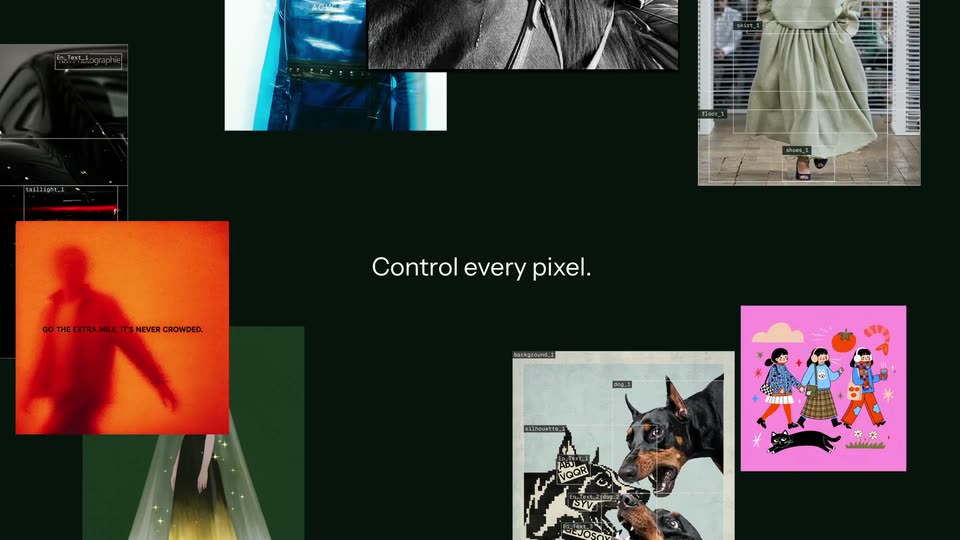

Black Forest Labs - Introducing FLUX 3 Image. Control every pixel. Make precise multi-t
Black Forest Labs · Oct 2026
VectorShift · Apr 2024 · 1:20 · Full motion · AI-annotated
VectorShift’s 1:20 launch film runs 32 scenes, about 2.5 s each. The product is on screen from the first frame and 7 features are revealed. There is no explicit call to action. The video opens and closes on a 3D laptop, then moves through short titled blocks on a dark dot grid. Each block uses typed text, flat UI cards, popping app icons, dashed connectors, and checkmarks at a quick pace.
Is this your launch? to your site or press kit.
Black Forest Labs · Oct 2026
Figma · Design · Nov 2026
Uniswap · Feb 2024
Films whose music sounds like this one, voice left out
Veritus · Upbeat, playful electronic and cinematic hybrid
Overshoot · Cinematic underscore
LottieFiles · Orchestral and electronic trailer music
A purple 3D office set with a laptop centered on a desk; the camera pushes in on the screen as the VectorShift wordmark and a white tagline type in over a dark dotted grid.
On-screen text: “VectorShift”, “The no-code AI automation platform”
Techniques: 3D mockup, Kinetic type
Camera: Push in
The camera pushes in from a 3D laptop to a full-screen dot grid. Centered white text reads 'Automate your' and 'with AI' while the middle word cycles through SEARCH, CUSTOMER SUPPORT, SALES OUTREACH, CONTENT CREATION, WORKFLOWS; a blue cursor drifts up right, then the VectorShift logo fades in.
On-screen text: “Automate your”, “with AI”, “SEARCH”, “CUSTOMER SUPPORT”, “SALES OUTREACH”, “CONTENT CREATION”, “WORKFLOWS”, “VectorShift”, “The no-code AI automation platform”
Techniques: 3D mockup, Kinetic type, Cursor demo
Camera: Pull out
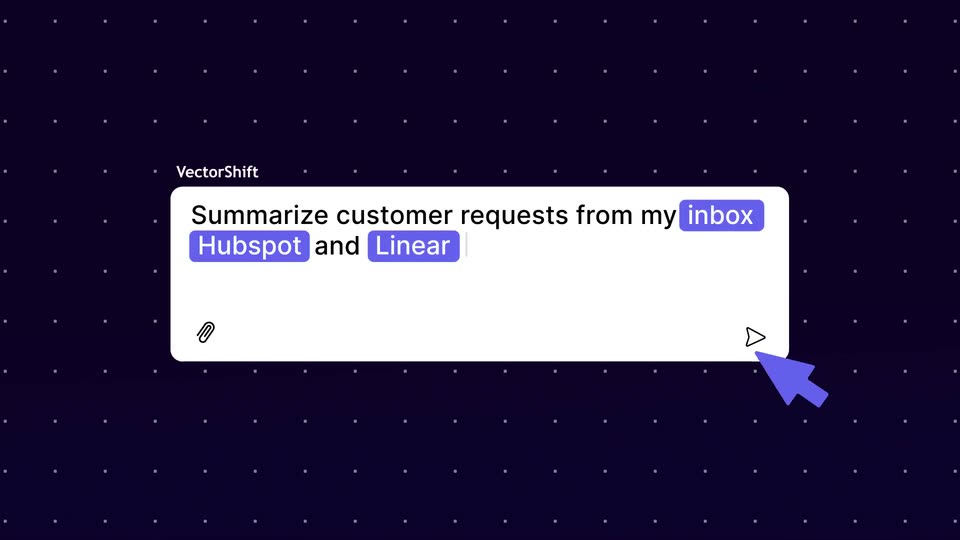
A white prompt box on a dark dotted grid types a sentence, its words inbox, Hubspot and Linear highlighted in purple pills. A purple cursor clicks the send icon; the box dims and three purple tiles with an envelope, a magnifying glass and a striped circle pop out.
Techniques: Kinetic type, Cursor demo
Camera: Static
Three blue app icons (envelope, node, striped globe) on the left link via dashed lines to a large orange Slack tile on the right. A spinner and the caption 'Collecting data...' sit between them as the layout pans left over a dotted dark grid.
On-screen text: “Collecting data...”
Camera: Pan
A dark browser window with a purple header, traffic-light dots and a white content pane slides up from the bottom of a flat orange background, its icon sidebar and starred content item coming into view as small captions slide in.
On-screen text: “Collecting data..”, “slack”
Techniques: Kinetic type
Camera: Static
Flat UI close-up of a messaging app: purple sidebar with white channel bars on the left, white document card on the right. Numbered action items appear line by line next to a blue VS avatar, then the whole frame tilts and pans slightly.
Camera: Pan
On a dark blue dotted grid, a video call window showing a bespectacled man in a grey suit fades in at the top. Below it, a white input box labeled VectorShift slides up and types the words 'Write a sales proposal based on the transcript'.
Camera: Static
A man in a suit appears in a video call window above a white prompt box on a dark blue dotted grid. The box types a sentence word by word, with Zoom and Notion highlighted in purple.
Techniques: Kinetic type
Camera: Static
On a dark blue dotted grid, a Zoom call window and a Notion roadmap board float above a white card. The card types out a prompt word by word, highlighting Zoom, Notion and OneDrive in purple as each term lands.
On-screen text: “VectorShift”, “Write a sales proposal based on the transcript of the Zoom call, notes I took in Notion, and in the style of my other proposals in OneDrive.”
Techniques: Kinetic type
Camera: Static
Three floating app windows, a Zoom call, a Notion board and a OneDrive browser, sit above a white prompt card on a dark blue dotted grid. The windows morph into flat brand logo tiles while the card stays still.
On-screen text: “VectorShift”, “Write a sales proposal based on the transcript of the Zoom call, notes I took in Notion, and in the style of my other proposals in OneDrive.”
Techniques: Morph
Camera: Static
Three purple app icons (Zoom, Notion, cloud) sit above a white VectorShift card, joined by dashed lines. The prompt text becomes a 'Collecting data...' spinner, then a generated scope-of-work document that a purple cursor scrolls, before the frame slides left to reveal an orange grid panel.
Techniques: Cursor demo, Split screen
Camera: Pan
An orange grid plane with a dark dotted sidebar on the left edge. A flat blue arrow cursor glides to the right while a white headline reveals letter by letter from the left, the sidebar sliding out of frame.
On-screen text: “Automate tasks at scale”
Techniques: Kinetic type, Masking
Camera: Static
A bold white headline sits centered on an orange grid, then moves up as a flat contact table with name, email, personalization and sent columns slides in from the bottom.
On-screen text: “Automate tasks at scale”
Techniques: Kinetic type
Camera: Pan
A 3D-tilted spreadsheet mockup with a green header sits on an orange grid, its rows scrolling up as green checkmarks fill the Sent column. The whole sheet drifts upward and straightens, rising to overlap the white headline above.
On-screen text: “Automate tasks at scale”
Techniques: 3D mockup
Camera: Pan
On a dark blue dot-grid background, the headline 'Here's how it works:' builds word by word in the center. It is then replaced by 'Centralize and live-sync your data across your applications' as six rounded app icons with yellow line glyphs slide in around the edges.
On-screen text: “Here's how it works:”, “Centralize and live-sync your data”, “across your applications”
Techniques: Kinetic type
Camera: Static
On a dark dotted grid, two rows of blue rounded app icons slide horizontally in opposite directions. Green check badges pop into the top corner of each icon. A centered white headline stays still between the rows.
On-screen text: “Centralize and live-sync your data”, “across your applications”
Techniques: Parallax
Camera: Pan
Two rows of purple app tiles, each tagged with a green check badge, drift slowly left across a dark dotted grid while a centered white headline stays still. A faint search bar flashes in behind the text mid-scene.
On-screen text: “Centralize and live-sync your data”, “across your applications”
Techniques: Parallax
Camera: Static
A grid of purple app tiles with green check badges drifts slowly across a dark dotted background. A centered white search bar types out a question letter by letter, then shows a loading message while two tiles brighten.
Techniques: Kinetic type, Parallax
Camera: Pull out
A white card on a dark dotted field displays a spinner with “Searching database...”, then the line becomes a result sentence as two purple cube icons with green checkmarks rise into the card's bottom corners.
Camera: Static
A white insight card on a dark purple dotted grid. The sentence fills in word by word as a profile photo and name settle left. Two purple app tiles with green check badges float in and resolve into the source rows. The card drifts up.
Techniques: Kinetic type
Camera: Pan
A dark navy background with a white dot grid holds a centered headline that slides into place. 'Build AI workflows in' is white and 'no-code' is purple.
On-screen text: “Build AI workflows in no-code”
Techniques: Kinetic type
Camera: Static
A white card with the headline sits over a dark blue dotted grid as a toolbar panel slides up from below. The scene then cuts to a 3D perspective of a node workflow canvas, with floating OpenAI LLM and Knowledge Base Reader cards drifting into place.
On-screen text: “Build AI workflows in no-code”
Techniques: 3D mockup, Cursor demo
Camera: Pan
Three white panels sit on a dark blue dotted canvas. In the top panel, a prompt types itself into the System field of an OpenAI LLM node. The lower panels show an Output node and a Knowledge Base Reader marked as successful.
Techniques: Split screen
Camera: Static
On a dark navy dot grid, a blue headline holds while a white line types in “across your tools”. A white “Receive Email” pill with an envelope icon and orange 1 badge pops in, then expands and slides left into a larger card as the text clears.
On-screen text: “Define triggers and actions”, “across your tools”
Techniques: Kinetic type, Morph
Camera: Static
On a dark dotted grid, white cards build a workflow left to right: an incoming email, two processing steps, and an outgoing reply. Each step's loader icon becomes a checkmark as dashed lines draw between the cards.
Camera: Static
A flat white email card slides left off a dotted navy grid as the camera tracks right. A curved line in orange, blue and white sweeps across the frame, and a periwinkle circle enters from the right edge.
Camera: Pan
On a dark navy dot-grid background, a purple circle with a white plus sits center. A white curved line with an orange segment sweeps in from the left and retracts. A white cursor arrow glides in from the right and moves toward the plus. A two-line headline holds below.
On-screen text: “Deploy custom UIs”, “for your workflows”
Camera: Static
A flat chat window with a gray greeting bubble and a purple customer reply sits under a purple plus badge on a dotted navy field. The view zooms out to reveal a second card beside it, a form with name, email, and product fields plus a Submit button.
On-screen text: “Deploy custo Uls”, “for your workflows”, “How can I help you today?”, “I am looking to purchase men's sport shoes in size 9”
Techniques: UI zoom
Camera: Pull out
Three white UI cards sit side by side on a dark blue dotted grid: a chat, a form, and a search result. The form fills in and becomes a confirmation card as the right card builds a bar chart, then the camera centers the middle card.
Techniques: Split screen
Camera: Static
Centered headline on a dark navy field of evenly spaced white dots. The line holds still, then a flat white device mockup slides up from the bottom edge while the text drifts upward and fades out of frame.
On-screen text: “AI for any use case”
Camera: Static
A field of white and gray rounded cards on a dark dotted grid, each holding a short prompt or integration label with a small icon. The cards start motion-blurred, settle into focus, and their text types out as the field drifts slowly.
On-screen text: “Al for any use case”
Techniques: Kinetic type
Camera: Pan
A 3D laptop sits on a wooden desk; the camera pulls back from the screen to reveal the full scene. The display shows the VectorShift wordmark and tagline on a dark starfield. Books, a succulent and a cup flank the laptop against a purple wall with a white circle.
On-screen text: “VectorShift”, “The end-to-end AI automations platform”
Techniques: 3D mockup
Camera: Pull out