1:14

What is GitHub Spark? Introducing a brand new way to build powerful, AI assisted applications
GitHub · Developer tools · Oct 2024
Vanta · Nov 2025 · 1:29 · Full motion · AI-annotated
Vanta’s 1:29 launch film runs 26 scenes, about 3.4 s each. The product is on screen from the first frame and 4 features are revealed. There is no explicit call to action. The video chains rounded UI cards on pale lavender fields, each step announced by a typed line or a glowing pill button, with flat purple interstitials marking the agent's thinking. Pacing runs near 12 cuts per minute, driven by typing text, filling progress bars, cursor clicks on pill buttons and recurring sparkle glows.
Is this your launch? to your site or press kit.
GitHub · Developer tools · Oct 2024
Shopify · Business software · Oct 2026
Google · AI · Nov 2008
Films whose music sounds like this one, voice left out
Vetnio · Electronic
Superlist · Electronic dance music (house) with a cinematic sci-fi intro
Copper Health · Modern cinematic action / high-energy electronic percussion
A white line-drawn donkey head and the serif wordmark Vanta sit centered on a deep purple field. The lockup scales up gently and then holds, locked-off frame.
Techniques: Kinetic type
Camera: Static
On a white field, the black line “Want to earn trust?” holds, then gives way to “Prove it.” The line “With the” settles above “Vanta AI Agent”, which scales in with a purple glow and a four-point sparkle icon.
On-screen text: “Want to earn trust?”, “Prove it.”, “With the”, “Vanta AI Agent”
Techniques: Kinetic type
Camera: Static
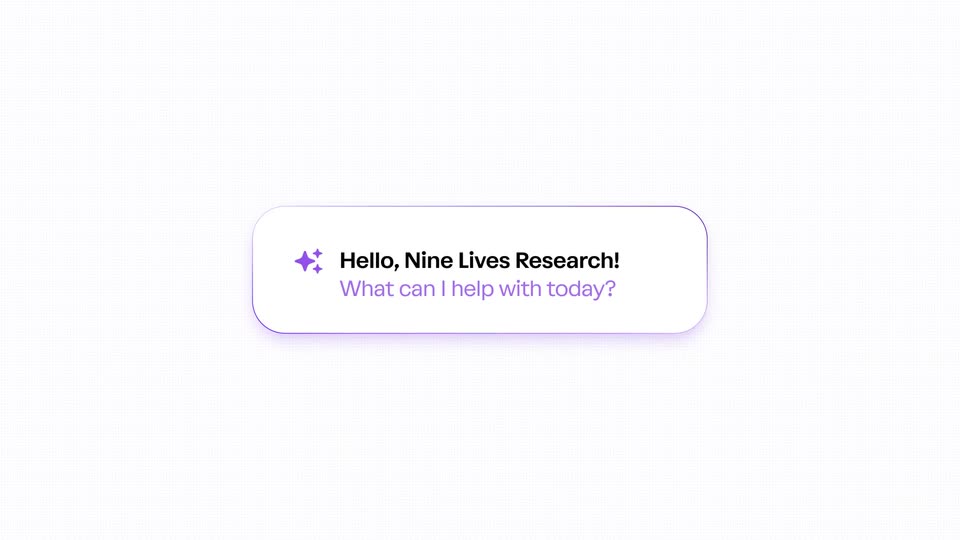
Centered on a pale background, a white rounded pill types out a bold black greeting beside a purple sparkle icon. A purple italic line then types in beneath it, and the pill switches to a search box where a query is typed.
Techniques: Kinetic type
Camera: Static
A white rounded search bar with a soft purple glow is centered on a pale background. A purple magnifier icon sits at the left while the query 'Remind me... how close are we to ISO 42001?' types in, a caret blinking at the end.
Techniques: Kinetic type
Camera: Static
A purple gradient background holds three white four-pointed sparkles above the centered caption. The sparkles twinkle and shift slightly while the text stays locked in the middle of the frame.
On-screen text: “Answering question...”
Camera: Static
A frosted glass card on a purple gradient settles into frame as a previous dialog card fades out behind it. The card shows a headline and a progress bar filled to 37%, then a purple pill button labeled Draft missing policy slides up into place.
Camera: Static
A flat white card shows a progress message and a purple button. The view zooms onto the button as a black cursor clicks it, then the screen switches to a new panel with a policy title and an empty field.
Techniques: UI zoom, Cursor demo
Camera: Static
A white rounded card sits on a pale field, its bold black title above a lavender panel. The four data values type in letter by letter while a caption slides into frame.
On-screen text: “Draft missing policy”
Techniques: Kinetic type
Camera: Static
A white policy card with label and value rows fills the frame; the view zooms in on the lower half, then a black cursor slides in and presses the purple Create policy button.
Techniques: UI zoom, Cursor demo
Camera: Push in
A close-up of a purple interface panel shows two form fields, Industry and Auditor, above a glowing pill button labeled Create policy with a sparkle icon. A black cursor hovers at the button's lower edge and shifts slightly.
Techniques: Cursor demo
Camera: Push in
A policy editor interface fades in, then scrolls and zooms down to the Approve policy line, where a black paw print stamps as a signature. A white card with a purple lightbulb icon and the caption Suggestion to improve program pops in at center with a purple glow.
Techniques: UI zoom
Camera: Push in
A white card with a purple glow, lightbulb icon and the line “AI Data Use Policy has a 5 day SLA” scales in on a pale background. A second line and a purple Update SLAs button appear, the view zooms in, and a black cursor moves onto the button.
Techniques: UI zoom, Cursor demo
Camera: Push in
An SLA counter card ticks from 10 to 5 over a purple DAYS band as four rounded policy cards fade in one by one below, each stamped with a green checkmark and a soft purple glow. A caption notes the 5-day SLA.
On-screen text: “Al Data Use Policy has a 5 day SLA.”, “Change data use SLAs in your other policies to match?”, “Update SLAs”
Camera: Static
A white pill card with a purple sparkle icon and the line 'You're 50% ready for your ISO 42001 audit' settles at center on a pale lavender field, then a purple progress bar fills to half. The card fades out, the background deepens to purple, and white text 'Gathering additional evidence...' appears under a large sparkle.
On-screen text: “You're 50% ready for your ISO 42001 audit”, “Gathering additional evidence...”, “AI Data Use Policy has a 5 day SLA.”
Camera: Static
A flat purple background with three white four-pointed sparkles above the centered caption “Gathering additional evidence...”; a soft glow behind the sparkles fades away as the shot holds.
On-screen text: “You're 50% ready for your ISO 42001 audit”, “Gathering additional evidence...”
Techniques: Kinetic type
Camera: Static
A node map on a light gray canvas centers on a purple folder with white sparkles. Dashed purple lines link it to a cat photo, document icons and policy labels. A cursor hovers the labels, then the folder, which glows and releases small purple stars.
On-screen text: “Gathering additional”, “evidence...”
Techniques: Cursor demo, Particles
Camera: Pull out
A soft purple gradient fills the frame. Three white four-pointed sparkles twinkle above centered white text, the line “Double-checking” scaling in while “evidence...” holds still.
On-screen text: “Double-checking”, “evidence...”
Techniques: Kinetic type
Camera: Static
A rounded lavender card floats on a purple gradient field. The headline completes as “ready for your audit!” slides in after “You're 100%”, then a purple progress bar fills left to right beneath it.
On-screen text: “You're 100% ready for your audit!”
Techniques: Kinetic type
Camera: Static
A white card with a purple glow shows the headline You're 100% ready for your audit! above a progress bar that fills to full. The card slides up to reveal a purple caption and a Submit for audit button, then zooms in as a black cursor moves to the button.
On-screen text: “You're 100% ready for your audit!”, “But I left the cat pic out of scope...”
Techniques: UI zoom, Cursor demo
Camera: Pan
A horizontal three-step progress tracker on white: the first node fills solid purple, the dashed connector animates purple to the second node, which gains a white ring, then the line reaches the third node that turns green with a white checkmark. A black cursor hovers top right.
On-screen text: “But I left the cat pic out of scope...”, “Submit for audit”
Techniques: Cursor demo
Camera: Static
A pale compliance page shows a rounded card with two certification badges, AICPA SOC 2 and ISO 42001, beside their labels. A burst of small purple rectangles flashes across the card. A controls card with green checkmarks peeks in at the right edge.
On-screen text: “Audit submission”, “Audit review”, “Passed audit”
Techniques: Particles
Camera: Pull out
A trust center page scrolls down past a purple hero banner holding a close-up cat photo and the white heading Security at Nine Lives Research, then past compliance badges and a grid of control cards marked with green checkmarks.
Camera: Pull out
Black sans-serif text on a plain white background reads “The Vanta AI Agent”, revealed from left to right, then holding still in a locked-off frame.
On-screen text: “The Vanta AI Agent”
Techniques: Kinetic type
Camera: Static
A plain white frame holds centered dark text reading The Vanta AI Agent, then swaps to left-aligned black text reading gets you ready for audit... which builds up word by word. The frame stays locked off throughout.
On-screen text: “The Vanta AI Agent”, “gets you ready for audit...”
Techniques: Kinetic type
Camera: Static
Black lowercase text lines fade in and out in sequence on a white background, each line centered. A purple circular arrow button appears with the second line, then sits below the text as a black cursor hovers over it while the lines change.
On-screen text: “gets you ready for audit...”, “...plus a whole lot more.”, “automates security assessments”, “reviews your vendors”, “fixes failing tests”, “filters out your cat pics”
Techniques: Kinetic type, Cursor demo
Camera: Static
Deep purple field, locked-off frame. The white Vanta wordmark sits beside a line-drawn donkey whose outline draws itself in, then the whole lockup eases up in size and holds still. A small caption line reads filters out your cat pics.
On-screen text: “Vanta”, “filters out your cat pics”
Camera: Static