0:54

Introducing Perplexity Pages
Perplexity · AI · May 2024
Copper Health · Mar 2024 · 0:37 · Code only · AI-annotated
Copper Health’s 0:37 launch film runs 25 scenes, about 1.5 s each. The product is on screen from the first frame and 4 features are revealed. The call to action lands at 0:32 (87% in). The video opens on the logo, then fires three feature beats, each pairing a big swapping headline with a cursor-driven UI demo, and closes on a tagline and an end card. Its signature moves are type that fills from thin outline to solid, UI panels sliding up from the bottom of the frame, and the warm amber gradient that bookends the piece.
Is this your launch? to your site or press kit.
Perplexity · AI · May 2024
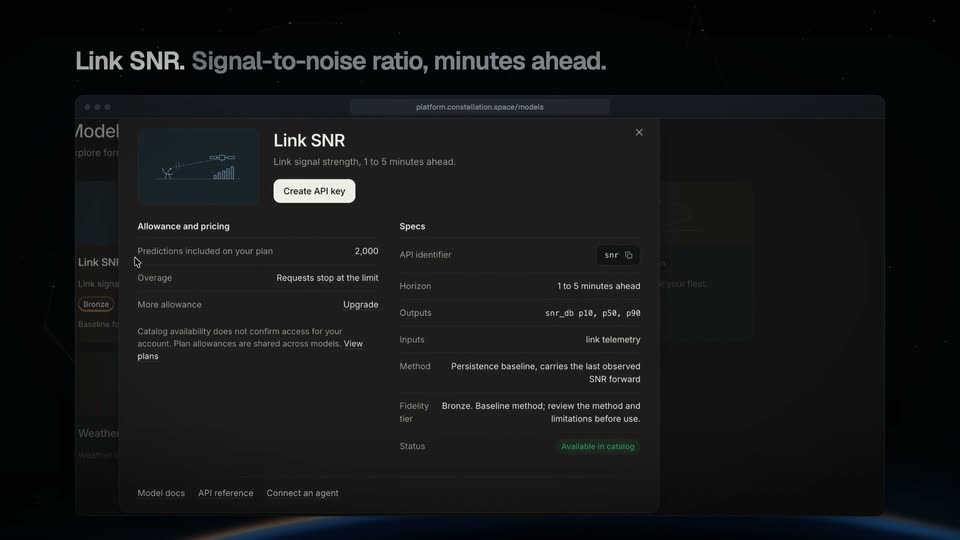
Constellation Space · B2B · Oct 2026
/dev/fast · B2B · Feb 2026
Films whose music sounds like this one, voice left out
Jitter · Electronic dance music with cinematic trailer elements
Dub · Funk and Latin jazz percussion
Touchmark · Electronic dance music with a retro-futuristic, high-energy style
The black Airfront wordmark and icon sit centered on a warm orange gradient. The logo scales up in place.
On-screen text: “Airfront”
Techniques: Kinetic type
Camera: Static
The Airfront spark mark and wordmark scale on a warm beige gradient, then the frame shifts to a light gray field where the black text AI-first sits still, a faint logo outline resting at the right edge.
On-screen text: “AI-first”
Camera: Static
On a charcoal field, large white sans-serif words swap in sequence, AI-first, email, platform, each layered over a faint outlined copy of a neighboring word at the frame edges. The type then scales down to a centered two-line tagline that fills from off-white to gold.
On-screen text: “AI-first”, “email”, “platform”, “with built-in”, “automations”
Techniques: Kinetic type
Camera: Static
Large black sans-serif words cycle on a white background, one at a time: Modern, inbox, for work, with built-in, automations. A soft cream gradient blob fades in at the lower left, then the blue finbox wordmark appears centered as the sign-off.
On-screen text: “Modern”, “inbox”, “for work”, “with built-in”, “automations”
Techniques: Kinetic type
Camera: Static
A white card holds the black lowercase wordmark “powered by AI” on two centered lines, static and locked off. A soft peach radial glow sits behind the lower line, fading to plain white at the edges.
On-screen text: “for work”, “powered”, “by AI”
Camera: Static
A white card holds the bold black headline “powered by AI”, with “AI” set in gold. The final “I” wipes in from a thin vertical bar to its full width.
On-screen text: “powered by AI”
Techniques: Masking
Camera: Static
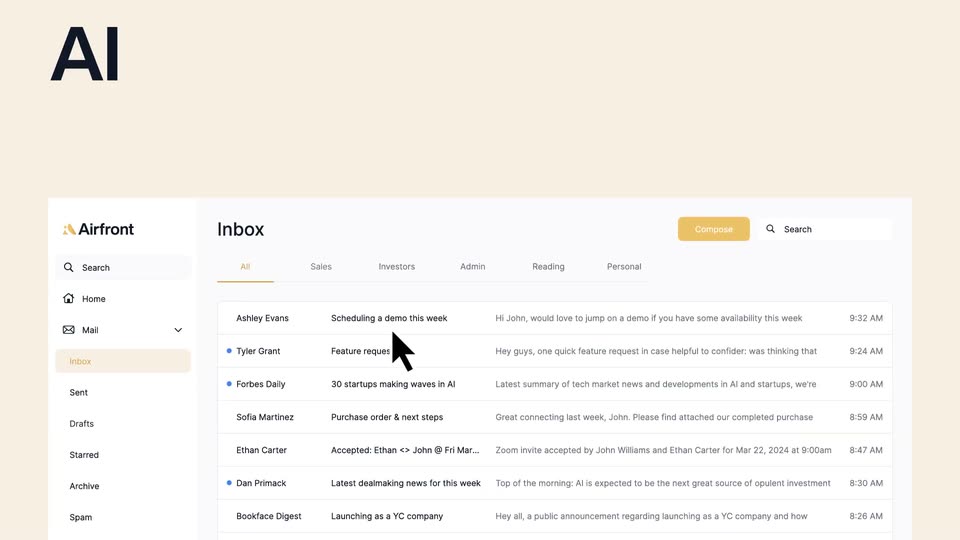
A large dark blue headline reading 'AI email' and a grey word 'cate' sit above a white email inbox interface. A black cursor hovers over the 'Sales' tab in the top navigation bar.
On-screen text: “AI email”, “cate”
Techniques: Cursor demo
Camera: Static
A dark serif headline reads AI email categorization, its letters filling from outline to solid above a flat Airfront inbox. A cursor sits on the Sales tab and the email list filters to a shorter set.
On-screen text: “AI email categorization”
Techniques: Kinetic type, Cursor demo
Camera: Static
A large dark headline holds 'Auto response' as the second word swaps from 'categorization' to 'drafts', letters flickering to outline. Below, the Airfront mail app changes from the Inbox list to the Drafts list when a cursor clicks the Drafts item in the sidebar.
On-screen text: “Auto response categorization”, “Auto response drafts”
Techniques: Kinetic type, Cursor demo
Camera: Static
A dark plain background holds a single centered word in large white sans-serif. The word reads Flexible, then swaps to workflow, each held static in a locked-off frame.
On-screen text: “Flexible”, “workflow”
Techniques: Kinetic type
Camera: Static
On a dark background, the word workflow gives way to automations, which slides in centered in white lowercase type. A gold four-pointed star sits over the letter o and pulses brighter as the word settles.
On-screen text: “workflow”, “automations”
Techniques: Kinetic type
Camera: Static
The word automations slides in on a dark background, then gives way to the headline No need to connect with Zapier, with No need in thin outline. The scene cuts to the Airfront inbox screen showing its left sidebar.
On-screen text: “automations”, “No need to connect”, “with Zapier”
Techniques: Kinetic type
Camera: Pan
A light dashboard UI with a left sidebar listing navigation items and an Inbox header holding a yellow Create button and search field. A black cursor hovers over the sidebar while a static two-line headline reads No need to connect with Zapier in the empty main panel.
On-screen text: “No need to connect”, “with Zapier”
Techniques: Cursor demo
Camera: Static
A cursor moves through the Airfront Workflows page, scrolling the list of workflow cards down and back up, then hovers over the Sales row. The scene cuts to a black card with a large white headline surrounded by orange pill labels.
On-screen text: “Create any task you want”, “Extracting data”, “Drafting follow-ups”, “Managing inbounds”, “Responding to customers”
Techniques: Cursor demo
Camera: Pan
On a dark background, the white headline 'Create any task you want' stays centered while four amber pill labels drift outward toward the corners and a small orange dot glides across the left edge.
On-screen text: “Create any task you want”, “Extracting data”, “Drafting follow-ups”, “Responding to customers”, “Managing inbounds”
Camera: Static
A line of large serif type scrolls left across a dark background. The word at the center of the frame is filled in cream or gold, while the words at the edges stay as thin outlines. The line reads Turn your inbox into a database, then fades to black.
On-screen text: “Turn your inbox into a database”
Techniques: Kinetic type
Camera: Static
A large white headline reads Create databases above a light interface mockup. The UI, featuring a sidebar and a grid of database cards, slides up from the bottom of the frame.
On-screen text: “Create databases”
Techniques: Kinetic type
Camera: Static
A dark top banner holds the white headline Create databases over the Airfront interface. A black cursor drifts right across the database cards, then the view switches to the Sales pipeline table, listing opportunity rows with owner, stage and priority columns.
On-screen text: “Create databases”
Techniques: Cursor demo, UI zoom
Camera: Push in
A black frame holds the white headline Create databases above a product UI panel that slides up into view, showing a Sales pipeline table with colored stage and priority tags while a cursor moves down the rows.
On-screen text: “Create databases”
Techniques: Cursor demo
Camera: Pull out
On a white field, six rounded category icons sit scattered. The black headline reads 'For: Sales', then 'pipeline' types in. The green dollar icon moves to center and grows larger while the others fade to gray.
On-screen text: “For: Sales”, “For: Sales pipeline”
Techniques: Kinetic type
Camera: Static
Light gray field with six pastel icon tiles scattered. The black headline assembles on the left as the yellow star tile sharpens and slides up to sit above the text while the other tiles blur.
On-screen text: “For: Customer feedback”
Techniques: Kinetic type
Camera: Static
A white frame holds the black headline For: Distribution list on the left while small colored icon chips labeled Reading, Sales pipeline, Customer feedback, Partnerships, Recruiting and Listserv drift and blur around it. The word Distribution fills in from a thin outline to solid black.
On-screen text: “For: Distribution list”
Techniques: Kinetic type
Camera: Static
A white card holds the word And in large black type, centered and static. It then cuts to the word more in the same style, slightly smaller, also centered and locked off.
On-screen text: “And”, “more”
Techniques: Kinetic type
Camera: Static
A plain cream background warms into an amber gradient while the white two-line headline fades out. A small white play-button triangle with a dot pops in at the center, holding the frame.
On-screen text: “Let your inbox do work for you”, “more”
Camera: Static
A white abstract mark, a four-pointed star beside a curved teardrop over a small triangle, scales up slightly and settles on a warm amber gradient, with the URL airfront.com centered below it.
On-screen text: “Let your inbox do”, “work for you”, “airfront.com”
Camera: Static