1:39
Morphik Launch Demo
Morphik · B2B · May 2025
/dev/fast’s 3:39 launch film runs 31 scenes, about 7.1 s each. The product is on screen from the first frame and 4 features are revealed. The call to action lands at 3:02 (83% in), over a voiceover. The video bookends one long, continuous product demo with a presenter in a bright home studio, and each feature is shown as the interface morphing in place from chat to spreadsheet, outreach panel, slide deck, and workflow builder. Pacing is slow and locked-off, with motion carried by word-by-word typing, gentle zooms into the prompt field, and blur or diagonal-wipe transitions between views, all set against soft illustrated nature backdrops.
Is this your launch? to your site or press kit.
Morphik · B2B · May 2025
Spline · Design · Oct 2026
Spline · Design · Aug 2026
Films whose music sounds like this one, voice left out
Stytch · Lo-fi hip-hop
Webflow · Electronic
Arcade · EDM, lo-fi hip-hop, chiptune
A man in a denim jacket sits in a bright living room, speaking to camera and gesturing with his hands. White subtitles swap line by line at the bottom of the locked-off medium shot.
On-screen text: “Hi, I'm Sid and I'm very excited today”, “to introduce you to Carson,”, “a new generation of proactive Al agent”, “with a novel”, “generative interface”, “that adapts to you as you use it.”, “Carson deploys teams of agents”, “across your entire stack”, “to tackle deliverables”, “persistent workflows from Google Drive,, Notion, email, and more. Let me show you how it works.”
Camera: Static
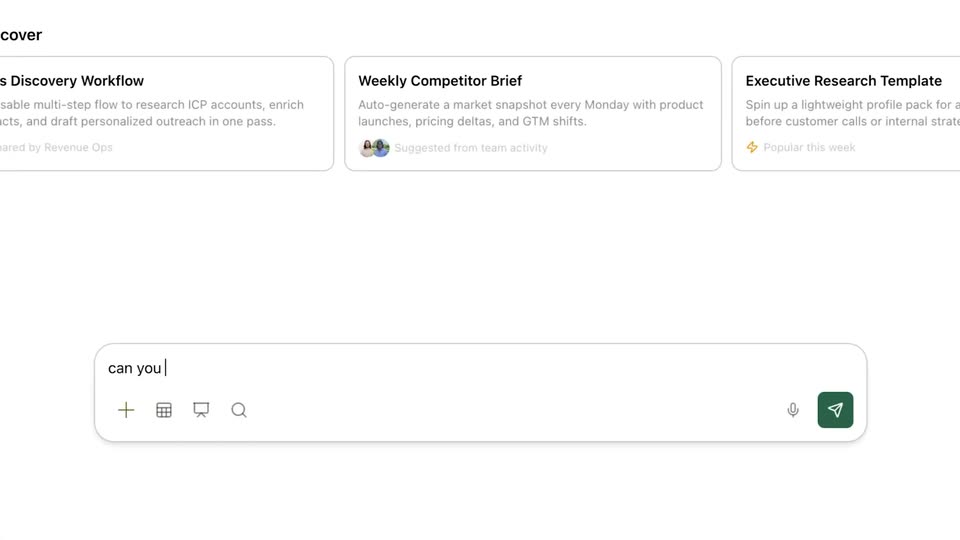
A desktop app window fades in over a photo of a bridge and dollar bills, showing a dashboard of task cards. The view zooms into the prompt field as a lead-finding query types itself, then switches to the chat screen with the message sent.
On-screen text: “Let me show you how it works.”
Techniques: UI zoom
Camera: Static
A chat window sits centered over an illustrated park background in a locked-off frame. A user question bubble rests at the top right while the assistant's reply types out word by word beneath it.
Techniques: Kinetic type
Camera: Static
A desktop app window on a nature wallpaper shows a spreadsheet whose empty cells fill in row by row with founder titles, companies, and LinkedIn headlines. A static chat card in the lower right holds a user request and a reply. The frame stays locked off throughout.
Camera: Static
A close-up on a chat panel shows a prompt typing in, a Thinking state, then a reply typing out; the frame then pulls back to the full window with a founder spreadsheet beside it.
Techniques: UI zoom
Camera: Pull out
A three-panel outreach screen holds still, then zooms into the compose box as the subject and a personalized email to Zinny Weli type out line by line. Her profile card and the research notes stay fixed on the right, and the shot ends in a fast motion blur.
Techniques: UI zoom
Camera: Push in
Two UI cards float in 3D over a blurred green background, a profile on the left and a chat on the right. The chat scrolls while a request types into the input, then a reply types out.
Techniques: 3D mockup
Camera: Static
A two-pane interface shows an email draft on the left and a contact profile card on the right. A diagonal striped wipe slides across the frame as the view shifts from a chat panel to the email and profile.
Techniques: Masking
Camera: Pan
In a flat product UI, an email draft sits beside a LinkedIn profile panel. Beige-highlighted placeholder phrases in the email expand, typed word by word, into personalized sentences about Didit's identity work, while the profile stays static; the view blurs out at the end.
Techniques: Kinetic type
Camera: Pan
A two-column profile page fills the frame after a brief horizontal blur. The left shows a headshot, name, role and experience list; the right lists company overview, personal interests and talking points. A gray highlight bar slides in behind the phrase now in business.
Camera: Pan
A tight crop on an email draft and a deep-research panel pulls back to reveal the full three-column outreach window on a patterned desktop. As it settles, a new line about playing tennis types into the email body.
Techniques: UI zoom
Camera: Pull out
A full-screen email and CRM interface with four panels holds on a blurred desk background, then cuts to a Google Calendar day view. A hand cursor hovers over a 10 AM event block, the meeting the contact just booked.
Techniques: Cursor demo
Camera: Static
A browser window shows a Google Calendar day view over a blurred building backdrop. A cursor hovers over a blue event block, then the event expands into a detail card listing the title, time, link and RSVP buttons.
Techniques: Cursor demo, UI zoom
Camera: Static
A Google Calendar event dialog sits open over the day view. The cursor hovers over the dialog, the dialog closes, and the page folds diagonally away to reveal a new sidebar interface.
Techniques: Cursor demo, Masking
Camera: Static
A dark diagonal band wipes away to reveal a dashboard UI, then the cursor clicks the prompt field as the camera zooms in while a task message is typed letter by letter and sent.
Techniques: Masking, Cursor demo, UI zoom
Camera: Push in
A flat product window sits over a watercolor park illustration. Chat messages stream into the main pane one after another while a small status label in the left sidebar cycles through task phrases. The frame stays locked-off.
Camera: Static
A desktop app window floats over a painted garden backdrop. Inside, an AI chat logs its steps as a slide deck generates: thumbnails fill in, the ClosedAI x Didit title slide expands to full width, a feedback panel slides in, and the preview scrolls to slide two.
Techniques: UI zoom
Camera: Static
A flat app window sits over a painted garden backdrop. The slide canvas flips through deck pages as the thumbnail strip highlights each. A bullet gets highlighted, a small panel opens, and a comment is typed into it; the view then pulls back to reveal the feedback entry.
Techniques: UI zoom
Camera: Static
A slide deck sits on the left while a chat panel on the right shows the AI's summary of slide edits. A blinking caret then types a message word by word into the input box, asking to automate the workflow so slides are generated whenever a call is booked.
Techniques: Cursor demo
Camera: Push in
A close-up of a chat panel scrolls through a conversation, listing six founders and a confirm button, then the input shows a checked response. The view pulls back to reveal the full app window with a sidebar, slide thumbnails, and the chat docked right.
Techniques: UI zoom
Camera: Pull out
A desktop app window sits on a leafy wallpaper, showing a slide deck in the center and a chat panel on the right. The chat scrolls up to reveal the AI's reply, and a tooltip fades in beside a teammate's name in the left sidebar.
Camera: Static
A workflow builder screen shows three connected nodes on a dotted canvas beside a chat panel. The view zooms to the lower canvas as a new Slack node appears and its label types in, then a hand cursor clicks to link it with a dotted line.
Techniques: UI zoom, Cursor demo
Camera: Push in
A workflow diagram with a Slack step sits left of a Slack confirmation thread; a hand cursor hovers the Slack block. The view cuts to a Google Calendar day where a 3 PM event appears, then fades to black.
Techniques: Cursor demo
Camera: Pull out
A browser window over a blurred building illustration shows a calendar day view. A cursor clicks a blue event bar, opening a white details card. A Slack notification toast slides in at the top right.
Techniques: Cursor demo
Camera: Static
A calendar app in a browser opens out of focus and sharpens onto an event card titled '30 min between Sidharth Menon and Amit Yadav (Fern)', with a Fix.Fast notification from Carson in the top-right corner. The shot then blurs and drifts out.
Camera: Static
A dark Slack channel fills the browser window, then the view pushes in on a message thread. The zoom settles on a PowerPoint attachment preview: a title slide with two logos, a bold headline, and a line-art head with an ear, eye, and circuit nodes.
Techniques: UI zoom
Camera: Push in
A long-haired man in a denim jacket sits in a bright room with framed art and plants, speaking to the camera and gesturing with his hands. White subtitles appear at the bottom of the frame in sync with his speech.
On-screen text: “Carson is powerful,”, “but it's also safe to use at work”, “because of advances”, “we've made in security”, “for agentic systems.”, “The entire platform is built around”, “a fine grained permission system,”, “which means you can feel comfortable”, “embedding Carson in your most mission”, “critical workflows. Carson is available today as a research preview. If you would like to try Carson in your business, please let us know. We look forward to”
Camera: Static
A dark green end card holds the large white CARSON wordmark above the smaller serif URL usecarson.com. The locked-off composition remains still, then fades to black.
On-screen text: “CARSON”, “usecarson.com”
Camera: Static
A dark gray brand name and a smaller serif URL sit centered on a black background. Both elements hold still on a locked-off frame for the duration of the sign-off.
On-screen text: “CARSON”, “usecarson.com”
Camera: Static
A black sign-off frame holds the dark wordmark CARSON centered above the URL usecarson.com. Both sit still and locked off at very low contrast, as if caught mid-fade on a closing card.
On-screen text: “usecarson.com”
Camera: Static
The CARSON wordmark and the URL usecarson.com sit centered on a black background in a locked-off frame and fade out to black.
On-screen text: “CARSON”, “usecarson.com”
Camera: Static