1:12


Billow - YC Launch
Billow AI Labs · B2B
Arcade · Jul 2023 · 2:04 · AI-annotated
Arcade’s 2:04 launch film runs 21 scenes, about 5.9 s each. The product shows up at 0:01 and 3 features are revealed, with social proof. The call to action lands at 1:57 (94% in), over a voiceover. The video alternates centered text cards on drifting pastel gradients with full-bleed product UI, each feature introduced by a title card that lifts a blur to reveal the dashboard. Pacing is slow and even at about four cuts per minute, with signature moves of blur-to-focus reveals, a cursor or dot accenting headlines, and dark callout cards that pin the viewer's eye inside the interface.
Is this your launch? to your site or press kit.
Billow AI Labs · B2B
Palisade · B2B · Aug 2026
An abstract 3D shape, a layered disc with an orange-to-pink gradient and a smaller cylinder on top, resolves from a soft blur into a crisp form on a pale pink background, casting a hard shadow to the right.
Camera: Static
Centered headline on a soft pink gradient background. “Introducing new Arcade creator tools” fades in with “creator tools” in a pink-to-orange gradient, then crossfades to “for even more polished and beautiful Arcades.” as a small gradient dot lands on the “i” of “beautiful”.
On-screen text: “Introducing new Arcade creator tools”, “for even more polished and beautiful Arcades.”
Techniques: Kinetic type
Camera: Static
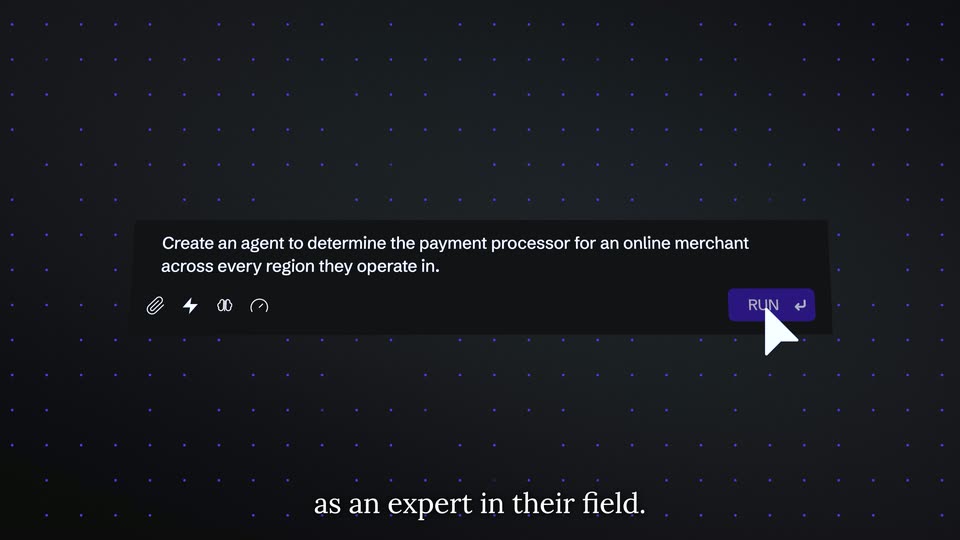
On a soft pink gradient, two centered lines of dark sans text swap with a blur. The phrase 'for even more polished and beautiful Arcades,' gives way to 'Arcade is an interactive demo platform' as a small cursor fades in below the second line.
On-screen text: “for even more polished”, “and beautiful Arcades,”, “Arcade is an interactive”, “demo platform”
Techniques: Kinetic type
Camera: Static
A soft pink gradient holds a centered two-line headline in bold dark sans. A cursor arrow glides across the word “interactive”, blurring and tinting it maroon as it passes, then the whole line fades out.
On-screen text: “Arcade is an interactive demo platform”
Camera: Static
Two centered headlines crossfade on a pale blue gradient. “Telling the story of your product is hard” fades in with “hard” in blue, then gives way to “We provide creators with a polished experience” in gray.
On-screen text: “Telling the story of your product is hard”, “We provide creators with a polished experience”
Techniques: Kinetic type
Camera: Static
A bold dark headline on a soft white-to-blue gradient reads “We provide creators with a polished experience”; the second line resolves from a scanline glitch, then the text fades out and a second headline, “Announcing new features that help you tell product stories,” appears centered.
On-screen text: “We provide creators with a polished experience”, “Announcing new features that help you tell product stories”
Techniques: Kinetic type, Masking
Camera: Static
A pale blue gradient holds a two-line dark navy headline. The second line blurs into focus and a small blue dot lands after the final word, then a blurred dashboard UI with a button fades in behind the text.
On-screen text: “Announcing new features that help you tell product stories.”
Techniques: Kinetic type
Camera: Static
A blurred dashboard sits under a centered overlay with the title “Introducing Pan and Zoom”, a caption, and a blue “Check it out” button. The blur lifts to the sharp interface, a tooltip marks the Projects item, and the view zooms into the Projects grid.
On-screen text: “Introducing Pan and Zoom”, “Focus your viewer's attention on what matters most.”, “Check it out”, “Announcing new features that”
Techniques: UI zoom
Camera: Static
A project dashboard resolves from a doubled ghost frame into a sharp full view, a dark tooltip reading “with only one click” pinned to a button. The camera then zooms into the grid of project cards, dropping the sidebars.
On-screen text: “with only one click”
Techniques: UI zoom
Camera: Push in
A grid of project cards with progress bars and status labels fills the frame. A circular zoom marker with a dark tooltip appears over the center card, then the view pans right to reveal an activity feed sidebar as the marker shifts to its header.
On-screen text: “You can choose which steps you want to pan and zoom into”
Techniques: UI zoom
Camera: Push in
Blurred pale blue screen with a row of white pills below a centered title block: bold black “Introducing Callouts”, gray subline, blue Learn more button with a pulsing focus ring. A gray callout card with an arrow button appears over the heading.
On-screen text: “Introducing Callouts”, “A new way to progress your story.”, “Learn more”
Camera: Static
A tablet screen tilted in 3D perspective fills the frame over a blue-to-purple gradient. A dark rounded callout card with white text and a small arrow button sits centered as the faint page UI behind it fades out, leaving white dashes along the bottom edge.
Techniques: 3D mockup
Camera: Static
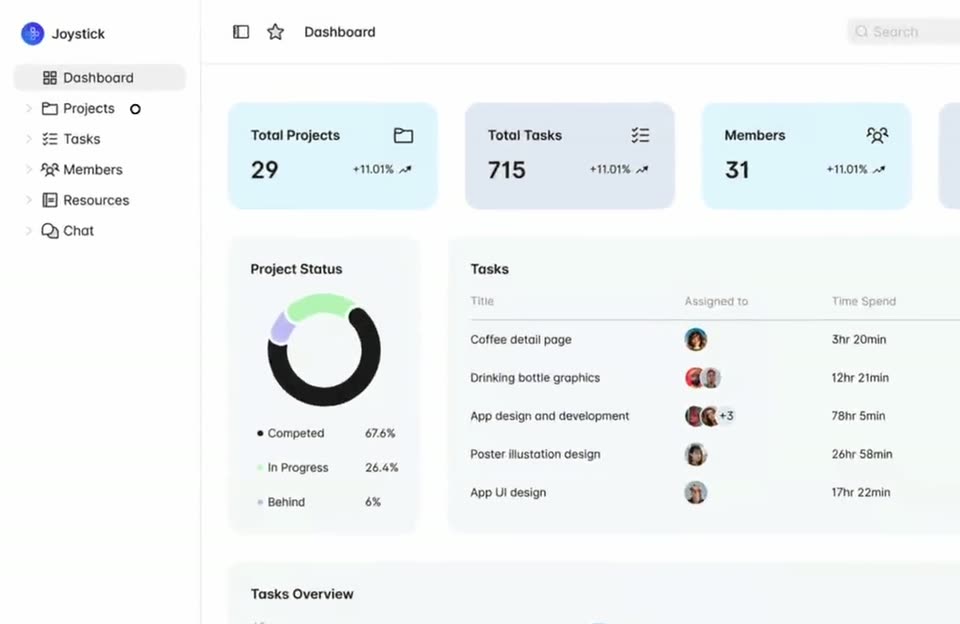
A flat Joystick dashboard fills the frame with metric cards, a task list, a bar chart and side panels. A dark rounded callout card bearing white body text and a right-arrow button glides down from the task table to rest over the donut chart, then holds still.
Camera: Static
A blurred dashboard fills the frame behind a centered headline and blue button. The blur lifts to reveal the sharp referral page; a dark tooltip points at the link field, then the view zooms onto the user table as a second tooltip flags the pixelated names.
On-screen text: “Introducing Blurring”, “Anonymize or remove sensitive data.”, “Find out more”, “You may want to show how something works, but not show sensitive data...”, “Including customer names or financial details.”
Techniques: UI zoom
Camera: Push in
A centered card on a blue-gray gradient plays a blurred video of a man speaking, overlaid with the headline 'Hear from our creators' and a blue button. In the last second the blur clears to reveal the man as his name appears at the lower left.
Camera: Static
A man with glasses and a black t-shirt speaks to the camera in a video call, framed in a rounded card on a light blue gradient. A name caption identifies him at lower left while subtitles run along the bottom as he gestures, touches his chin and smiles.
On-screen text: “Hear from our creators”, “Guilherme Jungstedt”, “Carta”, “People here rely a lot in Arcade demos”, “but I mean a lot.”, “And people from several different teams”, “teams that I don't even know exist, they use Arcade.”, “So it's been quite a helpful tool for us.”, “Quite helpful and amazing.”, “Yeah I would say that the paint and the zoom”
Camera: Static
A man speaks to camera inside a rounded video-call card on a white-to-blue gradient. A white name caption, Tyler Diderich, runZero, fades in at the card's lower left while subtitles run along the bottom. The card blurs and fades to white as the next name appears.
On-screen text: “Tyler Diderich”, “runZero”, “Yeah, I would say the Pan and Zoom”, “one that are really easy to use.”, “And I would say it really, from my perspective”, “makes things look much more professional.”, “Arcade's new tools have been really great.”, “Michelle Williams”, “Fisher”
Camera: Static
A woman in a cap and round glasses speaks in a centered video-call frame against a gray wall, set on a light background with a blue gradient at the bottom. A name label at lower left fades out, and the caption at the bottom switches to a second line.
On-screen text: “Michelle Williams”, “Flieber”, “Arcade's new tools have been really great.”, “It has been a consolidated answer for our needs.”
Camera: Static
A rounded video-call tile shows a smiling person in a cap and glasses against a gray wall, centered on a pale blue gradient. A caption bar sits below the tile. The tile fades out, leaving only the empty gradient background.
On-screen text: “It has been a consolidated answer for our needs.”
Camera: Static
A rounded video card on a pale blue gradient shows a bearded man with glasses talking, staged as a testimonial. His name and company sit bottom-left, and a gray caption bar below carries his line. The card blurs in, sharpens, then blurs out.
On-screen text: “Jordan Merrick”, “Retool”, “I am a huge fan of Arcade.”
Camera: Static
A blue-to-white gradient with a faint dashed grid holds the headline “This is an Arcade,” with “Arcade” in blue. It blurs out as “Build effortlessly beautiful demos” and a blue “Get started now” button fade in; a cursor hovers the button, then the whole card blurs out.
On-screen text: “This is an Arcade”, “Build effortlessly beautiful demos”, “Get started now”
Techniques: Kinetic type, Cursor demo
Camera: Static