1:41

Perplexity - Today we're launching Perplexity Labs. Labs is for your more complex
Perplexity · AI · May 2025
Yutori · Apr 2026 · 1:17 · AI-annotated
Yutori’s 1:17 launch film runs 14 scenes, about 5.5 s each. The product is on screen from the first frame and 2 features are revealed. The call to action lands at 0:59 (77% in), over a voiceover. The video alternates a single locked-off talking-head shot with clean white UI screen recordings, switching between them at a steady mid-tempo pace. Bold bottom captions carry the voiceover while the interface animates through simple zooms, scrolls, and line-by-line typing reveals.
Is this your launch? to your site or press kit.
Perplexity · AI · May 2025
Agentcard · Fintech · Nov 2026
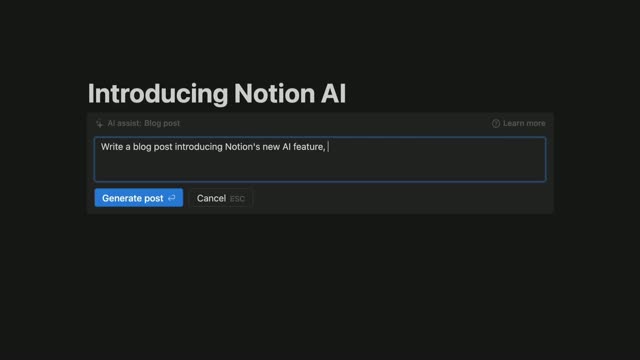
Notion · Productivity · Nov 2022
A man in a teal shirt and glasses sits in a white armchair against a cream wall, flanked by a plant shelf and a snake plant. He speaks to camera and gestures with his hands as captions appear at the bottom of the locked-off shot.
On-screen text: “Think about how you use AI today.”, “You're getting a lot more done, but it's not the hands off experience you were promised.”, “You're still stuck doing the heavy lifting.”, “Keeping track of every open thread, supplying the right context for each one, repeating your preferences,”, “telling it when to start, when stop, what's next.”, “That ends today.”, “Introducing Delegate,”, “an agent you delegate work to and move on with your life.”
Camera: Static
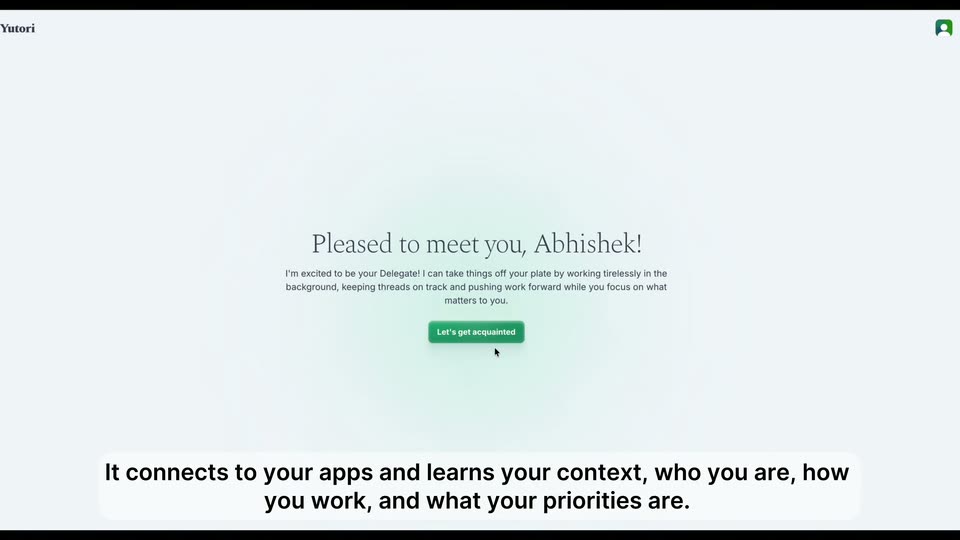
A man in a teal shirt and glasses sits in a white chair against a white wall, shelf and plant at the edges. The shot dims and a white card with a greeting and green button fades in over him, a white caption line along the bottom.
On-screen text: “It connects to your apps and learns your context, who you are, how you work, and what your priorities are.”
Camera: Static
A chat screen shows the assistant's greeting message, then the view cuts to an integrations list of apps with Connect buttons. A cursor drifts down from the green button to the Linear row, and the screen fades to white.
On-screen text: “It connects to your apps and learns your context, who you are, how you work, and what your priorities are.”
Techniques: Cursor demo
Camera: Static
A pale product screen holds a serif heading above a name input field. The placeholder is replaced by the typed name Hedwig while a green button sits below. A bold caption at the bottom swaps from one line to another.
On-screen text: “It connects to your apps and learns your context, who you are, how you work, and what your priorities are.”, “Then you throw tasks at it and step away.”
Techniques: Cursor demo
Camera: Static
A white “Clear your mind” modal floats over a blurred gray screen, its text box filled with a paragraph. A cursor moves to and clicks the green Delegate button while a bottom caption swaps through lines about throwing tasks and brain dumps.
On-screen text: “Then you throw tasks at it and step away.”, “even just a brain dump works.”, “It breaks that down into concrete subtasks and starts making progress on them in parallel in the background.”
Techniques: Cursor demo
Camera: Static
A light task interface shows a serif greeting heading and a green Delegate tasks button above a categorized list. The whole view scales up to enlarge the rows, while a bold caption stays fixed at the bottom.
On-screen text: “It breaks that down into concrete subtasks and starts making progress on them in parallel in the background.”
Techniques: UI zoom
Camera: Pull out
A chat interface types the agent's reply line by line, then lists three parallel workstreams in bold. The view zooms into the thread, then pans left to the task sidebar as the bottom caption swaps to a new line.
On-screen text: “It breaks that down into concrete subtasks and starts making progress on them in parallel in the background.”, “So for example, here,”
Techniques: UI zoom
Camera: Push in
A light task dashboard holds on a serif greeting headline and a list of delegated tasks, then scrolls down to reveal a detail panel listing partner channels and sent outreach messages. Bold captions swap at the bottom.
On-screen text: “So for example, here,”, “it sent outreach messages for Delegate to some of our partners”
Camera: Pull out
A light product interface shows a task rundown listing partner channels, a messages-sent note and a scheduled followup card. The view scrolls down to reveal running Slack tools, then back up. Bold black captions at the bottom narrate the agent sending outreach and scheduling a check-in.
On-screen text: “it sent outreach messages for Delegate to some of our partners”, “and then proactively scheduled itself forward to check back if they replied.”, “Once they responded,”, “it logged in to Statsig via Yutori Local”
Camera: Static
A screen recording of the Statsig landing page. The hero headline scales into place, then the view pulls back to show the full browser window with traffic lights. A bold black caption line at the bottom updates in sync with the voiceover.
On-screen text: “it logged in to Statsig via Yutori Local”, “to activate access for them and updated the tracker for me,”
Techniques: UI zoom
Camera: Pull out
A feature-gate rules panel is shown in close-up as four user email chips fill the condition row; a box highlights the last-modified line, then a green success toast pops in at the bottom right.
On-screen text: “to activate access for them and updated the tracker for me,”, “all without me having to step in at all.”
Camera: Static
A browser view of the agent task thread scrolls down through the outreach summary and a reply table, with a bold black caption at the bottom. It cuts to a man in a teal shirt seated in a plant-filled room, speaking to camera under a subtitle.
On-screen text: “all without me having to step in at all.”, “That's it. That's Delegate,”
Techniques: UI zoom
Camera: Push in
A man in a teal shirt and round glasses sits in a white armchair against a plain wall, a wooden shelf with a plant and lamp left, a snake plant right. He speaks to camera as caption lines swap in a rounded box at the bottom.
On-screen text: “That's it. That's Delegate,”, “your eager AI agent that understands your context, never sleeps,”, “never forgets anything, and loves busy work.”, “It's available for use today.”, “Just go to Yutori.com”, “to get started.”
Camera: Static
On a light gray background, a small green rounded-square icon with a white loop mark scales up and slides to the upper center as the dark slab-serif wordmark Delegate appears beside it. The tagline Sign up for free at Yutori.com then fades in word by word and holds.
On-screen text: “Sign up for free at Yutori.com”
Techniques: Kinetic type
Camera: Static