0:18

Anchor agentcard
Agentcard · Fintech · Nov 2026
Perplexity · May 2025 · 1:41 · AI-annotated
Perplexity’s 1:41 launch film runs 40 scenes, about 2.5 s each. The product is on screen from the first frame and 4 features are revealed. The call to action lands at 1:30 (89% in). The video is a five-chapter montage: a product intro, then five project demos (finance, sales, creative, classroom, travel) each opened by a black title card that types 'Bring your X project to life' with one italic serif word, followed by a typed prompt and a fast scroll through the generated dashboard. Pacing is steady at about 12 cuts per minute with slow push-ins, cursor glides and cross-fades, and a final logo lockup with a scrambled-text tagline.
Is this your launch? to your site or press kit.
Agentcard · Fintech · Nov 2026
Notion · Productivity · Nov 2022
Deepeye Medical · Jan 2025
Dark UI close-up: the perplexity pro logo sits above a search bar with an Ask anything placeholder. A cursor hovers the lightbulb icon, a Labs tooltip pops in, the bar fills with a long trading prompt, and the view pulls back as the cursor clicks the teal send arrow.
Techniques: UI zoom, Cursor demo
Camera: Push in
A dark chat screen shows a long typed prompt in an input box, a hand cursor resting on the teal send button. The view scrolls up as the box fades and a bulleted answer with a code file card slides in.
Techniques: Cursor demo
Camera: Static
A static close-up of a dark task-list interface. Two bulleted paragraphs describe creating a heatmap and a web dashboard, each followed by file cards with cyan icons. The bottom row of cards fades in.
Camera: Static
A dark chat interface shows a task list with two sections. The view scrolls up slightly so the bottom file card, a zipped app, comes fully into frame. Each section lists small file cards with teal icons and gray labels.
Camera: Static
A dark analytics dashboard fills the screen; a cursor glides to the Overview and Summary tab and clicks it as the frame zooms in on the tab row and the WWDC trading strategy panel.
Techniques: Cursor demo, UI zoom
Camera: Static
A dark trading dashboard fills the screen. A cursor moves from the Overview tab to the Strategy Performance tab, and the main panel swaps from a horizontal bar chart to a ranked table of strategies while the Key Insights panel stays fixed.
Techniques: Cursor demo
Camera: Static
A dark trading dashboard fills the frame, showing a stats row and a ranked strategy table. A hand cursor glides rightward across the top tabs, moving from Strategy Performance to Yearly Analysis.
On-screen text: “This analysis is for educational purposes only and should not be considered financial advice.”, “Always consult with qualified financial professionals before making investment decisions.”
Techniques: Cursor demo
Camera: Static
A dark trading dashboard fills the screen, pairing a green bar chart with a data table under a row of stat figures. A hand cursor glides across the top tab bar, sliding from the Yearly Analysis tab to the Strategy Matrix tab.
Techniques: Cursor demo
Camera: Static
A dark trading dashboard shows a top tab bar with a cursor. The cursor moves from the Strategy Matrix tab to Recommendations, and the panels below swap from a heatmap and scatter plot to three strategy comparison cards.
Techniques: Cursor demo
Camera: Static
A dark trading dashboard fills the frame, then the view switches to a scrolling grid of code and data cards. A cursor moves across the grid and highlights one Python card with a green outline.
Techniques: Cursor demo
Camera: Pan
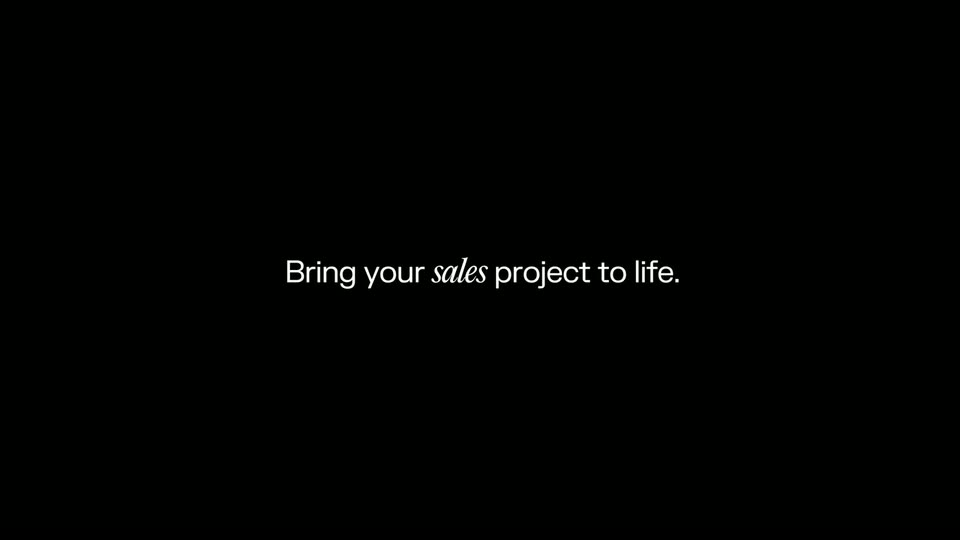
On a black background, the centered line fades in word by word, with the word 'sales' set in italic serif while the rest is plain sans. Once formed, the text holds still in the middle of the frame.
On-screen text: “Bring your sales project to life.”
Techniques: Kinetic type
Camera: Static
The Perplexity Pro logo sits above a dark prompt box on a black background. A long prompt requesting a B2B customer list and dashboard types itself out line by line, then the mouse cursor glides to the teal arrow button and clicks it.
Techniques: Cursor demo
Camera: Static
A dark analytics dashboard scrolls down past a top stat bar, revealing a two-column list of potential customers with funding figures and a left panel of filters plus a donut and bar chart. A cursor hovers over the list as the rows move beneath it.
Techniques: Cursor demo
Camera: Static
A dark modal window displaying company contact details is centered over a dimmed dashboard. A pill-shaped bottom navigation bar with icons slides up from the bottom edge, partially covering the modal.
Techniques: Cursor demo
Camera: Static
A rounded dark command bar sits centered on a near-black background. A prompt is typed into the field character by character, expanding the bar to two lines, while a mouse cursor hovers at the right edge. Teal-accented icons and a send button line the right side.
Techniques: Cursor demo
Camera: Static
A dark interface shows a generated markdown file of intro emails. A prompt bar at the bottom displays the request with a cursor resting on the teal send button, then the page scrolls up to expose the second email.
Techniques: Cursor demo
Camera: Pan
A black screen holds a centered line of white text that builds word by word, the word creative set in italic serif, then holds still on the finished sentence.
On-screen text: “Bring your creative project to life.”
Techniques: Kinetic type
Camera: Static
The Perplexity Pro logo sits centered above a dark rounded prompt box on a near-black background. A text cursor types a multi-line sci-fi film brief into the box, then an arrow cursor glides to the teal send button at the right.
On-screen text: “Bring your creative project to life.”
Techniques: Cursor demo
Camera: Static
A dark chat interface scrolls upward past search chips and prompt text, with teal Generated Image cards and status labels appearing in sequence.
Camera: Pan
A dark research app screen shows a film concept document: source cards, a title, a paragraph and a black-and-white still of a woman in a spacesuit. A cursor glides from the left margin to the Assets tab at the top.
Techniques: Cursor demo
Camera: Static
A dark interface screen shows a 3 by 4 grid of monochrome Mars-noir concept thumbnails, a top nav bar, and a screenplay detail panel on the right. A cursor hovers the Assets tab as the view pushes in, enlarging the grid and the panel.
Techniques: Cursor demo, UI zoom
Camera: Static
A dark interface shows a grid of black-and-white sci-fi stills beside a column of white screenplay text. A cursor rests on a tooltip titled RED DUST, the tooltip closes, the script scrolls slightly, then the frame fades to black.
Techniques: Cursor demo
Camera: Pan
A black frame holds a centered white sentence that reveals from left to right, with “classroom” set in italic serif. The line holds, then dims slightly toward the end of the shot.
On-screen text: “Bring your classroom project to life.”
Techniques: Kinetic type
Camera: Static
On a dark screen, the Perplexity Pro prompt field types a biomes slide request letter by letter as the autocomplete list disappears; the cursor moves to the teal arrow button and clicks it, then the caption “Bring your classroom project to life.” is locked on screen.
On-screen text: “Bring your classroom project to life.”, “2”, “0”
Techniques: Cursor demo
Camera: Static
A dark slide layout shows a biome profile: a framed photo on the left, stacked teal and coral info panels on the right. The whole card blurs and cross-fades, swapping the Tropical Rainforest title, image, and lists for a Desert version.
Camera: Static
A dark dashboard holds a static layout: a framed sunset photo of cacti and dunes on the left, and four rounded cards on the right listing climate, key features, animals and plants in teal, red and green panels.
Camera: Static
A static infographic on a dark gray field: a teal-bordered photo of a snowy tundra sits left, while four rounded cards (teal Climate and Key Features, red Animals, green Plants) hold white text on the right. A snowflake icon marks the teal Tundra title above; nothing moves.
On-screen text: “Tundra”, “Climate”, “Key Features”, “Animals”, “Plants”
Camera: Static
A black frame holds a single centered line that types in from left to right, the word travel set in italic serif against the rest in a thin sans-serif. The camera stays locked off as the line completes and holds.
On-screen text: “Bring your travel project to life.”
Techniques: Kinetic type
Camera: Static
A dark prompt field types out a long travel query about a Barcelona trip, the box stretching taller as new lines fill. The perplexity pro logo sits static above, and a white arrow cursor drifts in to press the teal send button.
On-screen text: “Bring your travel project to life.”
Techniques: Kinetic type, Cursor demo
Camera: Static
A dark assistant log scrolls upward past rows of source tags and search queries about a Barcelona trip and the Spanish Grand Prix. New query pills fade in at the bottom as the list advances.
Camera: Static
A dark webpage article on Barcelona accommodation shows a horizontal carousel of hotel photos. A hand cursor sits at the right edge as the carousel scrolls left, swapping in new hotel cards and a back arrow.
Techniques: Cursor demo
Camera: Pan
A dark itinerary view displays a day title, a paragraph, three photo cards labeled with names and ratings, and more body copy. A white cursor glides from the left card to the right card across the row.
Techniques: Cursor demo
Camera: Static
A dark travel-itinerary page scrolls upward, revealing two photo cards for Barceloneta Park and El Quim de la Boqueria above body copy, then an Estimated Cost Summary table with euro figures. A white cursor rests in the top-right corner.
Camera: Pan
A dark interface shows a budget table titled Estimated Cost Summary, listing expense categories across three spending tiers. A white cursor rests in the top right corner as the view scrolls up briefly.
Camera: Static
On a black field, the line “Bring every project to life.” fades in centered, the word “every” set in italic serif while the rest is sans-serif. The completed line then scrolls left and exits the frame.
On-screen text: “Bring every project to life.”
Techniques: Kinetic type
Camera: Static
A plain black frame holds one centered line of white text that fades in from a soft blur during the first half-second, then holds completely still for the remainder of the clip.
On-screen text: “Try Perplexity Labs today.”
Camera: Static
On a black field, the centered line holds still while the words 'Perplexity Labs' fade from gray to black and a small white outlined angular logo mark fades in at their place, leaving 'today.' in white.
On-screen text: “Try Perplexity Labs today.”
Camera: Static
A white geometric star logo spins slowly at the center of a black frame. Small uppercase captions in the four corners flicker through scrambled characters before settling into the tagline and the URL. The camera stays locked off throughout.
On-screen text: “WHERE KNOWLEDGE BEGINS”, “PERPLEXITY.COM”
Camera: Static
A small white line icon of an open book with a sprouting leaf sits centered on a black field, with tiny coordinate captions in the corners, then the whole frame fades to black.
On-screen text: “PER.71913”, “WHERE22.90164”
Camera: Static
The frame remains a solid black screen for the full duration, with no visible text, interface, motion, or objects.
Camera: Static