1:24

Introducing Notion AI
Notion · Productivity · Nov 2022
Agentcard · Nov 2026 · 0:18 · AI-annotated
Agentcard’s 0:18 launch film runs 6 scenes, about 3.1 s each. The product is on screen from the first frame. The call to action lands at 0:12 (66% in). One continuous, cut-free take that follows a single purchase from a typed prompt to an order confirmation, with UI panels sliding, swapping and dissolving in place rather than cutting. The style pairs a near-black interface with a grainy deep-blue gradient for the closing cards, using blur transitions and a live cursor tagged 'Anchor agent' as the signature move.
Is this your launch? to your site or press kit.
Notion · Productivity · Nov 2022
Deepeye Medical · Jan 2025
Linear · Productivity · May 2025
A dark rounded input bar sits centered on black. White text types out “Get my dog a pumpkin costume, size M, under $30” with a blinking caret, then the label, browser pill and blue send button fade, leaving the line alone in the bar.
Techniques: Kinetic type
Camera: Static
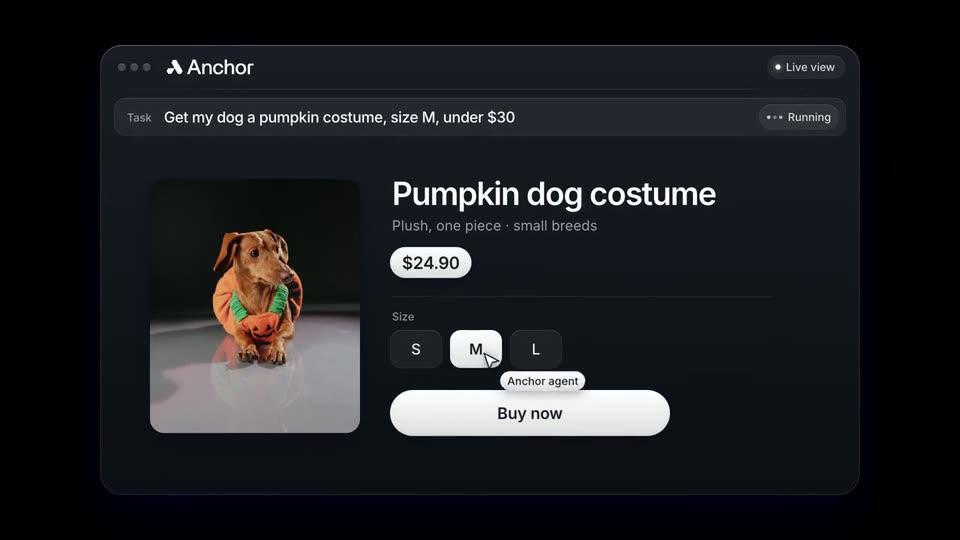
A dark Anchor window shows a product card for a pumpkin dog costume with a dachshund photo. A cursor tagged Anchor agent selects size M and clicks Buy now, then the right panel swaps to a checkout form with card fields and a Pay button.
Techniques: Cursor demo
Camera: Static
A dark checkout UI fills the frame as a cursor types card number, expiry and CVC into the form beside a photo of a dog in a pumpkin costume. A caption appears, then the screen dims and an agentcard panel with a blue Face ID button slides in.
On-screen text: “The agent never sees the card”
Techniques: Cursor demo
Camera: Push in
A dark agentcard payment sheet sits over a blurred checkout; its blue button flips from 'Approve with Face ID' to a check-marked 'Approved', then the sheet dissolves and the frame pulls back to the full Anchor window, showing a 3D dachshund in a pumpkin costume beside an 'Order placed' note.
Techniques: UI zoom
Camera: Pull out
The order-placed UI window fades out on a blue gradient as “Save your card once” appears centered, then “and let your browser buy.” fades in below. The pair holds, blurs out, and the Anchor and agent.ai logos blur in at the edges.
On-screen text: “Save your card once”, “and let your browser buy.”
Camera: Static
A grainy deep blue background with soft pale blue curves in the corners holds two white wordmarks, Anchor and agentcard, each with its icon, separated by a small x, all centered and static.
On-screen text: “Anchor × agentcard”
Camera: Static