0:31


Introducing Spline for ChatGPT 🚀
Spline · Design · Oct 2026
Morphik · May 2025 · 1:39 · Full motion · AI-annotated
Morphik’s 1:39 launch film runs 29 scenes, about 3.4 s each. The product is on screen from the first frame and 3 features are revealed. The call to action lands at 1:30 (91% in), over a voiceover. One continuous walkthrough that opens on a static landing card, then chains dashboard, upload, search, graph and agent demos, each cue cut on the cursor's next action. The look is built from dark floating panels over a blue-orange gradient, 3D tilts of the app window, and a monospace type closer.
Is this your launch? to your site or press kit.
Spline · Design · Oct 2026
Spline · Design · Aug 2026
/dev/fast · B2B · Feb 2026
Films whose music sounds like this one, voice left out
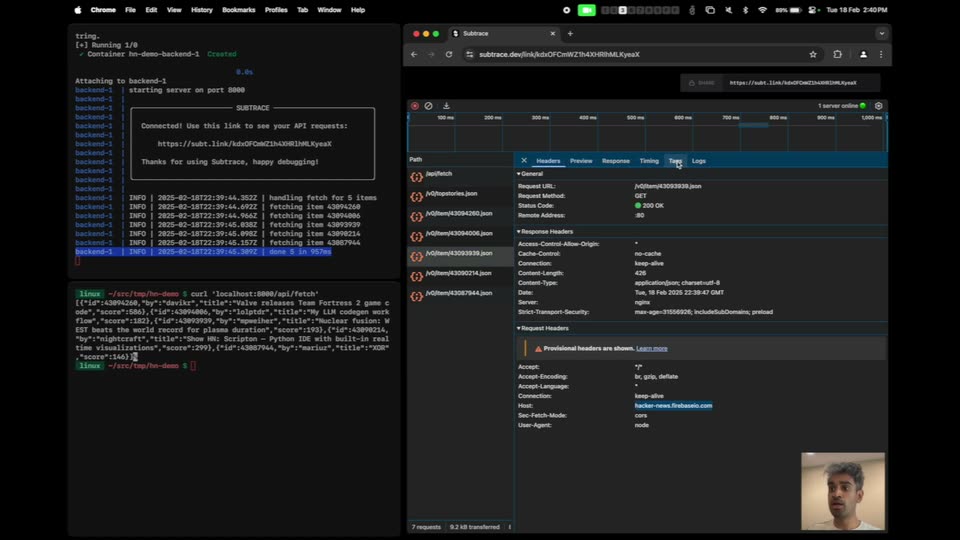
Subtrace · Technical tutorial / Screencast
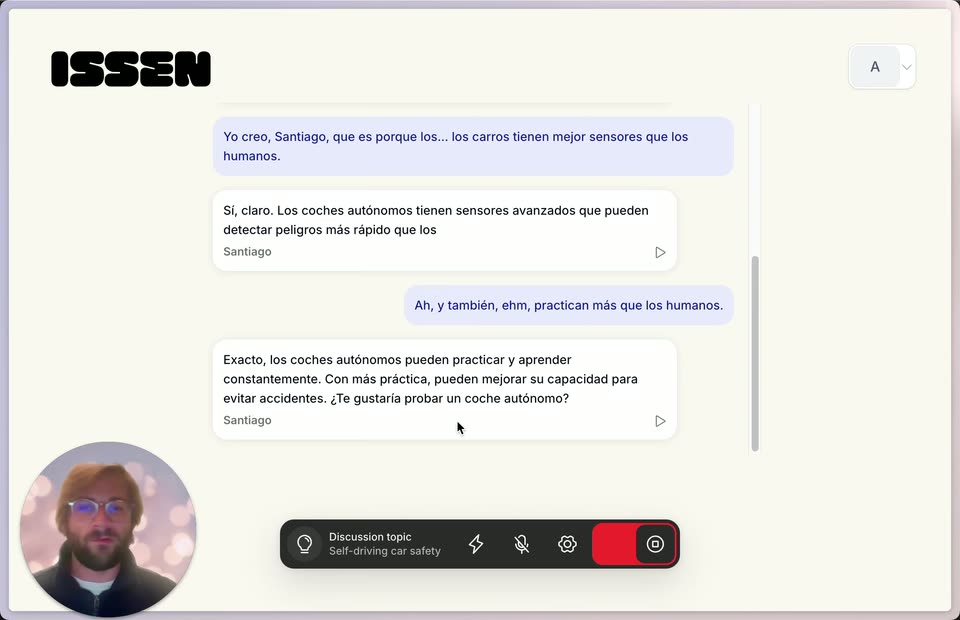
Constellation Space · Voiceover
A dark morphik landing page stays static: a white headline over a blue-purple gradient line, a short paragraph and two buttons, with a Python code window anchored at the bottom.
Camera: Static
A dark dashboard of application cards sits over a blue-orange gradient; the cursor moves toward the Consulting Reports card. The view switches to a file browser with a sidebar, zooms in on the Tech trends folder, the cursor clicks, and an empty folder with an upload prompt appears.
Techniques: UI zoom, Cursor demo
Camera: Pull out
A dark app window sits centered on a blue and orange abstract background. An Upload Document modal is open in the middle, showing File, Batch Files and Text tabs, a Choose File field, two JSON fields and a Use Copilot checkbox. The small morphik logo slides in at the top left.
Camera: Static
A tablet mockup in 3D perspective holds a document app open to the McKinsey Digital Technology Trends Outlook 2024 cover, a blue particle head graphic, with a page thumbnail strip on the right and a dark tool panel on the left, against orange and blue diagonal shapes. The frame is locked off.
Techniques: 3D mockup
Camera: Static
A tablet angled in 3D perspective floats over a striped blue, purple and orange gradient, its screen showing a McKinsey report with a left sidebar and a right thumbnail rail. The view zooms into the document page, moving from the title block to a scatter plot exhibit.
Techniques: 3D mockup, UI zoom
Camera: Pull out
A tablet in 3D perspective rests on a colorful gradient backdrop. Its screen shows a PDF reader; the document scrolls from a research methodology spread to an about-the-authors spread with headshots and a contributor list.
Techniques: 3D mockup
Camera: Pull out
A tablet in 3D perspective sits on a blue and orange gradient. The document inside scrolls up through pages of text, a bar chart, and a circular portrait, while the device stays locked off.
Techniques: 3D mockup
Camera: Static
A dark document viewer inside a tablet frame floats over blue and orange diagonal stripes, then the view zooms into the Upload Document dialog. A cursor blinks in the empty Rules JSON field below a filled metadata field.
Techniques: UI zoom, Cursor demo
Camera: Pull out
A dark rounded code panel floats over radiating blue and orange beams. Three Python lines type in, the last one extending across the frame, then the panel is replaced by a Create New Knowledge Graph dialog with form fields.
Techniques: Kinetic type
Camera: Static
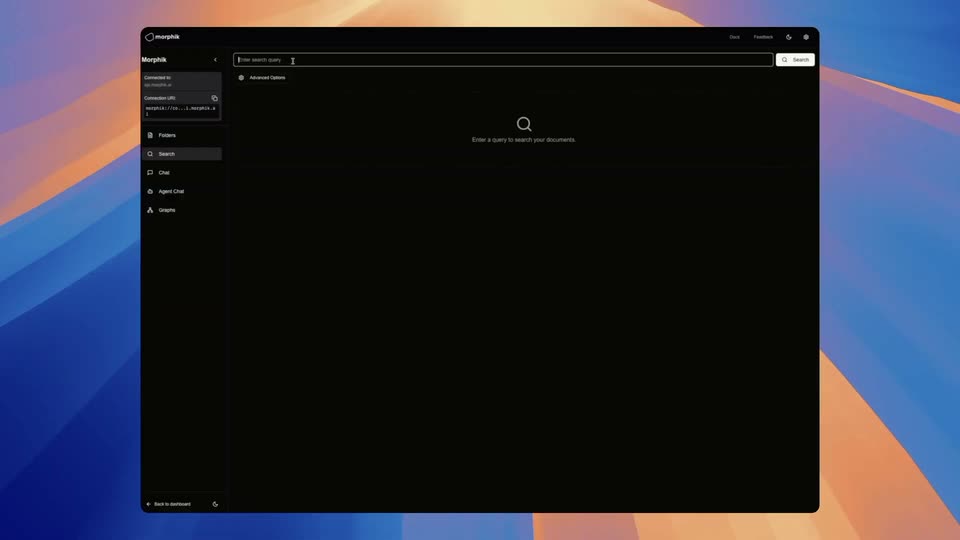
A dark Morphik dashboard, static. A left sidebar lists Patterns, Search, Chat, Agent Chat, Graphs, with Search highlighted. The top search bar holds a blinking caret; the empty results pane shows a magnifier icon above the line 'Enter a query to search your documents.'
Camera: Static
Close-up of a dark search bar in the Morphik app; the query 'Generative AI Score by vector' types in letter by letter, a cursor clicks the Search button, then the frame zooms out to the full window on a blue and orange desktop, showing a no-results message.
Techniques: UI zoom, Cursor demo
Camera: Pull out
A dark search results view, framed in a window over a blue and orange background, zooms forward until it fills the screen. A list of PDF chunks shows page thumbnails, and a cursor hovers over the top result.
Techniques: UI zoom
Camera: Push in
A two-tone report page scrolls slowly upward, white article text above a dark navy panel with a radar chart. The view zooms out to reveal a dark app interface, with a Results (20) header at the top and the report as a centered thumbnail beside a left sidebar.
Techniques: UI zoom
Camera: Pull out
A dark search interface lists PDF results on the left while a document preview on the right scrolls through pages of charts. The view pulls back to reveal the full window and left navigation sidebar.
Techniques: UI zoom, Cursor demo
Camera: Static
A black tablet in 3D perspective rests on a background of diagonal orange, blue and purple bands. Its screen shows a report titled Applied AI, the white text block and the dark chart panel scrolling and overlapping as the page transitions.
Techniques: 3D mockup
Camera: Pull out
A dark app window floats over a diagonal blue and orange abstract background. Inside, the results view scrolls and settles so a metadata table with a filename row sits above a PDF preview showing a white document page and a blue infographic.
Techniques: UI zoom
Camera: Static
A dark interface window fills the frame, showing a left icon rail and a top band of gray placeholder blocks. The camera pulls back to reveal the full rounded window floating on a blue and orange gradient desktop.
Techniques: UI zoom
Camera: Pull out
A dark app window fills the center of a blue and orange gradient wallpaper. A modal dialog titled Create New Knowledge Graph sits in the middle with filled form fields. The mouse cursor rests to the right of the dialog. The frame stays locked off throughout.
Camera: Static
The Morphik app interface, tilted in 3D perspective over a blue and orange background, straightens and zooms to a flat front-on view. The left sidebar lists Folders, Search, Chat, Agent Chat, and Graphs, with Graphs highlighted as the active view.
Techniques: 3D mockup, UI zoom
Camera: Push in
A dark Morphik window titled Mckinsey tech report settles over an abstract blue and orange background, showing stat cards and two lists of entity and relationship types. The camera zooms into the interface until the left sidebar exits frame, and a cursor drifts across the numbers.
Techniques: UI zoom, Cursor demo
Camera: Pull out
A dark interface window tilted in 3D perspective fills the frame against a blue and orange gradient. A dense cloud of small white text labels drifts across the window as a node graph, with two toggle switches in the top bar.
Techniques: 3D mockup
Camera: Push in
A dark network graph of purple, teal and orange dots joined by thin arrows fills a rounded window over a blue and orange gradient. The view pulls back to reveal the window frame, then zooms into the central hub node labeled (ORGANIZATION), then eases back out.
Techniques: UI zoom
Camera: Push in
A dark window tilted in 3D over diagonal blue and orange stripes shows a network graph of purple and cyan nodes. It crossfades to the Morphik agent chat; the cursor clicks the input field, types a question about gen AI startups, and a response with a progress bar appears.
Techniques: 3D mockup, Cursor demo
Camera: Pull out
The morphik agent interface sits over an abstract blue and orange backdrop, showing a long report on generative AI roles. The page scrolls down to a Tool Calls panel, then the view zooms in as a cursor hovers over the retrieve_chunks rows.
Techniques: Cursor demo, UI zoom
Camera: Pan
A dark app window floats in 3D perspective over a blue-and-orange abstract background. A cursor hovers as a Tool Calls panel expands to reveal JSON, then the view flattens and zooms into the panel.
Techniques: 3D mockup, Cursor demo, UI zoom
Camera: Push in
Centered text on a black background swaps through three phrases in place: “Use Morphic” in bold white, then “data >> text” in gray with a white arrow, then “reclaim your time” in lighter gray. Each phrase fades in as the previous one leaves.
On-screen text: “Use Morphic”, “data >> text”, “reclaim your time”
Techniques: Kinetic type
Camera: Static
White monospace type types out on a black background, cycling through three centered lines: reclaim your time, surface insights, get back to solving real problems. Each phrase appears character by character, then clears for the next.
On-screen text: “reclaim your time”, “surface insights”, “get back to solving real problems”
Techniques: Kinetic type
Camera: Static
A black screen holds a single line of white monospace text centered in frame, typed out character by character to read “get back to solving real problems.” A small mouse pointer rests near the bottom edge while the frame stays locked off.
On-screen text: “get back to solving real problems”
Techniques: Kinetic type
Camera: Static
The white morphik logo, a rounded pebble outline beside a lowercase wordmark, sits centered on a black field. A short tagline line sits below it, both locked off and static for the duration.
On-screen text: “get back to solving real proble”
Camera: Static