2:00

Tanay Kothari - It's no secret how we feel about typing at Wispr Flow. The truth is,
Wispr Flow · Aug 2026
Shopify Canvas · Oct 2026 · 0:27 · AI-annotated
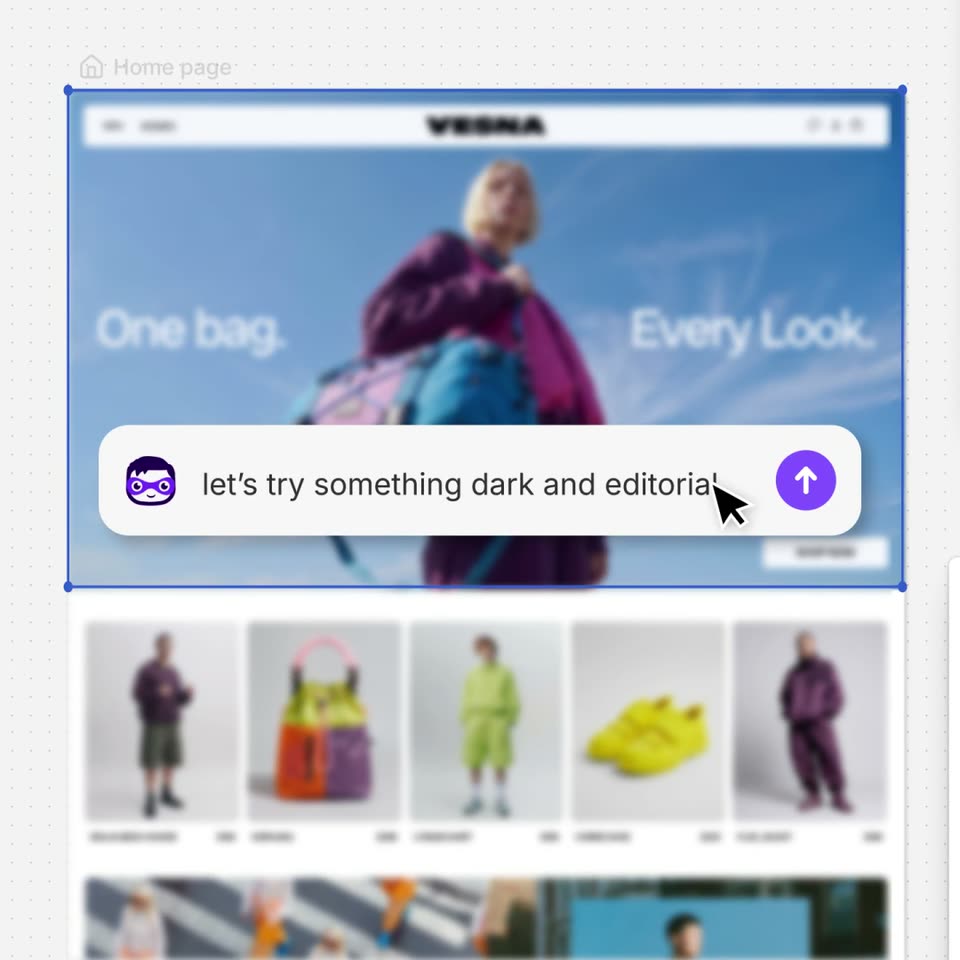
Shopify Canvas’s 0:27 launch film runs 8 scenes, about 3.5 s each. The product shows up at 0:02 and 1 feature is revealed. There is no explicit call to action. The video is one continuous tour of a dotted editor canvas, so every transition is a scale move between full-layout overviews and tight element shots on the same grid. Signature moves are the blue selection frames that mark the active element, the cursor-driven typing in a floating prompt bar, and instant theme swaps that re-render the store mockups in place.
Is this your launch? to your site or press kit.
Wispr Flow · Aug 2026
Lamina Labs · B2B · May 2026
A top bar with a Vesna label and a black Publish button frames a dotted canvas of four VESNA store mockups. The home page card scales forward and gains a blue selection border as the other pages dim, its banner text sliding in.
Techniques: UI zoom
Camera: Push in
A web editor with a top toolbar and a dotted canvas shows a selected headline, “Introducing Canvas,” sliding in with a blue selection box, above a small site preview of a woman in a pink jacket under a blue sky.
On-screen text: “Introducing”, “Canvas”
Techniques: Kinetic type
Camera: Static
A dotted gray canvas holds the black “Introducing Canvas” headline inside a blue selection box. A hand cursor lifts the VESNA site mockup as the page scrolls from the hero image to the product grid, and the headline slides up out of frame.
On-screen text: “Introducing”, “Canvas”
Techniques: Kinetic type, Cursor demo
Camera: Pan
On a dotted canvas, a VESNA homepage mockup sits inside a blue selection frame. The page blurs as a white prompt bar with a purple avatar slides in, and a cursor types 'let's try something dark and editorial' then clicks the send button.
Techniques: Cursor demo
Camera: Pan
A dotted canvas assembles a dark VESNA fashion site from a selection box, a shop tag and a bag image while a purple Making it dark… pill fades out. The view zooms in as a cursor types love it, do it everywhere into a prompt bar and clicks send.
On-screen text: “Making it dark...”
Techniques: UI zoom, Cursor demo
Camera: Pull out
A dotted editor canvas, top bar showing Vesna and a Publish button, holds several Vesna webpage frames. The view pulls back from the dark homepage to the full layout, then reframes tight on the Cart page with a selection box around its heading.
Techniques: UI zoom
Camera: Pull out
On a white dotted canvas, flat fashion-site mockups sit around the edges while a blue selection box frames large black serif text in the center. The word Canvas is highlighted, then a text cursor types over it to spell out Design what's in your mind.
On-screen text: “Canvas”, “Design what's in your mind”
Techniques: Cursor demo, Kinetic type
Camera: Pull out
The Shopify bag logo, a black shopping bag with a white S, sits centered on a pale dotted grid. A blue selection box with corner handles frames it, and both scale gently in and out over the clip.
On-screen text: “GET IN”, “TAKE TO”, “THE STREETS”
Camera: Static