1:51

Street View now available in New Zealand
Google · AI · Nov 2008
GitHub · Oct 2024 · 1:14 · Full motion · AI-annotated
GitHub’s 1:14 launch film runs 36 scenes, about 2.1 s each. The product is on screen from the first frame and 7 features are revealed. There is no explicit call to action. Built as a feature tour: a brand open, then six short beats, each opened by a centered text card on a starfield and followed by a tight screen-recording demo of one capability, closed by a value-prop line and the logo. Pacing is fast and rhythmic at about 130 bpm with a cut every couple of seconds, alternating locked-off text cards with zoom-and-reframe UI close-ups, and the signature moves are the typewriter prompt fills, the purple-glow loading states, and the drifting purple spark particles.
Is this your launch? to your site or press kit.
Google · AI · Nov 2008
Stord · Jan 2026
Films whose music sounds like this one, voice left out
RoboParty · Electronic
Preambient · Modern, upbeat electronic
Google · Upbeat electronic pop
On a black background, the GitHub Spark logo and wordmark fade in above a single input bar. The bar shows the placeholder prompt and a Go button at the right edge, all dim as the scene begins.
Camera: Static
On a black background, the GitHub Spark logo and wordmark fade in over the first second at top center, above a rounded prompt field with a purple glow, placeholder text and a Go! button. A caret blinks at the field's start. The frame stays locked off.
Camera: Static
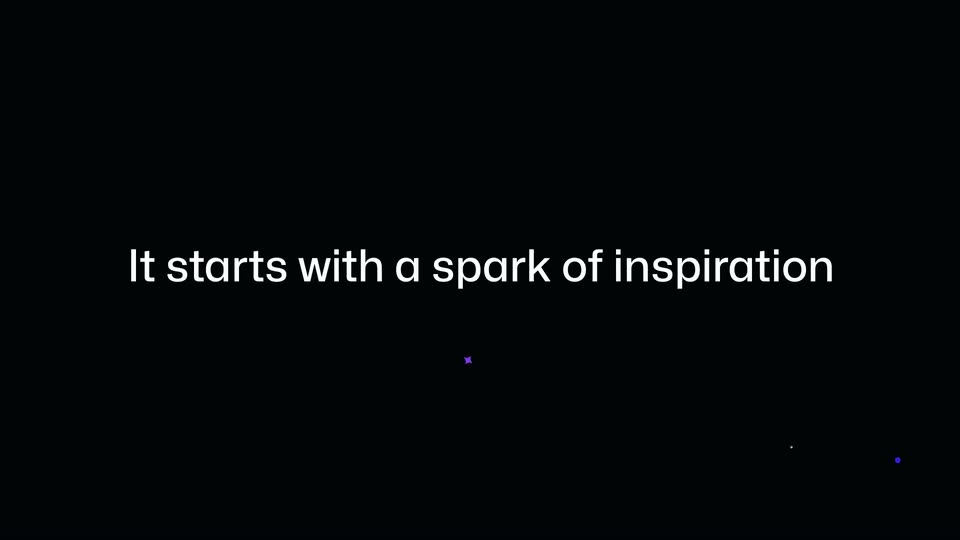
A black background holds a single centered line of white text that fades in, while a few small purple stars and dots drift slowly in the lower area of the frame.
On-screen text: “It starts with a spark of inspiration”
Techniques: Particles
Camera: Static
On black, the GitHub Spark logo and wordmark sit above a violet-glowing prompt field. A sentence types in letter by letter, then a hand cursor moves to the green Go button and clicks it. A tagline is held still on the frame.
On-screen text: “It starts with a spark of inspiration”
Techniques: Cursor demo
Camera: Static
A dark loading state shows a purple star above the line 'Stirring the code soup...' with a cursor at right. It cuts to the generated app: title 'Spanish Flashcards', a centered card reading 'Hola', the hint 'Click the card to flip it', and two arrow buttons.
Techniques: Cursor demo
Camera: Static
A dark flashcard app screen shows the title “Spanish Flashcards” above a centered card. A hand cursor rests at the card’s lower right corner as the card flips, swapping “Hello” for “Hola”. A hint line and two arrow buttons sit below.
Techniques: Cursor demo
Camera: Static
On a black background, the white line “Choose your own adventure” fades in at center, while a few small purple plus and dot shapes drift near the bottom of the frame.
On-screen text: “Choose your own adventure”
Camera: Static
A dark interface close-up: a cursor opens the model dropdown, picks GPT-4o, then types a styling prompt into the input bar. The frame pulls back to reveal the full GitHub Spark window with a Spanish flashcard and the typed prompt.
On-screen text: “Choose your own adventure”
Techniques: Cursor demo, UI zoom
Camera: Static
A dark GitHub Spark editor frames a Spanish Flashcards card with a purple border. The card brightens from dim to full opacity as a hand cursor lifts off the stop button.
Camera: Static
A dark GitHub Spark window shows a Spanish Flashcards preview. The title gains an orange-to-purple gradient and the card border thickens as the app regenerates. A hand cursor picks a variant from a row of thumbnails, then clicks Select.
Techniques: Cursor demo
Camera: Static
A black frame holds a centered white headline that fades in from dim gray to full white. A small purple four-point star sits below the text, with faint blue dots in the lower right corner. The frame stays locked off.
On-screen text: “Iterate in your own words”
Camera: Static
A dark chat window fills the lower third of a black frame. Spanish text types out letter by letter in the input bar, while a model selector and an AI warning banner sit beneath it. A still caption, “Iterate in your own words,” is locked on screen.
On-screen text: “Iterate in your own words”
Techniques: Cursor demo
Camera: Static
A dark GitHub Spark interface settles from a close-up of the generating panel into a full view; a blurred flashcard pulses behind a purple sparkle while small colorful particles drift across the lower half.
Techniques: UI zoom, Particles
Camera: Pull out
A dark flashcard interface with a purple-to-red gradient title. The cursor opens the language dropdown, selects French, and the card word switches from Hola to Bonjour.
Techniques: Cursor demo
Camera: Push in
A black frame holds the centered line Step back in time, which fades and scales up from gray to white. A few small purple star shapes drift in the lower third.
On-screen text: “Step back in time”
Techniques: Kinetic type, Particles
Camera: Static
A dark flashcard app screen with a gradient heading, a Spanish dropdown and a card reading Hola. The cursor moves to the version dots on the left rail, a tooltip pops out, and the caption Step back in time scales in.
On-screen text: “Step back in time”
Techniques: Cursor demo, Kinetic type
Camera: Static
A dark app screen shows a flashcard labeled Hola under a gradient Spanish Flashcards title. A hand cursor clicks a variant dot in the left rail, opening a comment bubble that reads Give the title a cool gradient and add a thicker border to the card.
Techniques: Cursor demo
Camera: Static
A dark app screen stays locked off, with an orange headline above a flashcard panel showing a Hola card and arrow buttons. A white cursor moves to the left dot menu.
On-screen text: “Spanish Flashcards”
Techniques: Cursor demo
Camera: Static
A dark Spanish flashcards screen stays locked off, a Hola card on the right. On the left, a white cursor slides down a vertical track, hovers a dot that pops a tooltip, then returns to the top.
Techniques: Cursor demo
Camera: Static
A dark screen holds a command panel docked at the bottom. The panel brightens as a sentence is typed into its input field, a warning line and a send button fade in, and a faint hint at the top fades out.
Camera: Pan
A dark app window opens zoomed in on a glowing generation panel and a status line. The view pulls back to reveal the full interface, a blurred flashcard in the center and small colored dots drifting across the screen, while the status text changes.
Techniques: UI zoom, Particles
Camera: Pull out
The GitHub Spark preview zooms in on a dark flashcard app, centering a single card that reads “Hola” with an edit pencil icon. A cursor hovers at the card's top-right corner as the framing tightens on the card and its control buttons.
Techniques: UI zoom, Cursor demo
Camera: Push in
A dark form under a gradient title reads Spanish Flashcards, with two input fields, Hola and Hello, and Save and Cancel buttons. A hand cursor slides down from the top field and presses Cancel.
Techniques: Cursor demo
Camera: Static
A black screen holds the centered white line “Sprinkle AI into your apps”, which fades from dim to full brightness. A few small purple and white star shapes rest in the lower half.
On-screen text: “Sprinkle AI into your apps”
Camera: Static
A dark prompt field at the bottom of the screen types out a translation request, the line scrolling as it fills, with a model label and warning banner below. A static headline, Sprinkle AI into your apps, sits above.
On-screen text: “Sprinkle AI into your apps”
Techniques: Kinetic type
Camera: Static
A dark interface shows a blurred preview with a top progress bar and the caption “Painting with pixels...”. A bottom panel labeled “Generating...” lists a model and an AI disclaimer. A cursor hovers over the panel, then small colored dots drift in at the lower corners.
Techniques: Cursor demo, Particles
Camera: Pull out
Static screen recording of the GitHub Spark preview showing a dark Spanish flashcard app. The cursor types a word, the Spanish translation auto-fills, Save is clicked and a card pops in, then the card flips to reveal the English word. Ends on black with a small purple star.
Techniques: Cursor demo
Camera: Static
On a black background, the centered white line “Style it how you like it” fades in from dim to full brightness while small purple sparkles and dots drift upward below it.
On-screen text: “Style it how you like it”
Techniques: Particles
Camera: Static
A dark app interface shows a flashcard preview above a control bar; a cursor clicks Theme and a settings panel drops open with rows for accent color, border radius, scale and appearance, the view reframes onto the panel, and the cursor moves to Auto.
Techniques: Cursor demo, UI zoom
Camera: Push in
The clip opens zoomed into a dark theme panel, then reframes to the whole flashcard app, a pink title above a card reading Helado. A cursor moves across border radius and scale controls in the panel.
Techniques: UI zoom, Cursor demo
Camera: Pull out
A near-black frame with a faint purple glow holds the white line 'Share it with a friend' centered; the line fades up from dim to full while a few small star and dot shapes drift slowly upward in the lower third.
On-screen text: “Share it with a friend”
Techniques: Particles
Camera: Static
A dark editor with Preview and Code tabs fills the frame. The cursor moves to the share icon in the top right, and a Share spark popover opens showing a highlighted link and a Copy button. The caption 'Share it with a friend' appears.
On-screen text: “Share it with a friend”
Techniques: Cursor demo
Camera: Static
A dark share dialog shows two URL fields and copy buttons. A white hand cursor moves from a More menu to the top Copy button and clicks it.
Techniques: Cursor demo
Camera: Static
A black frame holds two centered lines of white text that fade in, with a small purple star floating below the second line.
On-screen text: “A new way to build and share applications”, “– all in natural language”
Camera: Static
The GitHub Spark logo, a white octocat in a circle topped with a purple star and small colored shapes, fades in on black. The bold-and-thin wordmark appears below it while tiny colored stars and dots drift across the frame.
On-screen text: “GitHub Spark”
Techniques: Particles
Camera: Static
A black background displays the text 'GitHub Spark' in the center.
On-screen text: “GitHub Spark”
Camera: Static