3:28
Explore
RoboParty - 🚀RP1 is officially here. 🌍Putting control of robotics back in develo
RoboParty · Oct 2026 · 2:32 · AI-annotated
- Length
- 2:32
- Scenes
- 70 · 2.2 s avg
- Product on screen
- 0:09
- Features shown
- 11
- Call to action
- 2:18 · 91%
- Voiceover
- Yes
00:00:00 / 02:32:07
RoboParty’s 2:32 launch film runs 70 scenes, about 2.2 s each. The product shows up at 0:09 and 11 features are revealed. The call to action lands at 2:18 (91% in), over a voiceover. The film opens in darkness with a typed greeting, reveals the robot, then runs through a rapid series of labeled feature blocks that alternate live studio shots with clean 3D cutaways. Its signature moves are the persistent corner tag, split-screen comparisons, and white-on-gray caption cards that hold still while the camera drifts.
Footage neededEstimated needs: 1 capture group — your screens or recordings · 1 official logo — reused across the film · 48 filmed passages — shoot, supply or replace · 19 3D passages — build or supply
Is this your launch? to your site or press kit.
More like this
3:12
Shadeform - Some of the most in-demand GPUs on Earth are sitting idle right now,
Shadeform · Oct 2026
1:27


Libra AI Demo Video
Libra Robotics · Industrials · Oct 2026
RoboParty - 🚀RP1 is officially here. 🌍Putting control of robotics back in develo, scene by scene
· 70 scenes as text
01 · Hook · 0:00–0:02
A black screen holds two centered lines of white monospace text that type out character by character: “Hello :)” first, then “Welcome to our robot party.” The frame stays locked and the typing is the only motion.
On-screen text: “Hello :)”, “Welcome to our robot party.”
Techniques: Kinetic type
Camera: Static
02 · Hook · 0:02–0:03
A white robot head with a dark screen face and two dotted vertical eyes sits centered on black. The lighting lifts from near-dark to full. Small captions hold still while a large numeral scales up.
On-screen text: “Real shot, no CG, no AI”, “Hello :)”, “Welcome to our robot party.”, “0”
Camera: Static
03 · Hook · 0:03–0:04
A white robot torso with blue shoulders sits on black, the ROBO PARTY logo on the chest. A diagonal beam of light sweeps across the body from upper right to lower left.
On-screen text: “Real shot, no CG, no AI”
Techniques: Light sweep
Camera: Static
04 · Hook · 0:04–0:05
A white humanoid robot with two glowing dotted eyes is centered on a black background. Studio light ramps up from near-darkness to fully illuminate its body and the small ROBO PARTY logo on its chest.
On-screen text: “Real shot, no CG, no Al”
Techniques: 3D mockup
Camera: Static
05 · Hook · 0:05–0:07
A white and blue humanoid robot with a ROBO PARTY logo on its chest stands in a dark studio. The camera drifts vertically, moving from the torso up to the head and back.
On-screen text: “Real shot, no CG, no AI”
Camera: Pull out
06 · Hook · 0:07–0:08
A white robotic arm with blue joints crosses a dark gray gradient from left to right, its fingers opening. A motion-blurred white shape sweeps past, then a white rectangular card marked PARTY slides into frame.
On-screen text: “Real shot, no CG, no Al”, “PARTY”
Techniques: 3D mockup
Camera: Pull out
07 · Hook · 0:08–0:09
A white humanoid robot with a blue-lit face, chest and joints stands centered on black, the image pulling from a heavy blur into sharp focus. A small caption holds in the lower-right corner.
On-screen text: “Real shot, no CG, no AI”
Camera: Static
08 · Product intro · 0:09–0:11
A white humanoid robot stands motionless at the center of a black stage, arms at its sides, lit from above. The large white title spans the full width behind it, and a small caption sits in the lower right corner. The frame stays locked off.
On-screen text: “ROBOPARTY RP1”, “Real shot, no CG, no Al”
Camera: Static
09 · Product intro · 0:11–0:12
A white robot torso with a blue ROBO PARTY logo is centered before a wall of white plastic parts and blue knobs. The macro shot racks from soft blur into sharp focus, settling on the chest piece and the angled components around it.
On-screen text: “Real shot, no CG, no AI”
Camera: Static
10 · Product intro · 0:12–0:12
Top-down locked-off shot of white robotic arm segments and joints laid out on a pale gray surface, dotted with blue rings. The exposure brightens from a dim frame to a fully lit one.
On-screen text: “ROBOPARTY RP1”, “PARTY”, “Real shot, no CG, no Al”
Camera: Static
11 · Product intro · 0:12–0:13
Top-down flat lay of disassembled white and blue plastic components on a gray surface. Diagonal bands of light and shadow sweep across the parts.
On-screen text: “Real shot, no CG, no Al”
Techniques: Light sweep
Camera: Static
12 · Product intro · 0:13–0:20
A man in a black polo holds a controller at right, beside a suspended white panel of disassembled robot parts with blue accents. The frame starts defocused and resolves into a locked-off wide shot as a name caption and two-line headline fade in.
On-screen text: “Real shot, no CG, no AI”, “Huang Yi”, “Founder and CEO of RoboParty”, “RP1 is a full-stack”, “Full-Stack Open Source”, “A Humanoid Robot Without Barriers”, “open-source humanoid robot”, “built for robotics researchers”
Camera: Pull out
13 · Feature reveal · 0:20–0:20
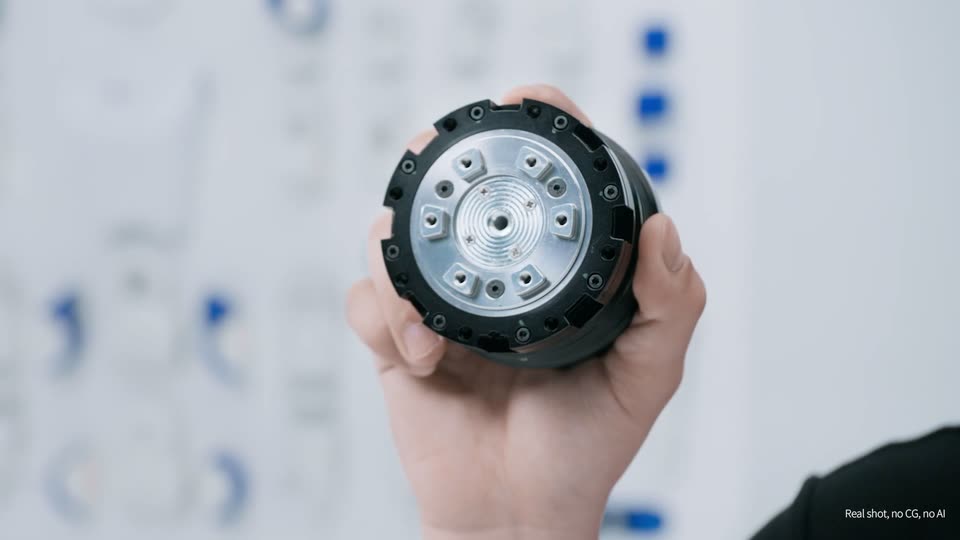
A hand lifts a round black-and-silver actuator module into frame and turns it to reveal its back face, set against a blurred whiteboard of blue marker notes. White captions read built for robotics researchers and Real shot, no CG, no Al along the bottom.
On-screen text: “built for robotics researchers”, “Real shot, no CG, no Al”
Camera: Static
14 · Feature reveal · 0:20–0:21
A hand holds a cylindrical black-and-silver actuator module up to the camera, centered against a blurred white wall with faint diagrams. The hand tilts the module slightly while a white caption sits at the bottom of the frame.
On-screen text: “we develop our own actuator modules”, “Real shot, no CG, no AI”
Camera: Static
15 · Feature reveal · 0:21–0:22
A disassembled actuator module floats in 3D perspective, its silver gears, blue housing and copper coil spread along a diagonal axis on a pale gray field. The assembly rotates slowly, turning the parts to expose the internal mechanism while a caption sits at the bottom.
On-screen text: “we develop our own actuator modules”, “Real shot, no CG, no AI”
Techniques: 3D mockup
Camera: Push in
16 · Feature reveal · 0:22–0:23
A 3D render of a planetary gear train inside a blue flanged housing fills the frame. The camera drifts slowly past the turning gears, a blurred metal cylinder in the foreground. A lowercase caption sits at the bottom center.
On-screen text: “we develop our own actuator modules”, “CG animation”, “Real shot, no CG, no AI”
Techniques: 3D mockup
Camera: Pull out
17 · Feature reveal · 0:23–0:24
A 3D exploded actuator module floats on a pale gray background, flanges, bolts, gears, blue housing and copper winding spread along a horizontal axis. The camera travels along the axis, shifting the parts and bringing new components in from the right. A label sits at lower left, a caption at the bottom.
On-screen text: “Core Actuator Modules”, “giving users direct access to low-level controllers”, “100% Developed In-House”
Techniques: 3D mockup
Camera: Pull out
18 · Feature reveal · 0:24–0:24
A white 3D-rendered actuator module sits centered against a pale background. The camera pushes in toward a circular housing on the device's body, revealing its metallic interior. Static white text overlays the lower left and bottom.
On-screen text: “Core Actuator Modules”, “100% Developed In-House”, “giving users direct access to low-level controllers”, “CG animation”
Techniques: 3D mockup
Camera: Push in
19 · Feature reveal · 0:24–0:25
A blue and silver actuator module renders in 3D as the camera pans around the rounded blue joint, exposing metallic gears and a small blue cube. White captions hold on the left and bottom against a pale gray background.
On-screen text: “Core Actuator Modules”, “100% Developed In-House”, “giving users direct access to low-level controllers”, “CG animation”
Techniques: 3D mockup
Camera: Static
20 · Feature reveal · 0:25–0:28
A 3D render of a white and blue robotic actuator module on a light background. The camera glides past the rounded white housing, then settles on the blue motor body as the left label swaps from actuator modules to mechanical design.
On-screen text: “Core Actuator Modules”, “100% Developed In-House”, “giving users direct access to low-level controllers”, “CG animation”, “Mechanical Design”, “Interface Specifications Fully Open”, “This means you can control the motors at a fundamental level”
Techniques: 3D mockup
Camera: Pull out
21 · Feature reveal · 0:28–0:28
A white 3D fan assembly with a round hub and curved blades rotates in place against a pale background, a thin circular arc tracing its sweep. Light gray caption lines hold at the lower left.
On-screen text: “Mechanical Design”, “Interface Specifications Fully Open”, “This means you can control the motors at a fundamental level”, “CGanimation”
Techniques: 3D mockup
Camera: Static
22 · Feature reveal · 0:28–0:29
A white and blue humanoid robot runs in place on a pale gray floor against a black backdrop, rendered in 3D with a soft shadow under its feet. Static white text lines sit at the lower left and a caption runs along the bottom.
On-screen text: “Mechanical Design”, “Interface Specifications Fully Open”, “This means you can control the motors at a fundamental level”, “CGanimation”
Techniques: 3D mockup
Camera: Static
23 · Feature reveal · 0:29–0:30
A white robotic leg lowers its foot onto a glossy pale floor, the blue-rimmed sole meeting the reflective surface. The camera holds a low side angle as the leg steps down. Static white text sits at the left and along the bottom.
On-screen text: “Mechanical Design”, “Interface Specifications Fully Open”, “This means you can control the motors at a fundamental level”, “CG animation”
Techniques: 3D mockup
Camera: Static
24 · Feature reveal · 0:30–0:30
A white robotic arm with a dark blue joint turns through the frame against a pale gray backdrop, its segments blurring with motion. Two lines of white text hold at the lower left and a thin caption runs across the bottom.
On-screen text: “Mechanical Design”, “Interface Specifications Fully Open”, “This means you can control the motors at a fundamental level”, “CG animation”
Techniques: 3D mockup
Camera: Static
25 · Feature reveal · 0:30–0:31
A white humanoid robot with blue joints tumbles end over end through a black void, then lands upright on a pale gray floor. The camera holds steady as the robot rights itself and stands. White text labels sit at the left and a caption runs along the bottom.
On-screen text: “Mechanical Design Interface”, “RP1 is fully open source from mechanical design”, “CG animation”
Techniques: 3D mockup
Camera: Static
26 · Feature reveal · 0:31–0:33
A gray robot raises its forearm, whose clear casing exposes the gears, motors and wiring inside, while the camera orbits the elbow joint against a pale gradient. The Robo Party logo sits on the chest.
On-screen text: “RP1 is fully open source from mechanical design”, “CG animation”
Techniques: 3D mockup
Camera: Push in
27 · Feature reveal · 0:33–0:35
A tablet screen fills the frame with a white robot whose arms are transparent cutaways exposing motors and wiring. The camera pulls back to reveal the full tablet on a light gray backdrop while the bottom caption swaps to a second line.
On-screen text: “Build a Complete Replica”, “Without Disassembling the Robot”, “RP1 is fully open source from mechanical design”, “Real shot, no CG, no Al”, “and motor controllers to simulation tools”
Techniques: 3D mockup
Camera: Pull out
28 · Feature reveal · 0:35–0:38
A man in a white t-shirt sits at a white desk, holding a small robot head module and a pen, comparing it to the transparent 3D model on the iMac. The frame widens to reveal a desk lamp, blueprints and parts. White captions sit at the bottom.
On-screen text: “Build a Complete Replica”, “Without Disassembling the Robot”, “and motor controllers to simulation tools”, “and Sim2Real capabilities”, “Real shot, no CG, no AI”
Camera: Pull out
29 · Feature reveal · 0:38–0:41
A real, angled close-up of a laptop screen shows the UFO GitHub repository page scrolling upward past tables, code blocks and headings. The camera stays locked off while white captions build in the lower left and the bottom-center line swaps from “and Sim2Real capabilities” to “No black boxes”.
On-screen text: “and Sim2Real capabilities”, “Low-Level Drivers”, “Control Algorithms Fully Open Source”, “No black boxes”, “What you see is what you get”, “Real shot, no CG, no AI”
Techniques: Kinetic type
Camera: Pan
30 · Feature reveal · 0:41–0:41
A top-down shot frames a silver laptop on a white desk, two hands typing on the keyboard. The screen shows a white humanoid robot figure running across a blue checkered grid in 3D perspective. A white caption sits at the bottom center, a small note at the bottom right.
On-screen text: “What you see is what you get”, “Real shot, no CG, no AI”
Camera: Static
31 · Feature reveal · 0:41–0:42
Top-down locked-off shot of hands typing on a black laptop. Its screen shows a dark grid with small white robots carrying gold boxes. A green circuit board, camera lens and brackets sit on the gray surface around it. A bottom caption switches from one line to another.
On-screen text: “Real shot, no CG, no AI”, “What you see is what you get”, “Developers have full access to the RP1 system”
Camera: Static
32 · Feature reveal · 0:42–0:43
Top-down shot of a mint-green laptop on a white desk lined with blueprint sheets. Two hands type on the keyboard and work a black mouse while the screen shows five labeled panels of a white robot walking on flat, sloped, and stair terrain.
On-screen text: “Developers have full access to the RP1 system”, “Real shot, no CG, no AI”
Camera: Static
33 · Feature reveal · 0:43–0:44
Overhead shot of a white desk with a tablet showing a 3D grid and small figures. A right index finger taps and drags on the screen, moving the figures, while the left hand rests near a wristband. Static camera.
On-screen text: “Developers have full access to the RP1 system”, “Real shot, no CG, no AI”
Techniques: Cursor demo
Camera: Static
34 · Feature reveal · 0:44–0:46
A low-angle shot in a white studio, framed by a monitor and microphone in the foreground, shows three technicians in white shirts assembling a white humanoid robot with blue joints. The frame racks from soft focus to sharp. Captions swap at the bottom.
On-screen text: “Real shot, no CG, no AI”, “Developers have full access to the RP1 system”, “RP1 provides a wide range of standard interfaces”
Camera: Push in
35 · Feature reveal · 0:46–0:48
A macro close-up of a white device's port panel, shallow depth of field. Thin white leader lines connect each port to a blue callout label that fades in one by one, while a two-line headline sits at lower left and a caption runs along the bottom.
On-screen text: “Ample Standard Interfaces”, “Dedicated Mounting Holes”, “12V External Power Supply”, “USB C Charging Port”, “Ethernet Port 1”, “Ethernet Port 2”, “USB1”, “USB2”, “USB3”, “RP1 provides a wide range of standard interfaces and mounting points for your research.”
Camera: Static
36 · Feature reveal · 0:48–0:51
Split screen of two live-action close-ups: left, a hand drives a screw into the top of a white robot head above a blue dome sensor; right, a hand seats a finned silver module into the robot's neck while a screwdriver fastens it. A bottom caption swaps once.
On-screen text: “RP1 provides a wide range of standard interfaces”, “Real shot, no CG, no AI”, “Sensors·Radar·Expand Without Limits”, “We've also integrated internal cable routing”
Techniques: Split screen
Camera: Pull out
37 · Feature reveal · 0:51–0:57
A white and blue robot arm in 3D against a pale gray background. The camera tilts down the forearm, revealing transparent joint casings that expose blue motors and wiring, then the blue hand. A white two-line label sits at left, a caption runs along the bottom.
On-screen text: “We've also integrated internal cable routing”, “Native 24V Interface”, “Clean Internal Wiring”, “and a native 24V power interface into RP1”, “The RP Hand can be easily swapped out for other end effectors”
Techniques: 3D mockup
Camera: Push in
38 · Feature reveal · 0:57–0:59
A person's hands grip and twist a white robotic hand mounted on a blue and white arm against a plain white backdrop, demonstrating a quick swap. A white headline builds up at left while a caption line sits at the bottom.
On-screen text: “Plug-and-Play Hand Modules”, “The RP Hand can be easily swapped out for other end effectors”, “Native 24V Interface”
Camera: Static
39 · Feature reveal · 0:59–1:00
Two hands hold a blue robotic arm with a gray multi-finger hand module against a plain white backdrop. The left hand grips the hand module while the right supports the white wrist joint. The framing is a tight close-up, locked off, with only slight hand movement as the module is presented.
On-screen text: “Plug-and-Play Hand Modules”, “The RP Hand can be easily swapped out for other end effectors”, “Real shot, no CG, no Al”
Camera: Static
40 · Feature reveal · 1:00–1:02
A robotic hand wearing a black glove with silver fingertips is cradled by a person in a white coat against a white background. The supporting hand then withdraws to the left while the robotic fingers stay open.
On-screen text: “Plug-and-Play Hand Modules”, “depending on your research needs”, “Real shot, no CG, no Al”
Camera: Static
41 · Feature reveal · 1:02–1:05
Two white humanoid robots with blue shoulders stand on a plain light-gray set. The camera tracks from the left robot to the right as blue callout lines label each head, and a white two-line headline fades in at lower left.
On-screen text: “Perception Head”, “Data-Collection Head”, “Interchangeable Head Modules”, “One Robot, Multiple Scenarios”, “RP1 also offers interchangeable head options”, “depending on your research needs”, “Real shot, no CG, no AI”
Camera: Push in
42 · Feature reveal · 1:05–1:06
Two white humanoid robots with blue shoulders on a bright backdrop; the foreground unit has a large rounded head, the rear one a smaller head, each tagged by a blue callout with a leader line. The white headline fades out as the word One slides in at the left edge.
On-screen text: “Data-Collection Head”, “Motion-Control Head”, “Interchangeable Head Modules”, “One Robot, Multiple Scenarios”, “for different research scenarios”, “Real shot, no CG, no Al”, “One”
Camera: Pull out
43 · Feature reveal · 1:06–1:16
In a bright white studio, a man in a white VR headset holds two controllers and dances while a white humanoid robot with blue joints mirrors his moves in real time. The camera orbits from a wide shot to a high angle, then settles into a medium frame.
On-screen text: “the data-collection head shares the same architecture”, “Real shot, no CG, no Al”, “Hardware-Level Clock Synchronization”, “as our EGO data-collection device”, “Real-Time Synchronization”, “Ultra-Low Latency”, “making data collection and alignment much easier”
Camera: Push in
44 · Feature reveal · 1:16–1:17
Macro close-up of a white robotic arm with blue accents, a blurred white object in the left foreground. The locked-off frame holds still as a caption fades in at the bottom center.
On-screen text: “Real shot, no CG, no Al”, “Data and motion-control commands are synchronized”
Camera: Push in
45 · Feature reveal · 1:17–1:18
A white robotic arm with blue joints rotates against a light gray background. The camera tracks around the arm, passing its joints and a small screen, while the arm shifts position between frames.
On-screen text: “Data and motion-control commands are synchronized”, “Real shot, no CG, no AI”
Camera: Static
46 · Feature reveal · 1:18–1:19
A white humanoid robot with blue joints walks through a grey studio, turning from a side profile to face the camera as it moves away. A white caption stays fixed along the bottom edge.
On-screen text: “Data and motion-control commands are synchronized”, “Real shot, no CG, no AI”
Camera: Static
47 · Feature reveal · 1:19–1:20
A white robotic arm with blue accents is shot close-up in a bright white studio, the camera drifting along its joint. A small humanoid robot stands soft-focused in the background as the frame tightens on the arm.
On-screen text: “at the millisecond level”, “Real shot, no CG, no Al”
Camera: Pan
48 · Feature reveal · 1:20–1:23
A close-up of a white robot's feet with blue soles steps on a white floor. The camera pulls back to show the full robot running across the studio, then cuts to a motion-blurred close-up of its body. White captions sit at the bottom.
On-screen text: “at the millisecond level”, “ensuring accurate and reliable data collection”, “Real shot, no CG, no Al”, “Powerful Motion Capabilities”
Camera: Pull out
49 · Feature reveal · 1:23–1:24
A white robotic arm moves quickly through a foggy white space, shot from a low angle with motion blur. Three white captions remain fixed on screen throughout the short clip.
On-screen text: “Powerful Motion Capabilities”, “ensuring accurate and reliable data collection”, “Real shot, no CG, no Al”
Camera: Static
50 · Feature reveal · 1:24–1:25
A white humanoid robot with blue joints runs in place on a gray studio floor, head tilting up and down with each stride. The camera orbits from the robot's right side to its left, keeping it centered. A white caption sits at the bottom.
On-screen text: “With high-torque-density actuator modules”, “Real shot, no CG, no AI”
Camera: Pull out
51 · Feature reveal · 1:25–1:35
A white humanoid robot with blue joints climbs a row of gray blocks in a bright studio as the camera slowly pulls back, then a cut shows it crouching and vaulting over a pillar, landing and walking off. Titles sit at left, subtitles at bottom.
On-screen text: “Autonomous Step Climbing”, “With high-torque-density actuator modules”, “Real shot, no CG, no AI”, “and a human-inspired mechanical structure”, “RP1 delivers powerful motion capabilities”, “Parkour Obstacle Traversal”
Camera: Pull out
52 · Feature reveal · 1:35–1:37
Split screen on a plain white studio: left, a white and blue humanoid robot lifts a 5 kg dumbbell with one hand while turning its torso; right, the same robot hoists a large water jug by its red handle to head height. A bottom caption appears in the last second.
On-screen text: “5kg Single-Hand Lift”, “Real shot, no CG, no AI”, “Safety is also a top priority”
Techniques: Split screen, 3D mockup
Camera: Pull out
53 · Feature reveal · 1:37–1:39
A white humanoid robot with blue joints sits at a white table, one hand resting on a metal assembly frame. The camera slowly tilts down, revealing its bent legs and feet. A white caption stays locked at the bottom of the frame.
On-screen text: “5kg Single-Hand Lift”, “Safety is also a top priority”, “Real shot, no CG, no Al”
Camera: Static
54 · Feature reveal · 1:39–1:42
A white and blue humanoid robot crouches low in a plain white studio, then rises to a standing pose, holding a blue cloth in its right hand. Its black face with blue eyes appears as it stands. White safety captions read across the bottom.
On-screen text: “Safety is also a top priority”, “Real shot, no CG, no Al”, “To protect developers”, “we've equipped RP1 with a remote emergency stop”
Camera: Static
55 · Feature reveal · 1:42–1:44
A three-panel split screen stages the emergency stop: a finger presses a small button on a white robot arm, a thumb presses a white square remote, and a control panel's blue STOP button switches to STOPPED. A white headline types in at the lower left.
On-screen text: “Triple-Redundant Emergency Stop”, “we've equipped RP1 with a remote emergency stop”
Techniques: Split screen
Camera: Static
56 · Feature reveal · 1:44–1:46
A split screen shows the white-and-blue robot: left, a close-up of its cabled head and neck; right, a human hand gripping its torso to show the anti-pinch joints. The headline fades in over the left panel while a small caption sits at the bottom.
On-screen text: “Safety · Built Into the Design”, “and an anti-pinch design”, “Real shot, no CG, no AI”
Techniques: Split screen
Camera: Static
57 · Feature reveal · 1:46–1:47
Split-screen close-ups of a white and blue humanoid robot: left, a hand touches the chest where black cables plug in; right, a hand grips the torso as the arm flexes. A white headline sits at lower left over a battery-life caption.
On-screen text: “Safety · Built Into the Design”, “RP1 offers around two to three hours of battery life”, “Real shot, no CG, no AI”
Techniques: Split screen
Camera: Static
58 · Feature reveal · 1:47–1:48
A white humanoid robot stands in a bright studio while two technicians in white shirts work on its arm, one holding the forearm and the other using a power drill. Left captions type in: 'Roomy Soft-Rubber Handle' and 'Anti-Pinch Joint Design'.
On-screen text: “Roomy Soft-Rubber Handle”, “Anti-Pinch Joint Design”, “RP1 offers around two to three hours of battery life”, “Real shot, no CG, no AI”
Techniques: Kinetic type
Camera: Static
59 · Feature reveal · 1:48–1:50
Two people in white t-shirts hold a white robot arm segment; one drives a screw into its joint with a black electric screwdriver. A blue-and-white robot base sits at left against a bright white background. The frame is locked off.
On-screen text: “Roomy Soft-Rubber Handle”, “Anti-Pinch Joint Design”, “RP1 offers around two to three hours of battery life”, “Real shot, no CG, no Al”, “under normal operating conditions”
Camera: Static
60 · Feature reveal · 1:50–1:51
A white humanoid robot with blue joints stands in a plain white studio, turning slowly in place and shifting its bent-knee stance while the locked-off camera holds. The figure rotates a few degrees, showing its profile and back.
On-screen text: “under normal operating conditions”, “It also supports hot-swappable batteries”, “Real shot, no CG, no AI”
Camera: Static
61 · Feature reveal · 1:51–1:54
A wide locked-off shot in a white studio shows a white and blue humanoid robot at center. A man in a white t-shirt and black pants walks in from the right and reaches toward the robot's side to swap a battery. White captions frame the shot.
On-screen text: “Real shot, no CG, no Al”, “It also supports hot-swappable batteries”, “Hot-Swappable Batteries”, “Uninterrupted Experiments”, “so you can change batteries without interrupting your experiments”
Camera: Pull out
62 · Feature reveal · 1:54–1:58
A man in a white t-shirt stands at a white humanoid robot with blue joints on a plain light backdrop, bending to pull a battery pack from its chest and reinsert it. The locked-off frame holds white headline text at left and a caption at the bottom.
On-screen text: “Hot-Swappable Batteries”, “Uninterrupted Experiments”, “so you can change batteries without interrupting your experiments”, “Real shot, no CG, no AI”, “For charging”, “RP1 supports 240-watt USB-C fast charging”
Camera: Static
63 · Feature reveal · 1:58–2:04
A white and blue humanoid robot in a bright gray studio slowly turns from a rear view to face the camera as a person in a white shirt exits right. Its black faceplate lights up with two blue bars. Static captions at the bottom describe charging.
On-screen text: “RP1 supports 240-watt USB-C fast charging”, “and magnetic charging”, “And it can even operate while charging”, “Real shot, no CG, no AI”
Camera: Static
64 · Other · 2:04–2:06
A white humanoid robot with blue joints walks left to right through a foggy white void. It passes a tall gray wall marked HARDWARE, and rounding the corner reveals the opposite face marked SOFTWARE. A small caption sits at the bottom edge.
On-screen text: “And it can even operate while charging”, “Real shot, no CG, no AI”
Techniques: 3D mockup
Camera: Static
65 · Other · 2:06–2:07
A white humanoid robot with blue joints runs left to right across a white room, passing in front of the large word SOFTWARE on the back wall. The robot is sharp at center and blurred at the edges of its stride.
On-screen text: “SOFTWARE”, “Real shot, no CG, no Al”
Camera: Pull out
66 · Other · 2:07–2:18
A white and blue humanoid robot stands behind a gray panel with the white word CONTROL, then walks through a jagged crack opening in a white wall. In a bright studio, a man in a black polo rests his hand on the robot's shoulder and speaks as subtitles appear.
On-screen text: “CONTROL”, “Real shot, no CG, no AI”, “5”, “Our hope is that RP1 will be a dependable companion”, “in your research journey”
Techniques: Masking
Camera: Pull out
67 · CTA · 2:18–2:22
A group of people in white shirts wave at the camera around a small white robot against a plain gray backdrop. A column of Python code scrolls up the right edge while a bottom caption fades in, then swaps to a second line.
On-screen text: “Real shot, no CG, no AI”, “We also invite you to share your open-source projects built on RP1”, “and join the RoboParty community.”
Camera: Pull out
68 · CTA · 2:22–2:27
A white and blue humanoid robot stands center-left on a light gray stage, gesturing with open hands, while a column of community comment cards scrolls upward along the right edge. Bottom captions change from 'and join the RoboParty community' to 'Let's build the future of robotics together'.
On-screen text: “and join the RoboParty community”, “Let's build the future of robotics together”, “Real shot, no CG, no AI”
Techniques: 3D mockup
Camera: Static
69 · Outro · 2:27–2:29
A white humanoid robot with blue joints stands on a glossy white floor against a plain gray backdrop. A four-line white headline sits at left. The camera slowly tilts down to reveal the robot's full body from head to feet.
On-screen text: “Full-stack”, “Open-source”, “Humanoid”, “RP1”, “Real shot, no CG, no AI”
Camera: Static
70 · Outro · 2:29–2:32
On a white field, a small dark blue robot face dot scales up and morphs into the circular Robo Party head icon. The outlined wordmark ROBO PARTY enters beside it, ROBO sliding in and PARTY scaling up, then the lockup holds.
On-screen text: “ROBO PARTY”
Techniques: Morph, Kinetic type
Camera: Static