
0:58
Explore
Upsolve AI - Agent Studio for Data Teams
Upsolve AI · Jun 2026 · 1:10 · AI-annotated
- Length
- 1:10
- Scenes
- 45 · 1.6 s avg
- Product on screen
- 0:09
- Features shown
- 5
- Call to action
- 1:04 · 92%
- Voiceover
- Yes
- Views
- 1.4K on YouTube
as of November 26, 2026
00:00:00 / 01:10:01
- Length
- 1:10
- Scenes
- 45 · 1.6 s avg
- Product on screen
- 0:09
- Features shown
- 5
- Call to action
- 1:04 · 92%
- Voiceover
- Yes
- Views
- 1.4K on YouTube
as of November 26, 2026
Upsolve AI’s 1:10 launch film runs 45 scenes, about 1.6 s each. The product shows up at 0:09 and 5 features are revealed, with social proof. The call to action lands at 1:04 (92% in), over a voiceover. The video runs a live-action problem block, a logo reveal, three numbered feature layers, a chat-with-data demo, a deployment and integrations block, a benefit recap, investor logos, and a URL call to action, all staged on a cream grid. Its signature moves are isometric cubes and stacked translucent panels that flip between flat UI mockups in 3D perspective, white cards that pop in and scroll, and highlight bars flashing behind three-column uppercase phrases at a brisk mid-tempo pace.
Footage neededEstimated needs: 3 capture groups — your screens or recordings · 1 official logo — reused across the film · 5 filmed passages — shoot, supply or replace · 13 graphic passages — draw or supply · 8 3D passages — build or supply
Is this your launch? to your site or press kit.
More like this



Similar soundtrack
Films whose music sounds like this one, voice left out
0:41

Bloom - the brand layer for agents
Rainbrand · Upbeat electronic
1:00
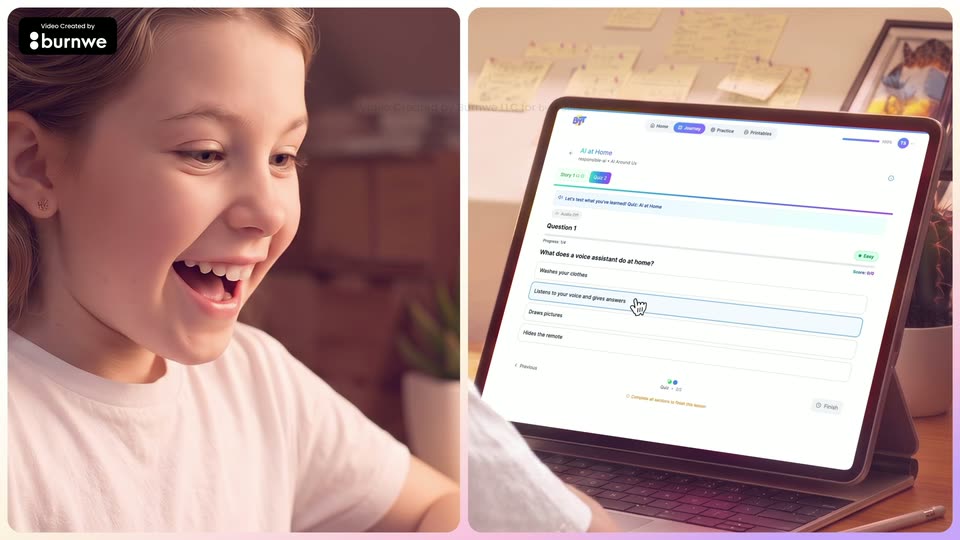
Motion Graphics Explainer Video for AI Education Platform | BYT
BYT · Upbeat electronic
1:10
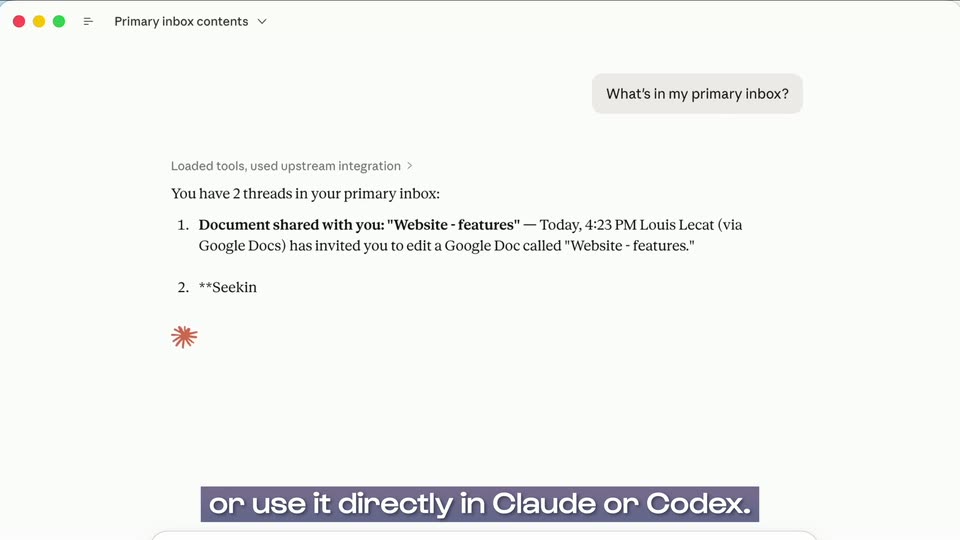

Upstream - The first inbox designed for humans and agents
Upstream · Upbeat electronic
Upsolve AI - Agent Studio for Data Teams, scene by scene
· 45 scenes as text
01 · Problem · 0:00–0:04
A person in a maroon hoodie and striped beanie sits at a round table with a laptop, sipping from a white mug. Three white notification cards with a colorful logo pop in around them, each carrying a data request, as the person sets the mug down and looks down.
On-screen text: “Support Ticket Spike -#support-data-re... Ticket volume is up 40% this week. Can you pull a breakdown by issue type so we know where to focus?”, “Marketing Campaign Report Hi! This is Maya from marketing. Can you help us figure out which campaign drove the most signups last month? Not sure which report..”, “Metric Definition Conflict -#data-req... Marketing and finance are using different MRR numbers again. Can you confirm whether we're counting trials or not?”
Camera: Static
02 · Problem · 0:04–0:06
A person in a maroon hoodie and striped beanie sits at a laptop in an open office, head bowed. White message cards with colored icons drift in and accumulate around their head on both sides, gently floating.
Camera: Static
03 · Problem · 0:06–0:08
A person in a maroon hoodie sits at a desk in an open office, a 3D striped hat on their head. Two message cards float to the right. They look up and pull the hat off with both hands.
On-screen text: “CEO - Direct Message”, “I told the board we're at 92% gross margin. Is that still right? Need confirmation in the next 30 mins.”, “Month-End Close”, “the books and need revenue by product line. What's the best number to use?”
Camera: Static
04 · Problem · 0:08–0:09
A man in a red-lit office holds his head in frustration at a laptop as white error cards and a warning triangle pop up around him, listing data failures.
On-screen text: “cannot find table”, “Gave me two numbers for the same question”, “SQL generation failed”, “Duplicate rows detected joined on non-unique key”
Camera: Static
05 · Problem · 0:09–0:09
A person in a pink-tinted office holds a 3D brain graphic above their head, then lowers it toward a laptop. White error cards and red warning triangles float around the cubicle, listing data failures.
On-screen text: “Duplicate rows detected: joined on non-unique key”, “Metrics undefined, used best guess”, “KPI mismatch”, “Gave me two numbers for the same question”, “cannot find table”, “SQL generation failed”
Camera: Static
06 · Product intro · 0:09–0:12
On a cream grid, a pink-orange rounded square with a white L mark morphs into a circle, then the dark brown wordmark Upsolve AI scales in beside it. The lockup slides left as a pink 3D wireframe box slides in from the right.
On-screen text: “Upsolve AI”
Techniques: Morph, Kinetic type, 3D mockup
Camera: Static
07 · Demo · 0:12–0:15
A pink 3D isometric box labeled Upsolve Agent sits center on a cream background. Stacked orange-bordered labels for Prompt, Data and Context on the left and Evaluation on the right collapse into single boxes, while small dots travel along connector lines into the box.
On-screen text: “Prompt”, “Data”, “Context”, “UPSOLVE AGENT”, “Evaluation”
Techniques: 3D mockup
Camera: Push in
08 · Demo · 0:15–0:16
A pink isometric box labeled UPSOLVE AGENT sits on a cream grid background, flanked by white cards with orange borders reading Prompt, Data, Context and Evaluation. The box opens to reveal a blue inner plane as the side cards slide off screen and the large gray word GOVERNED appears at the bottom right.
On-screen text: “GOVERNED”
Techniques: 3D mockup, Kinetic type, Masking
Camera: Push in
09 · Demo · 0:16–0:17
A light-blue isometric cube turns over a cream grid backdrop, the label STRUCTURE sliding along its face, while the word GOVERNED slides into the lower right corner.
On-screen text: “STRUCTURE”, “GOVERNED”
Techniques: Kinetic type
Camera: Push in
10 · Demo · 0:17–0:18
Two angled translucent panels, violet over light blue, slide in from the left on a cream grid background, each carrying a 3D extruded label reading MEANING and STRUCTURE. The word GROUNDED slides in horizontally on the right.
On-screen text: “MEANING”, “STRUCTURE”, “GROUNDED”
Techniques: Kinetic type
Camera: Static
11 · Demo · 0:18–0:19
Diagonal stacked panels in blue, purple and green slide down-left, carrying the words TRUST, MEANING and STRUCTURE, while the right-side label switches from GROUNDED to ACCURATE over a faint grid background.
On-screen text: “TRUST”, “MEANING”, “PERCEPTION”, “STRUCTURE”, “GROUNDED”, “ACCURATE”
Techniques: Kinetic type
Camera: Static
12 · Feature reveal · 0:19–0:20
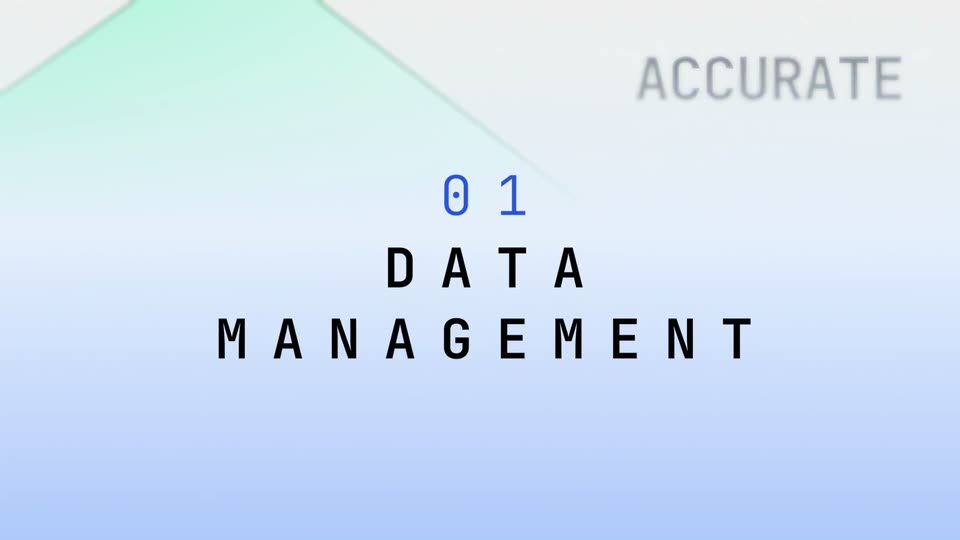
On a cream grid background, three rotated squares stacked in mint, lavender, and blue slide down-right, carrying the monospace labels TRUST, MEANING, STRUCTURE, while ACCURATE stays fixed top right. The stack then cuts to a centered blue 01 above DATA MANAGEMENT.
On-screen text: “ACCURATE”, “TRUST”, “MEANING”, “STRUCTURE”, “01”, “DATA MANAGEMENT”
Techniques: Kinetic type
Camera: Static
13 · Feature reveal · 0:20–0:20
On a light blue gradient, the blue numeral 01 and the black words DATA MANAGEMENT scale into place at center. A white Postgres card with a dotted grid slides in from the top left as thin blue frame lines draw along the screen edges.
On-screen text: “01”, “DATA”, “MANAGEMENT”, “ACCURATE”
Camera: Static
14 · Feature reveal · 0:20–0:21
A light blue gradient panel holds the heading 01 DATA MANAGEMENT, which scales in at center, while white cards with the Postgres, Bigquery, Clickhouse and MS SQL logos settle around its top and left edges over a dotted grid background.
On-screen text: “01”, “DATA”, “MANAGEMENT”
Techniques: Kinetic type
Camera: Pull out
15 · Feature reveal · 0:21–0:23
Nine white cards, each holding a database logo and name, start scattered and overlapping, then slide into a neat three-by-three grid on a dotted pale background.
Camera: Pull out
16 · Feature reveal · 0:23–0:24
A lavender square titled 0 2 CONTEXT LAYER scales up on a dotted grid background, its top edge rising to cover a row of three white tiles showing the Postgres, Bigquery and Clickhouse logos.
On-screen text: “0 2”, “CONTEXT”, “LAYER”
Camera: Static
17 · Feature reveal · 0:24–0:28
A lavender square on a dotted background shows the title 02 CONTEXT LAYER as the words slide and scale in. The square shifts to the lower right while a 3x3 grid of white tiles with app logos, from Salesforce to Microsoft Teams, slides in to fill the frame.
On-screen text: “0 2”, “CONTEXT”, “LAYER”
Techniques: Kinetic type
Camera: Pull out
18 · Feature reveal · 0:28–0:29
A green gradient square slides up from the bottom over a halftone dot background, covering three logo tiles (Salesforce, Data.World, Github) in a purple frame. The title rides on the card, then the whole card keeps sliding up and exits the top of the frame.
On-screen text: “03”, “EVALS AND”, “TRUST LAYER”
Techniques: Kinetic type
Camera: Push in
19 · Feature reveal · 0:29–0:30
A teal-to-cream gradient holds a blue numeral 03 over bold gray lines reading EVALS AND TRUST LAYER, which slide in and out. A centered question box stays put as an answer card with a progress bar and two green checkmarks fades in below it.
On-screen text: “03”, “EVALS AND”, “TRUST LAYER”
Techniques: Kinetic type
Camera: Static
20 · Feature reveal · 0:30–0:32
A white analytics report scrolls upward, revealing a second card below the first. The bar chart fills with colored bars, and a small square cluster on the right recolors from orange to green as the cards pass.
On-screen text: “What's our Q4 pipeline coverage?”, “Pipeline is 3.2x quota at $4.2M across 38 open deals.”
Techniques: Parallax
Camera: Static
21 · Feature reveal · 0:32–0:34
A light dashboard card scrolls upward past a bar chart and a question-and-answer block, then reveals an Operations Analyst Agent trace with colored LLM and TOOL rows and timing bars. A black cursor arrow rests at the lower left and a pixel X sits at the right edge.
Camera: Push in
22 · Feature reveal · 0:34–0:35
A flat dashboard card on a soft peach gradient shows a Gantt-style timeline for an Operations Analyst Agent, with colored bars per step and time values. The card eases down a touch while the bars extend to their full lengths.
Camera: Push in
23 · Feature reveal · 0:35–0:35
A flat agent timeline panel with colored duration bars holds, then the view collapses into a small tilted mint card labeled “04 EVALS AND TRUST LAYER” floating over a thin stacked deck in 3D perspective on a plain light background.
On-screen text: “04 EVALS AND TRUST LAYER”
Techniques: 3D mockup
Camera: Push in
24 · Feature reveal · 0:35–0:36
An isometric stack of three thin square plates, the top one mint green with the words EVALS AND TRUST LAYER and a small blue 01, the lower two purple and blue, sits centered on a white field crossed by faint diagonal lines. The stack holds still in a locked-off frame.
On-screen text: “01 EVALS AND TRUST LAYER”
Camera: Static
25 · Feature reveal · 0:36–0:37
A pink-edged cube sits in isometric view on a white grid, its top face reading UPSOLVE AGENT and its side showing an orange logo. The faces shift from gray to pale pink while the frame stays locked off.
On-screen text: “UPSOLVE”, “AGENT”
Techniques: 3D mockup
Camera: Static
26 · Feature reveal · 0:37–0:38
A pink 3D cube with gray italic text on its top face and an orange logo on its side sits on a white grid. The cube is replaced by a white chat input bar tilted in perspective, holding a sample question and a blue button.
On-screen text: “UPSOLVE”, “AGENT”, “What was our retention rate last quarter?”
Techniques: 3D mockup
Camera: Static
27 · Feature reveal · 0:38–0:39
A white input bar reading the retention-rate question, with a blue arrow button, sits on a dotted grid plane in 3D perspective. The bar tilts and scales as two lines of answer text fade in beneath it.
Techniques: 3D mockup
Camera: Static
28 · Feature reveal · 0:39–0:41
A dotted grid plane in 3D perspective holds angled white cards. A question card sits top right, a larger answer card with retention stats and two teal verification tags sits center, and a new card slides in at the bottom right as the camera dollies across the layout.
On-screen text: “What was our retention rate last quarter?”, “Retention was 97.9% in Q3 — up 0.4pp vs Q2.”, “Calculated using your adjusted revenue KPI definition.”, “KPI-verifie”, “SQL pattern matched”, “Break it do”
Techniques: 3D mockup, Parallax
Camera: Pan
29 · Feature reveal · 0:41–0:42
A chat interface on a dotted gray grid. Three stacked cards hold a user query, an AI answer with a green SQL-verified line, and a follow-up prompt. The list scrolls upward, pushing the query card out of frame and centering the answer and follow-up cards.
Camera: Static
30 · Feature reveal · 0:42–0:43
A dotted-grid canvas of chat cards pans downward as the frame zooms: a retention summary card with green checkmarks sits above a 'Break it down by product line' card, and a Q3 2025 bar chart card slides into view at the bottom.
Techniques: UI zoom
Camera: Pull out
31 · Feature reveal · 0:43–0:44
A report card titled Retention by product line, Q3 rotates from an angled 3D view into a flat front-facing panel. Its blue, orange and green bars grow from short to full length as the camera glides past stacked cards behind it.
Techniques: 3D mockup, Parallax
Camera: Pan
32 · Feature reveal · 0:44–0:45
Three flat bars in blue, orange and green slide across a dotted white field, easing from a slight tilt into straight horizontal lines. The word DEPLOY then fades in, centered on the orange bar.
On-screen text: “DEPLOY”
Camera: Static
33 · Feature reveal · 0:45–0:46
The word DEPLOY scales up at the center of a faint light grid while a dark chat interface panel slides in from the bottom-left corner.
On-screen text: “DEPLOY”
Techniques: Kinetic type
Camera: Static
34 · Feature reveal · 0:46–0:47
A Slack style chat window with a dark channel sidebar sits in 3D perspective, then flattens. In the # general thread, Adam's question is followed by an Upsolve bot card that slides in with a blue and green bar chart and a pipeline summary.
On-screen text: “DEPLOY”
Techniques: 3D mockup
Camera: Static
35 · Feature reveal · 0:47–0:48
A flat Slack-style mockup sits on a cream background. A dark sidebar lists channels and direct messages; the main pane shows the general channel with a user question and an automated reply holding a multicolor bar chart. The entire window scales up slightly.
Camera: Static
36 · Feature reveal · 0:48–0:49
A tilted 3D Slack interface floats on a cream field, its logo and wordmark overlaid at center inside a thin orange frame. The interface flattens and recedes, leaving the centered logo card framed by two orange rectangles over a dotted grid.
On-screen text: “SLACK”
Techniques: 3D mockup, Morph
Camera: Static
37 · Feature reveal · 0:49–0:50
A white square card with a thin orange border holds the Slack logo and wordmark. The card tilts and rotates in 3D against a cream dotted grid, flipping through perspective and back.
On-screen text: “SLACK”
Techniques: 3D mockup
Camera: Static
38 · Feature reveal · 0:50–0:52
The Upsolve AI logo card scales up at the center with a glowing orange border, then red connector lines draw outward to a ring of partner app tiles (Zapier, Claude, Cursor, ChatGPT, Teams, Slack, MCP) that fade in around it on a dotted grid.
Camera: Push in
39 · Feature reveal · 0:52–0:53
A white grid of app logos, Cursor, Claude, ChatGPT, Teams, Slack, Zapier and MCP, links by thin orange lines to a central orange UPSOLVE AI tile. The hub pulses with a soft orange glow while the outer logos blur and refocus, keeping the center in sharp relief.
Camera: Push in
40 · Other · 0:53–1:02
Three-column uppercase phrases swap in with a blur on a cream background framed by thin solid and dashed rules. Green, orange and lavender highlight bars flash behind the first words of each line.
On-screen text: “INSIGHTS”, “IN”, “SECONDS”, “NOT A”, “FIVE DAY”, “QUEUE”, “ACCURATE”, “RELIABLE”, “ALWAYS”, “GROUNDED IN YOUR CONTEXT”
Techniques: Kinetic type
Camera: Push in
41 · Social proof · 1:02–1:03
A cream card with two dotted rules holds the headline GROUNDED IN YOUR CONTEXT in three spaced columns. The words are replaced by three brand marks, each topped by a small caption: Y Combinator, General Catalyst, and Palantir.
On-screen text: “GROUNDED IN YOUR CONTEXT”, “BATCH W24”, “INVESTOR”, “TEAM FROM”
Techniques: Masking
Camera: Static
42 · Social proof · 1:03–1:04
Three brand logos sit in a row on a cream gradient background: Y Combinator, General Catalyst, Palantir. Above each, a small gray caption reads BATCH W24, INVESTOR, TEAM FROM. The frame holds still with no motion.
On-screen text: “BATCH W24”, “INVESTOR”, “TEAM FROM”
Camera: Static
43 · CTA · 1:04–1:05
A dark gray, wide-tracked uppercase headline sits on a white field between two thin orange rules. The composition scales down, settling the line into a centered band as the rules spread apart.
On-screen text: “GET STARTED AT UPSOLVE.AI”
Techniques: Kinetic type
Camera: Static
44 · CTA · 1:05–1:06
On a white field with faint orange grid lines, the gray text GET STARTED AT and the orange UPSOLVE.AI scale down and vanish, then a glowing orange-to-pink rounded square bearing an L mark slides into the center.
On-screen text: “GET STARTED AT”, “UPSOLVE.AI”
Techniques: Kinetic type, Morph
Camera: Static
45 · Outro · 1:06–1:10
On a white grid, a glowing pink-orange square icon settles into a crisp circular mark, and the dark brown wordmark Upsolve AI slides in beside it, holding until a cut to black.
On-screen text: “Upsolve AI”
Techniques: Morph
Camera: Pull out