
0:29
Explore
Bloom - the brand layer for agents
Rainbrand · Jun 2026 · 0:41 · Full motion · AI-annotated
- Length
- 0:41
- Scenes
- 28 · 1.5 s avg
- Product on screen
- 0:00
- Features shown
- 7
- Call to action
- 0:37 · 91%
- Voiceover
- Yes
- Views
- 1.9K on YouTube
as of November 23, 2026
00:00:00 / 00:41:04
- Length
- 0:41
- Scenes
- 28 · 1.5 s avg
- Product on screen
- 0:00
- Features shown
- 7
- Call to action
- 0:37 · 91%
- Voiceover
- Yes
- Views
- 1.9K on YouTube
as of November 23, 2026
Rainbrand’s 0:41 launch film runs 28 scenes, about 1.5 s each. The product is on screen from the first frame and 7 features are revealed. The call to action lands at 0:37 (91% in), over a voiceover. The video is built as a chain of short title-card beats, each a single serif phrase that hands off to a tight animation demo, cut on a steady ~119 bpm pulse. Its signature moves are letter-by-letter serif reveals, blur-to-focus transitions, and isometric 3D cubes that diagram where the brand layer sits in a stack.
No filming indicatedEstimated needs: 1 capture group — your screens or recordings · 1 official logo — reused across the film · 12 graphic passages — draw or supply · 3 3D passages — build or supply
Is this your launch? to your site or press kit.
More like this


Similar soundtrack
Films whose music sounds like this one, voice left out
1:17


Abhishek Das - We're excited to launch Delegate. An agent you delegate work to and m
Yutori · Modern electronic
1:00
Motion Graphics Explainer Video for AI Education Platform | BYT
BYT · Upbeat electronic
1:27

David Yu - Introducing Hanji. Turn your scanned, faxed, and handwritten documen
Hanji · Modern electronic, corporate tech
Bloom - the brand layer for agents, scene by scene
· 28 scenes as text
01 · Product intro · 0:00–0:00
A dark serif headline reveals letter by letter from left to right on a white field, a soft purple glow trailing each new letter, over a faint grid of purple dots along the bottom edge.
On-screen text: “Meet Bloom”
Techniques: Kinetic type
Camera: Static
02 · Product intro · 0:00–0:02
On a near-black background, the white serif word Bloom sits among purple scalloped flower marks. It then transforms into The brand layer, with The in purple inside a thin grid with dots below and brand layer in gray, scaling in.
On-screen text: “Meet Bloom”, “The brand layer”
Techniques: Kinetic type, Morph
Camera: Static
03 · Product intro · 0:02–0:04
A purple outlined serif headline reads 'The brand layer' over a thin line with two dots. A purple speech bubble containing 'for agents' and a white flower icon pops in below.
On-screen text: “The brand layer”, “for agents”
Techniques: Kinetic type
Camera: Static
04 · Feature reveal · 0:04–0:05
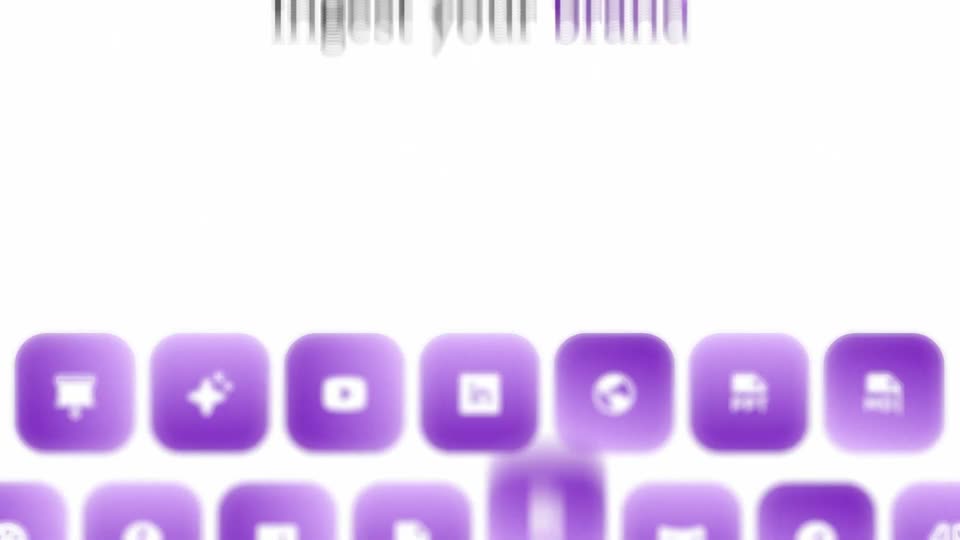
A plain off-white card holds the centered headline, dark gray with the last word in purple. The line slides upward while a row of purple rounded cards rises along the bottom edge, staging the transition to the next title.
On-screen text: “Ingest your brand”, “The brand layer”, “for agents”
Techniques: Kinetic type
Camera: Pan
05 · Feature reveal · 0:05–0:07
A grid of purple rounded file-format icons sits on white, the middle row in focus while the outer rows blur. A headline slides in as the camera pushes in on the central document tile until it swells to fill the frame.
On-screen text: “Ingest your brand”
Camera: Push in
06 · Feature reveal · 0:07–0:09
On a white background with a soft purple glow, the word Systemizing sits inside a white pill. The text swaps to Done as a purple checkmark badge pops onto the pill's right edge and small purple droplets scatter outward.
On-screen text: “Systemizing”, “Done”
Techniques: Kinetic type, Morph, Particles
Camera: Static
07 · Feature reveal · 0:09–0:10
On a white background, the serif line Now, use your brand appears, then anywhere in purple scales in at center as rounded purple app icons float in from the edges and small purple dots drift along the bottom.
On-screen text: “Now, use your brand”, “anywhere”
Techniques: Kinetic type, Particles
Camera: Static
08 · Feature reveal · 0:10–0:12
A ring of purple rounded-square icons with white glyphs orbits the word anywhere, set in a purple serif at center. The ring contracts and the word scales down with motion blur.
On-screen text: “anywhere”
Techniques: Kinetic type
Camera: Pan
09 · Feature reveal · 0:12–0:13
On a white field, a purple serif word sits centered above a faint dotted strip. A rounded lavender code panel with a curl request fades in over the word, its text still ghosted as it settles.
On-screen text: “anywhere”
Techniques: Kinetic type
Camera: Static
10 · Feature reveal · 0:13–0:14
A lavender code card with an API curl request sits center, flanked by a gray chip icon left and three gray user icons right, linked by dashed lines. The diagram fades in over a pale background with faint pixel texture at the bottom.
Camera: Static
11 · Feature reveal · 0:14–0:15
The word MCP in purple serif type scales gently at center on a white field, a small purple looped mark sits to its right, and a faint line of tiny purple squares runs along the bottom edge.
On-screen text: “MCP”
Techniques: Kinetic type
Camera: Static
12 · Feature reveal · 0:15–0:16
On a white field, blurred purple “MCP” letters and a line-art loop icon sit above a row of small purple pixels. The letters scale out as a purple line draws in from the left, ending in a dot above a purple rounded-square icon with a white interlocking-loop mark.
On-screen text: “MCP”, “S”
Techniques: Kinetic type
Camera: Static
13 · Feature reveal · 0:16–0:17
A purple rounded-square icon with a white knot glyph hangs from a thin purple line that curves in from the top left, against a white background. A field of small purple dots drifts along the bottom edge.
Techniques: Particles
Camera: Pull out
14 · Feature reveal · 0:17–0:18
A purple serif MCP wordmark with a loop glyph sits at the center of a white field, linked by wavy lines to eight purple app icons arranged in a ring, over a halftone dot pattern along the bottom.
On-screen text: “MCP”
Camera: Pull out
15 · Feature reveal · 0:18–0:20
A purple circle with a white flower icon and an orange circle with a white starburst icon slide from opposite corners toward the center, enlarge and overlap, then settle side by side above a faint dotted grid.
On-screen text: “:MCP”
Camera: Pull out
16 · Feature reveal · 0:20–0:21
Two blurred round icons, a purple one with a white flower outline and an orange one with a white starburst, fade out as a blurred input bar sharpens into a prompt box. The prompt text types out while tiny purple particles drift along the bottom edge.
Techniques: Particles
Camera: Pull out
17 · Feature reveal · 0:21–0:22
A rounded prompt card sits centered on a near-white field, showing a typed request for a @verso campaign suite above a plus icon, chevron, and orange send button. The card slowly scales up in a locked-off frame while a faint purple dot grid runs along the bottom edge.
Techniques: UI zoom
Camera: Static
18 · Feature reveal · 0:22–0:23
A white chat panel with a left icon rail and a header bar rises from the bottom over a soft-focus field of pink and yellow flowers dotted with tiny purple pixels. A gray message bubble holding a text prompt scales into place near the top of the panel.
Camera: Static
19 · Feature reveal · 0:23–0:24
A chat bubble from Bloom sharpens from blur over a soft flower field as the view shifts up, revealing a prior message with a green 3D object and an Explore Verso button, while a new Verso reply fills in word by word below.
Techniques: UI zoom
Camera: Pull out
20 · Feature reveal · 0:24–0:25
A grid of flat website mockup cards in dark green and white on a pale mint background drifts slowly downward. A single line of caption text fades in across the middle of the grid and fades out again, while the cards keep sliding.
On-screen text: “Here's a set of on-brand campaign assets for Verso, all consistent with the same brand system.”
Techniques: Parallax
Camera: Static
21 · Feature reveal · 0:25–0:28
A white card holds the centered serif phrase “All on brand,” its last word in lavender. It gives way to “Inside your pipeline,” which scales in over a faint dot grid, with “pipeline” again in lavender.
On-screen text: “All on brand”, “Inside your pipeline”
Techniques: Kinetic type
Camera: Push in
22 · Feature reveal · 0:28–0:29
Isometric 3D boxes linked by lavender beams form a pipeline on a white field of gray dots. A white Attio box feeds a purple box with a white flower emblem, which feeds a white box topped with overlapping colored dots. The camera slowly dollies right across the row.
On-screen text: “Inside your pipeline”
Techniques: 3D mockup
Camera: Push in
23 · Feature reveal · 0:29–0:32
The camera pulls back from a close-up of a purple cube with a flower logo and a small twin on its band, revealing an isometric chain of cubes linked by flat bands, ending in white cubes marked with the Slack and blue infinity logos.
On-screen text: “attio”
Camera: Pull out
24 · Feature reveal · 0:32–0:33
On a light dotted grid, the serif phrase 'It's in your' sits centered as 'stack' joins it in purple. A white isometric slab labeled HOSTING rises beneath, then the phrase gives way to a purple flower logo.
On-screen text: “It's in your”, “stack”
Techniques: Kinetic type, 3D mockup
Camera: Pan
25 · Feature reveal · 0:33–0:35
A white isometric block marked HOSTING rises into a tall column of service rows, then a purple BRAND layer caps the top, on a pale dotted grid.
Techniques: 3D mockup
Camera: Pull out
26 · Other · 0:35–0:37
Soft purple daisy-like flowers with white centers float over a white background dotted with a fine grid. The composition slowly zooms and drifts, the large central bloom growing while corner blooms slide toward the edges.
Camera: Push in
27 · CTA · 0:37–0:39
A purple flower mark and the serif wordmark Bloom fade in letter by letter on a white background; a purple cursor arrow appears beneath as a blurred flower blooms behind, the wordmark shifting from black to purple.
On-screen text: “trybloom.ai”
Techniques: Kinetic type
Camera: Pull out
28 · CTA · 0:39–0:41
A rounded lavender pill holds the wordmark trybloom.ai, with bloom in purple and the rest in dark serif, centered on a cream field. Soft blurred daisies drift faintly behind while the text eases from a soft blur into sharp focus.
On-screen text: “trybloom.ai”
Camera: Static