0:53
DealPath SaaS Video - AI Sales Platform
DealPath · Jun 2026
Ramp · Oct 2026 · 2:30 · AI-annotated
The video alternates talking-head shots of a presenter in a bright office with flat-on UI demos, 3D invoice cards, and large single-word title cards, all stitched together by diagonal pale yellow wipes. Pacing is steady at about 8 cuts per minute, with signature moves of typed-in prompts, checkmark progress lists, and sliding pill labels that mark extracted data.
DealPath · Jun 2026
Superhuman · Productivity · May 2023
Ramp · Finance · Sep 2026
A man in a dark sweater walks to a desk by a bright window and sits behind a closed laptop. A lime text pill and a small black icon stay fixed in the center of the frame.
On-screen text: “Ramp for Accounting Firms”
Camera: Static
A blond man in a black sweater sits at a light wood desk facing the camera, talking and gesturing over a closed laptop, with a window and a bookshelf behind him. A yellow banner reading the headline slides in at the right edge, then a name caption fades in at the bottom right.
On-screen text: “Ramp for Accounting Firms”, “Jay Harden”, “Senior Partner Consultant, Accounting Partnerships”
Camera: Static
A man in a dark sweater sits at a desk beside a window and a bookshelf, closing a laptop. A lower-third caption identifies him at the start.
On-screen text: “Jay Harden”, “Senior Partner Consultant, Accounting Partnerships”
Camera: Static
A flat pale yellow field fills the frame as a diagonal wipe transition. A sliver of a desk scene with a yellow branded object peeks at the top right, and a white surface edge appears at the bottom left.
Techniques: Masking
Camera: Static
A blond man in a black sweater talks at a desk with a MacBook, framed by a bright window; a yellow block wipes off the right edge at the start. It cuts to a pale gradient card as a large olive word rises from the bottom edge.
On-screen text: “M”
Techniques: Masking, Kinetic type
Camera: Static
A pale yellow background with radiating light rays fills the frame as the word Stack scales up and rises into the lower half, settling large and centered.
On-screen text: “Stack”
Techniques: Kinetic type
Camera: Static
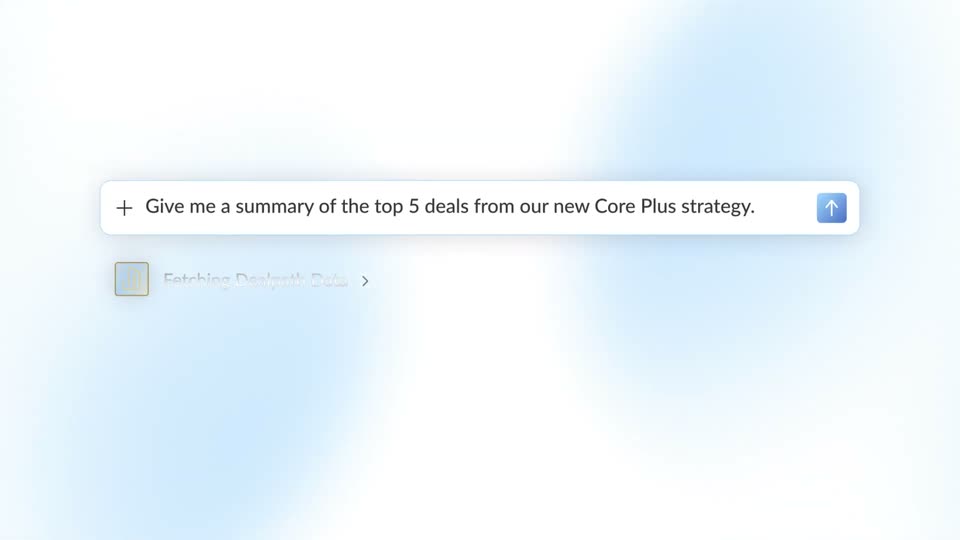
A light accounting dashboard is shown flat-on. A cursor rests on the yellow send button as a prompt types itself into the AI input field, then clicks it and the view scrolls up.
Techniques: Cursor demo
Camera: Static
Accounting app screens fade in and shrink into a grid collage: a spreadsheet of invoice balances, a chat prompt to update the prepaid insurance schedule, a client checklist, and an audit support document.
Techniques: Split screen
Camera: Pull out
A man in a dark sweater sits at a desk with a laptop, speaking to camera in a sunlit room with a bookshelf. Two rounded cards slide up along the bottom, one gray reading clients without Stack and one yellow reading clients with Stack.
On-screen text: “clients without Stack”, “clients with Stack”
Camera: Static
A man in a black sweater talks to camera at a desk with a laptop. Two rounded panels labeled clients without Stack and clients with Stack disappear, then white words with a checkmark icon appear in sequence over him: Reconciliations, Journal Entries, Variance Analysis, Schedules, Accruals.
On-screen text: “clients with Stack”, “clients without Stack”, “Reconciliations”, “Journal Entries”, “Variance Analysis”, “Schedules”, “Accruals”
Techniques: Kinetic type
Camera: Static
A flat white chat card sits centered on a pale gray field, its left rail holding a rocket and four dim icons. Above an empty input box the prompt holds still as the query types into the box letter by letter.
Camera: Static
A white chat panel with a thin icon rail sits on a pale field. Above the input box, the prompt “How can I help?” heads a query that types out: “Amortize prepaid insurance each month.” A black cursor glides in and taps the yellow send button.
Techniques: Cursor demo
Camera: Static
Locked-off row of white task cards on pale gray. The left card's input types 'Amortize prepaid insurance each month' while the cursor on the center card hovers option 2, highlighting it; the card then swaps to a follow-up question as new options type in.
Techniques: Cursor demo
Camera: Static
A white question card with two numbered answer options sits on a pale background. A gray cursor slides up to the first option, which highlights in light blue, then the card scales down to a wider framing.
Techniques: Cursor demo, UI zoom
Camera: Static
A dot logo and the heading 'Building your Skill' stay fixed on a light background. Three white cards build in sequence, each resolving from a blue loading bar and dot icon into a checkmark and a text line, then the group scales down and centers.
On-screen text: “Building your Skill”, “Specific GL entries in QuickBooks”, “Straight-line amortization”, “Apply to all 3 policies”
Techniques: Kinetic type
Camera: Static
A white rounded notification pill with a dark checkmark circle and the words Memory Updated fades in at center on a light gray background, with faint yellow vertical glows at the left and right edges.
Camera: Static
A blonde man in a black sweater sits at a laptop by a window, looking up as if reacting. A spreadsheet, task list and activity panel fade in over him until the interface fills the frame and he disappears.
Camera: Static
A close-up of an accounting reconciliation screen. The left column of bank transactions stays in place as the right-hand category-and-match column populates, pairing each amount with a bill, invoice or transfer.
Camera: Push in
A light transaction table with columns for amount, category or match, and accounting date scrolls slowly, rows of matched bills, a transfer, and Stripe clearing entries sliding past on a white grid.
Camera: Static
A spreadsheet view of Prepaid_Insurance_Schedule.csv resolves from a brief blurred crossfade into a clean static frame, columns Vendor, Policy / Invoice #, Policy Type and Payment Date, row six highlighted, with an Editing spreadsheet badge at lower right.
Camera: Static
A gray gradient backdrop with yellow dotted contour lines. The yellow headline and the white tagline fade in at the left, then hold on a locked-off frame.
On-screen text: “Advisor Console”, “Your Control Center for Every Client”
Techniques: Kinetic type
Camera: Static
A light-gray product screen shows an accounts payable reconciliation card where the gray balances update to matching green values and the variance drops to zero, then the view reframes down to a Working list with a workpaper and a reviewed-transactions row.
Techniques: UI zoom
Camera: Push in
A light task timeline under a Working header steps through three rows as a black dot marker slides down to the active line. The view then zooms into a Close the books card where a cursor ticks each checkbox and Memory updated confirmations fade in on the right.
Techniques: Cursor demo, UI zoom
Camera: Push in
A tilted, blurred kanban board with overlapping Memory updated toasts straightens and sharpens into a clean two-column task list, then scrolls up a few cards.
Camera: Push in
A task list dissolves into a close-up of an activity feed. The Activity panel centers and enlarges as the task cards on the right fade out, settling on a timeline of user actions with a file attachment.
Techniques: UI zoom
Camera: Push in
A light gray activity feed scrolls upward, revealing new log entries with user avatars and timestamps. File attachments and a comment input field slide into view at the bottom of the list.
Camera: Static
A man in a dark sweater sits behind a laptop, looking up and speaking. He is framed in a medium shot against a bright office window.
Camera: Static
A yellow rounded button reading Approve sits centered on a light gray field. A dark arrow cursor with a white outline glides in from the lower left, hovers over the button, and presses it, making the button glow and scale up slightly.
Techniques: Cursor demo
Camera: Static
A blond man in a black sweatshirt talks at a desk with a laptop in a bright office. Large yellow words pop in and out over him in sequence: Bill Pay, then Approve, then Card.
On-screen text: “Bill Pay”, “Approve”, “Card”
Techniques: Kinetic type
Camera: Push in
A light off-white assistant panel shows a Working header with an animated dot icon and two status lines. A Task row then fades in beneath, linked by a dotted line to a Drafting journal entry item.
Camera: Static
A light interface view of a journal entry card fades in: a table with Account, Debit and Credit columns lists three insurance expense rows, while a cursor drifts from the date line to the entry title.
Techniques: Cursor demo
Camera: Static
A light gray drop-zone card with a dashed square and the label Drop your invoice sits centered on white. A PDF file card with an orange icon drops into the dashed area, then the card fades and a small invoice document scales in at the center.
Techniques: Cursor demo
Camera: Static
A white invoice card lies flat on a plain background, then tilts and rotates in 3D, turning away to reveal a second blank card stacked behind it.
Techniques: 3D mockup
Camera: Static
A light-blue invoice mockup sits tilted in 3D perspective on a white background. Four white pill labels with blue checkmarks (R.Estate, CI-14884, 1 month, $27,000) drift into place around it, marking extracted fields, while the page shows Invoice total $27,000.
Techniques: 3D mockup
Camera: Static
A blond man in a black sweater sits at a desk behind an open laptop, talking and gesturing toward the camera. The shot holds on his upper body by a bright window, then pulls back to a wide view of the desk with small props and a bookshelf.
Camera: Static
A blond man in a dark sweater sits at a desk with a laptop, speaking to camera. A dark Ramp Visa card slides in on the left, tilting in 3D, then flips into a white panel labeled Virtual Card.
On-screen text: “Virtual Card”, “Automatic card matching”
Techniques: 3D mockup, Morph
Camera: Static
A man in a dark sweater sits at a desk with a laptop, talking to camera. A white card floats left; right, a restaurant card sits above a 'Lunch stipend' card that slides in as its bar fills. A yellow block wipes in from the left, masking the frame.
Techniques: Masking
Camera: Static
A pale yellow field wipes diagonally across the frame, exposing only a corner of a bright room with a window, a desk and a yellow cup. The word “ramp” stays locked in place.
On-screen text: “ramp”
Techniques: Masking
Camera: Static
A blond man in a black sweatshirt sits at a desk with a MacBook in front of him, talking to an off-camera interviewer with wide-eyed, animated expressions. Locked-off medium shot in a bright office, window and curtains behind, his hand rests on the laptop lid.
Camera: Static
A vertical list of rounded integration rows scrolls upward on a soft gray gradient. As each row reaches the center it brightens to white and its toggle flips blue, then dims as it passes. The list fades out at the end.
Camera: Pan
A blond man in a black sweater sits at a desk behind a closed laptop, glancing up and to the side with an open-mouthed, attentive expression. The camera holds a static medium shot in a bright room with a large window and brick building behind him.
Camera: Static
A white app screen pushes in on a loading line with a spinner and Drive icon, then swaps to a Working note; a card with two expense rows fades in below, and the scene cuts to a man at a desk with a laptop.
Techniques: UI zoom
Camera: Static
A man in a black sweater sits at a desk with an open laptop, lid facing camera, and talks to camera in a static medium shot. A bookshelf with books, a toy truck and a yellow Ramp box fills the right side.
On-screen text: “Working”
Camera: Static
Centered on a plain white field, the line 'Learn more at' holds, then is replaced by the URL 'ramp.com/partnerships', then by the black ramp wordmark with a curved swoosh mark, which holds centered to the end.
On-screen text: “Learn more at”, “ramp.com/partnerships”
Camera: Static