0:29

Superhuman - We built Superhuman Go for you. Go is the proactive AI assistant that
Superhuman · Productivity · Oct 2025
Superagent · Sep 2025 · 1:32 · Clip · AI-annotated
Superagent’s 1:32 clip runs 8 scenes, about 12 s each. The product is on screen from the first frame. A screen-recording tutorial built on a pink-framed dark browser mockup plus a persistent corner webcam of the presenter, moving from the landing page and GitHub to the dashboard and then the code editor. Pacing is slow and voiceover-driven at about 3 cuts per minute, with gentle zooms, a 3D tilt on the GitHub window, and a dissolve into the editor, all synced to the cursor.
Is this your launch? to your site or press kit.
Superhuman · Productivity · Oct 2025
Tire Swing · B2B · Jul 2026
MagiCode · B2B · Sep 2024
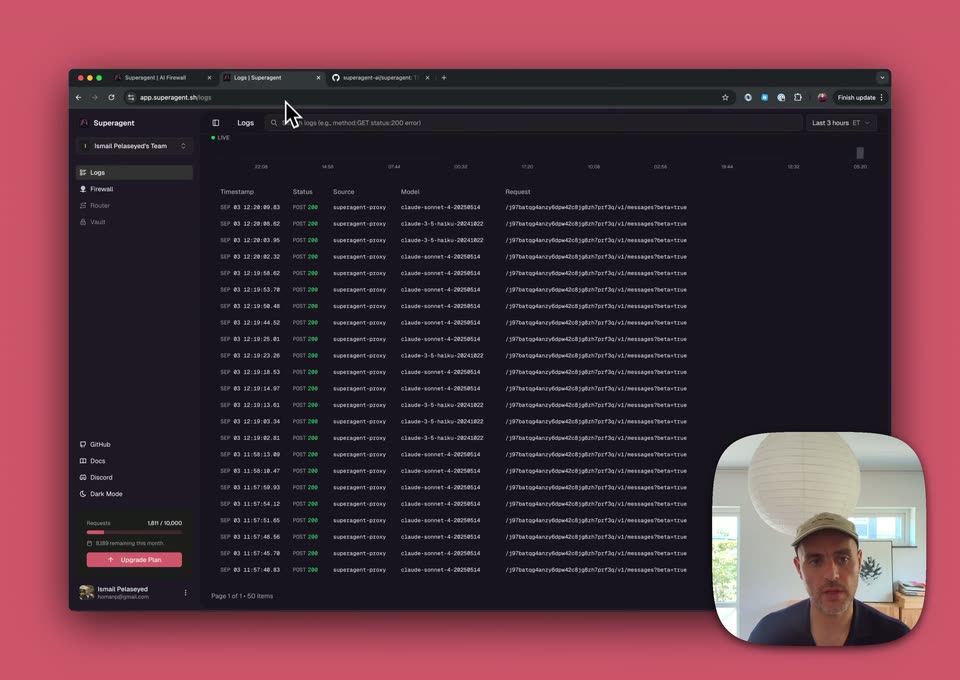
A dark browser window on a pink background shows the Superagent “The AI firewall” page; new security entries pop into the log while the cursor hovers. A corner inset shows a man in a cap talking, and the end zooms in close on the page.
Techniques: Cursor demo, UI zoom
Camera: Push in
A browser window with the Superagent GitHub repository sits tilted in 3D perspective against a pink backdrop, a video-call inset of a man in the corner. The cursor drifts over the tabs as the view straightens and zooms into the file list.
Techniques: 3D mockup, Cursor demo, UI zoom
Camera: Pull out
A GitHub repository page in a dark browser window on a pink background scrolls down through the README's Quick Start and feature lists, then back to the top. A cursor hovers over the sections. A small webcam frame of the presenter stays in the bottom-right corner.
Techniques: Cursor demo
Camera: Pull out
A browser mockup on a pink background shows the Superagent landing page; a cursor hovers Get Started, then the view cuts to the Logs dashboard. The frame zooms in as the cursor clicks Firewall in the sidebar, with a presenter's webcam inset in the corner.
Techniques: Cursor demo, UI zoom
Camera: Push in
A dark browser window shows the Superagent dashboard. A hand cursor clicks the Firewall menu, a URL card with a LIVE tag appears, and the cursor clicks the copy icon. The camera pulls back to reveal the full window on a pink backdrop, with presenter's webcam feed in the corner.
Techniques: Cursor demo
Camera: Pull out
A desktop screen shows a dark code editor over a blue gradient wallpaper, with a small video-call inset of a man in the corner. The view zooms into the editor as a cursor hovers over the code.
Techniques: Cursor demo, UI zoom
Camera: Push in
A dark code editor opens on a settings.local.json file showing a permissions block; the frame resolves from a doubled dissolve into a clean view. A white arrow cursor rests at the left margin, and a small webcam of a man in a cap sits bottom-right.
Camera: Push in
A code editor on a pink background shows a JSON file edited by a visible cursor, which adds an env key and a base URL. A small webcam of a man sits in the corner. The view then opens a terminal panel beside the file, confirming the override.
Techniques: UI zoom, Cursor demo
Camera: Pull out