0:48
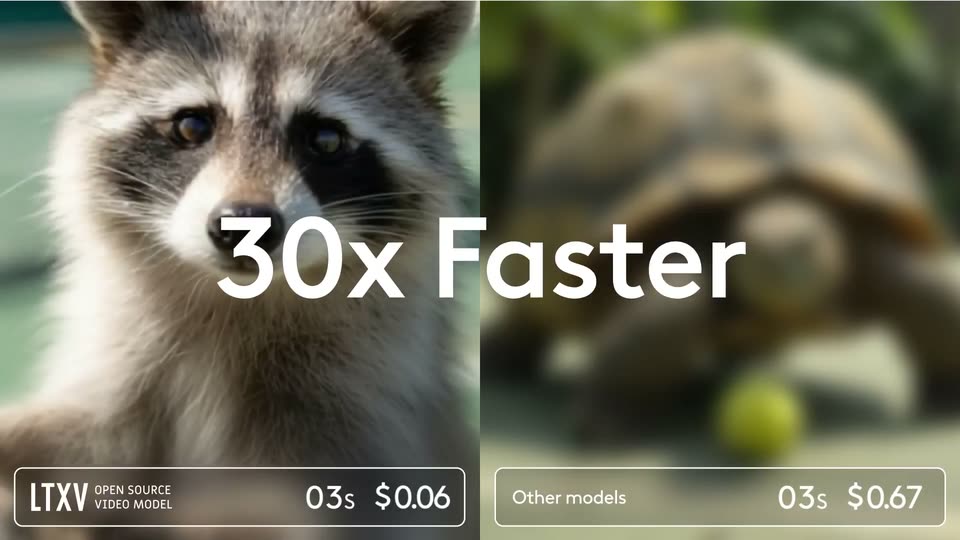
Lightricks - We’re excited to launch our new model — LTXV-13B! 💫 LTXV-13B is our
Lightricks · May 2025
Riverside’s 0:55 launch film runs 23 scenes, about 2.4 s each. The product shows up at 0:08 and 3 features are revealed. The call to action lands at 0:47 (86% in), over a voiceover. The video alternates live-action presenter shots in a park with flat UI demos on pale gradients, cutting at about 11 cuts per minute over a 124 bpm bed. Signature moves: app windows popping in and floating around the presenter, a purple River cursor performing each step, windows settling into 3D perspective, and bold captions typing out phrase by phrase.
Is this your launch? to your site or press kit.
Lightricks · May 2025
Roma · Consumer · Nov 2026
Films whose music sounds like this one, voice left out
Resolver · Modern electronic
DJI · Upbeat modern electronic
Subvocal · Electronic
A man in a black puffer jacket sits at a green park table with a MacBook, talking to a locked-off camera. Floating UI panels, a dock, a file browser, a browser window and a phone, pop in around him while white captions run along the bottom.
On-screen text: “What if AI could work”, “across your apps, files,”, “browser, even your phone,”, “two minutes to get started?”
Techniques: Cursor demo
Camera: Static
A man in a black jacket sits at a green picnic table in a park, speaking to camera with a laptop in front of him. A white River logo fades as a white email card slides in from the left and out. Subtitles caption his speech at the bottom.
On-screen text: “That's what we built River to do.”, “Let me show you.”, “Let's say I'm planning”, “with a customer.”, “I can ask River,”
Camera: Static
A chat app window sits in 3D perspective over a faded live-action background, then scales down and settles on a light blue gradient as a bold caption locks in at the bottom.
On-screen text: “I can ask River,”
Techniques: 3D mockup
Camera: Push in
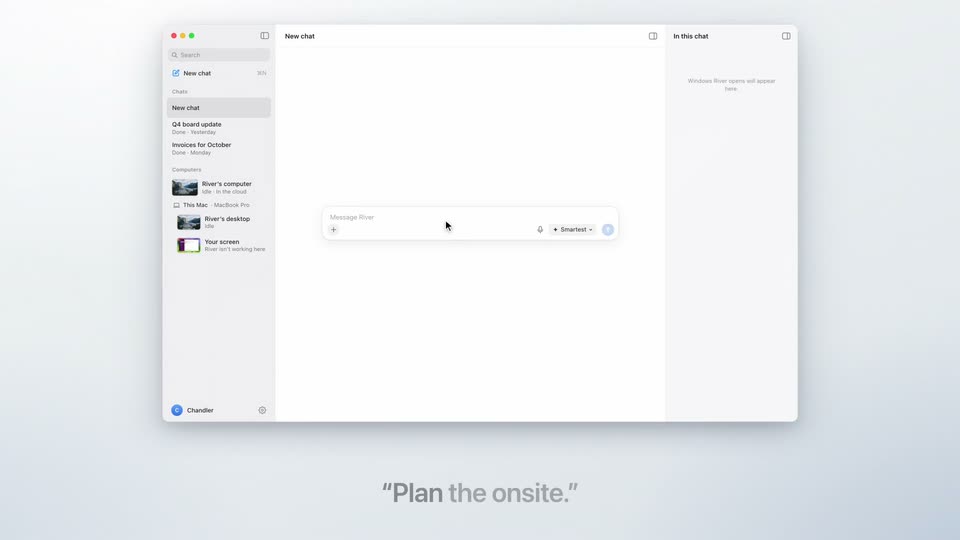
Locked-off view of a chat app: the left sidebar lists chats and computers, with Larkfield onsite highlighted, and the main input field shows the typed text Plan the onsite. A bold caption at the bottom reads Plan the onsite. and fades out as the field blurs and empties.
On-screen text: “Plan the onsite.”
Camera: Push in
A flat product interface fills the frame: a left sidebar lists chats and computers, the center shows a message about planning a two-day onsite above a Mac desktop mockup with a Calls window, and a bottom caption reads “First, it reviews the calls”. The frame is locked off.
On-screen text: “First, it reviews the calls”
Camera: Push in
A flat Mac desktop mockup shows a TextEdit transcript over a Finder window. A cursor moves toward a purple River button, then a pink selection bar appears under the dock. Headline text stays above and a caption sits below.
On-screen text: “Reading your calls and notes”, “On your Mac, to learn what Larkfield needs from this visit.”, “and notes on my computer”
Techniques: Cursor demo
Camera: Push in
A macOS desktop mockup fills the center with overlapping Notes, Finder, and call transcript windows. A purple cursor labeled River moves over a notes document, while side panels show related cards and a bottom caption appears.
On-screen text: “Reading your calls and notes”, “On your Mac, to learn what Larkfield needs from this visit.”, “what the customer needs.”
Techniques: Cursor demo
Camera: Static
A focused Google Docs agenda fills in its Day 2 schedule rows while other app windows sit blurred behind it, then a second tab opens Expedia and the flight search form completes with SFO to AUS. A bottom caption types out phrase by phrase.
On-screen text: “Next, it makes the agenda in Google Docs, then opens up Expedia in the browser to find flights and hotels near their office.”
Techniques: Kinetic type
Camera: Static
A browser window showing the Expedia flight search sits centered on a light background, with a title above and a caption below. A cursor labeled River moves over the flight list, then the page switches to a hotel map view. The bottom caption updates to read to find flights and hotels.
On-screen text: “Finding flights and a hotel on Expedia”, “Nonstop flights, and hotels near their office.”, “Live - River's computer”, “Open”, “then opens up Expedia”, “to find flights and hotels”
Techniques: Cursor demo
Camera: Static
A front-facing Expedia hotel-search browser window sits center, flanked by a feature list on the left and a notification feed on the right. A cursor moves over the map while the bottom caption scales up in place.
On-screen text: “Finding flights and a hotel on Expedia”, “Nonstop flights, and hotels near their office.”, “near their office.”
Techniques: Cursor demo, Kinetic type
Camera: Static
The view opens zoomed into an Expedia hotel-list and map panel, then pulls back to reveal the full Larkfield three-column window with the embed centered. A headline sits above the window and a short caption below it.
On-screen text: “Finding flights and a hotel on Expedia”, “Nonstop flights, and hotels near their office.”, “near their office.”
Techniques: UI zoom
Camera: Pull out
A man talks at an outdoor picnic table with a laptop. A floating macOS desktop on the left cuts between the Larkfield chat, a notes window, and a hotel map, while a Computers panel on the right highlights a different device each time. Subtitles run along the bottom.
On-screen text: “While River is doing that,”, “I can keep working.”, “It has its own desktop”, “on my computer.”, “It can also work”
Techniques: Split screen, Cursor demo
Camera: Static
A man sits at a green picnic table outdoors, talking, with a laptop in front of him. A browser window showing a hotel map floats at left and a Computers panel floats at right; a blue rounded outline draws itself around the browser window. A white caption sits at the bottom.
On-screen text: “It can also work”, “in the cloud.”
Camera: Static
A tilted browser window showing an Expedia hotel search with map and price pins settles from a blurred close-up into a locked 3D perspective on a pale green backdrop. A dark gray caption sits centered at the bottom.
On-screen text: “I can watch what it's doing”
Techniques: UI zoom, 3D mockup
Camera: Push in
A full-screen browser shows an Expedia hotel search beside a city map. A cursor travels from the top-right button down to a hotel card, which lights up with a blue outline, while the top status bar switches from watching to in-control.
On-screen text: “I can watch what it's doing”, “and jump in anytime.”
Techniques: Cursor demo
Camera: Static
A man in a black puffer jacket sits at a green park table with a laptop, talking to camera. A white booking card fades in at left listing flights, hotel, calendar and agenda rows with a blue confirm button, then blurs away. White subtitles run along the bottom.
On-screen text: “Once I've reviewed the plan,”, “I can give River”, “the go-ahead.”
Camera: Static
A chat interface fills the frame with a plan checklist and a blue confirm button, then the view zooms out as a browser window mockup of a booking page scales in over the chat. A caption fades in at the bottom center while the sidebar of screen cards stays on the right.
On-screen text: “It books the flights and hotel,”, “the go-ahead.”
Techniques: UI zoom, Masking
Camera: Push in
A flat browser window on white shows an Expedia trip confirmation, then grows and morphs into a Google Calendar month view with the trip events placed on it. Fixed captions frame the window.
On-screen text: “Booking your flights and hotel”, “On Expedia, with the card you saved.”, “It books the flights and hotel,”
Techniques: Morph
Camera: Static
A Google Calendar week view for December 2026 sits centered in a browser window. Purple trip events pop into the grid across the week. A gray headline reads above the window and a bold dark caption updates below it as the events land.
On-screen text: “Adding the trip to your calendar”, “Your flights, both onsite days, and your hotel.”, “then it adds the trip”, “to my calendar”
Camera: Static
A sent Gmail email, tilted in 3D perspective, holds center frame with a 'Message sent' toast below it. The camera zooms out to reveal a chat task list on the left and a card panel on the right, completing the floating interface set.
On-screen text: “and it sends over the agenda.”
Techniques: 3D mockup
Camera: Pull out
A man sits at a park table in front of a laptop, speaking to the camera. Flat interface mockups pop in around him: a desktop app window on the left, a browser window upper right, and a smartphone lower right, while white captions run along the bottom.
On-screen text: “Try River on desktop,”, “web, and iOS.”, “two minutes to get started.”
Camera: Static
A white flash settles into a pale gradient field where the gray River mark, a split circle with a wave, appears centered beside its wordmark.
Camera: Static
The River wordmark sits top center on a light gray field. A desktop chat window and a phone mockup showing the same conversation fill the lower half. A black Download for Mac pill and a white meetrivver.com pill pop in beneath the logo.
On-screen text: “River”, “Download for Mac”, “meetrivver.com”
Camera: Static