4:40
New in Raycast AI: Automations, Projects and a new Harness
Raycast · Productivity · Sep 2026
Windsurf · Apr 2026 · 0:53 · AI-annotated
Windsurf’s 0:53 launch film runs 19 scenes, about 2.8 s each. The product is on screen from the first frame and 2 features are revealed. The call to action lands at 0:47 (89% in), over a voiceover. The video is built as two feature blocks: a gradient title card, then rapid dark-UI demos with caption pills, split by a dashed wave-line transition into the Devin section. Pacing runs about seven cuts per minute, using zooms, pans and depth-stack resolves to keep the interface alive.
Is this your launch? to your site or press kit.
Raycast · Productivity · Sep 2026
Perplexity · AI · Feb 2025
Notion · Productivity · Nov 2022
A black frame opens as a curved blue-to-cyan gradient band wipes in from the left, revealing the white “Introducing Windsurf 2.0” headline and gray subtext. Thin dashed curves cross the band; a brand mark and a date hold the corners.
On-screen text: “Cognition”, “Introducing Windsurf 2.0”, “Manage all your agents and delegate tasks”, “to the cloud with Devin”, “2026”
Techniques: Masking
Camera: Static
A black title card shows a large white headline on the left, with a two-line subline beneath it. A curved blue-to-teal gradient band, marked by dashed strokes, fills the right. Cognition sits top-left, 2026 bottom-left. The 2.0 in the headline brightens as the scene opens.
On-screen text: “Cognition”, “Introducing Windsurf 2.0”, “Manage all your agents and delegate tasks”, “to the cloud with Devin”, “2026”
Camera: Static
A black title card holds white text on the left over curved blue-to-teal gradient bands with dashed lines sweeping the right. The headline, subtext, and corner labels stay locked in place while the abstract bands drift slowly.
On-screen text: “Cognition”, “Introducing Windsurf 2.0”, “Manage all your agents and delegate tasks to the cloud with Devin”, “2026”
Camera: Static
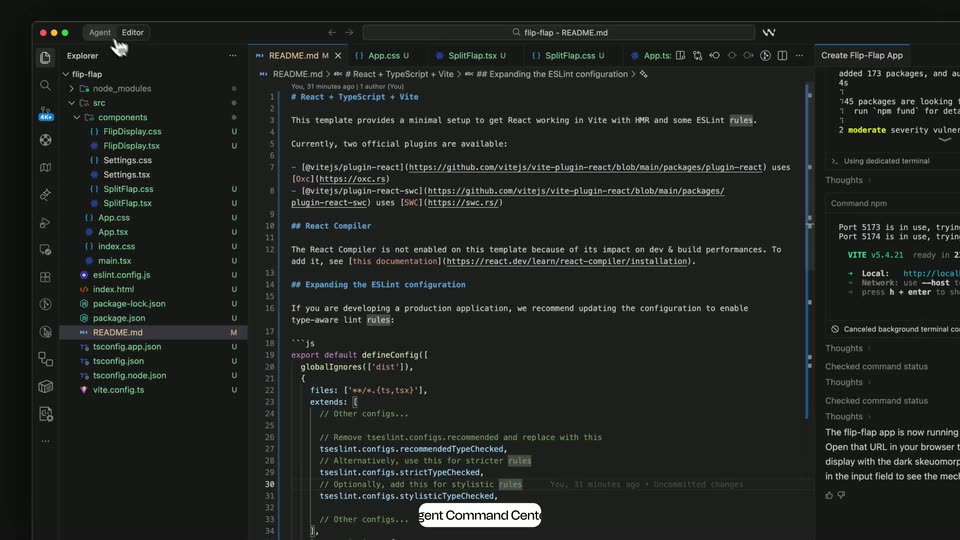
A dark IDE screen shows a file tree, a markdown file, and an agent chat panel. A hand cursor clicks the Agent tab at the top, and a left panel opens listing past agent sessions, with a small tooltip reading Agent Command Center.
Techniques: Cursor demo
Camera: Push in
A dark window opens on the Agent tab as a cursor clicks it, revealing the Agent Command Center: a left sidebar of spaces beside session cards in Running, Blocked and Ready columns. The view then zooms into the sidebar and pans down the cards.
On-screen text: “Agent Command Center”
Techniques: Cursor demo, UI zoom
Camera: Pull out
A blurred, multi-layer depth stack of the dark app interface resolves into a flat session view, with a left sidebar of spaces and a grid of cards. A white 'Spaces' pill pops in at the bottom center.
On-screen text: “Spaces”
Techniques: Parallax
Camera: Pull out
A dark multi-panel app screen shows a session list, a terminal streaming download logs, and a code editor. The right panel finishes loading a VNC view of a Google Chrome window. A cursor drifts across the panels and clicks a top-right button.
Techniques: Cursor demo
Camera: Static
Dashed sine-wave lines draw themselves across a black field while a solid white line traces the upper wave and a blurred blue mass swells in the upper right corner. The Devin logo and the title “Devin in Windsurf” fade in at the left.
On-screen text: “Devin in Windsurf”
Camera: Static
A locked title card on a black and teal split background. White “Devin in Windsurf” with the two brand logos sits left, while thin white and gold wave lines undulate across the frame and a small “INTRODUCING” kicker sits top left.
On-screen text: “INTRODUCING”, “Devin in Windsurf”
Camera: Static
The Devin hexagon logo and the title Devin in Windsurf hold on the left over a near-black field, then the Windsurf interface fades up behind them, its session list and chat panel brightening as the sidebar slides in.
On-screen text: “INTRODUCING”, “Devin in Windsurf”
Camera: Static
A full dark IDE window shows a markdown plan; a hand cursor clicks the Implement button, then the panel quickly switches to a code view where the plan text is highlighted in blue and a caption fades in below.
On-screen text: “Start cloud agents with Devin”
Techniques: Cursor demo
Camera: Static
A dark Windsurf editor window displays a plan document with highlighted text lines. A cursor moves from the body up to the top-right tab bar and clicks the Cascade Session tab, opening a small dropdown. A white caption pill rests at the bottom edge.
On-screen text: “Start cloud agents with Devin”
Techniques: Cursor demo
Camera: Static
A dark Windsurf session view zooms into the bottom-right corner as a cursor taps the Local dropdown and hovers the Cloud option. A white caption pill reading Start cloud agents with Devin stays fixed at the bottom center.
On-screen text: “Start cloud agents with Devin”
Techniques: Cursor demo, UI zoom
Camera: Push in
A dark Devin Cloud window starts zoomed in on the task input, then pulls back to the full layout as a seven-step plan types into the chat. A cursor opens the repo list and selects flip-flap.
On-screen text: “Start cloud agents with Devin”
Techniques: UI zoom, Cursor demo
Camera: Pull out
A dark developer-agent interface fills the frame. The sidebar list and the main panel scroll upward as the agent lists files, runs commands and reads code, while the highlighted session in the sidebar updates. The camera stays locked off.
On-screen text: “Cognition”
Camera: Static
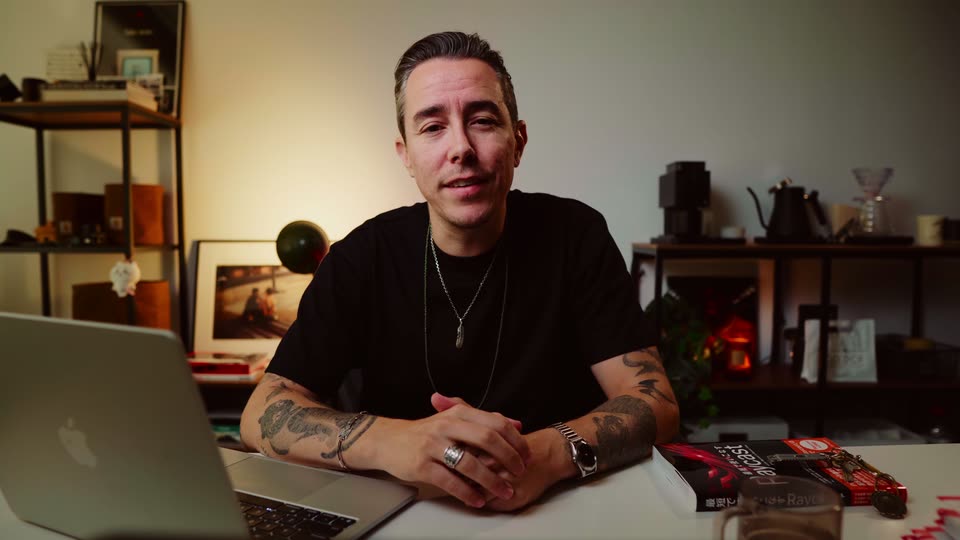
A man in a navy sweatshirt sits at a dark round table, a laptop lid with stickers facing the camera. He gestures with both hands while speaking. Behind him, a concrete wall holds shelves of colorful books, a globe and a golden sculpture. The frame stays locked off.
Camera: Static
A man in a navy quarter-zip sweatshirt sits behind an open laptop at a desk, speaking to camera. Behind him, a concrete wall holds shelves of colorful books and a golden trophy. The frame is locked off in a medium shot.
Camera: Static
Blue and teal gradient ribbons sweep across a black background as the white headline “Try it now” and the URL “windsurf.com” slide in from the left edge, while a small white w logo holds at top center.
On-screen text: “Cognition”, “CRABBLE”, “Try it now”, “windsurf.com”
Techniques: Kinetic type
Camera: Static
On a black field, curved blue-to-teal gradient bands fill the right side and slowly narrow into a leftward-pointing fan. White text “Try it now” sits top-left and “windsurf.com” bottom-left, both locked off and still.
On-screen text: “Try it now”, “windsurf.com”
Camera: Static