1:08
Introducing Luma Agents
Luma AI · Mar 2026
The video is built as a chain of short vignettes that alternate abstract particle formations and drifting 3D glass shards with flat UI cards and a 3D laptop render, each beat punctuated by a single bold white sans-serif line. Pacing holds near 96 BPM with slow camera drifts, count-up numbers, and radial blur zooms as the recurring transitions.
Luma AI · Mar 2026
Inbenta · Jun 2026
Linear · Productivity · May 2025
A world map of small 3D teal shards sits on a turquoise-to-blue gradient. Eight translucent pins drop onto continents, each holding a white slatted cylinder, and thin white arcs with red dots link the pins. The word “with” fades in at lower left.
On-screen text: “with”
Techniques: Particles
Camera: Pull out
White text reads on the left over a blurred blue gradient. On the right, rounded cards labeled Time, Budget and Headcount stack upward one by one, each with a slider and lock icon; the newest card glows green while the earlier ones dim.
On-screen text: “with no increase in”, “Time”, “Budget”, “Headcount”
Techniques: Kinetic type
Camera: Static
On a teal gradient, the phrase “with no increase in” sits left of a small dark Headcount card. The card drops away, “Budget” slides in centered, then the large word “Resolver.” takes its place as a new card peeks in from the top right.
On-screen text: “with no increase in”, “Headcount”, “Budget”, “Resolver.”
Techniques: Kinetic type
Camera: Static
The white Resolver wordmark with the tagline A KROLL BUSINESS sits centered on a blue gradient as glassy polygon shards drift around the edges. The logo blurs and fades out, then orange icons for money, time, team and a document pop in among the shards.
On-screen text: “Resolver.”, “A KROLL BUSINESS”
Techniques: Particles
Camera: Pull out
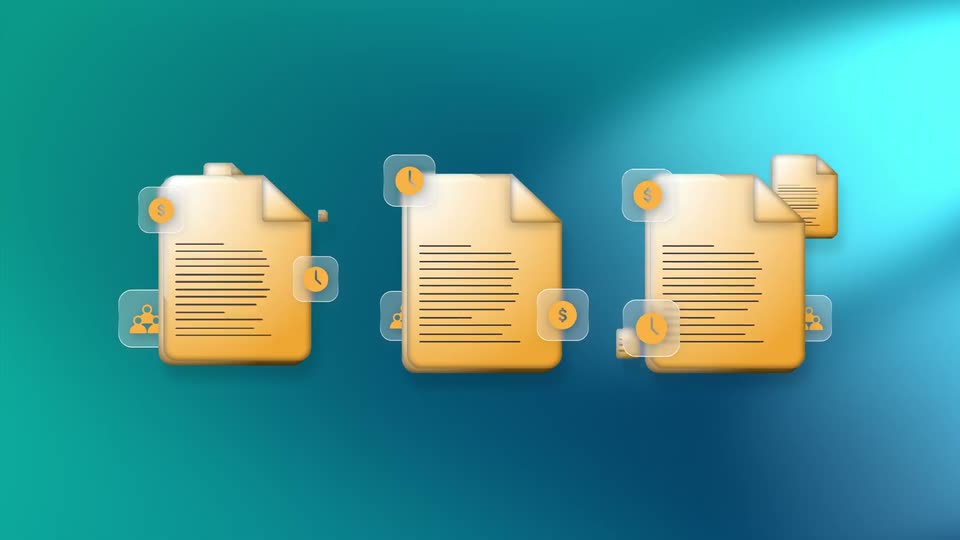
A field of yellow document icons and dark glassy cubes floats over a teal gradient. The cubes fade out as documents multiply, then the field condenses into three aligned documents, each with small dollar, clock, and people badges at its corners.
Techniques: Parallax
Camera: Pull out
A glowing white star with a horizontal light beam scans down a yellow document icon on a teal gradient. As the beam passes, placeholder lines are replaced by the regulation's title, body text and date, with one phrase boxed in white.
Techniques: Light sweep, Masking
Camera: Push in
A semi-transparent green rounded card with a white label and underline sits centered on a teal gradient with a diagonal light band. It drifts up-left as two placeholder lines fade in, and a second blue card with the same label slides in, overlapping it at the lower right.
On-screen text: “Reserve Requirement Direction and Documentation”
Camera: Static
Green and blue rounded cards with control titles slide in and stack on a teal gradient; the frame then pulls back to reveal a control panel window holding the three cards in a vertical list with edit and add buttons.
Techniques: UI zoom
Camera: Pull out
A teal gradient backdrop holds a floating CONTROL panel listing AI-generated controls. The panel recedes left and shrinks as an orange Country Exposure Risk Review and Assessment card scales up from the list into a large detail card with a paragraph and edit controls.
Techniques: UI zoom
Camera: Static
A teal particle cloud assembles into a glowing flower shape at center and slowly rotates on a teal gradient. White text fades in at left and slides in at lower right as the cluster shifts.
On-screen text: “We'll flag them so you”, “can focus on the gaps”
Techniques: Particles
Camera: Pull out
A white risk dashboard card slides in from the left on a teal backdrop, tilted in 3D perspective, as glass cubes drift past. Net Loss counts up and the impact score climbs. A two-line headline holds at the right, its second line sliding in.
On-screen text: “We'll flag them so you”, “can focus on the gaps”
Techniques: 3D mockup, Parallax
Camera: Pan
A teal particle cloud coalesces into a speech bubble on the left, then morphs into a standing human figure. White text lines scale in at the top and bottom right.
On-screen text: “Accelerating response”, “While keeping”, “humans in control”, “AI-assisted”
Techniques: Particles, Kinetic type, Morph
Camera: Pull out
On a turquoise gradient, a swarm of teal metallic shards condenses into a gavel shape that turns slowly. White sans text scales in at left, holds, then slides off as a matching line fades in at right.
On-screen text: “AI-assisted outputs”, “in Resolver”, “Built to stand”, “up to scrutiny”
Techniques: Kinetic type, Particles
Camera: Pull out
A silver laptop mockup floats on a dark rock against a teal backdrop, its screen showing the Resolver compliance view before cutting to a charts dashboard. Glassy dark cubes drift and rotate around it as the camera slowly orbits, while a headline and the Resolver wordmark scale in.
On-screen text: “Built to stand”, “up to scrutiny”, “Resolver.”
Techniques: 3D mockup, Kinetic type, Parallax
Camera: Pull out
A silver laptop floats in 3D on a teal gradient, its screen showing a dashboard of orange, green, red and blue bar charts plus a donut chart. Dark glass prisms drift around it at varying depths, then the frame blurs into a fast radial zoom.
On-screen text: “Resolver.”
Techniques: 3D mockup, Parallax, Speed ramp
Camera: Pull out
Centered white text on a teal field with blurred glass crystals drifting at the frame edges. “AI-assisted.” holds, then “Human-approved.” appears to complete the line as the focus sharpens.
On-screen text: “AI-assisted. Human-approved.”
Techniques: Kinetic type
Camera: Pull out
On a teal field, the white wordmark Resolver. fills in letter by letter with A KROLL BUSINESS fading in beneath, while dark glossy hexagonal 3D shapes drift in from the frame edges.
On-screen text: “Al-assisted. Human-approved.”, “Resolver.”, “A KROLL BUSINESS”
Techniques: Kinetic type
Camera: Pull out