1:17
Motion Graphics Product Video | Agents Security Platform
Manifold · Nov 2026
River Markets · May 2026 · 1:14 · AI-annotated
River Markets’s 1:14 launch film runs 50 scenes, about 1.5 s each. The product shows up at 0:27 and 3 features are revealed, with social proof. The call to action lands at 1:06 (90% in), over a voiceover. The video opens with a fast, hard-cut montage of markets and infrastructure to establish the advanced stack, then states the problem with bold centered pain-point headlines, before shifting to a calm deep-blue field where each feature is revealed by flattening a tilted 3D dashboard to a front view under a word-by-word headline build. Signature moves are beat-synced cuts in the first half, slow 3D camera flattens in the second, and a recurring blue glow that highlights the key phrase of each line
Is this your launch? to your site or press kit.
Manifold · Nov 2026
YugaByte · Oct 2026
Replit · Developer tools · Mar 2025
Films whose music sounds like this one, voice left out
Google · Modern electronic, mid-tempo
Qantum · Modern electronic corporate background
Evardi · Corporate tech / Electronic
A dark sepia tunnel of glowing dots and thin lines rushes toward the camera, converging on a central vanishing point. Streams of light streak past the edges as the view pushes straight through the abstract data corridor.
Techniques: Particles, Parallax
Camera: Push in
A fisheye lens frames a dark subway tunnel. A stainless steel train rushes past the camera at high speed, its reflective side, lit windows and a small American flag streaking across the curved frame in heavy motion blur.
Camera: Static
A traffic light hangs against a black night sky, its red lamp lit. The signal flips to green in a single instant. A thin wire cuts diagonally across the dark frame and a dim building glows faintly in the background.
Camera: Static
A gold coin with an embossed abstract mark tilts in 3D on black, then cuts to a close-up of hands holding a blue-lit phone as a finger taps the screen.
Techniques: 3D mockup
Camera: Static
A dark close-up of hands holding a slim phone, its edge glowing with a blue line, then a cut to a night exterior of a glass office tower with warm lit windows.
Camera: Static
A heavily defocused macro shot of a screen shows blurry yellow lights and vertical lines. The numbers 35 and 36 remain static on the right side of the frame.
Camera: Static
Top-down monochrome aerial shot of a dense railway yard, dozens of parallel tracks crossing and curving across the frame. The camera holds nearly still. A small bright green square pops in on the right over one track.
Camera: Static
A row of black server racks with perforated metal doors and small green status lights fills the frame. The camera tracks slowly to the right along the line of cabinets, keeping the dark, reflective surfaces in focus.
Camera: Static
Glowing cyan lines and small dots stream vertically upwards against a solid black background.
Techniques: Particles
Camera: Static
A dark trading interface fills the frame, a candlestick chart with colored moving-average lines and volume bars at center, an order book on the left and a list of BTC pairs on the right. The camera drifts slowly with shallow depth of field blurring the edges.
Camera: Static
A dark trading interface sits out of focus as a green-and-red candlestick chart draws upward on the left; a column of market rows blurs on the right, one row ringed in blue.
Camera: Push in
A person in a denim shirt holds a phone in landscape, its screen filling the frame with a list of prediction markets, rows of icons, text and prices. Dim warm room, high angle, shallow focus, with a sofa and a small round table blurred in the background.
Camera: Static
A person in a blue sweater holds a smartphone, its screen in sharp focus showing a prediction market app, while a laptop blurs on a wooden table behind. The shot holds still with no movement.
Camera: Static
A silhouetted hand holds a phone against a bokeh of night city lights. Polymarket trade notification cards stack up on the left, one after another, while the frame stays locked.
On-screen text: “juliaford bought No at $5”, “keithrogers bought Yes at $12”, “john doe3 bought Raptors at $35”
Camera: Static
Over-the-shoulder view of a person at a desk in a dim office, a monitor in front showing a browser with a prediction-market dashboard. The screen content switches from a Kalshi chart page to a Polymarket stats page. City lights glow blurred through the window behind.
Camera: Static
A close-up of a browser tab bar pans right, the black cursor arrow gliding along the top edge. The view reframes onto a highlighted 'Prediction Market' tab while a green 'Sign up' pill slides in at the lower left.
Techniques: Cursor demo, UI zoom
Camera: Static
A grey-haired man is filmed from behind at a dark desk, his silhouette lit by a glowing monitor, then a cut shows another man, hands clasped behind his head, backlit by a screen. A static headline overlay sits over the shots.
On-screen text: “Prediction Market ×”, “rkets | Myriad ×”
Camera: Static
A man with round glasses and a trimmed beard rests his chin on his fist, eyes fixed on an off-screen monitor. A dark screen edge fills the left foreground. Soft office lights blur in the background as he speaks.
Camera: Static
A low-angle view looks up at dark skyscrapers converging on a pale cream sky, their facades dotted with golden window lights. The camera rolls slowly, tilting the tower silhouettes as they frame the open sky in the center.
Camera: Static
A low-angle view of glass towers against a pale sky cuts to a tilted, motion-blurred shot of commuters riding an escalator.
Camera: Static
A long-exposure night highway with streaking headlights cuts to a close-up of network switches, their amber indicator lights blinking among bundled cables.
Camera: Static
Black-and-white live action. A woman in silhouette types at a desk with two monitors showing a price chart, then a cut to a man seen from behind facing a wall of trading screens. The caption SILOED CAPITAL holds centered over the footage.
On-screen text: “SILOED CAPITAL”
Camera: Static
Macro close-up of dark keyboard keys on a silver body, shallow depth of field, locked-off frame. A bold white headline sits over the keys, reading SILOED CAPITAL then MANUAL ROUTING, the final letter popping in with a scale.
On-screen text: “SILOED CAPITAL”, “MANUAL ROUTING”
Techniques: Kinetic type
Camera: Static
A dark, blurred close-up of a hand holding a tablet in a car at night; a finger taps the glowing screen. The white title MANUAL ROUTING stays centered and still over the shot, locked off.
On-screen text: “MANUAL ROUTING”
Camera: Static
A tilted aerial drone shot of a downtown grid of glass towers and streets, rotated about 45 degrees. White words appear centered over the footage: MANUAL ROUTING fades in and out, then SLIPPAGE scales up and holds as the camera keeps drifting.
On-screen text: “MANUAL ROUTING”, “SLIPPAGE”, “SLIP”
Techniques: Kinetic type
Camera: Push in
A tilted aerial view of a city street and plaza rotates and settles as the word SLIPPAGE scales in at center. The camera rolls over the 3D cityscape, keeping the headline fixed in the middle.
On-screen text: “SLIPPAGE”
Techniques: Kinetic type
Camera: Push in
A person in a white shirt sits on a bed and pushes a laptop lid shut, the bright screen tilting down until the closed lid faces the camera. The word SLIPPAGE scales up over the shot.
On-screen text: “SLIPPAGE”
Techniques: Kinetic type
Camera: Static
A night city skyline across dark water opens as a horizontal motion blur, then snaps into a sharp wide shot. The lit towers hold steady against a black sky.
Techniques: Speed ramp
Camera: Static
A night city skyline of lit skyscrapers over dark water. The camera whips forward, the building lights streaking into heavy motion blur.
Techniques: Speed ramp
Camera: Push in
White line graphs and small numbers drift across a black field. Blurred figures slide past in the foreground while sharper mid-ground charts move slower, creating a sense of forward motion through the data.
Techniques: Parallax
Camera: Push in
A dark, shallow-focus surface holds a thin black cable. A silver laptop edge glides in from the right, still soft and out of focus, against a near-black background.
Camera: Pull out
A finger presses a button on a black mouse in a tight macro shot. The scene is dark with shallow depth of field, a cable blurred in the background. The finger enters from the top right and clicks down.
Camera: Static
A white droplet falls onto concentric ripple rings on a dark navy field, the mark settles left as RIVER MARKETS appears right, then a 3D interface panel with a line chart rises from the bottom edge.
On-screen text: “RIVER”, “MARKETS”
Techniques: Kinetic type, 3D mockup
Camera: Static
A dark trading dashboard with a blue area chart, an order book and an order entry panel floats at an angle against a deep blue background, then rotates to a flat front view. A white cursor hovers over the balance row on the right.
Techniques: 3D mockup, Cursor demo
Camera: Pan
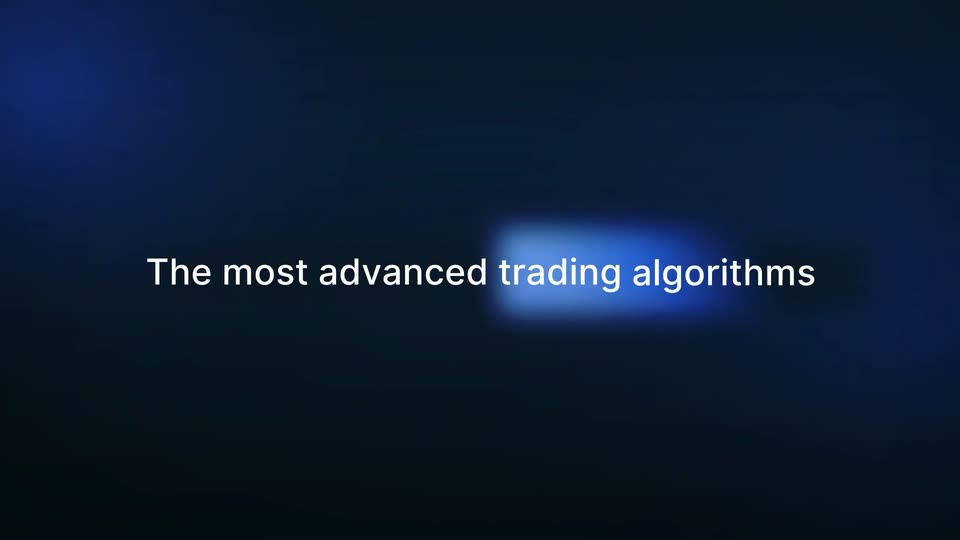
A trading dashboard with a price chart and order book fades to a dark blue field. A large white headline, already showing its first words, completes word by word as 'trading' glows blue and 'algorithms' lands, the line scaling.
On-screen text: “The most advanced trading algorithms”
Techniques: Kinetic type
Camera: Pan
A tilted 3D trading dashboard sits in a dark void under the headline “The most advanced trading algorithms.” The camera zooms into the order ticket, which flattens to a centered panel; a cursor toggles the stop-loss switch and hovers the Pro menu, then the panel scrolls to the iceberg fields.
On-screen text: “The most advanced trading algorithms”
Techniques: Kinetic type, Light sweep, 3D mockup, UI zoom, Cursor demo
Camera: Push in
A dark rounded button with an amber loading spinner sits on a blue grid; a cursor hovers over it as the button expands into a search field that types a symbol, then the field vanishes, leaving only the cursor on the empty grid.
Techniques: Cursor demo, Morph
Camera: Static
A dark rounded search field floats centered on a deep blue gradient. The code KXFACUP-26-CHE slides in beside a magnifier icon while a white cursor hovers over the field, then drifts down and right and fades out. A small key badge with K sits at the right edge.
Techniques: Cursor demo
Camera: Static
A dark search field with the code KXFACUP-26-CHE and a K shortcut badge sits centered on blue; the frame pulls back to reveal a white ROTHERA card and a left market panel as the cursor rises to the field.
Techniques: Cursor demo, UI zoom
Camera: Static
Four white market cards labeled PolyMarket, ROTHERA, Kalshi and ForecastEx drift from scattered, blurred positions into a tight row across the top of a dark blue field. Dotted lines drop from each card to a dark interface panel that rises at the bottom center.
Techniques: Parallax, 3D mockup
Camera: Pull out
Four white market cards labeled Polymarket, ROTHERA, Kalshi and ForecastEx sit in a row on a dark blue field, each linked by dotted lines to a dark River Markets panel below. Price rows fade into the panel's list one after another while the camera stays locked off.
Camera: Push in
A dark rounded card listing three prediction markets, Rothera, Polymarket and Kalshi with prices, sits on a deep blue dotted-network background, then fades out. The white headline Unified Portfolio builds word by word in the center.
On-screen text: “Unified Portfolio”
Techniques: Kinetic type
Camera: Static
A white headline fades over a dark blue field as a tilted 3D P&L chart panel rises to the center and scales up. A cursor glides across the green and red bars, popping a tooltip that shows the daily value.
On-screen text: “Unified Portfolio”
Techniques: 3D mockup, UI zoom, Cursor demo
Camera: Static
Two UI panels float in 3D perspective over a dark blue background, a candlestick chart and an attribution list. The camera rotates them flat into a front-facing attribution screen with a red bar chart and a positions table, while a white cursor slides to hover the first row.
Techniques: 3D mockup, Cursor demo
Camera: Pull out
A dark trading dashboard: a position detail card with two line charts and a fills table slides forward to center as the background positions list and bar charts fade out. A white cursor drifts down from the list to the fills table.
Techniques: Cursor demo, Parallax
Camera: Push in
On a dark blue field, the words 'Used by' hold still while a glowing blue bar highlights the phrase after them. The phrase rotates: 'hedge funds' drifts up and dims as 'insurance companies', then 'the top traders', slide in beneath.
On-screen text: “Used by hedge funds”, “insurance companies”, “the top traders”
Techniques: Kinetic type
Camera: Static
On a dark blue gradient, the white headline “Used by the top traders” holds center with a soft blue glow behind the last word, while dim grey labels “insurance companies” and “hedge funds” sit above and below, the top one slowly scaling.
On-screen text: “Used by the top traders”, “insurance companies”, “hedge funds”
Camera: Static
A dark blue field holds the white headline “Used by the top traders,” a soft blue glow blooming behind its last words. Faint gray labels “insurance companies” and “hedge funds” float tilted in 3D perspective behind it, and the camera drifts so the headline and labels scroll up out of frame.
On-screen text: “Used by the top traders”, “insurance companies”, “hedge funds”
Techniques: Parallax
Camera: Static
On a dark blue gradient, white ripple rings and a droplet dot form the River Markets mark. The mark shrinks left as the RIVER letters fade in on the right, MARKETS follows below, then Get access today and Rivermarkets.com appear, and the frame fades to black.
On-screen text: “Get access today”, “Rivermarkets.com”
Techniques: Kinetic type
Camera: Pull out
A dark screen reveals the Rivermarkets logo and text. The word RIVER scales in, while MARKETS, Get access today, and the URL remain still.
On-screen text: “RIVER”, “MARKETS”, “Get access today”, “Rivermarkets.com”
Techniques: Kinetic type
Camera: Static