
0:28
Explore
00:00:00 / 01:19:15
- Length
- 1:19
- Scenes
- 73 · 1.1 s avg
- Product on screen
- 0:00
- Features shown
- 3
- Voiceover
- No
- Views
- 899K on YouTube
as of November 19, 2026
Apple’s 1:19 launch film runs 73 scenes, about 1.1 s each. The product is on screen from the first frame and 3 features are revealed. There is no explicit call to action. The video is a fast typographic montage: oversized all-caps headlines slam onto black word by word between tight 3D renders of the Mac Studio and abstract purple wireframe graphics. Pacing is relentless at about 42 cuts per minute, alternating locked-off type cards with short hardware and motion-graphics beats, with signature moves being the gradient chip badges, the wireframe light tunnels, and the recurring robot render.
No filming indicatedEstimated needs: 1 capture group — your screens or recordings · 1 official logo — reused across the film · 9 graphic passages — draw or supply · 24 3D passages — build or supply
Is this your launch? to your site or press kit.
More like this



Similar soundtrack
Films whose music sounds like this one, voice left out
1:21

DJI - Mavic Pro Worldwide Launch
DJI · Electronic Dance Music (EDM)
1:23

Pika - Attention, all you geniuses with products, but no marketing skills.
Pika · Electronic, Funk, Breakbeat
0:30

Meet Google Fitbit Air | Lighter, Gets Mightier
Google · Electronic, hip-hop
The New Mac Studio with M5 Max and M5 Ultra, scene by scene
· 73 scenes as text
01 · Product intro · 0:00–0:01
A brushed-metal rounded square, the top face of a Mac mini, floats on black and tilts in 3D, the black Apple logo centered on its surface. The panel rotates gently, showing its depth and rounded edges as the highlight shifts across the metal.
Techniques: 3D mockup
Camera: Static
02 · Product intro · 0:01–0:02
The back panel of a silver computer rotates in 3D against a black background. The camera orbits the device, bringing the port row and the perforated metal grille into view from a side angle to a head-on position.
Techniques: 3D mockup
Camera: Push in
03 · Product intro · 0:02–0:02
On a black background, the word THE sits in large silver-white letters. The word NEW then slides in from below to form the two-line headline THE NEW.
On-screen text: “THE”, “NEW”
Techniques: Kinetic type
Camera: Static
04 · Product intro · 0:02–0:03
A top-down close-up of a space gray Mac Studio fills the frame, showing the perforated speaker ring and the engraved Mac Studio wordmark. The shot holds on a slow, locked-off scale.
Camera: Static
05 · Product intro · 0:03–0:03
A macro of the dark perforated metal casing cuts to a black background where the title Mac Studio scales up from a smaller size to center frame.
On-screen text: “Mac Studio”
Camera: Static
06 · Feature reveal · 0:03–0:04
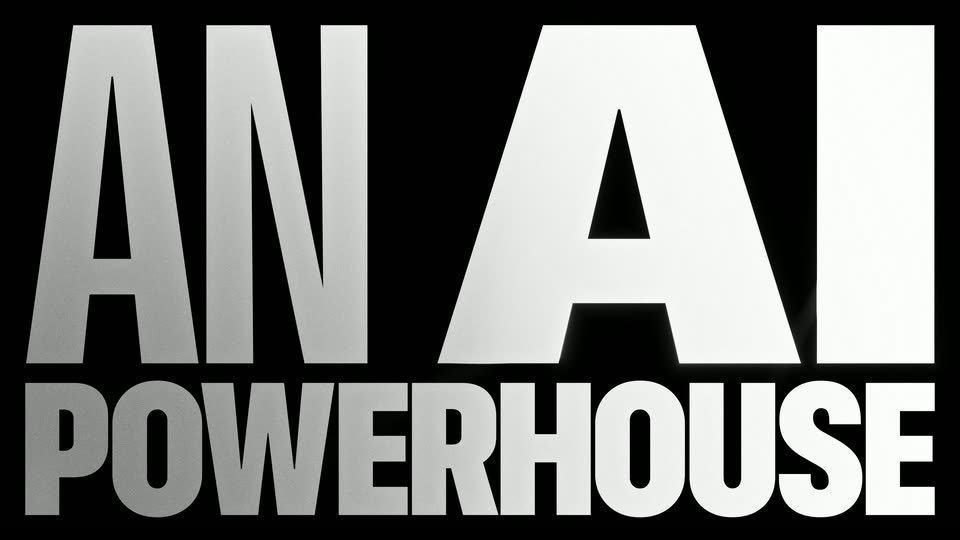
On a black field, a huge white wordmark reads ANAI over POWERHOUSE. The block lands with a fast scale settle and a faint gray ghost offset, then holds locked off for the rest of the shot.
On-screen text: “ANAI”, “POWERHOUSE”
Techniques: Kinetic type
Camera: Static
07 · Feature reveal · 0:04–0:05
The word WITH fills the frame in tall metallic white caps on a black background, locked off and static. A soft vertical sheen drifts across the letterforms, giving the silver fill a slow glint.
On-screen text: “ANA”, “POWERHOUSE”, “WITH”
Techniques: Light sweep
Camera: Static
08 · Feature reveal · 0:05–0:05
A silver Mac Pro back panel fills the frame against black, showing its mesh grille and full port row in 3D perspective. The camera tilts up slightly, bringing the device head-on and cropping the base.
Techniques: 3D mockup
Camera: Static
09 · Feature reveal · 0:05–0:06
On a black background, the gray Apple logo slides left out of the M of a large M5 MAX wordmark, separating from the letter it overlaps.
On-screen text: “M5 MAX”
Techniques: Kinetic type
Camera: Pull out
10 · Feature reveal · 0:06–0:07
A square chip die with a purple-to-white gradient and the white Apple M5 MAX mark sits centered on black. The die brightens from a dark glow into full color while scaling down to a smaller centered size.
Camera: Static
11 · Feature reveal · 0:07–0:08
A square M5 Max chip with a purple glowing edge sits centered on black, the MAX wordmark scaling up, then a hard cut to huge silver 18-CORE type filling the frame with a small CPU caption at the lower left.
On-screen text: “M5”, “MAX”, “18-CORE”
Techniques: 3D mockup, Kinetic type
Camera: Static
12 · Feature reveal · 0:08–0:09
Bold white 18-CORE and CPU sit still on black as a purple wireframe CPU-die grid expands and slides to the center, framed by a purple outline box, passing behind the type.
On-screen text: “18-CORE”, “CPU”
Camera: Push in
13 · Feature reveal · 0:09–0:10
A purple wireframe schematic holds center on a black field: a dense row-and-column matrix on the left, three columns of vertical traces on the right. A bright bloom flares across it, then settles into steady glowing lines.
Techniques: Light sweep
Camera: Static
14 · Feature reveal · 0:10–0:11
Large white sans-serif type on black builds as UP TO 40 fills the top and CORE GPU drops in below, then vertical slats sweep across to slice the letters.
On-screen text: “UP TO”, “40”, “CORE GPU”
Techniques: Kinetic type, Masking
Camera: Static
15 · Feature reveal · 0:11–0:12
Black background with huge condensed white words slamming in one after another, each holding on a locked-off frame. The sequence resolves on NEURAL filling the frame with ACCELERATORS set beneath it, where it stays until the end.
On-screen text: “UP”, “TO”, “CORE GPU”, “NEURAL”, “ACCELERATORS”
Techniques: Kinetic type
Camera: Static
16 · Feature reveal · 0:12–0:14
A dark 3D tunnel of purple and blue light streaks flies forward, the lines flaring outward as the frame brightens. A large white headline reads NEURAL ACCELERATORS over the corridor, then clears as the warp intensifies.
On-screen text: “NEURAL”, “ACCELERATORS”, “UNIFIED MEMORY”
Techniques: Kinetic type, Parallax
Camera: Static
17 · Feature reveal · 0:14–0:16
Bold white type assembles on black: 614 GB/S holds center while UP TO stacks to its left and UNIFIED MEMORY BANDWIDTH drops in below. A dark 3D rippling surface then fades in behind the locked headline.
On-screen text: “614 GB/S”, “UP TO”, “UNIFIED MEMORY”, “BANDWIDTH”
Techniques: Kinetic type
Camera: Push in
18 · Demo · 0:16–0:17
A gray perforated metal surface fills the frame as the camera dollies forward and tilts down, moving from a low distant view of the receding holes to a close overhead look. The holes stay sharp in the center while the edges blur.
Camera: Static
19 · Demo · 0:17–0:18
A brushed-metal perforated grille fills the frame, then gives way to black, where the word CODE in glossy purple 3D letters scales up to full size.
On-screen text: “CODE”
Techniques: Kinetic type
Camera: Push in
20 · Demo · 0:18–0:20
Swift code types itself line by line on a black background, a blinking cursor trailing the newest character as the lines fill in. A large CODE label scales in over the typing.
On-screen text: “CODE”
Techniques: Kinetic type
Camera: Push in
21 · Demo · 0:20–0:21
On a black screen, faint gray code lines scroll vertically behind a glowing purple robot face built from code symbols. The face morphs, its angle-bracket eyes filling into round zeros and its mouth shifting from a line to a small square.
Techniques: Morph
Camera: Pan
22 · Demo · 0:21–0:21
A bold purple word TRAIN fills the black frame. A dark interface panel listing generation settings slides in from the left, dimming the word to a flat purple behind it.
On-screen text: “TRAIN”
Camera: Static
23 · Demo · 0:21–0:22
A web of glowing violet lines links small floating UI cards on black. The cards drift to the edges as the large word EDIT fades in at center, the lines continuing to pulse behind it.
On-screen text: “EDIT”
Techniques: Kinetic type, Parallax
Camera: Pull out
24 · Demo · 0:22–0:23
The word EDIT in large bold letters fills the center of a black frame. The type carries a purple gradient, dark on the left fading to pale lavender on the right, with a soft beveled edge. The shot is locked off and the text stays still.
On-screen text: “EDIT”
Camera: Static
25 · Demo · 0:23–0:25
A close-up of a purple editing timeline with robot-render clips and audio waveforms pulls back to reveal the full multi-track grid. A glowing playhead line runs down the center as the view zooms out.
Techniques: UI zoom
Camera: Pull out
26 · Feature reveal · 0:25–0:25
Large metallic text on a black background. The word AND is shown, then quickly cuts to NOW.
On-screen text: “AND”, “NOW”
Techniques: Kinetic type
Camera: Static
27 · Feature reveal · 0:25–0:26
The word WITH sits centered on a black field, rendered in a tall condensed sans with a white-to-grey vertical gradient. The type holds static for the duration of the shot.
On-screen text: “WITH”
Camera: Static
28 · Feature reveal · 0:26–0:27
On a black field, a thin white line begins at the bottom-left corner and draws itself into a square outline, tracing the left edge up, across the top, and down the right, with a soft glow at the corners as it completes.
Camera: Static
29 · Feature reveal · 0:27–0:28
A square chip tile glows with a pastel pink and blue gradient on black, then darkens to navy as the Apple logo and M5 scale in at center, ULTRA beneath. The frame stays locked off.
On-screen text: “M5”, “ULTRA”
Techniques: Kinetic type
Camera: Static
30 · Feature reveal · 0:28–0:29
The Apple M5 Ultra chip mark holds center on a black field, a square rimmed by a shifting purple and blue glow. The Apple logo, M5 and ULTRA scale in slightly as the edge light travels around the border. The frame stays locked off.
On-screen text: “M5”, “ULTRA”
Techniques: Light sweep
Camera: Static
31 · Feature reveal · 0:29–0:30
A square Apple M5 Ultra chip badge with a glowing blue-purple gradient edge sits dead center on a black field of slowly rippling smoke-like fluid shapes. The badge scales down steadily on a locked-off frame as the abstract background drifts, fading toward the end.
Camera: Static
32 · Feature reveal · 0:30–0:31
On a black background, huge white sans-serif type builds word by word: OUR, then MOST, then POWERFUL, the line scaling down as each word lands. The phrase locks off as OUR MOST POWERFUL, with M5 and ULTRA scaling in to complete the title.
On-screen text: “OUR MOST POWERFUL”, “M5”, “ULTRA”
Techniques: Kinetic type, Masking
Camera: Static
33 · Feature reveal · 0:31–0:32
A black frame holds two lines of bold white text, “OUR MOST POWERFUL” set above a much larger “CHIP”. Both lines carry a soft outer glow and stay locked in place for the duration of the shot.
On-screen text: “OUR MOST POWERFUL”, “CHIP”
Camera: Push in
34 · Feature reveal · 0:32–0:33
A black frame holds the phrase in heavy white type. The line reads OUR MOST POWERFUL, then FOR AI fills the frame edge to edge, then ANDEVERYTHING, each line locked off and static with a soft drop shadow.
On-screen text: “OUR MOST POWERFUL”, “FOR AI”, “ANDEVERYTHING”
Camera: Static
35 · Feature reveal · 0:33–0:34
On a black background, the bold white word AND sits centered, then the line expands to read AND EVERYTHING with a gray-to-white gradient. Locked-off frame, fast pace.
On-screen text: “AND EVERYTHING”
Techniques: Kinetic type
Camera: Static
36 · Feature reveal · 0:34–0:34
A plain black frame holds the headline AND EVERYTHING ELSE in oversized white lettering, with ELSE spanning the lower half. The type stays locked and static throughout the brief shot.
On-screen text: “AND EVERYTHING ELSE”
Camera: Static
37 · Feature reveal · 0:34–0:35
A radial burst of blue and violet light streaks on black collapses into a horizontal beam, then a white router with a perforated top grille and a row of ports emerges at the center as the streaks radiate outward.
Techniques: Particles, Light sweep
Camera: Static
38 · Feature reveal · 0:35–0:36
Close-up of the back of a silver computer with a perforated grille and a row of ports, a power cable plugged into the center. The camera pushes in on the ports as blue light streaks fade from the dark background.
Techniques: 3D mockup
Camera: Push in
39 · Feature reveal · 0:36–0:37
On a black background, a huge white 36 sits right of a stacked UP TO in grey. The 36 brightens from dark grey to white as CORE CPU fades in across the bottom, then the locked-off frame holds still.
On-screen text: “UP TO”, “36”, “CORE CPU”
Techniques: Kinetic type
Camera: Static
40 · Feature reveal · 0:37–0:38
A flat top-down map of a CPU die, a grid of blue and white circuit traces on black, holds in a locked-off frame while the headline UP TO CORE CPU builds word by word over it.
On-screen text: “UP”, “TO”, “CORE CPU”
Techniques: Kinetic type
Camera: Pull out
41 · Feature reveal · 0:38–0:39
On a black field, the word UP fills the frame in heavy white sans, then hard-cuts to TO in the same style, advancing a word-by-word phrase.
On-screen text: “UP”, “TO”
Techniques: Kinetic type
Camera: Static
42 · Feature reveal · 0:39–0:40
A large glowing white 80 holds the left of a black frame, then CORE and GPU appear as two stacked lines to its right. The numerals carry a soft gradient glow that fades toward the edges.
On-screen text: “80”, “CORE”, “GPU”
Techniques: Kinetic type
Camera: Static
43 · Feature reveal · 0:40–0:41
A dark field of small dots forms a tunnel receding to a center point, with thin wireframe lines drifting in the foreground. A rectangular grid plane glows purple in the middle, then shifts to yellow, outlined by white border lines.
Techniques: Particles
Camera: Push in
44 · Feature reveal · 0:41–0:41
A camera flies forward over a glowing purple and orange wireframe grid that recedes to a vanishing point, then the view snaps to a 3D array of luminous rectangles in three color columns, linked by thin circuit traces on black.
Techniques: Parallax
Camera: Push in
45 · Feature reveal · 0:41–0:42
A grid of glowing orange and blue cells drifts with fine particles, then bold white text locks in as a dark laptop mockup with a halftone dot pattern and a small media UI rises in 3D perspective beneath it.
On-screen text: “1.2 TB/S”, “UNIFIED MEMORY”, “BANDWIDTH”
Techniques: Particles, 3D mockup
Camera: Static
46 · Feature reveal · 0:42–0:43
A silver Mac Pro rear panel rotates slowly in 3D on a black background, the perforated mesh and port row turning from a right-angled view to head-on and back, while a static spec callout holds still at the side.
On-screen text: “1.2 TB/S”, “UNIFIED MEMORY”, “BANDWIDTH”
Techniques: 3D mockup
Camera: Static
47 · Demo · 0:43–0:44
On a black background, the word PROMPT in oversized gradient type fills the frame. The letters begin tight with a 3D extrusion and settle into a flat purple, pink and blue fill.
On-screen text: “PROMPT”
Techniques: Kinetic type
Camera: Static
48 · Demo · 0:44–0:45
A dark, rounded text box on a black background types out a prompt about building a SwiftUI control panel for a humanoid robot.
On-screen text: “Build a SwiftUI control panel in ContentView that visualizes the joint angles of the humanoid robot with live sliders, can show the 2D side view of its limbs”, “via forward kinematics, and has jog/home/E-stop buttons wired to the robot model”
Techniques: Kinetic type
Camera: Static
49 · Demo · 0:45–0:46
On black, huge white heavy sans words stack and scroll upward: RUN and TRILLION fill the frame, then PARAMETER and FRONTIER slide in from below as the block moves up, and MODELS enters at the bottom edge.
On-screen text: “RUN”, “TRILLION”, “PARAMETER”, “FRONTIER”, “MODELS”
Techniques: Kinetic type
Camera: Static
50 · Demo · 0:46–0:47
Three stacked lines of heavy white caps on black: PARAMETER, FRONTIER, MODELS. The block rolls upward, pushing PARAMETER off the top edge as LOCALLY slides in from the bottom. Locked-off frame, fast pace.
On-screen text: “PARAMETER”, “FRONTIER”, “MODELS”, “LOCALLY”
Techniques: Kinetic type
Camera: Static
51 · Demo · 0:47–0:47
On a black background, two lines of huge white bold sans text, MODELS above LOCALLY, scale up while the frame stays locked, MODELS rising into view from the top edge.
On-screen text: “MODELS”, “LOCALLY”
Techniques: Kinetic type
Camera: Static
52 · Demo · 0:47–0:49
Four rendered views of a silver computer sit in a 2x2 grid on black, the top pair lit brighter, as the frame tightens. The gradient word RENDER scales in over the center, fading from translucent to solid.
On-screen text: “RENDER”
Techniques: Kinetic type, 3D mockup
Camera: Static
53 · Demo · 0:49–0:50
On a black background, the word RENDER sits in large 3D extruded letters with a purple, pink and blue gradient. A vertical band of light sweeps across the letters from left to right while the frame stays locked off.
On-screen text: “RENDER”
Techniques: Light sweep
Camera: Static
54 · Demo · 0:50–0:51
The word RENDER sits centered on a black background in a bold sans with a shifting pink, peach and blue gradient. A white wireframe robot model fades in behind the letters, growing from the center.
On-screen text: “RENDER”
Camera: Static
55 · Demo · 0:51–0:51
A 3D robot torso on a black background transitions from a white wireframe mesh to a solid dark metal render. The upper wireframe collapses downward as the lower body fills in, the chest cavity closing into a glowing purple and white visor.
Techniques: Morph
Camera: Static
56 · Demo · 0:51–0:54
A 3D black robot torso with glowing blue and purple panels fills the frame; the camera pushes in on the head, then tightens to the mouth, where a white O logo glows on the dark mask.
On-screen text: “O”
Techniques: 3D mockup
Camera: Push in
57 · Feature reveal · 0:54–0:56
A tight crop on the oversized metallic words EXPORT and IMPORT pulls back to reveal the full stacked headline THE PORTS, EXPORTS, IMPORTS over a dark perforated speaker in 3D perspective.
On-screen text: “THE PORTS”, “EXPORTS”, “IMPORTS”
Techniques: 3D mockup, Kinetic type
Camera: Pan
58 · Feature reveal · 0:56–0:57
The silver back panel of a Mac Pro, showing its row of ports, sits on a black background above large 3D white type reading ALL THE PORTS. The frame is locked off and static, with the extruded letterforms holding still beneath the hardware.
On-screen text: “ALL THE PORTS”
Techniques: 3D mockup
Camera: Static
59 · Feature reveal · 0:57–0:58
Four metal cable connectors, two USB-C, one USB-A and one Ethernet, hang on the right of a black frame, cables trailing off-edge, drifting slowly. The large title THEPORTS holds still on the left.
On-screen text: “THEPORTS”
Techniques: 3D mockup
Camera: Static
60 · Feature reveal · 0:58–0:59
A silver aluminum Mac rear corner with the black Apple logo sits on a black field, four black cables plugged into its ports. The device drifts right, revealing the rounded edge and the full logo.
Techniques: 3D mockup
Camera: Static
61 · Feature reveal · 0:59–1:01
A black frame holds a stacked list of port specs in heavy white caps. A small silver hub sits left of the USB line, and the whole type block drifts slowly down and to the right.
On-screen text: “4x THUNDERBOLT 5,”, “USB-C, USB-A,”, “HDMI, SDXC &”, “10G ETHERNET.”
Camera: Pan
62 · Feature reveal · 1:01–1:02
Extreme close-up of a dark gray metal chassis, locked off. Four vertical vent slots, a square port and a four-leaf connector sit in a row, with a perforated grille above and below. A subtle lateral drift reveals the brushed texture and engraved symbols.
Techniques: 3D mockup
Camera: Static
63 · Feature reveal · 1:02–1:03
Extreme close-up of a dark gray metal device panel. Four vertical slots, a square port and a round multi-pin connector sit in a row, flanked by perforated grilles. The frame slides slowly across the brushed surface.
Camera: Static
64 · Other · 1:03–1:03
A silver projector is centered on black. The word ONE in big metallic silver type holds above it while the device eases down and shrinks to settle into frame.
On-screen text: “ONE”
Techniques: 3D mockup
Camera: Pull out
65 · Other · 1:03–1:05
On black, a silver mesh speaker slides down from the top left and settles in front of the words ONE MORE, which sit in two lines. The word TIME then fills the lower half, completing the stacked headline. The frame stays locked off as the device holds its position.
On-screen text: “ONE”, “MORE”, “TIME”
Camera: Push in
66 · Other · 1:05–1:06
A giant white “ONE MORE TIME” headline sits on black as a backdrop. Spec lines for M5 MAX and M5 ULTRA scroll vertically down the frame, and two Mac Studio renders (front and rear) pass over the headline on the left.
On-screen text: “M5 MAX: 18-CORE CPU. UP TO 40-CORE GPU WITH NEURAL ACCELERATORS. UP TO 614 GB/S UNIFIED MEMORY BANDWIDTH.”, “ONE MORE TIME”, “M5 ULTRA: UP TO 36-CORE CPU. UP TO 80-CORE GPU WITH NEURAL ACCELERATORS. UP TO 819 GB/S UNIFIED MEMORY BANDWIDTH.”
Camera: Pan
67 · Other · 1:06–1:07
A wall of bold white spec text on black fills the frame. A giant 'ONE MORE' headline sits at the bottom edge and slides off as the full M5 Max and M5 Ultra list settles into place.
On-screen text: “M5 MAX: 18-CORE CPU.”, “UP TO 40-CORE GPU WITH NEURAL ACCELERATORS.”, “UP TO 614 GB/S UNIFIED MEMORY BANDWIDTH.”, “M5 ULTRA: UP TO 36-CORE CPU.”, “UP TO 80-CORE GPU WITH NEURAL ACCELERATORS.”, “1.2 TB/S UNIFIED MEMORY BANDWIDTH.”, “2X FASTER SSD.”, “ONE MORE”
Techniques: Kinetic type
Camera: Static
68 · Other · 1:07–1:08
A tight close-up of a silver metal computer body shows two vertical ports, a horizontal port and a small indicator dot above a black perforated grille. The frame pulls back to reveal the full rounded rectangular enclosure against a black background.
Camera: Static
69 · Other · 1:08–1:08
Close-up of the rear of a silver aluminum desktop computer on a black background. The back panel shows two USB-C ports, a horizontal slot and a small white LED. The device turns slowly, catching a soft glint along its rounded edges.
Techniques: 3D mockup, Light sweep
Camera: Static
70 · Other · 1:08–1:09
On a black background, two silver Mac Studio units sit inside a bold white typographic lockup reading THE NEW MAC STUDIO WALL TO WALL POWER. The frame settles from a slight blur into a crisp locked-off title card.
On-screen text: “THE NEW MAC STUDIO WALL TO WALL POWER”
Camera: Static
71 · Other · 1:09–1:12
A black poster layout holds the stacked light-gray headline, with two silver Mac Studio units set inside the letters. The top unit rotates from its ported front to its flat top, while the right unit stays front-facing.
On-screen text: “THE NEW MAC”, “STUDIO”, “WALL TO WALL POWER”
Techniques: 3D mockup
Camera: Static
72 · Outro · 1:12–1:14
A gray Mac mini renders on black. Its silhouette morphs from a wide side slab into a rounded top-down square, and a glint sweeps diagonally across the Apple logo.
Techniques: Morph, Light sweep
Camera: Pull out
73 · Outro · 1:14–1:19
A gray Apple logo centered on a black field brightens to white, holds for a beat, then the whole frame fades to black. A small gray disclaimer line stays locked at the bottom throughout.
On-screen text: “Subject to availability. Up to 2x faster SSD as compared to previous generation Mac Studio.”
Camera: Static