1:19


The New Mac Studio with M5 Max and M5 Ultra
Apple · Hardware · Aug 2026
PixVerse’s 1:19 launch film runs 56 scenes, about 1.4 s each. The product is on screen from the first frame and 2 features are revealed. There is no explicit call to action; a voiceover carries the film. The video is built as a fast launch montage: a 3D UI intro names the product, then two feature blocks (audio and multi-shot) each pair a bold kinetic headline with a string of generated clips, capped by a static feature list and a logo lockup. Pacing is relentless at roughly 37 cuts per minute with hard cuts and snap zooms, while the signature moves are the centered all-caps headline that scales or slides over live footage, the lower-left emotion-tag caption chips, and the bottom filmstrip that玩
Is this your launch? to your site or press kit.
Films whose music sounds like this one, voice left out
Solana · Electronic, Rock
DJI · Electronic dance, pop
HappyHorse · Electronic, Orchestral, Funk-Rock
A blurred blue-and-red gradient background snaps into focus on a centered headline, then the view pulls back to reveal a tilted 3D control panel with duration and resolution options sitting below the text.
On-screen text: “PixVerse V5.5 is now live”
Techniques: 3D mockup
Camera: Static
A dark settings panel tilted in 3D perspective sits under a fixed headline. The panel rows scroll upward, revealing the V5.5 model option and its surfer thumbnail, while a soft glint crosses the title.
On-screen text: “PixVerse V5.5 is now live”
Techniques: 3D mockup, Light sweep
Camera: Pull out
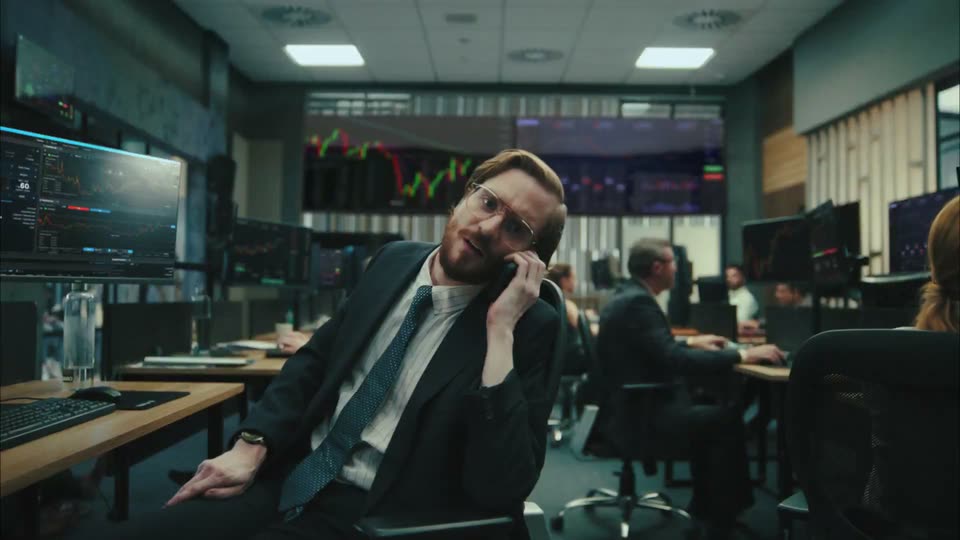
A man in a dark suit talks to a woman in a dim room on a locked-off frame. The white text INSTANT AUDIO sits over his face and scales up to fill the width.
On-screen text: “INSTANT AUDIO”
Techniques: Kinetic type
Camera: Static
A three-panel split screen of basketball action, wide court, dunk and cheering fans, holds as the title scales in, then the panels dissolve into a night shot of a red F1 car drifting on track as the new title locks in.
On-screen text: “MULTI-SHOT”, “BOLD ARRIVAL”
Techniques: Split screen, Kinetic type
Camera: Static
A bold white headline reading BOLD ARRIVAL sits centered on a black background, shrinking fast with heavy horizontal motion blur as the clip plays.
On-screen text: “BOLD ARRIVAL”
Techniques: Kinetic type
Camera: Static
A dark rounded bar snaps into the center of a blurred blue and pink gradient. It holds a small V5.5 thumbnail on the left, the word CREATE in white, a lightning icon, and NOW in a pink-purple gradient. A cursor hovers beside CREATE while the bar settles from a stretched layout into its compact form.
On-screen text: “CREATE”, “NOW”
Techniques: Morph
Camera: Static
A suited man speaks at a podium ringed by microphones in an open desert, a large PixVerse-V5.5 billboard behind him. Sheep graze and a dust storm swirls in the background as the camera slowly pushes in and cyan subtitles appear at the bottom.
On-screen text: “Hello”, “welcome to the PixVerse-V5.5 model”
Camera: Push in
A 3D-rendered warrior with a wrinkled, stone-like face, glowing blue eyes and bulky red armor fills the frame; the camera slowly pushes in against a blurred teal bokeh background. A large PixVerse-V5.5 title and a smaller caption sit over the shot.
On-screen text: “PixVerse-V5.5”, “welcome to the PixVerse-V5.5 model”
Camera: Static
A close-up of a platinum blonde woman with blue eyes looking at the camera. She is set against a dark background with blurred red and blue neon lights. She turns her head slightly toward the lens.
Camera: Pull out
A person in a tall black witch hat and dark robe stands in profile, head bowed, inside a dim gothic cathedral. Lit candles sit on the left while white smoke curls upward around the figure. The shot is a static medium close-up with soft, moody light.
Camera: Static
A brown CGI rabbit in a blue denim vest tilts its head and shifts its ears in a sunlit forest clearing, a rustic wooden hut soft and blurred behind it.
Camera: Static
A close-up cyborg woman, half human face and half metallic skull with a glowing blue eye, holds center in a dark lab. Cyan holographic panels and vertical light streaks blur behind her. The camera drifts in slowly on the still face.
Camera: Push in
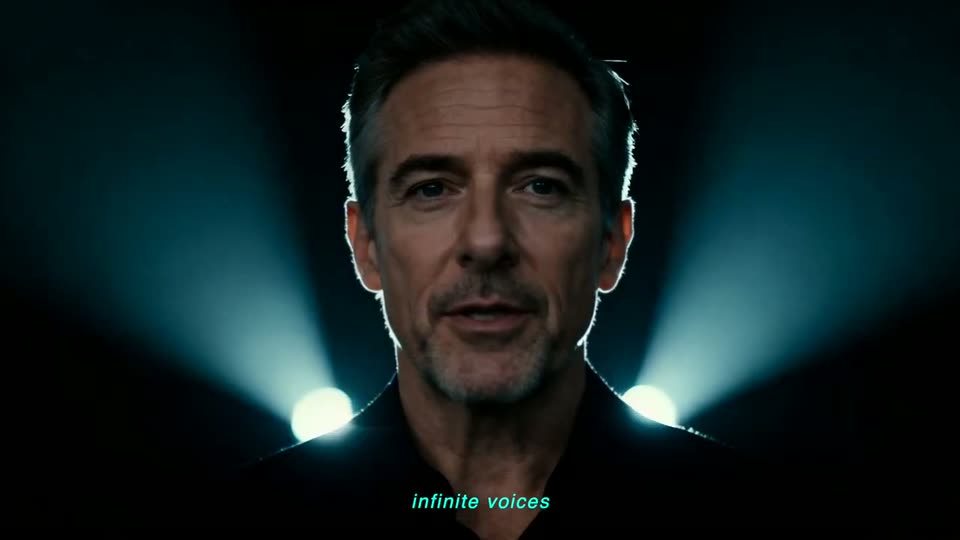
A man in a black shirt speaks to camera, centered against a black backdrop with two teal spotlights flaring behind his shoulders. A cyan caption reads infinite voices at the bottom. The frame stays locked off.
On-screen text: “infinite voices”
Camera: Push in
A 3D room with a teal wall, two framed paintings and a teak cabinet holding a vintage CRT TV with a rabbit-ear antenna. A man's face fills the TV screen, mouth moving as he speaks. A large mint-green headline spans the frame and a small italic caption sits at the base, all held static on a locked-off shot.
On-screen text: “INFINITE VOICES YOUR CHOICE”, “your choice”
Camera: Static
A young woman with red pigtails and teal polka-dot bows faces the camera and smiles while speaking, set in a soft-focus living room with a green wall and yellow couch. A static caption reads INFINITE VOICES above your choice.
On-screen text: “INFINITE VOICES”, “your choice”
Camera: Static
A curly blonde woman in a red-and-white PixVerse cap holds a red payphone receiver to her ear and smiles while talking, framed in a blue payphone booth. A dark caption box in the lower left types out her line above a Sound slider, and a Model label fades at the bottom.
On-screen text: “[cheerful] I am very happy”, “Model”
Camera: Push in
Close-up of a CGI pirate captain with a tentacle beard against lightning and a ship, his face contorting into a snarl. A caption chip in the lower left scales in word by word, reading [irritable] I'm so angry, while a Sound toggle below flips from off to on.
On-screen text: “PixVerse”, “[cheerful] I am very happy”, “[irritable] I'm so angry”
Camera: Push in
A close-up of an angry bearded man cuts to a young girl hugging a teddy bear, walking through a burning, debris-strewn street. A caption box in the lower left swaps from [irritable] I'm so angry to [depressed] I'm too sad above a Sound toggle.
On-screen text: “[irritable] I'm so angry”, “Sound”, “[depressed] I'm too sad”
Camera: Pull out
A curly-haired young man thrusts a microphone toward the camera in a ruined, smoke-filled street, fire burning in the background as figures flee through the rubble. The handheld shot shakes with the chaos while a green caption holds at the bottom.
On-screen text: “this is a frontline report”
Camera: Pull out
A camouflaged soldier aims a scoped rifle down a smoke-filled street of rubble and damaged buildings. Muzzle flashes erupt ahead and distant figures move through the haze. A second rifle enters the frame from the right as the camera tracks forward.
On-screen text: “gunfire cracking nonstop”
Camera: Push in
First-person view of a rifle firing down a ruined city street; muzzle flashes and explosions light the frame as a police car crosses, the camera shakes. A cyan caption reads 'gunfire cracking nonstop' along the bottom.
On-screen text: “gunfire cracking nonstop”
Camera: Pan
A white and blue police car marked POF speeds through a smoke-filled street as a fireball erupts on the left. The camera tracks the car, then whips into a blurred shot of a figure firing a rifle with a bright muzzle flash.
On-screen text: “sirens are screaming”, “A helicopter is pounding overhead”, “gunfire cracking nonstop”
Techniques: Speed ramp
Camera: Pan
A black military helicopter is shot from below, rotors blurred, climbing between smoke-filled high-rise towers with fires glowing in the windows. The view tilts upward to follow the craft. A teal caption sits centered at the bottom.
On-screen text: “sirens are screaming”, “A helicopter is pounding overhead”
Camera: Push in
A close-up of a male pilot in a helicopter cockpit looks back over his shoulder while a burning city drifts below. Large cyan all-caps text reads ALL AUDIO ONE GENERATE in the lower left, held static over the locked-off shot.
On-screen text: “ALL AUDIO”, “ONE GENERATE”, “A helicopter is pounding overhead”
Camera: Static
A close-up of a curly-haired man in headphones stares at the camera over a burning city, then cuts to a static wide night shot of a lone figure walking a snow path toward a lit building, snowdrifts lining the trail.
On-screen text: “ALL AUDIO”, “ONE GENERATE”
Camera: Static
A low-angle tracking shot follows a pair of dark fur-trimmed boots walking through shallow icy water, each step kicking up splashes against a misty, overcast backdrop.
Camera: Push in
A hooded figure in a dark parka stands with their back to the camera in a snowy field at night, facing a circular arena. A white flag flutters above the roof, reading “PixVerse V5.5 model.” Snow swirls around the building and flakes fall. The camera is locked-off.
On-screen text: “PixVerse”, “V5.5 model”
Techniques: Particles
Camera: Static
A helmeted hockey player stands on the ice, seen from behind, facing a packed stadium under bright overhead floodlights. A teal all-caps headline is centered across the middle of the frame and stays static, with a small corner label also present.
On-screen text: “NATURAL AUDIO FULL IMMERSION”, “PixVerse”, “V5.5 model”
Camera: Static
A cyclist in a white and blue kit and matching helmet leans forward in a tight close-up, staring into the lens against a black background. The frame stays locked off while his head and shoulders shift slightly with his breathing.
On-screen text: “NATURAL AUDIO FULL IMMERSION”
Camera: Push in
A low-angle close-up follows a white ice skate with a blue blade runner gliding across the rink, kicking up a fine spray of ice. A second skater's blue-tinged leg and black boot blur past in the background as the camera tracks the foot at ice level.
Camera: Static
A hand grips a white revolver pointed upward in a dark stadium. A bright muzzle flash erupts from the barrel, then a plume of white smoke rises as the stadium lights glow in the background.
Camera: Pull out
A low camera tracks a speed skater in a white and blue suit as he leans forward and skates toward the lens, a rival skater trailing behind him and a blurred crowd filling the stadium stands.
Camera: Pull out
A dark settings panel shows a hockey video preview and a model dropdown, then scrolls down to reveal Audio and Multi-Shot toggle rows with pink switches, ending on a zoom into the toggles.
Techniques: UI zoom
Camera: Pull out
Close-up of a dark video-generation panel: a skater thumbnail and white prompt text slide left as the camera tracks right, settling on a rounded orange-to-purple Create button with a lightning credit counter.
Camera: Pan
Four rounded video cards labeled shot 1 to shot 4 slide in from the right in a row, showing speed skaters and a crowd holding a banner, over a blurred red and blue gradient. Below, a caption line reads shots, close-ups, multiple angles, aerial views, as Create and 40 slide in at the left edge.
On-screen text: “ts, close-ups, multiple angles, aerial views.”, “Create”, “40”
Techniques: Kinetic type
Camera: Static
Eight rounded cards of ice-hockey footage fill a two-row grid on a blue-to-magenta gradient, popping in one by one from top left to bottom right. Each card carries a small caption, shot 1 through shot 8, as the last three fade up from a white overlay.
Techniques: Split screen
Camera: Static
A 3D skater in dark blue and red rounds the curve of an oval ice track inside a crowded arena, the camera panning to follow. A horizontal filmstrip of frames runs along the bottom, a red progress bar sliding across it.
Techniques: 3D mockup, Parallax
Camera: Push in
A speed skater in a white and blue suit and white helmet leans forward, skating toward the camera on an ice rink, while a horizontal timeline strip with frame thumbnails and a red progress line sits along the bottom edge.
Camera: Static
A speed skater in a white and blue suit leans low while gliding across an indoor ice rink. The camera tracks the skater across the curve, while a horizontal filmstrip of skating thumbnails runs along the bottom.
On-screen text: “TERLTE”
Camera: Static
A speed skater in a blue and white suit glides low across an ice rink, the stadium seats blurred behind. A horizontal film strip of thumbnails is pinned along the bottom, and a thin cyan playhead marker slides left to right across it in sync with the footage.
Camera: Pan
A stadium crowd cheers with arms raised, holding white banners that read PixVerse V5.5 in blue and red. A horizontal filmstrip of generated video frames runs along the bottom edge of the frame.
Camera: Push in
A speed skater in a white and blue suit holds a gold medal and raises a fist before a cheering crowd, with a thumbnail filmstrip bar along the bottom edge. The shot dissolves to a dark field where a rounded square logo with a small play icon floats amid red and blue light streaks.
On-screen text: “PixVerse V5.5”, “Pixverse”
Techniques: Light sweep, Masking
Camera: Static
A rounded-square PixVerse app icon, showing a rider on a dirt bike over snow with the letters V5.5, sits centered on a blurred blue and red gradient. The icon scales up gently while a soft white glow rims its edges.
On-screen text: “PixVerse”, “V5.5”, “Pixverse”
Camera: Static
A solid black screen holds for the entire clip with no on-screen elements, while the voiceover announces the release.
Camera: Static
A man in a dark suit stands at a podium ringed by microphones in a desert, a black billboard reading PixVerse-V5.5 behind him. Sheep cross the dunes and a sand swirl drifts past as the camera slowly pushes in, while green captions change at the bottom.
On-screen text: “V5.5 is live”, “hit audio”, “vrrr”, “BOOM”, “tchk”, “skip it?”, “your ears deserve better”
Camera: Push in
A CGI rabbit in a blue denim vest fills a close-up in a sunlit forest, a blurred wooden hut behind. It tilts its head, blinks and moves its mouth while speaking, the camera locked off.
On-screen text: “PixVe”, “5.5”, “your ears deserve better”
Camera: Static
A woolly sheep stands in a sandy desert facing the camera, mouth open as if speaking, while a black billboard reading PixVerse-V5.5 stands behind it. Dust drifts across the frame and a few sheep graze in the blurred background.
Camera: Static
Locked-off frame: a night clip of a man in a dark shirt plays in a rounded panel on the left, while the right column lists the PixVerse V5.5 Update features under two white subheads. All text stays static for the duration.
On-screen text: “PixVerse V5.5 Update”, “NATIVE AUDIO GENERATION”, “Describe the sound you want in your prompt, and the model produces matching:”, “Voiceovers & dialogue”, “Environmental sounds”, “Sound effects”, “Ambient atmospheres”, “MULTI-SHOT STORYTELLING”, “Generate a sequence of connected shots based on your prompt ensuring consistent characters across scenes. Great for:”, “Over-the-shoulder dialogue shots”
Techniques: Split screen
Camera: Static
A dark gradient slide splits into a video inset on the left and a feature list on the right. The inset plays a man in a suit speaking to a woman while the teal and white text about the PixVerse V5.5 update stays static.
On-screen text: “PixVerse V5.5 Update”, “NATIVE AUDIO GENERATION”, “Describe the sound you want in your prompt, and the model produces matching:”, “Voiceovers & dialogue”, “Environmental sounds”, “Sound effects”, “Ambient atmospheres”, “MULTI-SHOT STORYTELLING”, “Generate a sequence of connected shots based on your prompt ensuring consistent characters across scenes. Great for:”, “Over-the-shoulder dialogue shots, Quick close-up for emotional shifts, Seamless scene transitions, Dynamic action scene switching, Quick plot twist shots”
Camera: Static
A dark gradient slide splits into two areas: a rounded video window on the left cycles from a shouting bearded pirate in the rain to a white robot face with glowing blue eyes, while a static feature text block stays fixed on the right.
On-screen text: “PixVerse V5.5 Update”, “NATIVE AUDIO GENERATION”, “Describe the sound you want in your prompt, and the model produces matching:”, “Voiceovers & dialogue”, “Environmental sounds”, “Sound effects”, “Ambient atmospheres”, “MULTI-SHOT STORYTELLING”, “Generate a sequence of connected shots based on your prompt ensuring consistent characters across scenes. Great for:”, “Over-the-shoulder dialogue shots, Quick close-up for emotional shifts, Seamless scene transitions, Dynamic action scene switching, Quick plot twist shots”
Techniques: Split screen
Camera: Static
A dark gradient card holds a rounded video inset on the left showing a close-up of a man's frost-lashed eyes opening, while the right column lists feature text under a teal headline. The text stays static throughout.
On-screen text: “PixVerse V5.5 Update”, “NATIVE AUDIO GENERATION”, “Describe the sound you want in your prompt, and the model produces matching:”, “Voiceovers & dialogue”, “Environmental sounds”, “Sound effects”, “Ambient atmospheres”, “MULTI-SHOT STORYTELLING”, “Generate a sequence of connected shots based on your prompt ensuring consistent characters across scenes. Great for:”, “Over-the-shoulder dialogue shots', 'Quick close-up for emotional shifts', 'Seamless scene transitions', 'Dynamic action scene switching', 'Quick plot twist shot”
Techniques: Split screen
Camera: Static
A split slide on a dark gradient background: a rounded video inset on the left plays a talking sheep in a desert, while a static feature list with a teal headline sits on the right.
On-screen text: “PixVerse V5.5 Update”, “NATIVE AUDIO GENERATION”, “Describe the sound you want in your prompt, and the model produces matching:”, “Voiceovers & dialogue”, “Environmental sounds”, “Sound effects”, “Ambient atmospheres”, “MULTI-SHOT STORYTELLING”, “Generate a sequence of connected shots based on your prompt ensuring consistent characters across scenes. Great for:”, “Over-the-shoulder dialogue shots, Quick close-up for emotional shifts, Seamless scene transitions, Dynamic action scene switching, Quick plot twist shots”
Techniques: Split screen
Camera: Static
A dark red-to-blue gradient card holds a playing film clip of a wide-hatted old man on the left. On the right, a teal headline and two white section headers with bulleted feature lists sit static.
On-screen text: “PixVerse V5.5 Update”, “NATIVE AUDIO GENERATION”, “Describe the sound you want in your prompt, and the model produces matching:”, “Voiceovers & dialogue”, “Environmental sounds”, “Sound effects”, “Ambient atmospheres”, “MULTI-SHOT STORYTELLING”, “Generate a sequence of connected shots based on your prompt ensuring consistent characters across scenes. Great for:”, “Over-the-shoulder dialogue shots”
Camera: Static
A stadium crowd video plays in a left panel while a static feature list for the PixVerse V5.5 update sits on the right over a red-to-blue gradient background.
On-screen text: “PixVerse V5.5 Update”, “NATIVE AUDIO GENERATION”, “Describe the sound you want in your prompt, and the model produces matching:”, “Voiceovers & dialogue”, “Environmental sounds”, “Sound effects”, “Ambient atmospheres”, “MULTI-SHOT STORYTELLING”, “Generate a sequence of connected shots based on your prompt ensuring consistent characters across scenes. Great for:”, “Over-the-shoulder dialogue shots”
Camera: Static
A split layout on a dark maroon-to-blue gradient. Left: a framed video of two women walking down a graffiti-lined street, one in a blue dress, one in a red skirt and visor. Right: a teal headline and two feature sections with bullet lists, static throughout.
On-screen text: “PixVerse V5.5 Update”, “NATIVE AUDIO GENERATION”, “Describe the sound you want in your prompt, and the model produces matching:”, “Voiceovers & dialogue”, “Environmental sounds”, “Sound effects”, “Ambient atmospheres”, “MULTI-SHOT STORYTELLING”, “Generate a sequence of connected shots based on your prompt ensuring consistent characters across scenes. Great for:”, “Over-the-shoulder dialogue shots”
Techniques: Split screen
Camera: Static
A 3D gradient logo mark, orange fading to purple, floats centered on a blurred field of purple, red and teal. The white wordmark and a smaller uppercase tagline scale in beneath it as the lockup settles.
On-screen text: “PixVerse”, “UNLEASH YOUR CREATIVITY”
Techniques: Kinetic type
Camera: Static