1:48


Summit by Zaplar: Run Your Hotel From Your Phone | Zaplar
Zaplar · B2B · Nov 2026
Nothing’s 3:59 launch film runs 145 scenes, about 1.6 s each. The product is on screen from the first frame and 5 features are revealed. There is no explicit call to action; a voiceover carries the film. The film is built from title-card driven feature blocks, each opened by a dot-matrix wordmark on black and alternating 3D renders, flat UI mockups and stylized live-action. Its defining moves are text that assembles from scattered dots, a recurring dot grid used as both wall and typeface, flat color fields for the camera demos, and CGI creatures as playful metaphors, all cut fast with locked-off title beats.
Is this your launch? to your site or press kit.
Films whose music sounds like this one, voice left out
Hebbia · Deep house / Nu-disco
Minara Strategy Studio · Electronic
A small black circle sits at the center of a plain white background and scales up rapidly, growing into a large disc that fills most of the frame by the end of the clip.
Camera: Push in
A solid black circle sits centered on white, then contracts toward the middle while a rectangular lattice of dots expands outward from the center. Dots that fall inside the circle render black, those outside render gray, so the grid appears to emerge as the circle shrinks.
Techniques: Masking
Camera: Pull out
A grid of black dots on a white background ripples as each dot scales up and down. The pattern starts as a lens-like bulge at the center, then breaks into scattered clusters of large and small circles.
Techniques: Particles
Camera: Pan
On a plain off-white field, the word phone(2) builds up from a sparse scatter of small dark dots that fill in to form a crisp dot-matrix typeface. The frame stays locked off and centered as the dots resolve into the full word.
On-screen text: “phone(2)”
Techniques: Kinetic type
Camera: Static
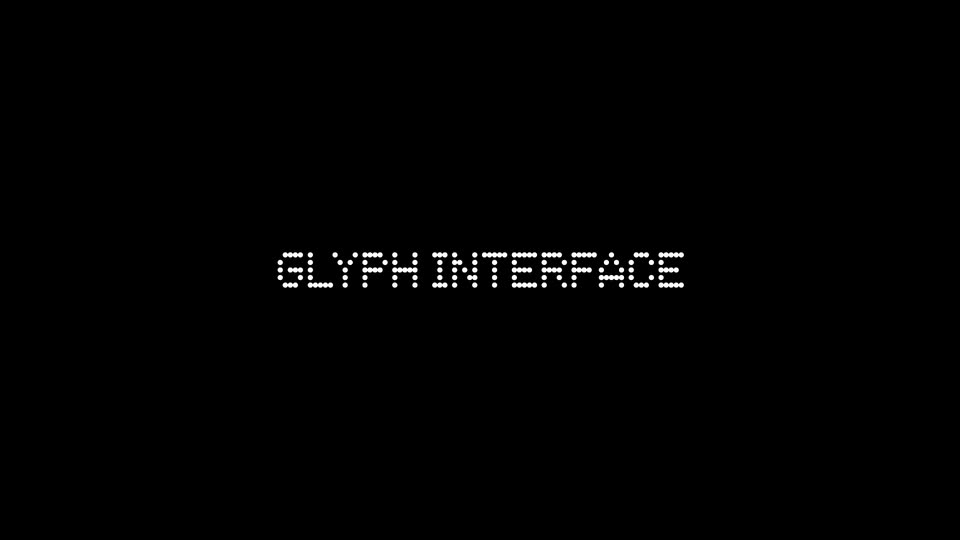
A black frame holds the dotted wordmark GLYPH INTERFACE centered. The small circular dots that build each letter fade from dim gray to bright white, lighting the brand name into view on a locked-off shot.
On-screen text: “phone(2)”, “GLYPH INTERFACE”
Techniques: Kinetic type
Camera: Static
The phrase GLYPH INTERFACE, set in a white dot-matrix typeface, sits centered on a black field. It holds for a beat, then fades to full black as the voiceover introduces the Glyph interface.
On-screen text: “GLYPH INTERFACE”
Camera: Static
A phone back in a clear case floats centered on black. White LED segments ignite in sequence, tracing the camera ring, a diagonal bar and a large circle. Dotted uppercase labels appear one by one to the right.
On-screen text: “VOLUME”, “CALLS”, “FILL LIGHT”
Techniques: 3D mockup
Camera: Static
A hand reaches in from the right and grabs a phone whose back case shows white light segments around the camera and a circular ring, pulling it left off a locked-off light gray backdrop. The label FILLLIGHT holds on screen.
On-screen text: “FILLLIGHT”
Camera: Static
A man in a gray tee holds a phone whose screen shows a white sad-face glyph. The camera pulls back from a tight close-up to a wide shot of him standing at a metal table in a bright white studio, framed by a blurred foreground object.
Techniques: Parallax
Camera: Static
A man in a grey tee stands behind a metal desk in a white studio, holding a phone up to his face. Out-of-focus shapes frame the foreground on both sides, and the camera drifts slowly.
Camera: Static
A hand holds a phone upright in front of a blurred office set, its screen showing the dark Flip to Glyph settings page with a small illustration and a toggle. The hand drifts slightly while the camera holds a locked-off frame.
Camera: Static
A hand holds a phone showing a dark app screen with a Flip to Glyph heading, a watch outline and a toggle row, against a blurred bright background. The hand tilts the phone slightly while the screen stays steady.
Camera: Static
A hand holds a black phone upright against a light gray backdrop, the screen showing a feature header, then rotates it edge-on and flips it over to reveal the back. The camera stays static while the wrist turns the device in a smooth arc.
On-screen text: “FLIP TO GLYPH”
Techniques: Kinetic type
Camera: Pull out
A hand grips a black pen against a pale backdrop. The tilted frame rotates to reveal a desk edge with scissors, colored pencils and a white mug, then a seated person in gray trousers and bare feet.
Camera: Static
A man in a gray sweatshirt stands at a white desk holding a thin gray device. The frame begins tilted and rotates upright as he sets the device down and leans forward. High-key lighting on a plain white background.
Camera: Pan
A man in a gray crewneck looks down against a plain light backdrop. A white rounded notification card slides down from the top and fills with the Essential Glyph row and an off toggle.
Camera: Static
A white notification card with a small dotted glyph icon, two lines of text, and a gray toggle floats centered on a pale blue-gray background. The top of a person's head sits at the bottom edge, then the frame settles on the card as it scales into place.
Camera: Static
A white rounded settings card sits centered on a dark slate background. A dotted glyph icon and the label Essential Glyph with Enabled below sit left of a thin divider and a gray toggle. The text eases from a soft blur into sharp focus.
Camera: Static
A clear-backed phone rests face-down on a gray surface, exposing a round internal module and dual cameras. A hand at the top edge holds a transparent case and shifts slightly. A small text label scales into frame over the static shot.
On-screen text: “Essential Glyph”, “Enabled”, “.d.”
Camera: Static
A hand presses a black phone face-down onto a gray table. As the fingers push it flat, the light bar on the back glows white, then the hand lifts and blurs out of frame.
Camera: Static
A man in a gray t-shirt raises a dark smartphone, back facing the camera, in front of his face against a white studio background. A white notification card with a person icon and the text Josh Cooper, now, Missed call scales in at the upper right.
Camera: Static
On a black background, a glowing blue diagonal mark brightens and dims at center. A white rounded notification card with a gray avatar and the text 'Josh Cooper, Missed call' pops in at the right edge, then vanishes and reappears.
Camera: Static
A dark rounded-square timer tile sits centered on black. A pale dot orbits the dotted ring while the dot-matrix countdown in the middle ticks down.
Camera: Static
A dark phone back floats in 3D perspective on black. Four white light arcs ring a central disc, then dim to gray as the clip ends.
Techniques: 3D mockup, Light sweep
Camera: Static
Tight close-up of a dark gray textured device back. A bright white curved light bar glows above a ribbed circular dial, with a camera lens at the left edge and small buttons scattered across the surface. The shot holds still as the light strip stays lit.
Camera: Static
Close-up 3D render of a device's dark back panel on black, a white USB-C cable plugged into the bottom port. A vertical slot in the center glows white as the frame holds.
Techniques: 3D mockup
Camera: Push in
A close-up of a phone screen shows two black circular app icons, Recorder and Composer, on a blurred gray background. The frame slowly zooms out, the icons and their white labels scale down and settle, the device edge stays black on the right.
Techniques: UI zoom
Camera: Pull out
A black screen holds as the word Recorder scales up in the center, then gives way to Composer, which scales in the same way.
On-screen text: “Recorder”, “Composer”
Techniques: Kinetic type
Camera: Static
A person sits on a patterned stool at the right of a circular stage, looking down at a phone. Behind them, a grid of rounded white shapes on a dark wall pulses, each cell lighting up in sequence.
Camera: Static
A man sits on a speaker on a dark stage before a wall of white geometric shapes, then the view cuts to a close-up of hands tapping a phone that shows a black app with white line shapes and an orange dot.
On-screen text: “KEFEST '17”
Camera: Static
A hand holds a phone tilted in 3D perspective on a black background, its dark screen showing a dashed circle and an orange dot. The shot snaps into a white horizontal-streak wipe that blurs the device out.
Techniques: 3D mockup, Masking
Camera: Static
A blurred light-gray field of dark dotted rows fills the frame, with a darker vertical shape at the center. A thin red dash slides left to right across the middle while the whole texture shimmers.
Camera: Pull out
A dark shape built from vertical black stripes shifts and blurs over a light gray, finely lined background, the silhouette sliding and reforming between two positions.
Camera: Static
A man in a striped shirt sits on two stacked speaker cabinets in a black studio, looking at a phone. A white neon sign of a G and broken circle glows behind him. The camera slowly pushes in as the glossy floor mirrors the light.
Camera: Static
A person sits on a speaker in a dark studio, phone in hand, as white line segments animate around their head like a face. The shot cuts to black where the word CAMERA forms in dotted white letters.
On-screen text: “CAMERA”
Camera: Static
The word CAMERA sits centered in white dot-matrix lettering on a black field. The frame stays locked and static for the full beat.
On-screen text: “CAMERA”
Camera: Static
A silver phone lies edge-on against a plain gray backdrop, its back and two black camera lenses facing the viewer. The camera tilts upward along the side, revealing the camera bump and a side button as the device settles into a three-quarter view.
On-screen text: “CAMERA”
Techniques: 3D mockup
Camera: Static
A macro 3D render of a white camera body tilts slowly downward, bringing two large black lenses into full view beneath a warm glowing flash and a pair of screws on a textured plate.
Camera: Pan
Extreme close-up of the black front camera lens on a light gray surface. The frame zooms out to reveal the top of a smartphone showing a watch face with an analog clock and a camera app icon with a red dot.
Techniques: UI zoom
Camera: Pull out
On black, a small cross of red, green and blue pixels scales up into a full-screen checkerboard grid, then the grid dissolves into a close-up of a woman's face as the pixel dots thin out over her features.
On-screen text: “09:25”
Techniques: Morph
Camera: Pull out
A pixelated close-up of a woman's face resolves into a sharp image, then a rounded rectangular frame closes around her against a plain white background.
Camera: Pull out
A front-facing phone mockup on a light gray background shows a woman in a black turtleneck taking a selfie in the camera app. The frame pulls back from a tight crop on the screen to reveal the full device.
Camera: Pull out
A front-facing smartphone sits centered on a plain gray background, its screen showing a selfie of a woman in a black turtleneck inside a photo viewer with Share, Edit, Lens and Delete icons. The frame holds perfectly still with no motion.
Camera: Static
A woman in a black turtleneck holds a white phone, turning it to show the dual camera, then flips it to landscape and films a man in a grey sweater who crouches on the floor. The phone screen displays the camera viewfinder with a red record button.
Camera: Pan
A man in a gray t-shirt and green trousers crouches low and lunges forward across a glossy white floor marked with black dots. A white wall behind him carries rows of black circles. The movement is quick and blurred.
Camera: Pull out
A woman with long curly hair in a black t-shirt leans forward and shifts her weight in a white studio, a man in a grey shirt moving behind her. Black dots appear on the wall to the left as the two hold fluid, low poses.
Camera: Pull out
In a white studio, a man in a grey shirt and dark trousers lunges low with one palm flat on the glossy floor, while a woman in black crouches behind him. Both move slowly and deliberately.
Camera: Static
A woman in black and a man in grey crouch on a glossy white floor, palms flat, facing each other. They shift weight and lift a back foot in a low dance move. A white wall behind them is patterned with staggered rows of black dots.
Camera: Static
A person in a loose gray suit crouches and springs up in a white studio, dark oval shapes scattered on the floor. A small dark pill with the values .6, 1 and 2 sits at the bottom center, the 2 highlighted in a white circle.
On-screen text: “.6”, “1”, “2”
Camera: Static
A man in a gray t-shirt looks down in the foreground while a woman in black moves behind him against a white wall. A small playback speed pill with .6, 1 and 2 sits at the bottom center, the 2 inside a white circle.
Camera: Push in
A curly-haired woman in a black top stands before a white wall of black dot rows, a man in gray behind her, as the camera pushes in on her face. A small pill-shaped indicator reading .6 1 2 with 2 highlighted rests at the bottom center.
On-screen text: “.6 1 2”
Camera: Push in
A man in a grey t-shirt dances with raised arms in front of a white wall patterned with black dots, while a woman with long dark hair stands in the foreground. A camera app overlay shows zoom pills, a red record button and a pause icon on the right.
Camera: Static
A woman in a black top swings her arms before a white wall of black dots, framed in a camera viewfinder. A red record button, pause button and 2/1 zoom toggle sit right; a dotted bar sits left. The camera is locked off.
Camera: Static
Two dancers move in a white studio, a man inverted in a handstand and a woman in black, while a camera app viewfinder overlays the frame with a vertical timer on the left and round record, pause and zoom buttons on the right.
Camera: Static
Two dancers move in front of a white wall patterned with black dots, framed by a camera app interface: a red record button, pause control, and zoom indicators labeled 1 and 2 sit on the right, with a dotted timer on the left.
Camera: Static
A deep red backdrop fills the frame while a dark, low silhouette travels across the bottom edge from left to right. Its curved top and shifting outline suggest a hand or object passing close to the lens.
Camera: Static
A black silhouette of a person tumbles through a dark red frame, limbs splayed and body rotating as it falls. The motion is fast and blurred, the figure spinning across the center of the shot.
Camera: Static
A red-lit space. A blurred figure swings an object in fast motion, then the shot settles on a man's face in three-quarter profile as he tracks the movement.
Camera: Static
A thin red rectangle outline sits centered on a black field and scales down slightly across the clip. The shape is the only element, with no text or other motion.
Camera: Static
A dark silhouette of a man with arms outstretched fills the frame against a flat red background. A thin square tracking box hovers around his face, marking the detected subject.
Camera: Static
A thin red square outline centered on a black background shrinks slightly over the brief clip, a minimal abstract shape beat.
Camera: Static
A person in a dark shirt raises both arms against a flat red background. A thin red rectangular frame locks onto the face and follows the slight head movement, marking the tracked subject.
Camera: Static
A dark silhouette of a person raises both arms against a flat red background. A thin red square frame follows the face and upper chest, suggesting real-time motion tracking.
Camera: Static
A black silhouette of a person moves against a flat red backdrop, arms raised and swinging as the body turns. A thin red square outline tracks the head throughout the motion.
Camera: Static
A dark silhouette of a person moves quickly against a solid red backdrop, arms sweeping outward. A thin red square outline tracks the head, marking the face as the figure turns.
Camera: Static
A near-black frame holds the silhouette of a person's head and shoulders, rimmed by a thin red glow. The figure leans and shifts subtly, lit only by that edge light against the dark.
Camera: Static
A dark silhouette of a person in a t-shirt stands against a solid red background. Thin red tracking boxes frame the head and torso, locking onto the figure as the frame flashes from black to red.
Camera: Static
Two dark silhouettes stand on a glossy red set, one raising a phone to take a photo. Thin red face-detection boxes frame their heads as the figures shift slightly.
Camera: Static
A silhouetted figure holds a phone to their face against a deep red set, a red bounding box with tracking dots locked on the head. The figure sways and the box follows the motion.
Camera: Static
Two dark silhouettes stand close on a red set, one raising a phone. Red tracking rectangles frame each head, and a small white icon sits at the phone. The figures shift slightly as the boxes follow.
Camera: Static
Two dark silhouetted figures stand close on a red studio floor, the woman holding a phone. Red tracking boxes lock onto each face and follow them as they shift slightly.
Camera: Static
A breakdancer in a loose gray outfit and white sneakers spins low across a gray studio floor marked with dark oval dots. The clip fades in from black as the dancer crouches, plants one hand, and tucks a leg mid-move.
Camera: Static
A camera app interface in portrait mode frames a model in a grey tee, with the red PHOTO label and a white shutter ring at the edges. The UI dissolves and the captured photo assembles from sliding vertical strips, leaving offset fragments on the left.
Techniques: Masking
Camera: Pull out
Eight copies of one portrait, four underexposed and four overexposed, sit in a 2x4 grid on black. The panels slide into a single row, the dark and bright versions overlap and merge, and the grid collapses to one balanced frame.
On-screen text: “C”
Techniques: Morph
Camera: Push in
On black, a thin white square and circle outline form a construction guide, then the square fades and the disc fills white as a black crescent cutout opens in the center, resolving into a static circular logo mark.
Techniques: Masking
Camera: Static
A black silhouette of a woman with a raised arm holds center against a magenta field of vertical slats. A column of red oval capsules on the right multiplies into horizontal rows, like a building sound wave, while a blue halo glows behind the figure.
Techniques: Particles
Camera: Static
A red, out-of-focus shot of two dark silhouettes moving quickly, with a white glitch streak flickering across the upper frame. The motion is fast and abstract, suggesting after-dark activity.
Camera: Static
Two silhouetted figures stand close together on a glossy red floor against a flat red wall. One holds a phone at chest height, its screen glowing white with a small logo. The pair shift their weight in a slow, dance-like motion.
Camera: Static
Two figures stand in silhouette on a glossy red floor against a solid red backdrop. The woman in front holds a phone whose screen glows white; the man stands close behind her, both in dark clothing. Low-key lighting keeps them as near-black shapes, the phone the only bright element.
Camera: Static
A dark silhouette of a person stands centered on a flat red field. Vertical dark stripes and a horizontal band of white dashes flicker across the frame, the figure breaking apart into the lines.
Camera: Static
A silhouetted person raises a phone against a wall of vertical barcode stripes that dissolve into solid red. The phone screen glows with a white ring as the arms lift, staging a night-mode capture.
Camera: Static
A near-black silhouette of a person tilts back with one arm raised, then a hand holds a phone against a red set, its screen showing a white line figure, the whole shot blurred by fast motion.
Camera: Pan
Two dark silhouettes stand before a flat red backdrop. The figure on the right lifts a phone toward the camera, its screen showing a white arc logo that tilts as the hand moves.
Camera: Static
A tiny white pixelated mark sits at the center of a black field, its blocks shifting with heavy motion blur as the symbol flickers into form. A faint dark red band lines the top edge.
Camera: Static
Two silhouetted figures stand against a flat red backdrop. The left figure raises a phone, its bright screen showing a black logo mark, while the right figure leans in close.
Camera: Static
A black frame holds a hand at the left edge gripping a small glowing device. The screen is bright at the start, then the object dims to a faint sliver as the shot fades to black.
Camera: Static
A black silhouette of a couple taking a selfie occupies the lower left of a red field. The image multiplies into a tiled grid, and white circles open across the center row, each cropping the couple.
Techniques: Masking
Camera: Pull out
Three rows of white circles on black, the middle row spelling NOTHING OS 2.0 in a dot-matrix font. The circles fade out, leaving the wordmark centered and still on the locked-off frame.
On-screen text: “NOTHING OS 2.0”
Camera: Static
On a white field, thin cyan lines extend into a grid as a large circle stroke draws in the center around four small circles. Tiny dashes drift around the mark while the title holds.
On-screen text: “Nothing OS 2.0”
Techniques: Particles
Camera: Static
A gray line-drawing blueprint of a phone's internal chassis sits centered on a white grid. Blue construction circles fade out as the schematic completes, then the central magnetic ring, a small square, and a bottom component fill in pink.
Camera: Static
A sparse set of gray and pink shapes on a light gray field multiplies into a flat grid of UI components: a red circle, a black clock, a dot-grid tile, a dark-mode pill and assorted circles and squares, each popping into place.
Camera: Static
A flat grid of black, white and red app widgets fills the frame on a light gray background. The camera zooms out to reveal the full wall as a timer counts up, earbuds appear in one tile, and the analog clock hand ticks.
Camera: Pull out
A dense grid of black, white and red rounded widgets, including clock, weather, music and calendar tiles, fills the screen. The view starts zoomed into a cluster of tiles, then pulls back to reveal the full wall of widgets, which holds static.
Techniques: UI zoom
Camera: Pull out
A flat grid of rounded app widgets sits on light gray. The central black widget cycles its dot-matrix display: WALK, then a steps and streak readout, then a starry night clock. The grid drifts up at the end to reveal an Extra dim tile.
Techniques: Morph
Camera: Pull out
A front-facing phone on a pale gray backdrop holds the quick settings panel. A white disc morphs across the tiles as the layout flips from a light theme to a dark one, settling on Wi-Fi, Bluetooth, Alarm and Glyph Timer pills.
Techniques: Morph
Camera: Push in
A front-facing phone on a dark background shows a control center panel. The quick-setting pills and circular icons slide and reflow from a stacked layout into a grid, over a marble-branch wallpaper.
Camera: Pan
A close-up of a phone screen shows a grid of white quick-setting buttons over a leafy wallpaper. The grid collapses into a compact rounded panel on the left, dropping the extra columns and rows.
Techniques: Morph
Camera: Static
A phone in 3D perspective on black shows a dark lockscreen screen with a pixel-font title and two widget cards. The cards brighten from dim to full, and the analog clock widget scales down into the right slot as X close buttons pop in on each card.
Techniques: 3D mockup
Camera: Static
A white line-art phone on black zooms out from a tight crop of the lock screen to the full device. The screen holds a dot-matrix title, date, weather, a circular cloud widget and an analog clock, then a caption appears below.
On-screen text: “Tap to edit settings or drag to reorganise.”
Techniques: UI zoom
Camera: Pull out
On a dark grey watch-face close-up, three circular icons labeled Default, Nothing and Colour fade in and settle into a speaker, an overlapping circle and rounded square, and a gear. A glint sweeps across the left icon as the scene holds.
Techniques: Morph, Light sweep
Camera: Pull out
A dark left panel holds three circular theme icons labelled Default, Nothing and Colour beside a 3D phone showing the monochrome home screen. The panel slides off to the left, centring the phone on a pale gray backdrop.
On-screen text: “Default”, “Nothing”, “Colour”
Techniques: 3D mockup
Camera: Pan
A phone mockup starts in close-up, then pulls back to reveal a white panel with App Grid, App label and Search bar controls. The grid switches from 4 to 5 and both toggles flip off; the home screen loses its labels and search bar, gaining a fifth column.
On-screen text: “App Grid”, “4”, “5”, “App label”, “Search bar”
Techniques: UI zoom, Split screen
Camera: Pull out
A three-row context menu (Rename, Customise, Minimise) sits over a phone home screen close-up. Behind it, a dot-matrix clock widget and circular app folders drift and shrink slightly. Locked-off frame.
Camera: Pull out
A white app panel on a blurred dark backdrop morphs from a circle into a rounded square and back. Its icons, Chrome, Messages, Settings, Phone, Photos and a calculator, rearrange between a loose cluster, a grid and a ring around four center dots.
Techniques: Morph
Camera: Push in
A white circle sits centered on a dark, blurred backdrop. Inside it, black dots form a rounded-square app icon, then scatter and re-form into a trash-can delete icon.
Techniques: Morph
Camera: Static
A dark blurred photo sits behind a large white circle with a black dot-matrix cup icon. The camera pulls back to reveal a grid of smaller white circular buttons with flat icons: card, person, chat bubble, location pin. Thin white dashes line the edges.
Techniques: UI zoom
Camera: Pull out
A phone home screen fills the frame with white circular app icons and a weather widget. The camera pulls back to reveal the full device, its notch and search bar, on a black background.
Camera: Pull out
A front-facing phone mockup sits centered on black, its home screen showing a crumpled-metal wallpaper, pixel-art circular widgets, and a dock. The whole device eases through a subtle scale while the small time pill pulses, on a locked-off frame.
Techniques: 3D mockup
Camera: Static
A smartphone sits centered, front-on, against a flat background that shifts from olive to pale gray. Its screen cycles through home screen layouts: large circular icons over a red wallpaper, then white icons over a grayscale camo with a weather widget.
Camera: Static
A front-facing smartphone mockup sits centered on a solid red background. Its screen displays a red lock screen with a blue flower, white circular widgets, and a black digital clock.
Camera: Static
On a black background, the uppercase dot-matrix text PREMIUM BUILD assembles in the center. The white dots fade in from faint specks to full brightness, then hold. Locked-off frame.
On-screen text: “PREMIUM BUILD”
Techniques: Kinetic type
Camera: Static
A hand holds a smartphone against a plain light background and rotates it from the camera side to an edge-on view, showing the thin frame. The headline PREMIUM BUILD stays locked in place throughout the turn.
On-screen text: “PREMIUM BUILD”
Camera: Pull out
A 3D render glides across the matte black back of a phone, sliding from a pebbled panel and ribbed ring past a smooth pill bar, then settling on a circular dial, a square cutout and a glossy disc.
Techniques: 3D mockup, Parallax
Camera: Pan
A close-up of a device's top corner with a dark glass surface and brushed metal frame. The camera pans slowly across the edge, revealing dot-matrix lettering etched into the glass.
Techniques: 3D mockup
Camera: Pan
A dark phone case spins in 3D against a plain light gray background, turning from its ribbed circular back to its slim side edge with a single button.
Techniques: 3D mockup
Camera: Static
Extreme close-up of the top corner of a dark gray tablet back, showing a circular camera module and a fine ripple texture. The camera drifts slowly along the edge, raking across the glass surface against a pale gray background.
Techniques: 3D mockup
Camera: Static
The back of a smartphone with a transparent case sits centered on a pale gray background. White light strips ignite one by one around the camera module, the central ring and the edges, while the camera slowly pushes in.
Techniques: Light sweep
Camera: Static
A black screen fills with a lattice of gold circuit traces that flare to brightness and dim, the lines tracing a processor layout as the pattern subtly shifts.
Camera: Static
Glowing gold traces on a dark circuit board fill the frame; the board sharpens into detailed components as a square Snapdragon 8 Plus Gen 1 chip with a red S mark scales into view at the center.
Techniques: 3D mockup
Camera: Static
A gold Snapdragon 8+ Gen 1 chip sits centered on a dark 3D circuit board. The camera pushes in slowly, the chip and its red flame logo grow larger while embossed board traces recede into shadow.
Techniques: 3D mockup
Camera: Push in
A phone mockup in slight 3D angle on a dark background. The quick-settings panel scrolls down past a timer widget and a Torch toggle into a grid of circular app icons.
On-screen text: “Snapdragon”, “8+”, “Gen1”
Techniques: 3D mockup
Camera: Pan
A camera interface frames a portrait of a man in a grey shirt against white. The vertical mode labels and side icons slide out, the photo scales up, then it breaks into a 2x2 grid of four tiles.
Techniques: UI zoom
Camera: Pull out
A two-by-four grid of panels shows the same man in a gray t-shirt, hand behind his head, against a white studio background. The top row is dimmed and the bottom row bright, and the panels hold a near-still pose with only subtle movement.
Techniques: Split screen
Camera: Push in
A man in a gray t-shirt raises his arm and a dark-haired woman moves in the foreground against a white wall of black dots, while a camera app interface with a red record button and mode labels is overlaid on the right.
Camera: Static
A woman in a black top dances in front of a white wall covered with rows of black dots, seen through a camera interface. A 1/2 toggle, a red stop button and a pause control sit on the right; a dotted line with a red dot runs down the left edge.
Camera: Static
A tall dark device edge stands vertically against a pale blue gradient while a green segmented tentacle curls over its top and slides down the left side, exposing the side buttons and ports.
On-screen text: “1”
Techniques: Masking
Camera: Pull out
A 3D octopus with mottled gray-green skin grips a smartphone in its tentacles against a plain pale blue backdrop. The phone's dark widget grid faces the camera as the octopus sways and one tentacle reaches out to the left.
Techniques: 3D mockup
Camera: Pull out
A phone screen shows a Display Refresh Rate settings page with two grey wireframe layouts in a white card. The teal radio selection moves from the High option to the Dynamic option, which gains a grey highlight band. The camera drifts slowly in on the device.
Camera: Push in
A phone rests on black, framed by its bottom edge. The metal edge begins in shadow and a light sweeps across it from left to right, revealing speaker slots, a USB-C port and a small hole. The camera stays locked off.
Techniques: Light sweep
Camera: Static
Macro close-up of a white device plate against black. A white USB-C cable with a metal connector slides into the side port, and a white LED strip on the plate lights up to signal charging.
Camera: Static
A dark transparent phone case back sits centered on black, its internal frame and circular magnetic ring visible. A glossy two-lens camera module fades into the lower half, catching a diagonal glint. The reveal is slow and minimal.
Camera: Static
A face-down smartphone lies on black, its grey chassis, dual camera lenses and circular charging coil exposed. A clear case holding white earbuds and a metallic swirl rests on the coil. The camera slowly orbits the assembly.
Techniques: 3D mockup
Camera: Static
On a black background, the word SUSTAINABILITY builds up letter by letter from small white dots, then holds centered and still for the rest of the clip.
On-screen text: “SUSTAINABILITY”
Techniques: Kinetic type
Camera: Static
A dark smartphone floats centered on a white background, back facing the camera, while pale green tentacles with suckers coil and writhe around it. The tentacles shift and curl across the frame as the phone holds a locked-off position.
On-screen text: “SUSTAINABILITY”
Techniques: 3D mockup
Camera: Static
A square crop of dark textured packaging sits centered on a light gray field, showing curved cutouts and small printed labels reading NO PLASTIC and 100% RECYCLED. The square drifts slowly upward.
Camera: Static
A gray cardboard box fills the left of the frame beside a white washing machine with a circular glass door. Dot-matrix text slides in line by line on the box surface while the camera stays locked off.
Techniques: Kinetic type
Camera: Static
Top-down close-up of the phone (2) kit: a dark phone back with a dotted chevron tab on the left, a white rounded module stamped DESIGNED BY NOTHING on the right, and a circular dial cropped at the top. Sustainability captions slide in over the locked-off frame.
On-screen text: “Earth first.”, “Phone (2) has 53 parts made with sustainable materials.”, “Its packaging is plastic free.”
Techniques: 3D mockup, Kinetic type
Camera: Static
Locked-off macro of a white device surface: a grid of raised dots lines the left and bottom edges, and a circular embossed button with a vertical pill sits at the center. Soft, even light with no camera movement. Small still captions read 'phone (2)' and 'DESIGNED BY NOTHING'.
On-screen text: “phone (2)”, “DESIGNED BY NOTHING”
Camera: Static
A close-up of a phone's side edge tilts slowly upward along the vertical frame, revealing the textured gray back, the metallic midframe, a pill-shaped side button and the camera lens bump at the top, on a pale blue-gray background.
Camera: Static
In black and white, gloved hands hold a flat metal plate steady while the other hand presses a small circuit module into place. The workshop background stays blurred and the camera holds a locked-off close-up.
Camera: Static
A low-angle macro shot slowly travels along a dark aluminium rail holding a row of black plastic clips, each with a central oval cutout. Shallow depth of field holds one clip sharp while the rest blur, and the focus shifts down the line as the camera moves.
Camera: Push in
A black-and-white conveyor line carries black rectangular housings with circular cutouts toward the camera. Shallow focus keeps the nearest unit sharp while the factory background stays blurred.
Camera: Static
On a black background, the figure 8.6% is built from a grid of white dots, the percent sign in red. The dots swell to full size then shrink back, holding the stat centered and still.
On-screen text: “8.6%”
Techniques: Kinetic type
Camera: Static
On a black field, a row of gray dots draws left to right with a red dot pulsing, then a second row of white dots joins. The dots rearrange into the dot-matrix word phone(2), which scales down toward the center.
On-screen text: “phone(2)”
Techniques: Morph, Kinetic type
Camera: Static
Centered white dot-matrix lettering spelling NOTHING (R) holds still on a plain black background, then the frame fades to black.
On-screen text: “NOTHING (R)”, “out now”
Camera: Static