1:12
Explore
Minara AI - Quant trading is solved. Introducing: Minara Strategy Studio. Desig
Minara Strategy Studio · Apr 2026 · 1:11 · AI-annotated
- Length
- 1:11
- Scenes
- 35 · 2.1 s avg
- Product on screen
- 0:06
- Features shown
- 5
- Voiceover
- Yes
00:00:00 / 01:11:55
Minara Strategy Studio’s 1:11 launch film runs 35 scenes, about 2.1 s each. The product shows up at 0:06 and 5 features are revealed. There is no explicit call to action; a voiceover carries the film. A problem-to-workflow launch film: a 3D opening and a black title card give way to a chain of flat UI beats on a cream field, each led by a headline that assembles word by word in sync with the voiceover. Signature moves are tilted 3D product cards, letter-shatter transitions, live-drawing charts, and a locked-off logo close.
Footage neededEstimated needs: 5 capture groups — your screens or recordings · 1 official logo — reused across the film · 1 filmed passage — shoot, supply or replace · 4 graphic passages — draw or supply · 6 3D passages — build or supply
Is this your launch? to your site or press kit.
More like this

1:06
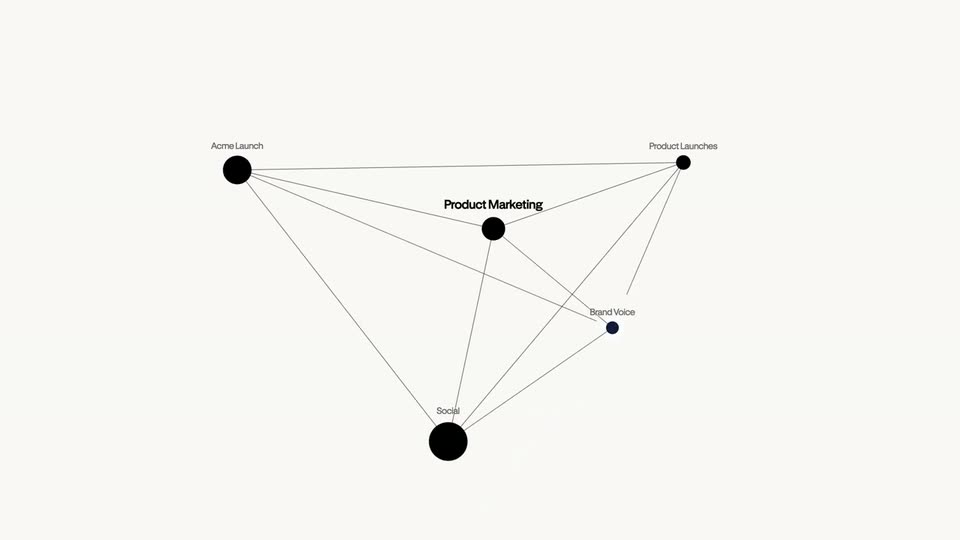

Perplexity - Introducing Brain in Computer. Brain is a continuously learning memo
Perplexity · AI · Jun 2026
1:26
Minara AI - Quant trading is solved. Introducing: Minara Strategy Studio. Desig, scene by scene
· 35 scenes as text
01 · Problem · 0:00–0:01
Endless rows of traders at dual-monitor desks fill a white void; the camera dollies forward down the center aisle as the image sharpens from an overexposed blur. The headline holds static at top center.
On-screen text: “Most traders don't write code.”
Techniques: Parallax
Camera: Push in
02 · Problem · 0:01–0:06
A man in a white shirt sits at a wooden desk facing a code-covered monitor, framed from behind. The camera rises into a top-down view and climbs until he is tiny with a long shadow on the white floor, then fades to black.
On-screen text: “Most traders don't write code.”, “And even if they do,”, “building a strategy still takes weeks.”, “Minara”
Camera: Pull out
03 · Product intro · 0:06–0:08
On a black field, the white word Minara fades in with a soft glow, then changes that. joins it on the same line as the text scales up gently.
On-screen text: “Minara changes that.”
Techniques: Kinetic type
Camera: Static
04 · Feature reveal · 0:08–0:09
A glowing white word “change” fills a black frame, then the view flips to a pale field where oversized letters sweep past while three step cards hover in 3D perspective.
On-screen text: “change”, “Minara”
Techniques: Kinetic type, 3D mockup, Parallax
Camera: Push in
05 · Feature reveal · 0:09–0:12
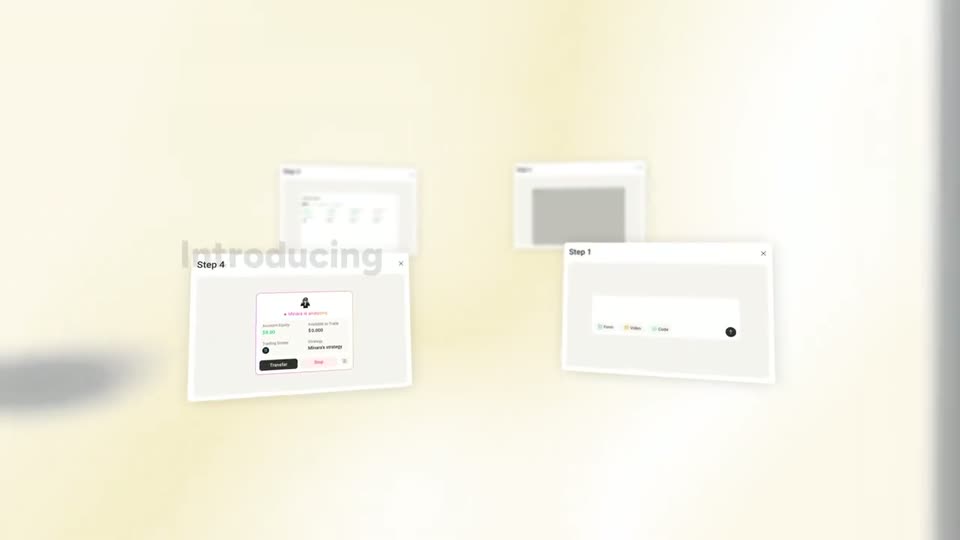
A bold dark headline builds word by word over a cream gradient as tilted, defocused product UI cards float in 3D space behind it. The cards drift slowly, then the whole frame defocuses into a soft blur.
On-screen text: “Introducing Strategy Studio in Minara.”
Techniques: Kinetic type, 3D mockup
Camera: Static
06 · Feature reveal · 0:12–0:15
Tilted white UI cards rotate in 3D on a cream background, the Step 1 panel giving way to a Step 2 panel with a dark code editor. A dark headline assembles line by line on the right.
On-screen text: “A new way to turn trading ideas into executable strategies”
Techniques: 3D mockup, Kinetic type
Camera: Push in
07 · Feature reveal · 0:15–0:17
A white card titled Step 3 tilts in 3D perspective over a cream backdrop, a second blurred card behind it. Inside, a Backtest Result panel lists metrics and a green line chart draws in. The tagline just with natural language builds word by word on the right.
On-screen text: “just with natural language”
Techniques: 3D mockup
Camera: Push in
08 · Feature reveal · 0:17–0:19
A focused 'Step 4' trading modal sits in a 3D space with tilted, blurred panels behind it, beside the headline 'just with natural language'. The headline fades and the view cuts to a 'Live Trading' row of three strategy cards with a description line and Form, Video, Code tabs.
On-screen text: “just with natural language”
Techniques: 3D mockup
Camera: Push in
09 · Feature reveal · 0:19–0:21
A pale interface panel holds three template cards with line charts above a text field and Form, Video, Code chips. The headline types in word by word at the top as a cursor glides left to right across the cards.
On-screen text: “Not sure where to start?”
Techniques: Kinetic type, Cursor demo
Camera: Static
10 · Feature reveal · 0:21–0:21
A light interface shows a dark heading over three template cards, each with a small chart and green tags. The layout pans left, sliding the cards aside to reveal a right-hand preview panel with backtest figures and a green line chart.
Camera: Push in
11 · Feature reveal · 0:21–0:23
The view opens on a strategy preview panel with a backtest chart, then pans right across template cards, each with a node flowchart and tags, and a text field holding a typed prompt. Bold serif captions sit at the right edge.
On-screen text: “Not sure where to start?”, “Just pick a template”, “Or, describe your own strategy”
Camera: Pan
12 · Feature reveal · 0:23–0:30
A cream trading UI with a prompt box; the cursor clicks the Video tab, opening a Video to Strategy modal over the blurred screen. A sketched candlestick chart slides in, a green check confirms the upload, and bold captions type in at the top.
On-screen text: “Or, describe your own strategy”, “And add any image or video”, “As long as it helps to deliver your trading philosophy.”
Techniques: Cursor demo, Kinetic type
Camera: Static
13 · Feature reveal · 0:30–0:34
A light chat interface scrolls upward as a cursor moves through three parameter question cards, each listing pill-shaped options. On the right, a bold black headline builds word by word: Just with a few questions to refine your idea.
On-screen text: “Just with a few questions to refine your idea”
Techniques: Kinetic type, Cursor demo
Camera: Push in
14 · Feature reveal · 0:34–0:35
A cream background holds a white prompt input that types out a BTC model request while the headline builds word by word above it. The typed text then shatters into scattered rotating letters and clears as a cursor hovers by the round send button.
On-screen text: “Minara turns your idea into code, backtests”
Techniques: Kinetic type, Morph, Cursor demo
Camera: Static
15 · Feature reveal · 0:35–0:36
A cream gradient holds a flat product UI with a code editor and top tabs. The dark headline Minara turns your idea into code fades in above it while small letters and symbols drift across the frame.
On-screen text: “Minara turns your idea into code”
Techniques: Particles
Camera: Static
16 · Feature reveal · 0:36–0:37
A dark code editor card sits on a cream background as code lines scroll upward and small code characters drift across the right side. At the bottom, the words “backtests it” fade in one after another.
On-screen text: “backtests it”
Techniques: Kinetic type, Particles
Camera: Pan
17 · Feature reveal · 0:37–0:39
On a cream background, a candlestick chart builds left to right, green and red candles and entry/exit arrows appearing in sequence above a scrolling number axis. A bold black caption at the bottom swaps phrases in sync with the voiceover.
On-screen text: “backtests it instantly”, “visualize every entry and exit”, “lets you iterate in real time”
Techniques: Kinetic type
Camera: Pan
18 · Feature reveal · 0:39–0:40
A green-and-red candlestick chart with up and down arrows scrolls left across a cream background, its date axis sliding beneath. Below the chart, the black lowercase words “visualize every entry and” fade in one by one.
On-screen text: “visualize every entry and”
Techniques: Kinetic type
Camera: Pan
19 · Feature reveal · 0:40–0:40
A green-and-red candlestick chart with small directional arrows scrolls horizontally across a cream gradient background, sitting above a thin black rule and a row of axis numbers. The lowercase caption below the rule fades in word by word in sync with the voiceover.
On-screen text: “visualize every entry and exit”
Techniques: Kinetic type
Camera: Pan
20 · Feature reveal · 0:40–0:41
A white line-chart card titled Equity Curve tilts in 3D and drifts right over a cream gradient, while a small trend tooltip pops in on the left. A gray headline builds word by word along the bottom.
On-screen text: “and lets you iterate in real time.”
Techniques: 3D mockup, Kinetic type
Camera: Static
21 · Feature reveal · 0:41–0:44
On a cream background, a flat strategy list and equity curve chart update live: a new Deployed row slides in at the top and the green line climbs. The view then scrolls down to a browse screen with a question headline, filter pills and candlestick chart cards.
On-screen text: “and lets you iterate in real time.”, “Already found a strategy you like?”
Camera: Push in
22 · Feature reveal · 0:44–0:45
On a cream background, a centered dark-gray headline and three white filter pills sit above a grid of six candlestick chart cards. The whole layout slides up and settles into frame as the headline and pills slide in.
On-screen text: “Already found a strategy you like?”
Techniques: Kinetic type
Camera: Pan
23 · Feature reveal · 0:45–0:46
A cream screen shows a headline and a row of filter tabs above a grid of six candlestick chart cards. The view zooms into one card, enlarging its chart and revealing a dark Copy button at the bottom.
On-screen text: “Already found a strategy you like?”
Techniques: Kinetic type, UI zoom
Camera: Push in
24 · Feature reveal · 0:46–0:47
A dark code editor panel floats over a white card with a candlestick chart and the heading “Bring the script into Minara”. A cursor moves to the Copy button and clicks it, and a green “Copied to clipboard” tag appears above it.
On-screen text: “Bring the script into Minara”
Techniques: Cursor demo
Camera: Push in
25 · Feature reveal · 0:47–0:49
A light trading-app screen shows three strategy cards and an input bar. The dark heading 'Let AI convert it, backtest it,' assembles word by word while the cursor taps the Code tab, popping a 'Code to Strategy' import dialog in the center.
On-screen text: “Let AI convert it, backtest it,”
Techniques: Kinetic type, Cursor demo
Camera: Push in
26 · Feature reveal · 0:49–0:50
A sharp Code to Strategy modal sits over a blurred dashboard as code fills its text area, while the headline Let AI convert it, backtest it builds word by word above it.
On-screen text: “Let AI convert it, backtest it”
Techniques: Kinetic type
Camera: Static
27 · Feature reveal · 0:50–0:53
A trading dashboard shows a candlestick chart, a code panel and a chat column. Large dark text reads 'Let AI convert it, backtest it', then 'And turn it into' as 'deployable' scales in, before the view reframes onto a Deploy button.
On-screen text: “Let AI convert it, backtest it”, “And turn it into deployable”
Techniques: Kinetic type, UI zoom
Camera: Push in
28 · Feature reveal · 0:53–0:54
A large headline builds word by word above a product screen showing a chat panel and a candlestick chart. A cursor hovers the Deploy button, which shifts from dark to green as the words land.
On-screen text: “When you're ready, deploy”
Techniques: Kinetic type, Cursor demo
Camera: Static
29 · Feature reveal · 0:54–0:54
A trading dashboard with a candlestick chart and an agent chat sits under a heading that builds word by word. A flat strategy card titled “Minara is analyzing” fades in at the center over the dimmed interface.
On-screen text: “deploy your strategies”
Techniques: Kinetic type
Camera: Static
30 · Feature reveal · 0:54–0:56
A bold black headline fills in word by word above the product UI. One white account card, showing equity and a strategy with Transfer and Stop buttons, is joined by a second identical card for another user, side by side on a cream background with a faint blurred chart.
On-screen text: “deploy your strategies live in one click,”
Techniques: Kinetic type
Camera: Static
31 · Feature reveal · 0:56–0:59
A white trading-account card with a pink border sits on a cream background under the headline 'verifiable on-chain.' A dashed line from the card branches into five circular icons: Bitcoin, Ethereum, gold, silver, and a red T-shaped mark, while the equity figures tick upward.
On-screen text: “verifiable on-chain.”
Techniques: Morph
Camera: Pull out
32 · Other · 0:59–1:00
A soft cream radial gradient fills the frame while a small black circular badge with a teal bowtie shape hovers over the center. The badge vanishes and the headline types out word by word in the middle, ending on the full line.
On-screen text: “What used to take weeks of engineering”
Techniques: Kinetic type
Camera: Static
33 · Other · 1:00–1:05
On a soft cream gradient, the centered line “What used to take weeks of engineering” gives way to “now takes minutes to validate.”, which builds word by word. Then “Minara Strategy Studio” fades in larger as the sign-off.
On-screen text: “What used to take weeks of engineering”, “now takes minutes to validate.”, “Minara Strategy Studio”
Techniques: Kinetic type
Camera: Static
34 · Outro · 1:05–1:07
A soft cream gradient fills the frame with the centered gray line “Quant trading, for everyone.” The large MINARA wordmark fades in behind the tagline at low opacity, holding static on a locked-off frame.
On-screen text: “Quant trading, for everyone.”, “Minara Strategy Studio”
Camera: Static
35 · Outro · 1:07–1:11
A plain off-white field holds the MINARA wordmark, a dark gray rounded sans with a small circular face emblem set inside the R, centered and locked off for the full clip.
On-screen text: “MINARA”
Camera: Static