1:22

Introducing Composal: A swarm of agents that tests your product like real users
Composal · B2B · Oct 2026
Nexus · Nov 2026 · 1:33 · AI-annotated
Nexus’s 1:33 launch film runs 42 scenes, about 2.2 s each. The product shows up at 0:44 and 6 features are revealed. The call to action lands at 1:27 (93% in), over a voiceover. The video alternates a static, warm-lit talking-head with flat cream dot-grid motion graphics, building headlines word by word with horizontal motion blur and pixel-mosaic dissolves. Each feature lands as a slowly resolving diagram (isometric boxes, node graphs, UI cards) at a steady ~108 bpm before cutting to the next.
Is this your launch? to your site or press kit.
Composal · B2B · Oct 2026
CrowdReply · Jun 2026
A young man in a navy zip-up jacket sits centered in a warm, yellow-lit lounge and speaks to the camera. The locked-off medium shot frames him against a couch, a hanging bulb and dark windows. A white caption reads at the bottom.
On-screen text: “There's”
Camera: Static
Three white wireframe boxes labeled TALLIS AI, KESTREL LABS and ORRERY sit on a cream field. The view widens as the boxes scale up, gain dark tops and more labeled boxes appear below, while the bottom caption switches from AI to companies.
On-screen text: “AI”, “companies”
Camera: Static
On a dotted beige grid, an isometric diagram shows rows of white boxes labeled with company names. Three tall boxes fill their tops with blue as dotted lines link them to a lower row of flat boxes. A small wordmark at the bottom switches from right to Fenway.
Camera: Push in
An isometric 3D diagram of white boxes with black or blue tops, labeled with company names, sits on a dotted cream plane, linked by dotted lines with small blue squares. The camera pans across the scene, then a crossfade dissolves into a bright open-plan office with people at desks, while the caption word swaps from company to deployed at the bottom.
On-screen text: “deployed”, “trying”
Techniques: Parallax
Camera: Push in
A sunlit 3D office corridor with floor-to-ceiling windows and plants on both sides, people working at desks and at standing screens. The camera tracks straight down the central aisle while small white words appear one by one at the bottom center.
On-screen text: “trying”, “AI”, “work”
Techniques: Parallax
Camera: Push in
A sunlit office corridor stretches into the distance in one-point perspective, rows of people standing at whiteboards and screens on both sides. The camera dollies forward at speed, blurring the figures as it passes. The caption customers. sits small at the bottom center.
On-screen text: “customers.”
Camera: Push in
A sunlit open-plan office corridor with workers at desks dolly-in, then cut to a close-up of a man in a light shirt and dark jacket facing the camera. The word But fades in at the bottom.
On-screen text: “But”
Camera: Push in
A curly-haired young man in a blue zip-up speaks to camera in a warm-lit lounge. Small white words pop near his chest, then a large white SPEED lands on the right as the frame splits, the man dimmed left of a white card.
On-screen text: “thing”, “now.”, “SPEED”
Techniques: Kinetic type, Split screen
Camera: Pan
On a cream dot-grid background, the headline “speed is the difference between” appears at top as a dotted line draws from a “pilot kickoff” square, splitting into a black “converted” chip above and a gray path to an outlined “lost” box below.
On-screen text: “speed is the difference between”, “pilot kickoff”, “converted”, “day 21”, “shipped in days”, “day 60 - pilot ends”, “lost”, “still in setup”
Techniques: Kinetic type
Camera: Pan
A cream card with a dotted timeline diagram cuts to a young man in a blue zip jacket talking in a warm office, then a pixel mosaic dissolve starts over his face.
On-screen text: “speed is the difference between”, “pilot kickoff”, “day 21”, “converted”, “shipped in days”, “day 60 · pilot ends”, “lost”, “still in setup”, “FDE”, “team”
Techniques: Masking
Camera: Static
On a cream dotted-grid background, a solid black block in the center resolves into the phrase manually stitching in black sans-serif. The word together then fades in to the right in light gray. The frame stays locked off and centered.
On-screen text: “manually stitching”, “together”
Techniques: Kinetic type
Camera: Static
On a cream dotted grid, a jigsaw of app tiles (Slack, Linear, Wiki, Repo, Agents, MCPs, Meetings) snaps into a tight row beside the words “manually stitching”, then the tiles fuse into a single block as a pixelated beige portrait resolves on the right.
On-screen text: “manually stitching”, “deliver”
Techniques: Kinetic type, Morph
Camera: Static
A young man in a dark zip jacket talks to camera in a warm-lit room. White captions appear at his chest, then a three-line headline, improve, product, process, with blue bar-chart icons, builds on the right. A vertical white panel opens at center, revealing a black-and-white sketch of figures.
On-screen text: “while”, “having”, “improve”, “product”, “process”
Techniques: Kinetic type, Masking
Camera: Static
Four halftone team cards fan out in 3D under a large serif word, silos, as small tags pop onto each card. The cards fold into a rotating carousel over a dotted ellipse while buried, then from scratch, then again. types out at the bottom.
On-screen text: “silos”, “buried”, “from scratch”, “again.”
Techniques: Kinetic type, 3D mockup
Camera: Push in
A cream card holds the small caps word ULTIMATELY above a faint montage of people photos, with the large word again. and a text cursor below. The montage and again. fade out as the bold word nothing scales in at the center.
On-screen text: “ULTIMATELY”, “again.”, “nothing”
Techniques: Kinetic type
Camera: Static
A cream grid background holds a large black headline “nothing” that slowly scales up. A flat product dashboard mockup sits below it; a second mockup labeled PROCESS slides in from the right while the first drifts left off-frame.
On-screen text: “nothing”, “PRODUCT”, “same build, every customer”, “PROCESS”, “steps to deploy it”
Techniques: Kinetic type, Split screen
Camera: Static
Two flat cards on cream, a product wireframe and a five-step list, hold the headline “nothing” before dissolving into a man in a navy zip-up talking to camera in a warm room. White type builds line by line on the right, small captions over large words.
On-screen text: “nothing”, “improves.”, “imagine”, “how fast”, “you could deploy”, “if your deployment”, “context”, “proactive”, “adaptive”, “did all the work”
Techniques: Kinetic type
Camera: Push in
On a flat cream background, the dark rounded-square Nexus icon with a blue N scales up from center and slides left, while the black wordmark Nexus fades in to its right, locking the logo into place.
Camera: Static
A young man in a dark zip-up stands centered in a warm-lit room. The white title 'Nexus' above him resolves from offset horizontal slices, a black Nexus logo at his chest clears, and the tagline 'FOR YOUR FDE MOTION' fades in at right.
On-screen text: “Nexus”, “FOR YOUR FDE MOTION”
Techniques: Kinetic type
Camera: Static
A young man in a dark zip-up sweater talks to camera in a warm, softly lit lounge. The large white title “Nexus” and the small tagline “FOR YOUR FDE MOTION” sit over him. A grid of pale rectangles fades in, breaking the frame into blocks.
On-screen text: “Nexus”, “FOR YOUR FDE MOTION”
Techniques: Masking
Camera: Static
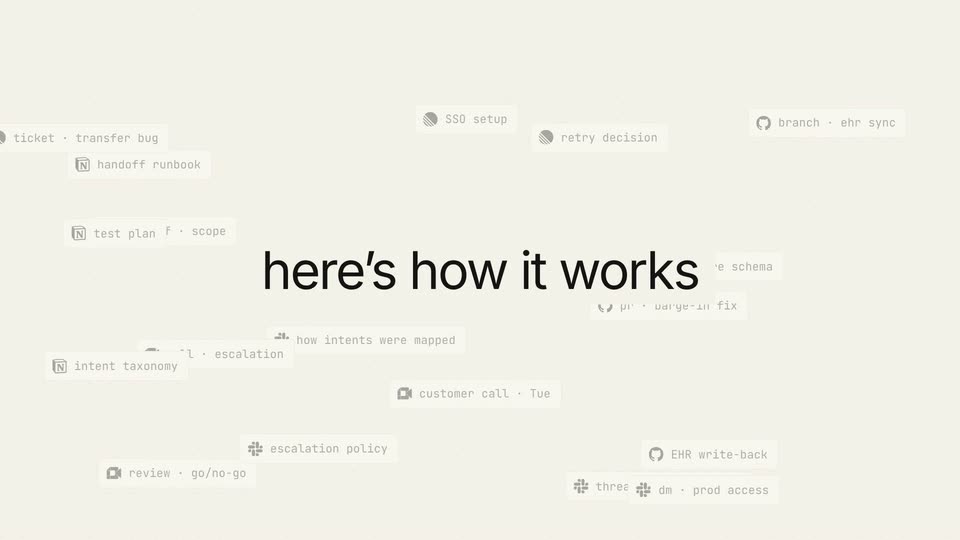
A cream field with a faint dotted grid. The black headline 'here's how it works' fades in at the center as small monospace task tags with icons appear and fade around it, then the headline fades out.
On-screen text: “here's how it works”
Techniques: Kinetic type
Camera: Pull out
Scattered white pill labels with monospace text drift into a grid of thin lines and gray nodes on a cream background, while a large gray headline fades in at the top as a faint central line fades out.
On-screen text: “here's how it works”, “and structures your deployments”
Camera: Static
A cream 2x2 grid of flat node graphs, one per deployment, fills the frame. A top-left headline swaps from 'and structures your deployments' to 'wherever your FDE motion lives' as blue nodes pulse, new links and plus labels appear in each graph, then the headline fades out.
On-screen text: “and structures your deployments”, “wherever your FDE motion lives”
Techniques: Split screen
Camera: Static
A 2x2 grid of node graphs, one per customer, drifts and zooms across a cream field as monospace decision tooltips fade in beside each path. A white Best Practice card for Healthcare voice agents rises from the bottom while the gray headline it learns stays fixed top left.
On-screen text: “it learns”
Techniques: Split screen
Camera: Push in
A white card listing four numbered best practices for healthcare voice agents sits on a cream background, with a second card peeking out behind it. A large headline at top left swaps between three phrases while the first row highlights with a blue tag.
On-screen text: “codifies best practices”, “and playbooks, across use cases”, “ships it back to the product”
Techniques: Kinetic type
Camera: Pan
A stack of overlapping product panels collapses into a single centered card listing voice-agent capabilities, while the top headline switches from one phrase to the next and a row of checkmarked tiles fades in beneath the card.
On-screen text: “ships it back to the product”, “for all customers”, “every customer deployment”
Techniques: Morph
Camera: Pan
A white capabilities card sits centered on a cream dot-grid background, listing four features with built-in tags over a row of eight checkmark boxes. The final box fills with a check, then the frame blurs and fades as a second card emerges at the left edge.
On-screen text: “for all customers”
Camera: Static
A beige dot-grid background holds a white task card titled Ashgrove with a progress bar and a checklist. A new row, verify caller identity tagged new task, slides into the list while the headline highlights reusable work darkens from gray to black.
On-screen text: “highlights reusable work”
Camera: Static
A cream screen holds two flat UI cards side by side, a task list left and a suggestion panel right, linked by a dashed line. A cursor clicks the Implement button, flipping it to Implemented, as the top headline swaps from mid-deployment to no rework and the cards fade.
On-screen text: “mid-deployment”, “no rework”
Techniques: Kinetic type, Cursor demo
Camera: Pull out
Four white cards (deployments, structured knowledge, playbooks, core product) form a circle of curved arrows on a cream dot grid, with a blue dot traveling the loop. The top-left headline swaps from 'adapting your entire motion' to 'as the product evolves' while the core product card gains a blue outline.
On-screen text: “adapting your entire motion”, “as the product evolves”
Camera: Static
A circular diagram of four labeled cards joined by curved arrows sits on a cream background under the headline, with a talking-head video fading in at the center. The diagram then clears to a full-frame shot of the man speaking in a room.
On-screen text: “as the product evolves”, “deployments”, “structured knowledge”, “playbooks”, “core product”
Techniques: Masking
Camera: Static
A curly-haired young man in a navy quarter-zip talks to a static camera in a warm-lit room with windows and a sofa behind him. White text appears at the right: 'completely', then a larger word types in letter by letter with a cursor.
On-screen text: “completely”, “agen”
Techniques: Kinetic type
Camera: Static
A curly-haired man in a navy zip sweater talks in a warm, softly lit interior. White text reads 'completely' above a larger 'agentic' that types in with a cursor to his right. The shot then defocuses into a heavy blur.
On-screen text: “completely”, “agentic”
Techniques: Kinetic type
Camera: Static
A dark terminal with a sidebar listing Claude Code, Codex and Cursor sits over a blurred office. A white headline above swaps from 'every best practice' to 'available as skills' as the terminal types a command and stacks context lines, then a small skill card appears at right.
On-screen text: “every best practice”, “available as skills”
Techniques: Kinetic type
Camera: Static
A dark terminal window and a white skill card float over a blurred office backdrop while the top headline cycles from available as skills to with the playbook and structured context. Terminal lines type in one by one as the card's numbered list fills up.
On-screen text: “available as skills”, “with the playbook and structured context”
Techniques: Kinetic type
Camera: Static
A dark zsh terminal and a white handling-interrupts skill card sit over a blurred plant-filled room. Above them, a white headline cycles through phrases matching the voiceover.
On-screen text: “with the playbook and structured context”, “through the MCP”, “to your coding agents”
Techniques: Kinetic type
Camera: Static
A dark terminal window and a white skill card float over a blurred office room, with the headline to your coding agents above. The terminal lists a deploy command and loaded skills while the card shows numbered steps. The two panels drift apart with a subtle parallax.
On-screen text: “to your coding agents”
Techniques: Parallax
Camera: Pull out
A plain cream background holds one line of dark gray lowercase text that builds word by word from left to right. Each newly added word carries a horizontal motion blur as it lands, reading out the phrase in sequence.
On-screen text: “think of this as a harness”
Techniques: Kinetic type
Camera: Pull out
A cream background holds a centered sentence that builds line by line. Each line's words fade in one at a time with a soft horizontal blur, then the line is replaced by the next, matching the voiceover.
On-screen text: “think of this as a harness”, “for your deployment motion”, “that keeps you delivering faster”, “for your customers”
Techniques: Kinetic type
Camera: Static
A man in a navy sweater talks to camera in a warm lounge. A white site header with the Nexus logo and a Book a demo button sits at the top. The headline for your customers slides across the center, then a cursor moves to the button.
On-screen text: “for your customers”
Techniques: Kinetic type, Cursor demo
Camera: Push in
A young man in a dark zip-up sweater stands in a warm-lit room, a white navigation bar with the Nexus logo and Book a demo button across the top, then a large blue N logo scales up over his face as the background softens.
Camera: Static
A blurred interface and a person's silhouette sit behind a centered black app icon with a blue N and the URL TRYNEXUS.IO below. The background dissolves to a plain cream field, the icon scales slightly, then both fade out.
On-screen text: “TRYNEXUS.IO”
Camera: Static