1:15
XC40 Recharge. Now fully electric.
Volvo XC40 Recharge · Mar 2021
Zaplar · Nov 2026 · 1:48 · Full motion · AI-annotated
Zaplar’s 1:48 launch film runs 27 scenes, about 4.0 s each. The product is on screen from the first frame and 5 features are revealed. There is no explicit call to action; a voiceover carries the film. A black-field product film for the Summit hotel app, built as a tight feature tour: a blurred title card, a drawn phone outline, then a chain of white dashboard cards on black, each paired with a short white headline that resolves from blur to sharp. The signature move is the glowing blue line chart that detaches from its card and draws across the frame, plus blur-to-focus text reveals and 3D phone rotations, all cut at a steady ~106 bpm with no hard cuts, ending on the Summit logo and a Coming,
Is this your launch? to your site or press kit.
Volvo XC40 Recharge · Mar 2021
Zaplar · B2B · Nov 2026
Raylight · Nov 2026
On a black field, a small “Introducing” fades in above a large “Summit”, which sharpens from a soft blur into crisp white type. The pair holds briefly, then both fade out to black.
On-screen text: “Introducing”, “Summit”
Techniques: Kinetic type
Camera: Static
A thin white outline traces a phone shape rising from the bottom of a black frame, settling centered. A soft diagonal reflection glides down the dark screen, then the lock screen with date and time fades in.
Techniques: Light sweep
Camera: Static
A front-facing phone mockup sits centered on black, its lock screen showing a coastal forest wallpaper and the time 06:15. A Daily briefing notification card slides up from the bottom, then the lock screen crossfades into an app chart view.
Techniques: Morph
Camera: Static
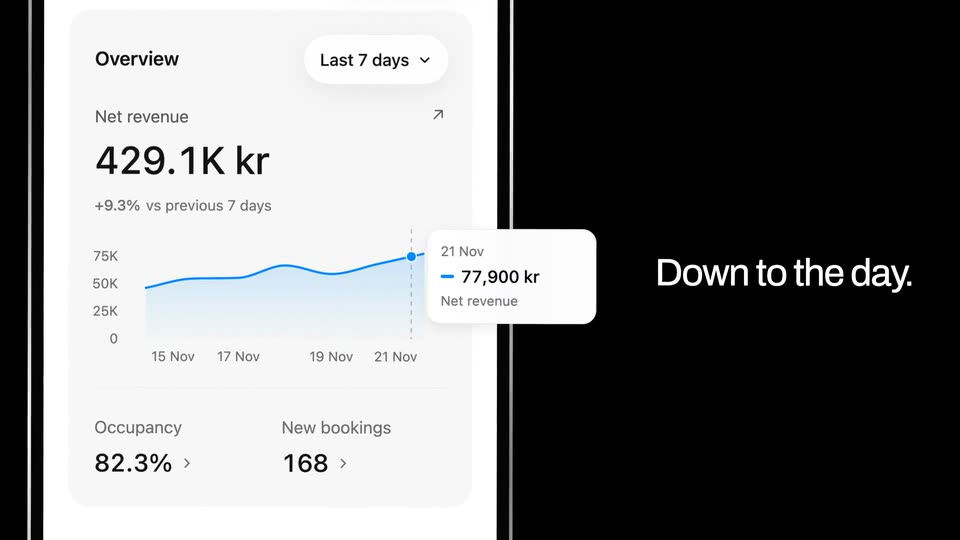
A 3D phone mockup rotates flat into the hotel app's Overview screen, then the view zooms into the net-revenue card. A blue line chart draws in with date tooltips popping up, while white taglines fade in on the right.
On-screen text: “Know your numbers before breakfast.”, “Down to the day.”
Techniques: 3D mockup, UI zoom
Camera: Push in
A white dashboard card sits on a black background while short white lines stack up on the right. The card's range toggle flips from Last 7 days to Last 30 days to This year, updating the revenue figure and chart, then swaps to a Booked occupancy card.
On-screen text: “Seven days.”, “Thirty.”, “The whole year.”, “And”
Techniques: Kinetic type
Camera: Static
A white analytics card on a black background updates its data, with the date range, percentage, and line graph expanding while the bottom metrics count up. Static white text sits to the right.
On-screen text: “Seven days.”, “Thirty.”, “The whole year.”, “And the weeks ahead.”
Camera: Static
A white occupancy card blurs and recedes as its blue line chart detaches, stretching across the black frame with a glowing dot at the tip. A stacked white tagline on the right fades out.
On-screen text: “Seven days. Thirty. The whole year. And the weeks ahead.”
Techniques: Morph, Parallax
Camera: Push in
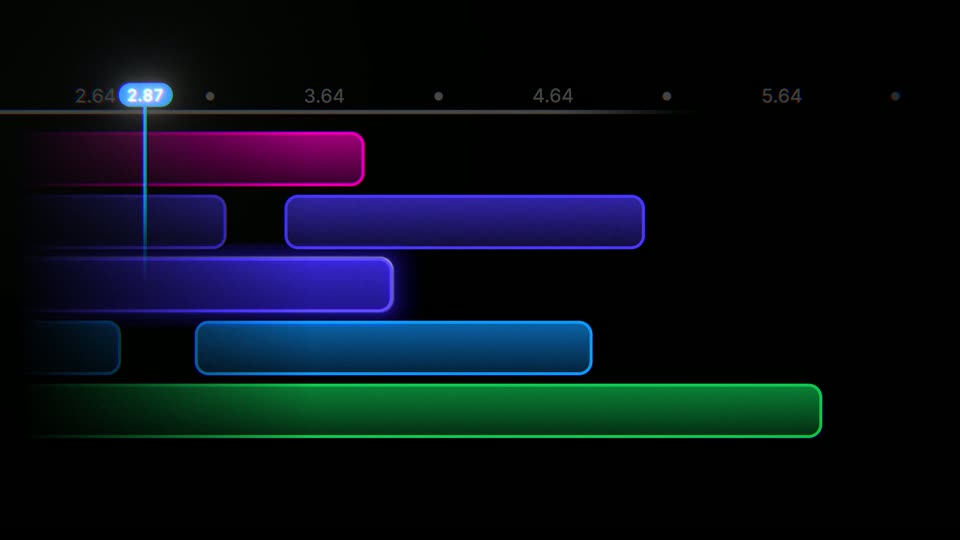
A glowing blue line draws itself across a black field, its bright tip trailing a halo above a faint filled area and dotted grid lines. It then flattens to a plain blue stroke that morphs into a stepped rising curve on a dark gray background.
Techniques: Masking, Morph
Camera: Pull out
A close-up of the dark net-revenue card and its blue line chart pulls back to reveal the whole smartphone screen, centered on a black background. The Owner reports layout with occupancy and rate stats holds static for the final beat.
Techniques: UI zoom
Camera: Pull out
A front-facing phone on the right shows the Owner reports screen, which scrolls down past the revenue summary to a channel list and a Share performance report card with a Prepare report button. A static two-line headline holds the left side.
On-screen text: “Owner reports, ready to share.”
Camera: Push in
A dark phone report screen sits right of a static white headline. A blank white rounded card appears over the center of the interface, partially covering the report card and button.
On-screen text: “Owner reports, ready to share.”
Camera: Static
A white Oaktown Hotel report card scales up on a black field as a blurred phone fades behind it. A blue area chart draws in, the metric bars extend, and a share bar with three avatars plus an up-arrow button slides up from the bottom.
Techniques: UI zoom
Camera: Static
On a black field, a small board-share pill at the bottom switches from an upload state to a delivered state with green check badges, while the white headline fades in at center. A tilted phone mockup slides in from the right showing the chat screen, and the headline shifts left.
On-screen text: “In the board's inbox”, “before nine.”
Techniques: Kinetic type, 3D mockup
Camera: Static
A flat iPhone mockup sits right on black; a white headline, Ask anything about your hotel, slides in left. The chat input types How is December looking? and sends, the screen shows a working status, then a blank answer card fades up as the camera zooms onto the phone.
On-screen text: “Ask anything about your hotel.”
Techniques: Kinetic type
Camera: Push in
A white rounded rectangle on a black background transitions into a smartphone frame. The screen reveals a dark chat interface as the white shape fades, showing a message sliding into view.
Techniques: Masking
Camera: Static
A white Intelligence card floats on black. A summary paragraph types itself out behind a blue caret as a blue occupancy line draws across the chart, finishing on a glowing dot. Three stat tiles stay fixed on the right.
Techniques: Kinetic type
Camera: Static
A dark interface card showing occupancy data and a line chart blurs and fades to black, with a faint word appearing in the center.
On-screen text: “works”
Camera: Static
White headline sits centered on a black field, then the frame cuts to a dark phone mockup fading in on the left while the same line shifts to the right. The camera stays locked off throughout.
On-screen text: “Out loud works too.”
Camera: Static
A flat iPhone mockup on the left shows a voice conversation: the recording waveform gives way to a speaking state as the answer types out and a color gradient rises from the bottom. The caption “Out loud works too.” holds on the right, then both fade out.
On-screen text: “Out loud works too.”
Camera: Static
A black screen shows the word Decisions, then the headline Decisions come to you. completes word by word above a white notification card that appears in the lower center, carrying a dark app icon and an early arrival request message.
On-screen text: “Decisions come to you.”
Techniques: Kinetic type
Camera: Static
A white headline tops a gray notification pill on black. The pill expands into a white approval card, then slides left as its buttons merge into a green Approved bar and a curved line with a glowing blue dot draws out to the right.
On-screen text: “Decisions come to you.”, “Approve it. The rest”
Techniques: Morph
Camera: Static
A white Early arrival request card on the left branches into three curved lines; notification cards pop in one by one at the ends: booking updated, task created, guest notified. A white headline blurs in at top. The scene dims as Answer appears.
On-screen text: “Approve it. The rest is handled.”, “Answer”
Techniques: Kinetic type
Camera: Static
The phone mockup slides in from the left on black, showing the inbox, then the Sofia Holm thread. A reply is typed and sent as a blue bubble, then a new guest message pops in. The headline “Answer every guest.” sits on the right, blurring in and out.
On-screen text: “Answer every guest.”
Camera: Pull out
A dimmed phone mockup fades out as the heading sharpens in. A guest message bubble sits left; a gradient-bordered pill reading 'Intelligence is drafting a reply...' morphs into a reply bubble that types the answer word by word, with a gray caption below, then the scene dims.
On-screen text: “Or let Zaplar handle it for you.”, “Answered automatically by Intelligence”
Techniques: Kinetic type, Morph
Camera: Static
White tagline on black fades out as a central phone mockup fades in, showing a revenue dashboard with a line chart. Two more phone mockups fade in on either side, each displaying a different dashboard screen with bar charts.
On-screen text: “let Zaplar handle it for you.”
Techniques: Split screen
Camera: Pull out
Five iPhone mockups of a hotel dashboard app settle into a row on black, the center screen scaled slightly larger. A white headline above them resolves from a heavy blur to sharp focus.
On-screen text: “Run your hotel from anywhere.”
Techniques: 3D mockup
Camera: Pull out
Five dimmed phone screens showing the app's dashboards fade out behind the centered Summit logo and wordmark on black. A white Coming soon pill fades in below, then a small by zaplar credit appears at the bottom, and the lockup holds.
On-screen text: “Summit”, “• Coming soon”, “by zaplar”
Camera: Static