1:32

Introducing Source by Webflow
Webflow · Design · Sep 2026
Raylight · Nov 2026 · 0:44 · AI-annotated
Raylight’s 0:44 launch film runs 17 scenes, about 2.6 s each. The product is on screen from the first frame and 3 features are revealed. There is no explicit call to action. The film is built as one continuous dark 3D space: a typed prompt spawns glowing glass UI panels the camera flies through, then the view flattens into product screens and black title cards. Signature moves are rim-light sweeps along glass edges, blur-to-focus type reveals, and a neon timeline scrub, all cut to a 136 bpm pulse.
Is this your launch? to your site or press kit.
Webflow · Design · Sep 2026
Computable · Fintech · Aug 2026
Google · AI · Dec 2024
A stylized blue R mark fades in at the center of a black field, brightens to a glowing cyan, then dims back to black.
Camera: Static
A glowing blue rounded card floats on a dark background as the headline types out letter by letter in white. A white pointer hovers near the text while a rim light travels along the card's edge and the view pushes in on the card.
On-screen text: “Build a launch”
Techniques: Kinetic type, Light sweep
Camera: Static
Tight close-up of a glowing blue rounded input bar on a black background. White typed text reads across the bar while a white cursor arrow glides from the lower center to the up-arrow button, which flares white as it is reached. A cyan light sweep brightens the left edge of the bar.
On-screen text: “Build a laun”, “video for my social app”
Techniques: Cursor demo, Light sweep
Camera: Pan
A glowing blue stock-price card and an API request list float in 3D space on a black background. The camera glides up and across the panels, shifting focus from the card to the list.
Techniques: 3D mockup, Parallax
Camera: Pull out
A dark Canvas editor fades in from black, angled in 3D perspective, with a layers list on the left and a clip timeline at the bottom. The central canvas holds a 3D iPhone mockup showing a banking screen with $19.99; the frame then holds.
Techniques: 3D mockup
Camera: Static
A 3D-rendered notched smartphone rotates in perspective against a dark, blue-lit background. Its screen shows a finance app with a search field and a red pill callout reading Chealsea, while the device slowly orbits to reveal its side edges.
On-screen text: “Chealsea”
Techniques: 3D mockup
Camera: Pan
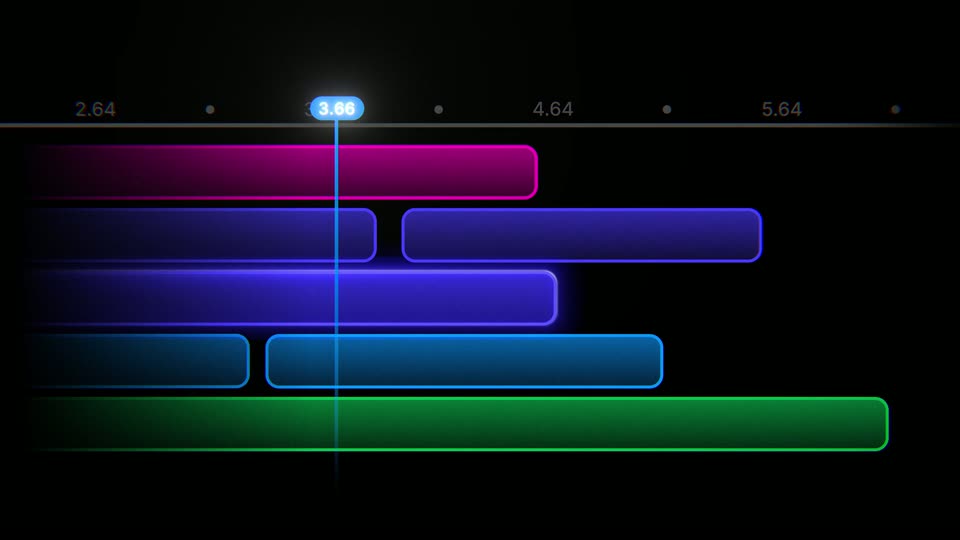
A left-weighted dark timeline shows horizontal task bars in magenta, blue, cyan and green beneath a numbered ruler. The bars light up, then a vertical playhead sweeps right, its top marker counting up from 2.64 to 5.18.
Camera: Static
A dark timeline of five neon bars in magenta, violet, blue, cyan and green scrolls left as a glowing blue playhead with a time readout travels right along the top ruler, the bars stretching and shrinking as it passes.
Camera: Pan
On a dark blue field, a glowing glass pill morphs from a thin horizontal bar into a rounded 3D button, its rim catching a bright blue light sweep. The white word Share scales in at the center while small numbers 4.64 and 5.64 slide across the frame.
On-screen text: “4.64”, “5.64”, “Share”
Techniques: Morph, Light sweep, 3D mockup, Kinetic type
Camera: Static
A glossy 3D Share button glows with a cyan rim light on a blue gradient. The background fades to black as the button darkens and its label scales down.
Techniques: 3D mockup
Camera: Static
A tight close-up of a Liquid Glass template card, a green call button over blue glass waves, pulls back to reveal the Templates heading, its subtitle, and a second card showing a phone on the right.
Techniques: UI zoom
Camera: Pull out
A dark marketplace screen titled Templates shows two template cards. The left card cycles its preview: a dark 3D device, then a hover Unlock state, then a pink-blue gradient card reading growth, while its title and stats update to Readable. The right card stays static.
Camera: Static
A dark marketplace interface tilts in 3D perspective. The left template card clears its clouds to reveal a laptop balanced on a mountain peak, framed by a soft white glow, while a blue phone card sits to the right. The whole view fades to black.
Techniques: 3D mockup
Camera: Pull out
A black background holds centered white text that reads “Every frame.” The letters start soft and blurred, then sharpen into focus as the word resolves left to right.
On-screen text: “Every frame.”
Techniques: Kinetic type
Camera: Static
On a black background, the centered white line “Every frame.” sharpens from a soft blur into crisp type, then the frame cuts to the next line, “Answers to you.”, in the same position and style.
On-screen text: “Every frame.”, “Answers to you.”
Techniques: Kinetic type
Camera: Static
A white headline reads “Answers to you.” centered on a black field. A thin blue line curves along the right edge and brightens as the shot holds.
On-screen text: “Answers to you.”
Camera: Static
On a near-black field, a soft blue light streak drifts slowly from the top right. Centered white text crossfades through “And your agents.” and “Made in Raylight.”, then resolves to a small white R logo that holds and fades to black.
On-screen text: “Answers to you.”, “And your agents.”, “Made in Raylight.”, “R”
Camera: Static