1:13
Explore
00:00:00 / 00:21:28
- Length
- 0:21
- Scenes
- 13 · 1.7 s avg
- Product on screen
- 0:17
- Features shown
- 1
- Voiceover
- No
- Views
- 176K on X
as of November 22, 2026
Perflo’s 0:21 launch film runs 13 scenes, about 1.7 s each. The product shows up at 0:17 and 1 feature is revealed. There is no explicit call to action. The film opens with a live UI demo that surfaces an invoice and asks whether to pay it, then text cards flip the question into the payment feature, which is demoed with a click, a checklist and a success toast before the logo and a Coming soon card close the film. Its style is built on soft peach and terracotta gradients, blur-to-focus reveals, gentle 3D card tilts and a steady pace of about 100 bpm.
No filming indicatedEstimated needs: 2 capture groups — your screens or recordings · 1 official logo — reused across the film · 1 3D passage — build or supply
Is this your launch? to your site or press kit.
More like this
1:04
The new way to tell your story | Wix Harmony
Wix Harmony · Jul 2026
1:27
Sona8 (F26) - Launch & Demo
Sona8 · B2B · Nov 2026
Perflo - There will be more agents than people online. Most will need to move, scene by scene
· 13 scenes as text
01 · Hook · 0:00–0:00
A white rounded input card on a peach gradient background types out the prompt word by word, reading Can u pull up my last 24 hours. A toolbar below holds a plus icon, a Tools label with slider icon, and a Make a plan pill. The card drifts up to settle in frame.
Techniques: Kinetic type
Camera: Static
02 · Hook · 0:00–0:03
A light chat screen on a soft pink gradient: a gray user bubble asks about the last 24 hours of email, a Processing status types out a bulleted summary, then the view zooms in on a white invoice card from ACME corp with $500 and a question bubble.
Techniques: Kinetic type, UI zoom
Camera: Push in
03 · Hook · 0:03–0:04
A chat interface resolves from a soft blur into sharp focus. A user prompt sits top right, an invoice card from ACME corp lists a $500 due date, and a pay-or-defer prompt appears below, the Yes button darkening to black.
Camera: Static
04 · Hook · 0:04–0:05
A chat interface on a soft pink gradient. A gray user bubble sits top right; a white invoice card from ACME corp, a follow-up question, and two action buttons settle into place below it. A text input bar rests at the bottom.
Camera: Pull out
05 · Feature reveal · 0:05–0:06
A soft peach radial gradient fills the frame. The centered two-line text holds, then gives way to a larger centered line that scales up in the middle before fading to the empty background.
On-screen text: “Your ai assistant can”, “execute task”, “but can it pay?”
Techniques: Kinetic type
Camera: Static
06 · Feature reveal · 0:06–0:07
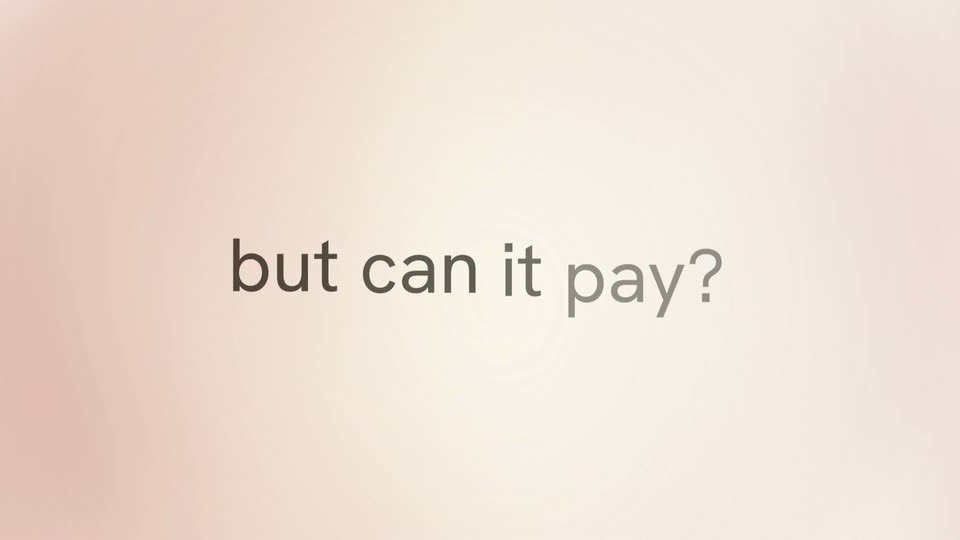
A soft peach gradient fills the frame. The line “but can it pay?” scales in at center, then gives way to the larger phrase “It can now”, which holds still.
On-screen text: “but can it pay?”, “It can now”
Techniques: Kinetic type
Camera: Static
07 · Feature reveal · 0:07–0:08
A large rose-colored phrase holds centered on a pale pink field, the letters softening and sharpening in a slow focus pulse while the frame stays locked.
On-screen text: “It can now”
Camera: Static
08 · Feature reveal · 0:08–0:10
A warm peach-to-salmon gradient fills the frame while centered white text holds “Pay via” fixed and the trailing word swaps from Ach to swift to card in place.
On-screen text: “Pay via Ach”, “Pay via swift”, “Pay via card”
Techniques: Kinetic type
Camera: Static
09 · Feature reveal · 0:10–0:12
A cursor glides to the black 'Yes, pay it' button and clicks it. The chat view scrolls up, revealing a 'yes, pay it' bubble on the right and a 'Processing' spinner on the left above the input bar.
On-screen text: “Pay via swift”
Techniques: Cursor demo
Camera: Push in
10 · Feature reveal · 0:12–0:16
A white checklist card on a peach gradient fills row by row with green checkmarks and a pink account card. The card then shrinks and tilts in 3D to the left while a dark headline assembles line by line on the right.
On-screen text: “We are running quick checks to ensure everything is ready to launch”
Techniques: 3D mockup, Kinetic type
Camera: Pull out
11 · Feature reveal · 0:16–0:17
A rounded success toast banner with a salmon-to-rust gradient sits centered on a white field. The white lowercase word “success” and a circular check icon scale in, and the checkmark circle draws itself from an open arc to a closed ring.
Techniques: Masking
Camera: Static
12 · Product intro · 0:17–0:18
The white superflo logo, a hexagon icon beside the wordmark, sits centered on a blurred peach and terracotta gradient. It scales gently while the soft mesh background shifts behind it.
Camera: Static
13 · Outro · 0:18–0:21
The phrase “Coming soon” in a warm peach-to-rust gradient starts oversized and cropped at the frame edge, then scales down and settles centered on a plain white background.
On-screen text: “Coming soon”
Techniques: Kinetic type
Camera: Pan