
0:22
Explore
AI Customer Service Agent Demo | Built with Paragon
Paragon · Oct 2024 · 3:30 · Full motion · AI-annotated
- Length
- 3:30
- Scenes
- 11 · 19.1 s avg
- Product on screen
- 0:00
- Features shown
- 1
- Voiceover
- Yes
- Views
- 2.2K on YouTube
as of November 28, 2026
00:00:00 / 03:30:17
- Length
- 3:30
- Scenes
- 11 · 19.1 s avg
- Product on screen
- 0:00
- Features shown
- 1
- Voiceover
- Yes
- Views
- 2.2K on YouTube
as of November 28, 2026
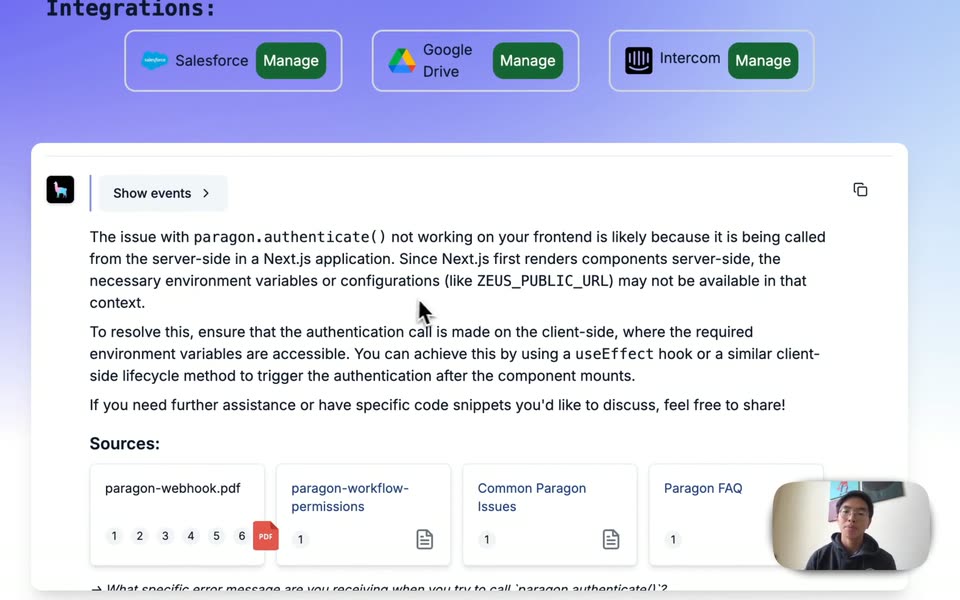
Paragon’s 3:30 launch film runs 11 scenes, about 19 s each. The product is on screen from the first frame and 1 feature is revealed. There is no explicit call to action; a voiceover carries the film. A single continuous screen-recording tutorial with a fixed corner webcam, paced by slow zooms that focus the chat input, the answer card and the source chips. The story cuts from the Paragon chat to Intercom and Salesforce to confirm the automation, then returns to the integrations page for a closing line.
No filming indicatedEstimated needs: 3 capture groups — your screens or recordings
Is this your launch? to your site or press kit.
More like this



AI Customer Service Agent Demo | Built with Paragon, scene by scene
· 11 scenes as text
01 · Feature reveal · 0:00–1:44
A screen recording of a Paragon web app, with a presenter's webcam in the corner, shows an integrations page. The view zooms into the chat box as a question is typed, then an answer card appears. It zooms in again as a cursor hovers a chip, opening a scrolling tooltip.
Techniques: UI zoom, Cursor demo
Camera: Push in
02 · Feature reveal · 1:44–2:00
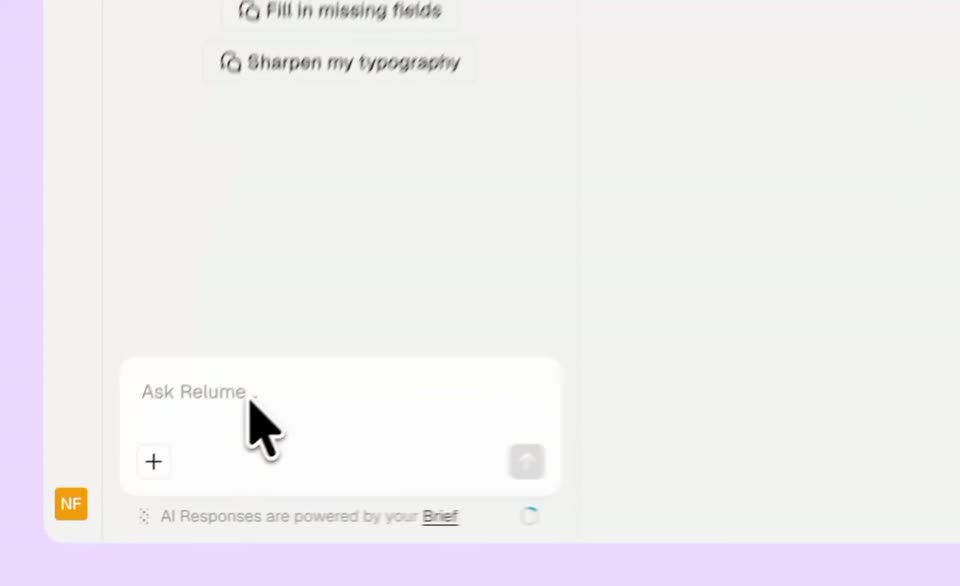
A screen recording of a help-desk chat interface on a lavender background. A white panel holds body copy, a Sources row of document cards, and follow-up questions. A cursor types a message into the bottom input box while a small video of a man speaking sits in the lower right.
Techniques: UI zoom, Cursor demo
Camera: Static
03 · Feature reveal · 2:00–2:14
Chat interface in a browser. The view zooms out to the full page, an assistant reply with bullet points appears, then zooms in on the input box as the presenter types and sends a message. A small webcam of the presenter sits in the corner.
Techniques: UI zoom, Cursor demo
Camera: Pull out
04 · Feature reveal · 2:14–2:34
A screen recording of a gradient chat interface shows a bot reply typing out line by line while a small webcam of a bespectacled presenter sits in the lower right. The cursor drifts across the text, then clicks the Configure Integrations button at the top.
Techniques: Cursor demo
Camera: Pull out
05 · Demo · 2:34–2:46
A dark Intercom inbox fills the screen with a small face-cam overlay in the corner. The cursor clicks a ticket, the detail view opens, and the frame zooms onto the ticket body, then cuts to the matching Salesforce task page.
Techniques: Cursor demo, UI zoom
Camera: Static
06 · Demo · 2:46–2:48
A locked-off screen capture of a Salesforce task page on a desktop, with a small video call window showing a man in the lower right corner. The cursor moves across the top navigation bar and clicks the Accounts tab, triggering a brief loading spinner in the page body.
Techniques: Cursor demo
Camera: Static
07 · Demo · 2:48–2:49
A cursor hovers over the Accounts tab in the Salesforce top bar. A blue loading spinner spins in the empty list area, then two account rows appear. A small rounded video tile of a man in a hoodie sits in the bottom right corner.
Techniques: Cursor demo
Camera: Static
08 · Demo · 2:49–2:50
A screen recording of a Salesforce account list. The cursor clicks the Edge Communications row, and the account detail page loads with its fields and activity panel. A small webcam feed of a presenter occupies the bottom right corner.
Techniques: Cursor demo
Camera: Static
09 · Demo · 2:50–2:53
A screen recording of a Salesforce account page for Edge Communications. The cursor drifts from the Contacts list to the Activity panel on the right, pausing over two escalation task rows. A small webcam overlay in the lower right shows a man in a hoodie talking.
Techniques: Cursor demo
Camera: Static
10 · Demo · 2:53–3:01
A browser window shows a Salesforce task page titled Escalation: paragon.authenticate() Issue. The cursor moves across the fields, then the view zooms in on the detail card. A small rounded webcam inset of the presenter stays in the bottom right corner.
Techniques: Cursor demo, UI zoom
Camera: Push in
11 · Other · 3:01–3:30
A static screen recording of the integrations page on a purple-to-blue gradient shows Salesforce, Google Drive and Intercom cards above an Edge Communications chat panel. A small webcam self-view of the presenter occupies the bottom-right corner while he speaks; the cursor idles on the left.
Camera: Pull out