0:24


Launch BitBoard for AI Data Analysis Collaboration
BitBoard · B2B
Pangolin · Jul 2025 · 2:03 · Full motion · AI-annotated
Pangolin’s 2:03 launch film runs 7 scenes, about 18 s each. The product is on screen from the first frame. The call to action lands at 1:51 (90% in). A single continuous screen-recording tutorial over a saturated orange gradient, with a fixed presenter webcam in the top-right corner and bold white captions in a black bar at the bottom. The pacing is steady and deliberate, the cursor drives every step, and the dark dashboard stays centered against the warm backdrop for the whole run.
Is this your launch? to your site or press kit.
BitBoard · B2B
Glasskube · B2B · May 2025
Vespper · B2B · Sep 2026
Films whose music sounds like this one, voice left out
Autumn · Speech
Corsair · Technical tutorial / Product demonstration
Stamp · Tech Product Demonstration
A dark web dashboard fills the frame over an orange gradient, with a small presenter webcam in the top right. The cursor clicks Add Site, types Grafana into the name field, selects Docker, and clicks Create Site, revealing the new site settings page. White captions swap at the bottom.
On-screen text: “Pangolin is an open source and self-hosted”, “alternative to Cloudflare tunnels.”, “You can use it to securely expose and protect”, “applications running on private networks.”, “The first step is always to create a site.”, “A site is a tunnel to any private network.”, “I have Grafana installed on an AWS VPC on an EC2,”, “so I'm going to use Docker as my installation method.”, “I go to my docker compose, add the Newt agent as a container.”
Techniques: Cursor demo
Camera: Static
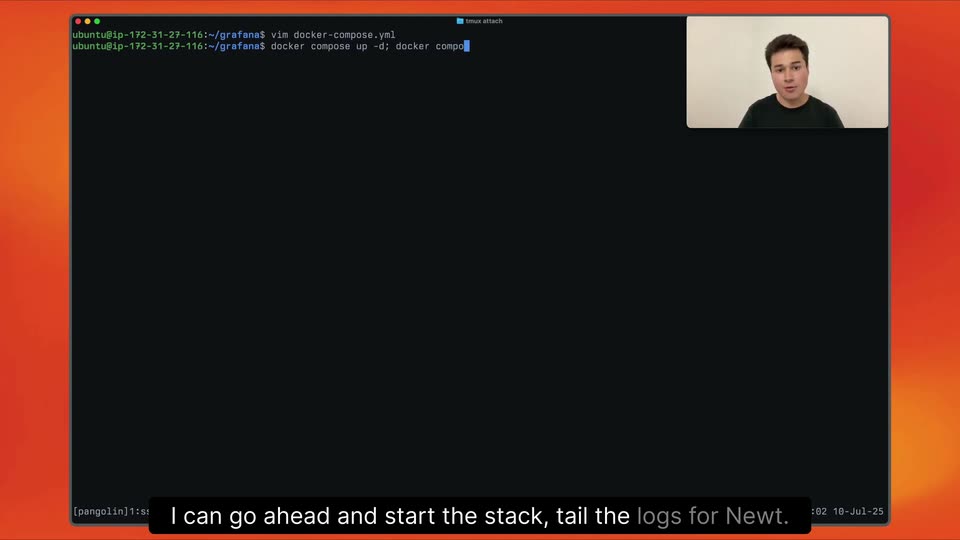
A dark terminal over an orange gradient, webcam inset top-right. A compose file scrolls as a newt service is added, then a docker compose command is typed and container logs print line by line. White subtitles run in a black bar at the bottom.
On-screen text: “I go to my docker compose, add the Newt agent as a container.”, “I can go ahead and start the stack, tail the logs for Newt.”, “You can see it pulls the container and instantly”, “creates a tunnel to the closest exit node Mars.”
Camera: Static
A dark Pangolin dashboard fills the frame on an orange gradient, with a small webcam of the presenter top right. A cursor clicks the Resources tab, then the orange Add Resource button, switching the panel from Grafana Settings to a Create Resource form. White subtitles run along the bottom.
On-screen text: “The next step is to tell Pangolin which resource to expose.”, “I can create one for Grafana now using the name Grafana,”
Techniques: Cursor demo
Camera: Static
A dark Pangolin dashboard fills the frame while a presenter appears in a small top-right window. The cursor types a domain, scrolls, switches the General, Proxy and Authentication tabs, adds a target, and opens a PIN modal. White captions roll on a black bar at the bottom.
On-screen text: “I can create one of the sites now using the name Grafana,”, “and then I can give a domain of my choice.”, “For this I'll use Grafana and because I'm using the cloud”, “platform I can choose from one of the free provided domain”, “names or I could attach my own domain to this organization”, “and if this was self hosted I would be using my own domain”, “I'll go ahead and create the resource and then here I have”, “the option to configure the proxy and authentication.”, “The first step is to add a”, “I can use Grafana as the host name and the port as 3000. I'll click add and then save. Then I can configure multiple authentication methods. By default SSO is. ”
Techniques: Cursor demo, UI zoom
Camera: Static
A dark Safari window in private mode fills the frame, the address bar focused with an autocomplete dropdown and a cursor at center. A small presenter video sits in the top right corner. A white caption on a black bar reads the subtitle at the bottom.
On-screen text: “in an incognito session so that way I can authenticate.”
Techniques: Cursor demo
Camera: Static
A dark browser window on an orange desktop, with a small webcam video in the top-right corner. The cursor switches the login card to the PIN tab, types six digits, clicks Log in with PIN, and the page changes to the Grafana welcome screen. Subtitles run along the bottom.
On-screen text: “in an incognito session so that way I can authenticate.”, “Here I'm given an option to enter”, “in that PIN code or log in with my password.”, “I'll enter in 123456 and I'm given access to Grafana.”
Techniques: Cursor demo
Camera: Static
A dark settings dashboard sits on an orange gradient, its Authentication tab open, with a small webcam feed of a man in a black shirt in the top-right corner. The frame stays locked-off as white subtitles roll across the bottom.
On-screen text: “It's fully self hostable and you can use our”, “installer script to get it running on your”, “infrastructure in about five minutes or less.”, “You can also opt to use our cloud platform if you want”, “an instant highly available production instance.”
Camera: Static