1:32

Rhys - Today we're launching Executor v2 It's a massive overhaul to the pro
Executor · B2B · Nov 2026
OpenAI · Oct 2025 · 1:37 · Full motion · AI-annotated
OpenAI’s 1:37 launch film runs 33 scenes, about 3.0 s each. The product shows up at 0:02 and 4 features are revealed. The call to action lands at 1:33 (96% in). The video is built as a clean white-card launch: a logo morph names the product, then four feature blocks each open on a typed black headline card and cut to a flat or 3D-tilted browser mockup where a cursor types a prompt and the answer streams in. Pacing is steady at roughly 120 BPM with quick word-by-word title builds, locked-off title cards, and signature moves of the browser window rotating flat from 3D and black pill tooltips narrating each agent step.
Is this your launch? to your site or press kit.
Executor · B2B · Nov 2026
Runway · AI · Mar 2023
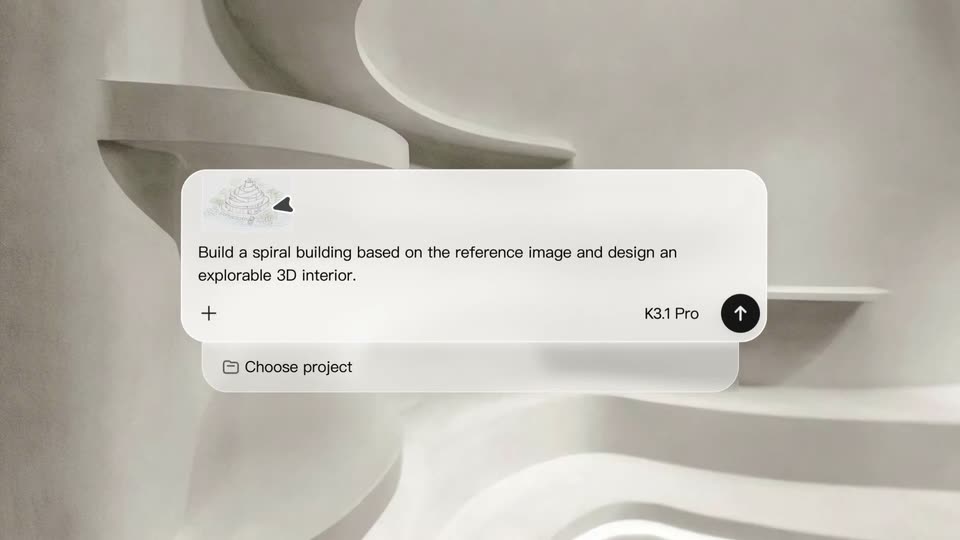
Moonshot AI · Oct 2026
Films whose music sounds like this one, voice left out
ChatGPT Atlas · Electronic
Tana · Electronic, Lo-fi Hip-Hop
A white dock bar of app icons floats centered on a plain off-white background. A blue icon slides in and settles as a navy paper-airplane tile, then the bar shrinks to keep only the ChatGPT and paper-airplane icons.
Techniques: Morph
Camera: Static
A blue rounded-square app icon with a white paper-airplane mark sits centered on a white field. The icon morphs, the airplane dissolving into the white ChatGPT C, then the whole mark shrinks to a small blue dot holding the C.
On-screen text: “Meet ChatGPT Atlas”
Techniques: Morph
Camera: Static
A bold black title builds word by word in the center of an off-white field, then fades as a small gray knot mark and a rounded input bar fade in; the placeholder grows to “Ask ChatGPT or Type a URL” with a blinking cursor.
On-screen text: “Meet ChatGPT Atlas”
Techniques: Kinetic type
Camera: Static
A gray ChatGPT knot logo hovers above a rounded input bar on a white field. The pair scales down and drifts upward as a thin rounded-rectangle edge fades in at the top left, widening the frame around the prompt.
Camera: Static
A flat browser window wipes in from left to right on a white background, then the backdrop shifts to a blue gradient. A cursor types “vrbo” into the address bar, a suggestion list expands below it, and the cursor clicks a dark round button on the right.
Techniques: Masking, Cursor demo
Camera: Static
A tilted browser mockup of the Vrbo homepage floats on a soft blue gradient. The window rotates flat and scales up as the page scrolls down past the hero search bar and destination cards.
Techniques: 3D mockup, UI zoom
Camera: Static
A plain white frame holds centered black text. The line “Unlock the web with” builds word by word, then “ChatGPT by your side” types in character by character on a second line. The camera stays locked off throughout.
On-screen text: “Unlock the web with”, “ChatGPT by your side”
Techniques: Kinetic type
Camera: Static
A browser window showing a VRBO property listing floats in 3D perspective against a blue gradient, rotating toward the viewer as a cursor clicks the Ask ChatGPT button in the top right, sliding a side panel open.
On-screen text: “Unlock the web with”, “ChatGPT by your side”
Techniques: 3D mockup, Cursor demo
Camera: Static
On the right of a booking screen, a chat input types the question letter by letter, then a hand cursor moves to the black send button and clicks it. The left panel holds a cabin photo and date fields.
Techniques: Cursor demo
Camera: Static
Split screen: a web page with a search bar on the left, a chat panel on the right. Two question bubbles sit at the top as an answer types in and scrolls up, listing three trails with distances and reasons.
Techniques: Split screen
Camera: Pan
A flat product UI on a blue-pink gradient shows a Pandas quiz on the left and a chat box on the right. A cursor hovers over answer options while a caret types 'Help me work through problem number 4' into the input field.
Techniques: Cursor demo
Camera: Static
Close-up of a rounded interface card on a blurred gradient background. The left panel shows the Aerion Shoes product page with a size grid, then crossfades into a tax bracket table, while a chat input on the right types out a question letter by letter.
Camera: Static
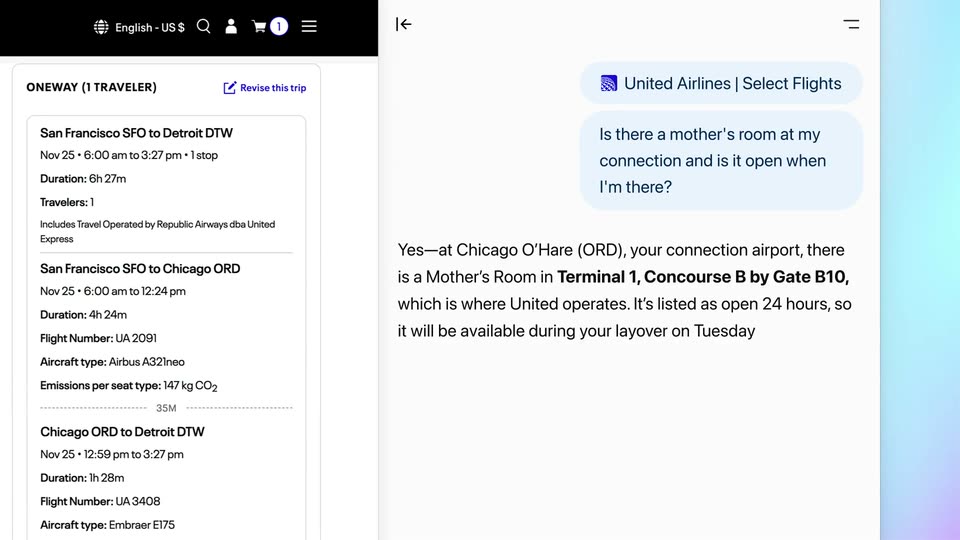
A two-panel product screen shows a flight booking page on the left and an AI assistant chat on the right. A cursor types a follow-up question into the assistant box and clicks send, then the assistant's answer streams in while the left panel switches to the fare summary.
Techniques: Cursor demo, Split screen
Camera: Static
A plain white frame holds a centered black headline that builds word by word, starting with “Assists” and extending to the full line. The composition stays locked off with no camera movement.
On-screen text: “Assists when you need it”
Techniques: Kinetic type
Camera: Static
On a plain white field, the black headline “Assists when you need it” sits centered. The letters start overlapping and slide horizontally into a clean, aligned lockup.
On-screen text: “Assists when you need it”
Techniques: Kinetic type
Camera: Static
An email draft window sits on a white field. A blue AI icon pops in at the body's start, a prompt bar opens above it, and the instruction to make it concise is typed. A hand cursor clicks the black up-arrow button, then the whole window fades to white.
Techniques: Cursor demo
Camera: Static
A bold black headline, “Picks up where you left off”, sits centered and static on a plain white field. A light gray ChatGPT prompt bar with a sparkle icon and three suggestion rows fade in behind the locked text.
On-screen text: “Picks up where you left off”
Camera: Static
A static browser new tab page shows a ChatGPT search bar above four AI suggestion rows. A cursor moves up to the second row, Continue shopping on Etsy, which fills with a light gray hover highlight.
Techniques: Cursor demo
Camera: Static
A light-blue rounded bubble holds two lines of dark text on a plain white field, reading 'Open the halloween decorations I was looking at last week in some new tabs'. The frame is locked off and the text stays still.
On-screen text: “Open the halloween decorations I was looking at last week in some new tabs”
Camera: Static
A browser window on a soft blue-to-pink gradient slides left, revealing a ChatGPT chat: a prompt asks to reopen Halloween decor tabs, a reply lists the five Etsy pages, and matching tabs appear in the tab bar.
On-screen text: “Takes action for you”
Camera: Pan
A plain white frame holds a centered black line that starts as the word Takes and grows word by word into the full phrase Takes action for you, then holds.
On-screen text: “Takes action for you”
Techniques: Kinetic type
Camera: Static
A shopping app interface fills the frame: a bucket hat listing on the left, a chat panel on the right where a message types itself out word by word, then a cursor glides to the black send button and presses it.
On-screen text: “Takes action for you”, “Agent mode not available to free users.”
Techniques: Kinetic type, Cursor demo
Camera: Static
A split screen pairs a grocery catalog with product cards and green Add buttons on the left with an Instacart chat on the right. The reply types in line by line, a permission prompt fades in, and a cursor clicks Continue.
Techniques: Split screen, Kinetic type, Cursor demo
Camera: Static
A browser window mockup of a shopping site tilts in 3D, flattens to face the camera, then tilts again. A chat panel on the right fills in with text while small black tooltips pop up over the product grid.
Techniques: 3D mockup
Camera: Push in
The Instacart web interface fills the frame. A black tooltip labeled Searching for sunscreen hovers over the search bar as a cursor types the query into the field. A row of deal tiles with green Add buttons stays static below.
On-screen text: “Searching for sunscreen”
Techniques: Cursor demo
Camera: Static
The Instacart web page shows sunscreen search results in a grid. A cursor hovers over the search bar, the page scrolls up through product cards, and the cursor clicks a green Add button. Black pill-shaped captions narrate the steps.
On-screen text: “Looking for best option”, “Scrolling search results”, “Adding sunscreen to cart”
Techniques: Cursor demo
Camera: Pan
On a plain white background, an assistant message fades in: a small globe icon, the header “Finalizing and reviewing shopping cart” with a double chevron, then a three-line note about adding SPF 50 sunscreen to the Instacart cart.
Camera: Static
A flat shopping cart UI fills the frame over a blue-to-purple gradient. A dimmed category list sits on the left behind the active cart panel. The cart scrolls up, revealing more items such as Natural Sunscreen and Cara Cara Oranges while the top header and Ask ChatGPT button scroll out of view.
On-screen text: “Finalizing and reviewing shopping cart”, “All set. I've added some highly rated SPF 50 sunscreen”, “and other beach-day essentials to your Instacart cart.”, “Everything's ready. Would you like to check out?”
Camera: Pan
A white cart panel overlays a dimmed storefront page, listing items and a green checkout bar. A hand cursor glides down to the green checkout button and clicks it, the button pressing down on contact.
Techniques: Cursor demo
Camera: Static
A plain white field holds one centered black headline. The phrase begins compressed with overlapping letters, then expands outward to its full width, settling into a clean, evenly spaced lockup.
On-screen text: “A smarter way to explore the web”
Techniques: Kinetic type
Camera: Static
The product name ChatGPT Atlas sits centered in black on a plain white background. The frame is locked off with no motion, holding the title static for the full duration.
On-screen text: “ChatGPT Atlas”
Camera: Static
A dark navy rounded-square app icon sits centered on a white field. Its blue rosette mark scales up and a white play triangle fades in, then the mark holds still.
Camera: Static
On a plain white background, the black URL chatgpt.com/atlas sits centered, then slides to the right as the words download now appear at the left. Locked-off frame, minimal staging.
On-screen text: “chatgpt.com/atlas”, “download now”
Techniques: Kinetic type
Camera: Static