1:15


Screenpipe YC Launch Video
Screenpipe · Sep 2026
Kosuke’s 1:06 launch film runs 36 scenes, about 1.9 s each. The product shows up at 0:14 and 4 features are revealed. The call to action lands at 1:04 (96% in), over a voiceover. The video opens with a live-action poolside skit, then alternates single centered headline cards with 3D device mockups and UI close-ups, each feature announced by one short title. Pacing runs at a steady 120 bpm with hard cuts between tropical lifestyle footage, flat off-white and black title cards, and floating 3D devices, tied together by the recurring face icon and a warm earthy palette.
Is this your launch? to your site or press kit.
Screenpipe · Sep 2026
Polar Browser · Oct 2026
Dalet Labs · Oct 2026
Films whose music sounds like this one, voice left out
Qwen · Electronic dance, nu-disco, French house, lo-fi hip-hop
Mirage · Electronic dance music with Eurodance and Italo House influences
Incredible · Nu-disco, funk, and electronic dance
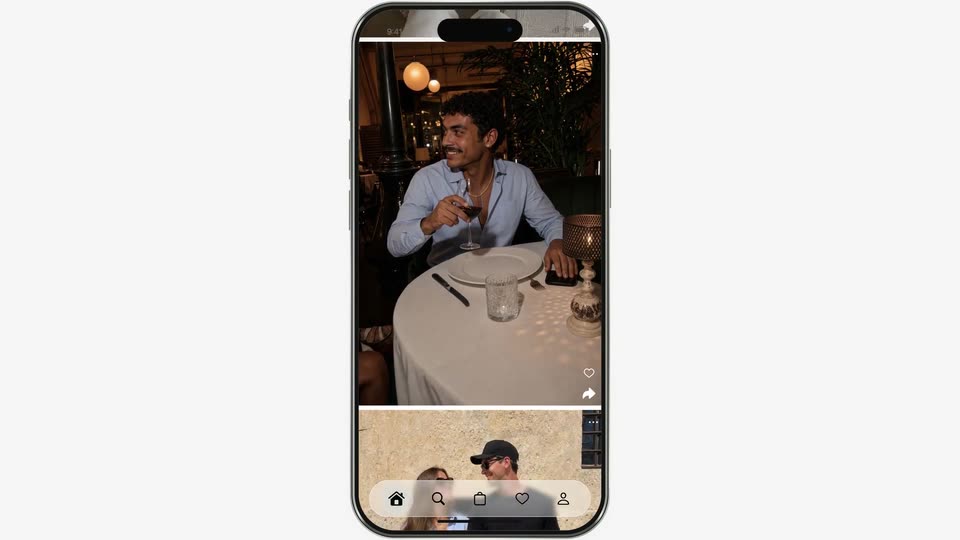
Two men recline on wooden loungers at the edge of a resort pool, each looking at a smartphone. A small table between them holds two coconuts, with palm trees and a thatched gazebo behind. The camera pushes in slowly as the man on the right smiles at his screen.
Camera: Static
Over the shoulder of a man seated at a pool edge, his phone shows a dating profile; the photo swaps from one smiling woman to the next as the card advances. Locked-off shot, shallow depth of field, blurred turquoise water behind.
Camera: Static
A man in a rust shirt sits in a beige outdoor chair, holding a black phone in one hand. He looks down at the screen, then raises his eyes to the side with a faint smile. Soft daylight and a blurred green backdrop.
Camera: Pan
A man in a teal shirt sits in an outdoor lounge chair holding a phone. The frame starts soft and racks focus onto his smiling face as he glances up from the screen. Subtitles read 'Who's the lucky one?' then 'Sensei.'
On-screen text: “Who's the lucky one?”, “Sensei.”
Camera: Pan
A man with curly dark hair in a terracotta shirt sits outdoors, framed over the blurred shoulder of a second person on the right. He holds a steady gaze, his eyes shifting slightly. A white subtitle reads Sensei. at the bottom center on a locked-off frame.
On-screen text: “Sensei.”
Camera: Static
A man in a teal shirt sits by a pool, seen from behind, holding a phone in his right hand. The screen shows a chat thread where the message flips from a checkout fix to a signup fix while his thumb taps the screen. The camera stays locked off.
Camera: Static
Over-the-shoulder shot of a man in a teal shirt relaxing by a pool, holding a phone that displays a 'Reply to Maya?' prompt. Shallow depth of field keeps the phone sharp while the water blurs behind him.
Camera: Push in
On a white background, the word Meet sits left of center while a black rounded-square icon with two eyes pops in beside it, then Sensei fades in to the right, completing the lockup.
On-screen text: “Meet”, “Sensei”
Techniques: Kinetic type
Camera: Static
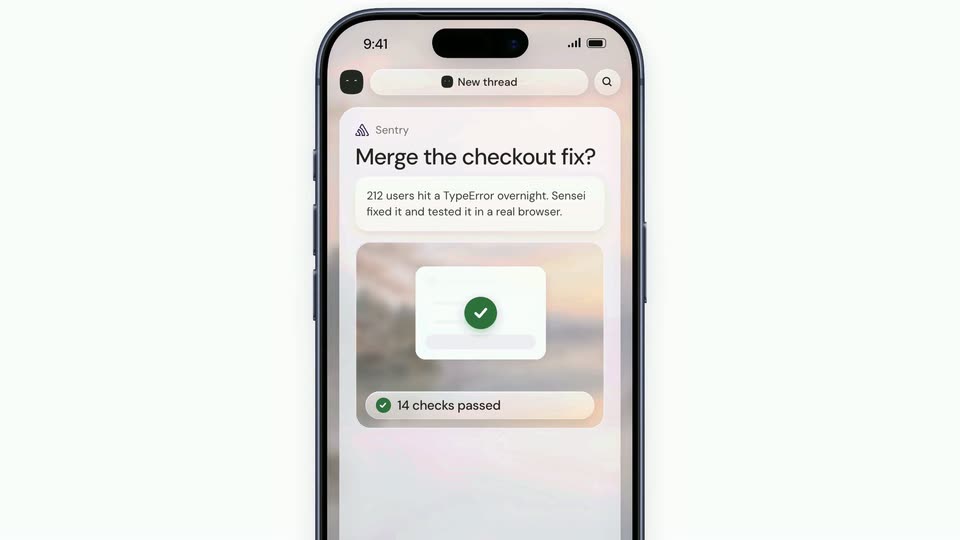
A 3D iPhone mockup on a light background scales into focus, its screen showing a Sentry message and a video card. The card resolves to a green check, a 14 checks passed pill slides in, then the phone blurs and slides out fast.
Techniques: 3D mockup, Speed ramp
Camera: Push in
The headline “Swipe to approve” sits centered on a light background. A 3D phone mockup slides in from the left, its screen showing a list with green checkmarks and “Approved” labels, while the headline shifts toward the right edge.
On-screen text: “Swipe to approve”
Techniques: Kinetic type, 3D mockup
Camera: Static
A flat iPhone mockup on a light gray ground shows an assistant app. A Linear merge card crossfades into a Gmail reply card, then tilts away in 3D to reveal a blurred empty state reading All clear. The frame stays locked.
Camera: Static
Two lines of white text, “1 person” and “1000 agents,” fade in centered on a black background, hold for a beat, then fade out to black.
On-screen text: “1 person”, “1000 agents”
Techniques: Kinetic type
Camera: Static
A black circle shrinks and slides left, uncovering a 'New thread' input screen. As it clears, the word 'Add' types into the field beside a blinking caret, with three suggestion pills resting below.
Techniques: Masking
Camera: Static
A close-up of a chat input field as 'Add a module to track failed payments' is typed letter by letter, then the frame zooms out to reveal the blurred app around it, the prompt now in a lavender bubble.
Techniques: UI zoom
Camera: Static
A floating app window over a blurred backdrop zooms into its middle thread. A module card with a play button appears, tasks in the right panel flip to Done, and the counter counts up from 1000 to 1027.
Techniques: Parallax, UI zoom
Camera: Pan
The words “Noise filter” sit centered on a white field, starting out of focus and snapping sharp. A white pill of eight colorful app icons then slides in behind the text.
On-screen text: “Noise filter”
Camera: Static
A row of app icons in a dock bar rests on a pale gray background. The camera zooms onto the black face icon at center, which gains a red 5 badge and a dark Sensei tooltip, while the other icons desaturate and drift out of frame.
Techniques: UI zoom
Camera: Push in
An aerial drone shot glides over terraced rice paddies and a cluster of thatched-roof villas beside a pool, with mist hanging over the valley. The text “Sensei” and the numeral “5” sit still on the frame.
On-screen text: “Sensei”, “5”
Camera: Static
Low tracking shot of a runner's legs in black shorts and black sneakers striding on a wooden boardwalk above a flooded rice paddy, palm trees and a hazy sun in the background.
Camera: Static
A man in a black t-shirt and shorts jogs toward the camera along a dirt path through sunlit green terraced fields. He slows to a walk and looks down at the smartwatch on his left wrist.
Camera: Pull out
A first-person view looks down at a wrist wearing a smartwatch on a paved path, grass and sneakers blurred below. The watch screen shows a Reels list with a Display card reading On staging tomorrow, the word tomorrow scaling slightly.
Camera: Push in
A black Apple Watch in 3D perspective begins small and blurred on a pale gray field, then scales up and comes into focus as its dark face switches from a deploy notice to a white app icon with a recording state.
Techniques: 3D mockup
Camera: Static
A black smartwatch sits centered on a plain light backdrop, front-facing. Its screen cycles through a voice reply recording, a deploy prompt for a Dark mode update, and a green check confirmation, then blurs and drifts as it leaves.
Camera: Static
A plain off-white card holds the centered headline “See the results” in dark gray. The line fades in from a faint ghost to full opacity over the first second, then stays locked and still.
On-screen text: “See the results”
Camera: Static
A black smart glass with a small camera on the temple rests on a white surface. The camera sweeps from the side to the front as a chat UI fades into the lens, showing a Sensei message, a Ship it reply, and Deck and Threads buttons.
On-screen text: “See the results”
Techniques: 3D mockup, UI zoom
Camera: Push in
The phrase “Ship it” lands centered on a plain white field, resolving from a brief motion blur into a crisp, static hold.
On-screen text: “Ship it”
Techniques: Kinetic type
Camera: Static
The word shipped holds centered in black lowercase sans on a plain white background. The frame stays locked and static for the full shot, with no movement or reveal.
On-screen text: “shipped”
Camera: Static
The word “Shipped” sits centered in black on a plain white background. The frame is locked off and the text holds still for the full duration.
On-screen text: “Shipped”
Camera: Static
Aerial view pushes slowly down a straight road through a tropical town, motorcycles and cars traveling both ways, red-roofed houses and palm trees on either side in hazy golden light. The word Shipped holds centered and still.
On-screen text: “Shipped”
Techniques: Parallax
Camera: Static
Viewed through a dark circular lens, a woman in a black shirt stands before carved temple gates at dusk and turns her head from the camera into profile. A small white caption types in at the center of the frame.
On-screen text: “Sensei: PR #482 is ready to merge”
Camera: Static
A static wide shot holds a man in a green shirt centered in a carved stone gateway, facing a sunlit mountain peak above clouds. Ornate statues and tropical trees frame the courtyard in warm light.
Camera: Static
A dark gray title One Sensei holds centered on a white field, then a hard cut flips the frame to black as Many devices appears in white. Both lines sit static and centered, the color inversion carrying the transition.
On-screen text: “One Sensei”, “Many devices”
Camera: Static
A white headline reading “Many devices” sits centered on a flat black background. The text holds, then slides to the right with horizontal motion blur as the short clip ends.
On-screen text: “Many devices”
Techniques: Kinetic type
Camera: Static
A plain black frame holds the white tagline “Make things happen” centered, with a faint beveled edge on the letters at the start that flattens as the line settles. The text stays locked in place for the full shot.
On-screen text: “Many devices”, “Make things happen”
Camera: Static
The phrase “From anywhere” sits centered in a bold black sans on a plain background. The frame is locked off with no motion, while the backdrop shifts from a warm off-white to a cool light gray over the clip.
On-screen text: “From anywhere”
Camera: Static
On a black background, the white Kosuke circle mark and wordmark hold centered. A white pill button with black text “Try Sensei for free” fades in below the logo and stays static.
On-screen text: “Try Sensei for free”
Camera: Static