0:47
Explore
OJO - Introducing OJO plugin for Codex, Claude Code, and all your coding ag
OJO plugin · Nov 2026 · 0:43 · Full motion · AI-annotated
- Length
- 0:43
- Scenes
- 19 · 2.3 s avg
- Product on screen
- 0:00
- Call to action
- 0:36 · 83%
- Voiceover
- Yes
- Views
- 41K on X
as of November 26, 2026
00:00:00 / 00:43:16
- Length
- 0:43
- Scenes
- 19 · 2.3 s avg
- Product on screen
- 0:00
- Call to action
- 0:36 · 83%
- Voiceover
- Yes
- Views
- 41K on X
as of November 26, 2026
OJO plugin’s 0:43 launch film runs 19 scenes, about 2.3 s each. The product is on screen from the first frame. The call to action lands at 0:36 (83% in), over a voiceover. The video stacks locked-off title cards on a soft white gradient against zoom-in and zoom-out UI demos, crossfading between flat app windows, a 3D-tilted tablet and a dark split-screen comparison. Its signature moves are the steady push-in to the active element, the letter-assembly headlines and the synchronized before/after scroll that proves the redesign.
No filming indicatedEstimated needs: 3 capture groups — your screens or recordings · 1 official logo — reused across the film · 1 graphic passage — draw or supply · 2 3D passages — build or supply
Is this your launch? to your site or press kit.
More like this




Similar soundtrack
Films whose music sounds like this one, voice left out
1:15

Introducing your Agent and Gemini Omni in Google Flow
Google · Electronic dance music with Latin and house influences
0:56

Manus - Today, we're taking Manus out of the cloud and putting it on your des
Manus · Modern funk, nu-disco, electronic dance music
1:36
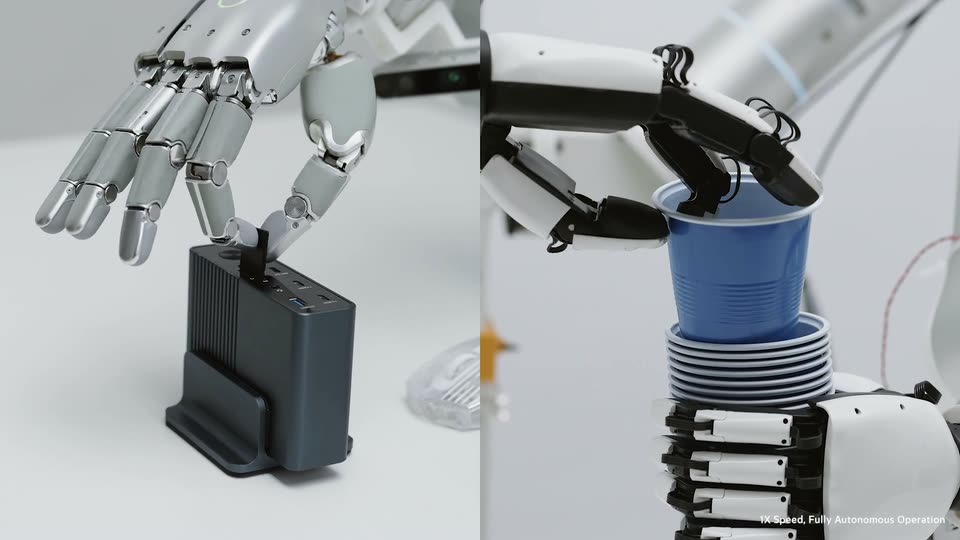
Robbyant - What changes when robots can feel—not just see? 🤖✋ Meet LingBot-Touch
Robbyant · Electronic, deep house, lo-fi hip-hop, ambient
OJO - Introducing OJO plugin for Codex, Claude Code, and all your coding ag, scene by scene
· 19 scenes as text
01 · Product intro · 0:00–0:03
On a soft white gradient, the headline “Introducing ojo Plugin for” fades in centered with the ojo wordmark inline. Four app icons pop in below it, then the card crossfades into a flat Codex chat window.
On-screen text: “Introducing Ojo Plugin for”
Camera: Static
02 · Product intro · 0:03–0:04
A flat Codex desktop window sits centered on a pale blue field, showing the empty chat state with a hexagonal mark and the prompt line sliding into place. A locked-off caption reads above while the input bar at the bottom holds the model and approval options.
On-screen text: “Introducing Ojo Plugin for”
Camera: Static
03 · Demo · 0:04–0:09
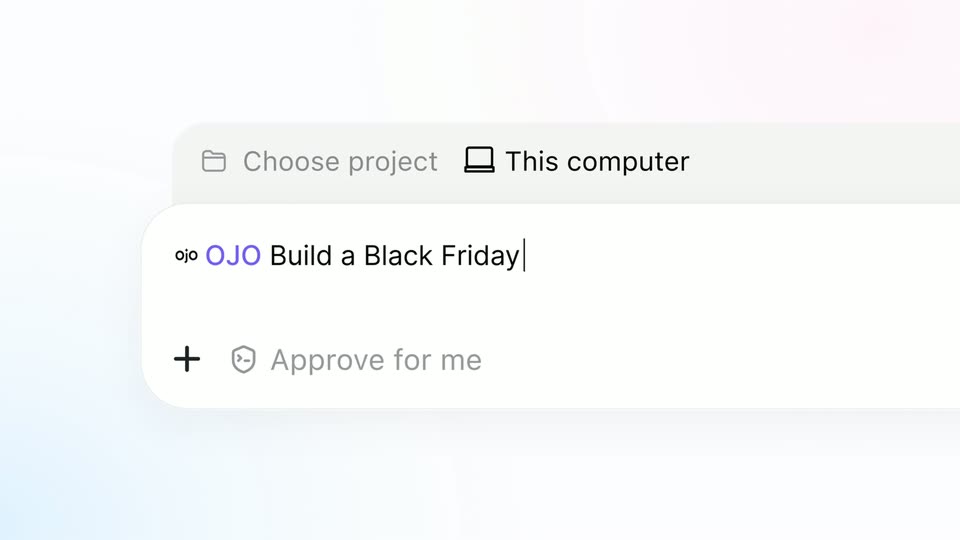
The Codex app window fades in, then the frame zooms into the prompt card while a cursor types a prompt about building a Black Friday sale website for the pet brand PAW DAYS, ending on a click of the blue send button as the card blurs out.
Techniques: UI zoom, Cursor demo
Camera: Pull out
04 · Demo · 0:09–0:14
A white chat card fills the frame as the assistant's reply types out word by word, status lines stacking below. The view zooms out to reveal a browser pane on the right showing the generated PAW DAYS site with a cat hero image.
Techniques: Kinetic type, Cursor demo, UI zoom
Camera: Pull out
05 · Demo · 0:14–0:16
A design app splits the screen into a chat panel on the left and a browser preview on the right showing a Black Friday page with a black cat among white kittens. The view zooms into the right preview, centering the cat hero image and its 70% off headline.
Techniques: UI zoom
Camera: Push in
06 · Demo · 0:16–0:17
A black tablet in 3D perspective shows a pet store homepage. The top headline assembles from scattered letters while the page scrolls from a 70% off hero to two category cards. A cursor rests at the right edge.
Techniques: 3D mockup, Cursor demo
Camera: Pan
07 · Demo · 0:17–0:18
A dark-bezel tablet floats at a slight angle on a pale gradient, its screen crossfading from overlapping category pages into a clean Black Friday Bestsellers grid of pet products with a red button; a cursor rests at the right edge.
Techniques: 3D mockup, Cursor demo
Camera: Pan
08 · Demo · 0:18–0:19
A flat tablet mockup on a pale gradient displays a pet shop grid under the heading Black Friday Bestsellers. A cursor taps the Quick Add button on the steel bowl card as a prototype toolbar fades in at the top left.
Techniques: Cursor demo
Camera: Static
09 · Demo · 0:19–0:20
A tablet screen shows a pet store grid titled Black Friday Bestsellers. A white cart drawer slides in from the right, dimming the page, revealing a savings banner, a Steel Feeding Bowl line, a promo field and a red Checkout bar.
Camera: Static
10 · Demo · 0:20–0:20
A tablet mockup on a Figma canvas shows an e-commerce grid of pet products beside a cart panel. A cursor hovers over the Checkout button. The locked-off frame then fades to white.
Techniques: Cursor demo
Camera: Static
11 · Demo · 0:20–0:21
A light sidebar listing projects and a Black Friday web preview fade in while zooming out, the labels scaling to size as the left icon rail and the red discount badge sharpen into place.
Techniques: UI zoom
Camera: Pull out
12 · Demo · 0:21–0:26
A browser window inside the Codex interface shows the MILEFORM Black Friday site. The view zooms into the lower part of the page as a white prompt box appears and a redesign instruction is typed into it.
Techniques: UI zoom
Camera: Pull out
13 · Demo · 0:26–0:28
The scene opens on a Black Friday storefront close-up, a prompt bar with a redesign instruction overlaid, then zooms out to reveal the whole browser window in a design app canvas with a Redesigning your storefront label.
Techniques: UI zoom
Camera: Pull out
14 · Demo · 0:28–0:30
Inside the OJO app, a loading screen with two dark oval eyes and the caption Redesigning your storefront gives way to a Black Friday storefront mockup. The page zooms in as it renders, showing a running man, bold BLACK FRIDAY type, and green category tiles.
Techniques: UI zoom
Camera: Pull out
15 · Demo · 0:30–0:33
On a dark background, a split screen compares two versions of an outdoor gear website. The left Before panel and the right With OJO panel each scroll down in sync, moving from a Black Friday hero image to a product grid of jackets, tents and helmets.
On-screen text: “Before”, “With OJO”
Techniques: Split screen
Camera: Pull out
16 · Demo · 0:33–0:36
Two flat browser mockups sit side by side on a dark field, captioned Before and With OJO. The MILEFORM store switches from a product grid to the Navy Shell Jacket page; the right version shows a larger jacket image, green price badges, and a cursor over the size row.
On-screen text: “Before”, “With OJO”
Techniques: Split screen
Camera: Pull out
17 · CTA · 0:36–0:37
Two product-page mockups on a light background fade out as the black Ojo logo sharpens in the center, then the line 'Install Ojo Plugin for' scales in around the logo mark.
On-screen text: “Install Ojo Plugin for”
Techniques: Kinetic type
Camera: Static
18 · CTA · 0:37–0:40
Black text on white: 'Install Ojo Plugin for' with the Ojo logo scales in, then 'your coding agent' appears ringed by four floating app icons, a black cube, a black circle, an orange starburst and a blue terminal, then 'Now, your TASTE can be Engineered' fades in.
On-screen text: “Install Ojo Plugin for”, “your coding agent”, “Now, your TASTE can be Engineered”
Techniques: Kinetic type
Camera: Static
19 · Outro · 0:40–0:43
On a pale background with soft blue and pink corner tints, a single centered line of dark text reads “Now, your TASTE can be Engineered.” It opens slightly blurred with a chromatic edge, then sharpens into a static, locked-off line for the rest of the clip.
On-screen text: “Now, your TASTE can be Engineered”
Camera: Static