1:21
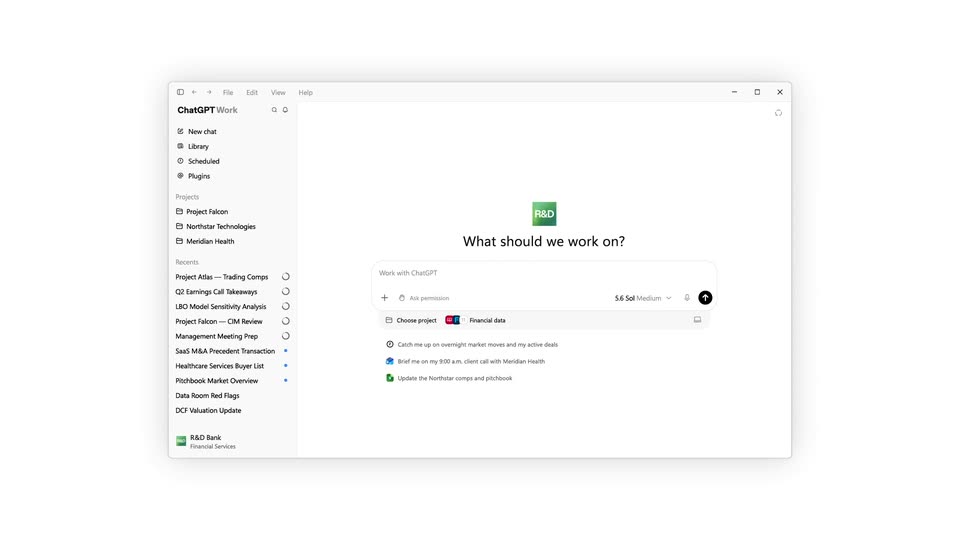
OpenAI - Now available: ChatGPT for Financial Services. This is a tailored Ch
ChatGPT for Financial Services · Sep 2026
Manus · Mar 2026 · 0:56 · AI-annotated
Manus’s 0:56 launch film runs 30 scenes, about 1.9 s each. The product is on screen from the first frame and 3 features are revealed. There is no explicit call to action. The video opens with the product name, then runs three feature blocks, each introduced by a centered title card and followed by a cursor-driven screen recording, before closing on platform availability and the logo. Signature moves are word-by-word headline reveals, flat mockups on dotted cream, and smooth scale transitions between phone and desktop frames.
Is this your launch? to your site or press kit.
ChatGPT for Financial Services · Sep 2026
Anthropic · AI · Jun 2026
Apple · Hardware · Oct 2026
A flat phone mockup on a dotted cream background shows a sky wallpaper with stacked words building line by line, then the frame widens into a desktop screen as the line reads across.
On-screen text: “Manus Works On Your Mobile”, “Manus Now Works On Your Computer”
Techniques: Kinetic type, Morph
Camera: Static
A rounded card frames a pale sky-and-clouds photo with the centered headline 'Manus Now Works On Your Computer'; the words 'On Your' pulse in scale. Along the bottom, a row of white squares holds a small hand icon that toggles between two poses.
On-screen text: “Manus Now Works On Your Computer”
Techniques: Kinetic type
Camera: Static
A light gradient backdrop holds a horizontal dock of seven rounded slots with a hand icon in the center slot. The hand icon shifts pose as the headline reveals word by word above the dock.
On-screen text: “Manus Now Works On Your Computer”, “Meet Manus Desktop”
Techniques: Kinetic type
Camera: Static
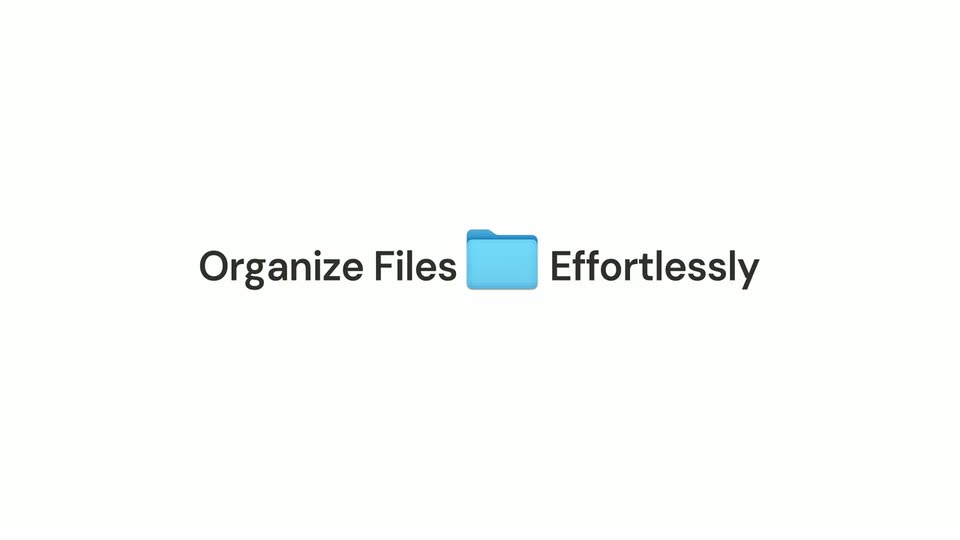
A plain light background holds the static headline with a blue folder icon. Six image thumbnails with filenames scatter around it, then drift inward toward the center and vanish, leaving the headline alone.
On-screen text: “Organize Files Effortlessly”, “Meet Manus Desktop”
Camera: Pull out
A macOS Finder window shows the Flower Shop folder as a grid of product and customer photo thumbnails; the list scrolls upward while the cursor moves to the dock and hovers the Manus icon, revealing its tooltip.
On-screen text: “Effortlessly”
Techniques: Cursor demo
Camera: Static
A light macOS window titled Manus shows the heading What can I do for you? above a task input bar with quick-action chips. The cursor moves to the folder icon, a two-item menu pops open, then closes as the cursor leaves.
Techniques: Cursor demo
Camera: Pull out
A light interface shows a task input bar under the heading “What can I do for you?” A cursor hovers over the folder icon and a small dropdown with two folder options appears below it.
Techniques: Cursor demo
Camera: Static
A semi-transparent AI chat interface overlays a macOS Finder window, then fades out to reveal the window with a New Folder dialog box open. The cursor is visible over the New Folder button before the fade.
Camera: Pull out
A macOS file dialog sits centered on a pale gray background. A blue folder labeled Flower Shop is selected in the main pane, and the cursor glides from the folder to the blue Open button at the bottom right, pressing it.
Techniques: Cursor demo
Camera: Static
A light gray app window shows a serif prompt heading above a rounded text box. The box types out a flower shop folder-organization request, then a hand cursor moves to the dark send button and clicks it, revealing a Send tooltip.
Techniques: Cursor demo
Camera: Static
A Finder window opens on the Flower Shop folder as a tight crop of its photo grid, then pulls back to the full window on a cloudy desktop. The layout toggles between icons and columns, and the cursor double-clicks Bouquets to reveal five gift-box thumbnails.
Techniques: UI zoom, Cursor demo
Camera: Pull out
A Finder window titled Flower Shop sits on a soft cloud background, showing a row of blue folders. A cursor glides to the Customer Feedback folder and clicks it, highlighting its label in blue.
Techniques: Cursor demo
Camera: Static
A Finder window showing a folder of images cuts to a plain light background where the text appears.
On-screen text: “Rename Projects Automatically”
Techniques: Kinetic type
Camera: Static
A single black headline reads Rename Projects Automatically, centered on a plain off-white field. The line holds, then slides right with a soft echo as the scene cuts.
On-screen text: “Rename Projects Automatically”
Techniques: Kinetic type
Camera: Static
A blue folder icon labeled “Invoices” sits centered on a soft blue-to-cream gradient. A mouse cursor slides in from the right and pauses beside the folder, while the headline “Rename Projects Automatically” stays fixed on screen.
On-screen text: “Rename Projects Automatically”
Techniques: Cursor demo
Camera: Static
A blue Invoices folder icon centered on a cloudy sky desktop expands into a full Finder window. The window lists a column of small PDF files with hex names and sizes, the macOS dock and menu bar framing the screen.
Techniques: Morph
Camera: Pull out
A full-screen macOS window starts blank, then the Manus interface loads with a centered serif heading and a typed prompt in the input field, with quick-action buttons below.
Techniques: Cursor demo
Camera: Push in
A flat white interface shows a serif headline above a rounded prompt box. The instruction text fills the box letter by letter, then the cursor travels to the dark circular send button and a Send tooltip pops up.
Techniques: Cursor demo
Camera: Static
A light file-list view shows rows of red PDF icons with long vendor filenames. The list crossfades and scrolls upward as a secondary column of short hash-style names dissolves out, leaving a single column of descriptive filenames.
Camera: Pull out
A dark sans-serif headline is centered on a soft white gradient, backed by a faint rectangular shadow. At the open, a ghost copy of the word Apps sits below the right end and fades out, leaving the line static.
On-screen text: “Build And Run Desktop Apps”
Camera: Static
Two tilted app mockups, a desktop window and a phone, sit on a pale background with soft shadows. They scale down slightly from the start into a locked-off 3D composition.
On-screen text: “Build And Run Desktop Apps”
Techniques: 3D mockup
Camera: Pan
A white chat input card pulls back and docks into the top of a tilted phone mockup, revealing the full chat interface with a model selector and an agent reply. The words Instantly From Anywhere fade in on the right.
On-screen text: “Instantly From Anywhere”
Techniques: UI zoom, 3D mockup
Camera: Pull out
A flat phone mockup of the Manus chat app sits centered on a cream background, its response text typing out, while a bold black headline sharpens in on the right. The phone then scales down to reveal the desktop interface behind it as the headline fades.
On-screen text: “Instantly From Anywhere”
Techniques: UI zoom
Camera: Pull out
A desktop app window and a compact mobile card sit on a light gray field. At the start the empty prompt screen crossfades into a populated chat thread, while the sidebar and task list settle into place.
Camera: Static
A Finder window fades in on a cloudy desktop showing one MeetingTranslator icon. A cursor glides to the icon and clicks it, launching the Meeting Translator app window that scales in over the Finder, while a small lavender window pops up at the bottom right.
Techniques: Cursor demo
Camera: Pull out
A desktop shows a Meeting Translator app beside a Google Meet browser window. A cursor moves to the green Start button and clicks it; the app switches to a Listening state with a pulsing waveform, and the button turns into a red Stop.
Techniques: Cursor demo
Camera: Push in
A 'Meeting Translator' app window is centered on a desktop, showing English translations appearing sequentially below Korean text. The background includes a file browser and a video call interface.
Techniques: Kinetic type
Camera: Static
A pale background with soft vertical bands and dotted grids holds the word Available in dark gray at center. A blue Windows logo floats left and a blue Apple logo floats right, each drifting a few pixels apart over the shot.
On-screen text: “Available”
Camera: Static
A light gray background with soft blue curves and dot grids holds a centered dark headline, with a blue Apple logo above and a blue Windows logo below. The frame stays locked off with no motion.
On-screen text: “Available on Mac and Windows”
Camera: Static
A pale dotted background holds a blue Apple logo at top and a blue Windows logo at bottom, framing a black line-drawn hand making an OK gesture in the center. The lowercase serif wordmark manus fades in beside the hand icon, signaling cross-platform availability.
On-screen text: “Available”
Camera: Static