1:34
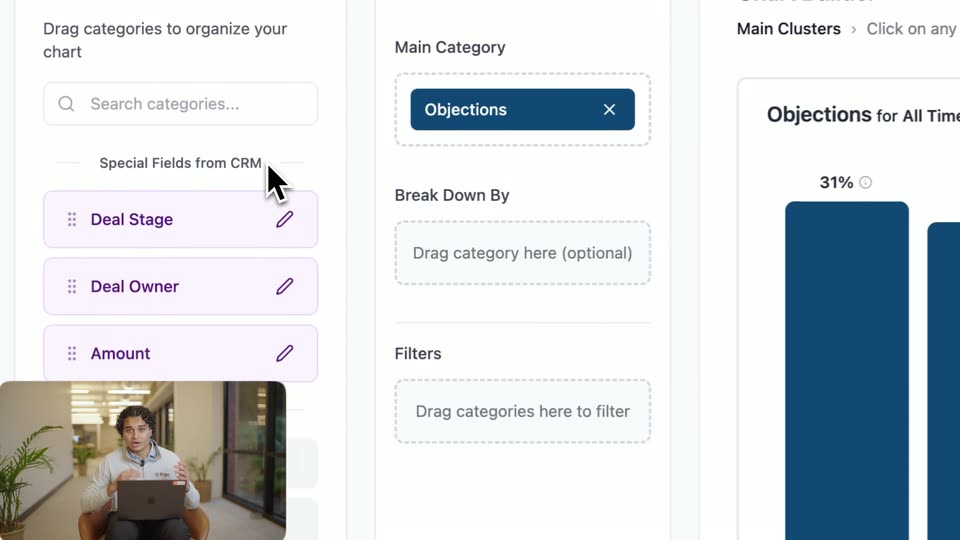

Ergo - Turns out the truth of your pipeline was hiding in conversations the
Ergo · B2B · Jan 2026
Notion · Jun 2024 · 0:20 · Full motion · AI-annotated
Notion’s 0:20 launch film runs 19 scenes, about 1.1 s each. The product shows up at 0:01 and 3 features are revealed. There is no explicit call to action. The video alternates locked-off title cards that ease from light gray to solid black with cursor-driven UI demos on a flat off-white field, and uses 3D-fanned browser windows to show the product's range of site types. Pacing is brisk at the cut level but each card and demo holds long enough to read, with the cursor acting as the recurring agent that clicks, types and publishes.
Is this your launch? to your site or press kit.
Ergo · B2B · Jan 2026
Anthropic · AI · Apr 2026
OpenAI · AI · Jan 2025
Films whose music sounds like this one, voice left out
ElevenLabs · Upbeat electronic dance music
Miro · Modern electronic
Creatify AI · Upbeat electronic
A blue 'Publish' button with a cursor on a light background. The frame splits to show a second identical button and cursor on the right.
Techniques: Cursor demo, Split screen
Camera: Static
Four blue Publish buttons sit in a two by two grid on a light gray field, each with a black cursor arrow at its lower right corner. The top row of buttons slides right while the bottom row stays fixed.
Techniques: Cursor demo
Camera: Static
A blue rounded Publish button sits centered on a pale background with a black arrow cursor resting on it. The button scales up and its soft glow border fades, as if pressed.
Techniques: Cursor demo
Camera: Static
A black headline sits centered on a plain light background. A browser window containing a Notion About page with a beach hero image appears behind it, and the headline stays locked over the image.
On-screen text: “Introducing Notion Sites”
Camera: Static
A flat browser window mockup of an About page sits centered on a pale gray field. The window holds a hero painting, an About heading and two bulleted columns, and it scales up gently over the clip.
On-screen text: “Introducing Notion Sites”
Camera: Static
Two tilted browser windows float on a light gray backdrop. The front window's document cross-fades from a pink wedding invitation titled Stephanie and Kyle into a Japan travel guide with a temple hero image, while the rear window shifts behind it.
Techniques: 3D mockup
Camera: Static
A stack of browser windows rests in 3D perspective on a white background. The front page swaps from a travel guide to a help center while the windows behind shuffle positions, each showing a different site.
Techniques: 3D mockup
Camera: Static
Five browser windows fan out in 3D perspective on a white background. The front window shows a help center page with a red apple logo and a black and white photo of a woman; behind it, windows reveal a reading list, a cart and a map with city labels.
Techniques: 3D mockup
Camera: Static
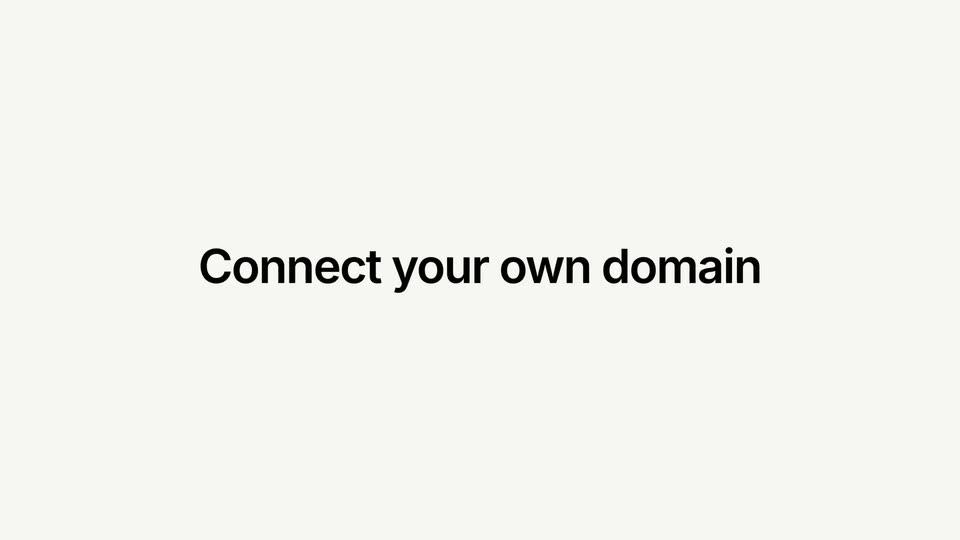
The headline fades in from light gray to black, centered on a plain off-white background, then holds on a locked-off frame.
On-screen text: “Connect your own domain”
Camera: Static
A centered white modal on a plain background. It starts titled New domain with two option cards, then the form swaps to a Connect new domain view where a cursor types a URL into the input above a blue Connect button. A large headline sits above the modal.
On-screen text: “Connect your own domain”
Techniques: Cursor demo
Camera: Static
A white modal card with a plug icon and a domain input field sits centered on a light background. A cursor glides up from below the card and rests on the blue Connect button.
On-screen text: “www.leedesignstudio.com”
Techniques: Cursor demo
Camera: Static
A light gray card holds the bold black headline “Customize your site” centered in frame. The line eases in from a soft blur to full sharpness over about half a second, then holds on a locked-off frame.
On-screen text: “Customize your site”, “www.leedesignstudio.com”
Camera: Static
A white settings card sits on a light background. A cursor glides to the Site customization row, and the card swaps to a Customize your site view with Light and Dark theme tiles. The cursor clicks Light, which takes a blue outline.
Techniques: Cursor demo
Camera: Static
A white settings card on a black background shows two theme tiles, Light with a sun icon and Dark with a moon icon. The Dark tile carries a blue selection border, and a cursor arrow rests at its lower edge. The frame is locked off.
Techniques: Cursor demo
Camera: Static
A Favicon settings card on a light gray field shows a pushpin icon, Page icon label, checkmark, Upload image field and helper text, all dimmed. A black cursor hovers at the top right over the chevron toggle.
Techniques: Cursor demo
Camera: Static
A plain cream background holds the centered line “Publish anything, fast.”, which develops from a faint gray to solid black over the first half of the clip, then holds still on a locked-off frame.
On-screen text: “Publish anything, fast.”
Camera: Static
A Notion-style editor window shows a site preview and a right-hand settings panel; the cursor clicks the Publish changes button, then the view zooms into the page header with the Golden Gate Bridge photo as the cursor hovers the title. A static tagline band runs across the frame.
On-screen text: “Publish anything, fast.”
Techniques: Cursor demo, UI zoom
Camera: Static
A flat browser window mockup of a portfolio site shows a Golden Gate Bridge hero image, a bold serif heading and a project grid, while a cursor drifts across the top-right menu.
On-screen text: “leedesignstudio.com”
Techniques: Cursor demo
Camera: Static
A black 3D cube bearing a white N with black sides sits at center on a plain light gray background and slides in slightly; the black wordmark Notion appears to its right. Locked-off frame, calm pace.
On-screen text: “Notion”
Camera: Static