3:10

TensorPool (W25) - The Easiest Way to Access GPUs
TensorPool · B2B · Feb 2025
Nango · Nov 2024 · 2:12 · Full motion · AI-annotated
Nango’s 2:12 launch film runs 32 scenes, about 4.2 s each. The product is on screen from the first frame and 6 features are revealed. There is no explicit call to action; a voiceover carries the film. The video is a single locked-off screen recording that alternates between a light SaaS app, a dark Nango dashboard, and isolated code snippets, with a presenter voiceover walking through one integration build end to end. Its signature moves are push-in zooms on tables and code lines, horizontal panel slides, and crossfades between the app and the dashboard, all cut at a steady tutorial pace.
Is this your launch? to your site or press kit.
TensorPool · B2B · Feb 2025
Riverside · Jun 2024
Perplexity · AI · Nov 2026
A locked-off screen recording of a browser on the MySaaS.com Team Settings page. A centered card reads Invite team members with a dark Import from Slack button. The cursor glides over the sidebar links, then rests on the button.
Techniques: Cursor demo
Camera: Static
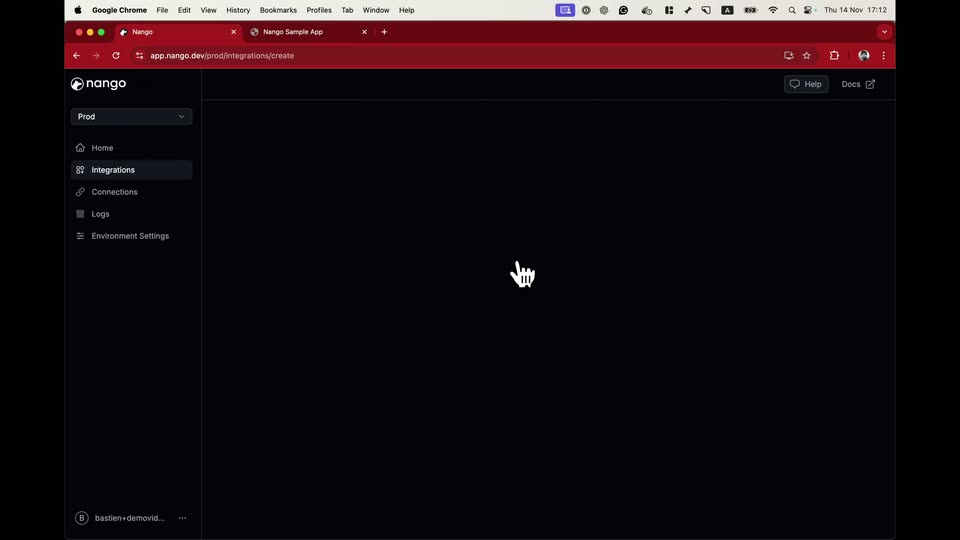
A browser window shows the Nango Integrations page on a dark background. The cursor moves down and clicks the Configure New Integration button, then the whole screen fades to black.
Techniques: Cursor demo
Camera: Push in
A dark integration screen shows a search bar above a grid of app logos. A cursor types slack into the field, the grid filters to one Slack result, and the cursor clicks it.
Techniques: Cursor demo
Camera: Push in
A dark, blurred screen resolves into a Chrome window on the Nango Slack integration settings page. A cursor types the client ID and secret, switches to the Endpoints tab, and flips the /users toggle on. A green confirmation toast stays pinned at the bottom.
Techniques: Cursor demo
Camera: Pull out
A dark web app interface in a browser window. A confirmation modal titled Enable sync? sits over an endpoint list. A cursor moves to the Enable button and clicks it; the modal closes and a green Enabled successfully toast slides in at the bottom.
Techniques: Cursor demo
Camera: Static
A dark Nango dashboard shows the Slack integration page with a list of API endpoints and toggle switches. A hand cursor hovers over the messages-reply row, then the frame zooms in on the endpoint list, cropping the sidebar.
Techniques: Cursor demo, UI zoom
Camera: Pan
A browser window with a dark sidebar and red toolbar dissolves into a centered code snippet on a plain dark background. A large white I-beam cursor glides up to the first line, highlights openConnectUI, and the frame pushes in on the snippet.
Techniques: Cursor demo, UI zoom
Camera: Pan
A dark code editor holds a JavaScript snippet with a blinking caret. A Slack integration settings panel slides in from the left, splitting the frame, its list of templates and toggles settling beside the code, a green success toast appearing at the bottom.
Techniques: Split screen
Camera: Pan
A dark browser window shows the Nango Slack integration page with a list of GET and POST endpoints. The /users row has a green toggle on and a green Enabled successfully toast sits at the bottom, then fades out as the cursor drifts to the top.
Techniques: Cursor demo
Camera: Pan
A browser window shows a Team Settings page with a centered card reading Invite team members. A hand cursor glides down from the top and clicks the dark Import from slack button, a small spinner appears beside it.
Techniques: Cursor demo
Camera: Static
A browser window shows the MySaaS.com Team Settings page with a centered modal. The modal begins as a gray loading skeleton, then resolves into a Link Slack Account card with the Slack logo and body copy. A cursor moves down and clicks the button, which switches to a Connecting state with a spinner.
Techniques: Cursor demo, Morph
Camera: Static
A dimmed SaaS dashboard shows a centered modal window. The modal's red page switches from a blank tab to a Slack authorization URL while a hand cursor hovers over it. The sidebar and Team Settings heading stay static.
Camera: Static
A browser window shows a Slack permission dialog fading in over a dimmed settings page. A hand cursor clicks Allow, the dialog switches to a green-check success card, then the cursor drifts up toward the address bar.
Techniques: Cursor demo
Camera: Static
Screen capture of the dark Nango dashboard in Chrome, showing the Slack integration page with an endpoint list. A white cursor glides down the left sidebar, from the top to the Connections item, as the voiceover notes a new connection was created.
On-screen text: “MySaaS.com”
Techniques: Cursor demo
Camera: Static
A dark Nango dashboard sits in a Chrome window. The view zooms into the Connections table while a white hand pointer slides from the sidebar to the new [email protected] row, marked with a Slack integration.
Techniques: UI zoom, Cursor demo
Camera: Pull out
A dark Nango connection page inside a browser window. The cursor moves from the Syncs tab to Authorization, exposing connection IDs and a masked access token, then the frame zooms into the token and JSON block before pulling back out.
Techniques: Cursor demo, UI zoom
Camera: Pull out
A dark dashboard shows a Slack connection panel. The cursor clicks the Syncs tab and the detail area wipes open to a sync table with a green SUCCESS badge. The view zooms onto the badge, then pulls back as the cursor lands on Logs.
Techniques: Cursor demo, Masking, UI zoom
Camera: Pull out
A dark dashboard shows a Slack connection card with a sync table; a cursor clicks Logs in the left sidebar and the view switches to an empty logs table with filter buttons.
Techniques: Cursor demo
Camera: Static
A dark dashboard shows the Logs page in a browser; the cursor selects Logs in the sidebar, then the view zooms into the table as the pointer hovers over green SUCCESS badges and the Slack integration rows.
Techniques: Cursor demo, UI zoom
Camera: Push in
A dark logs dashboard fills a browser window, its table listing success entries for a Slack integration beside a left sidebar. A white hand cursor hovers over the second row, drifting slightly.
Techniques: Cursor demo
Camera: Pull out
A dark browser view of a logs page: the right-hand operation details panel loads from gray placeholders. The camera pushes in on the panel as the success badge and JSON payload fill in, then pulls back to reveal the logs table. A white cursor hovers near the header.
Techniques: UI zoom, Cursor demo
Camera: Pull out
A dark code editor shows a TypeScript snippet calling nango.listRecords. A large white I-beam cursor drifts over the lines as the camera zooms in, a gray box frames the function name, then the view pulls back to the full block.
Techniques: UI zoom
Camera: Static
A dark code editor displays a TypeScript snippet beside a large white I-beam cursor icon. The frame then zooms out to reveal a browser window showing a Team Settings page with a success dialog.
Techniques: UI zoom
Camera: Pan
A red-themed browser window shows a darkened Team Settings page behind a centered white modal with a green checkmark, a Success heading and a Finish button. A hand cursor glides from the modal's top-left corner down toward the button.
Techniques: Cursor demo
Camera: Static
A browser window shows a Team Settings page with an Invite team members list of names and purple invite buttons. Two white hand cursors hover over the rows, then one slides up toward the page title.
Techniques: Cursor demo
Camera: Static
A dark web dashboard in a Chrome window displays an operation details panel with a JSON payload block and a logs table. The two panels slide horizontally across the frame as the view transitions, while a cursor hovers near the top-left sidebar.
Camera: Static
A dark dashboard screen: the cursor moves from the Logs item in the left sidebar to Integrations, and the main panel switches from a log table to an Integrations list showing one Slack row.
Techniques: Cursor demo
Camera: Static
A dark Slack integration dashboard lists endpoints with toggle switches. A hand cursor moves down the list and clicks the send-message toggle, turning it green, then the users toggle, as a green 'Enabled successfully' toast slides up at the bottom.
Techniques: Cursor demo
Camera: Static
A code snippet sits on a dark editor screen while a white I-beam cursor drifts across the lines. The frame zooms in on the snippet, holds, then pulls back to the original framing.
Techniques: Cursor demo, UI zoom
Camera: Pan
A dark Slack integration page of the Nango app fills the screen, resolving from a brief crossfade into a clean view. A left sidebar lists navigation items while the main panel shows a table of API endpoints with toggles. A cursor drifts down the list.
Techniques: Cursor demo
Camera: Pan
A browser window shows the Team Settings page of a web app. A member list scrolls upward while the cursor travels down the rows, then clicks an invite button that flips to a green Invite sent label as a toast slides into the top right.
Techniques: Cursor demo
Camera: Static
A browser window shows a Team Settings page with a member list and purple Invite buttons. The view zooms in on a top-right notification banner announcing an invitation to join MySaaS.com, holds, then zooms back out to the full page as a cursor hovers near it.
Techniques: UI zoom
Camera: Static