0:48

Greg Joswiak - Everyday tasks? No sweat. Faster graphics? Nailed it. On-device AI? Y
Apple · Hardware · Oct 2026
Riverside · Jun 2024 · 0:55 · AI-annotated
Riverside’s 0:55 launch film runs 35 scenes, about 1.6 s each. The product is on screen from the first frame and 3 features are revealed. There is no explicit call to action. The video opens with a fast montage of the word New morphing through design-tool frames, resolves into the tagline Meet your new Conversation Studio, then runs three parallel feature blocks, each opened by a title card and a scrolling list that a purple highlight pill scans down before cutting to a UI demo. Signature moves are the morphing transitions from the live call into YouTube, Facebook and LinkedIn, the 3D pull-back reveal of the editor, and hard cut-driven pacing at about 123 bpm.
Is this your launch? to your site or press kit.
Apple · Hardware · Oct 2026
Miro · Productivity · Oct 2023
A dark video-call grid with a 'Marsha' tile and a side panel reframes into a browser window with a 'Riverside' tab and URL bar. A white 'New' callout bubble sits over the control bar, then the bubble drops away leaving the word centered as the cursor hovers a button.
On-screen text: “New”
Techniques: Cursor demo, Morph
Camera: Static
A close-up of a person's chest in a black tee carries a large italic purple headline with the word New set in a white pill, then it cuts to a design-tool view where New sits inside a purple selection box with a hand cursor and a font toolbar below.
On-screen text: “ount of New featur”
Camera: Static
A dark product screen shows a 'Convert text to speech' dialog over a dimmed media library, then the dialog clears to reveal a Music list where a generated 'New' item sits with a music-note icon and a cursor hovering it.
On-screen text: “Meet your new”
Techniques: UI zoom
Camera: Static
A purple-bordered video card fills the frame, showing a person in an orange beanie under the gray Kendall and white New things headlines. The card darkens as the headline condenses into a purple New chip beside a white bone icon, with blurred transcript lines behind.
On-screen text: “Meet your new”, “Kendall”, “New things”
Techniques: Morph
Camera: Static
A large white slab-serif word New sits in a purple selection box with a hand cursor at its corner, above a dark font toolbar, over a blurred live-action background. The view then zooms into a dark list showing New as plain text and inside black and tan chips.
On-screen text: “Meet your new”, “Kendall”, “New”, “New”
Techniques: UI zoom
Camera: Static
A dark vertical list of 'New' buttons in mixed styles (black, tan, white, outlined) scrolls upward past thin horizontal divider lines. The list moves continuously from bottom to top.
On-screen text: “Meet your new”
Camera: Static
A soft purple and green blurred gradient fills the frame while white bold sans-serif text assembles in the center, beginning with the word Meet and completing to two lines reading Meet your new Conversation Studio.
On-screen text: “Meet your new”, “Conversation Studio”
Techniques: Kinetic type
Camera: Static
A soft, out-of-focus field of purple, green and black fills the frame. The white line Now packed with sits centered and stays locked off for the whole shot.
On-screen text: “Now packed with”
Camera: Static
On a flat near-black background, the bold white headline “Live Streaming” holds center, then shrinks toward the top while a thin gray “Omnichat” wordmark fades in and grows beneath it. The frame stays locked off throughout the two-line lockup.
On-screen text: “Live Streaming”, “Omnichat”
Techniques: Kinetic type
Camera: Static
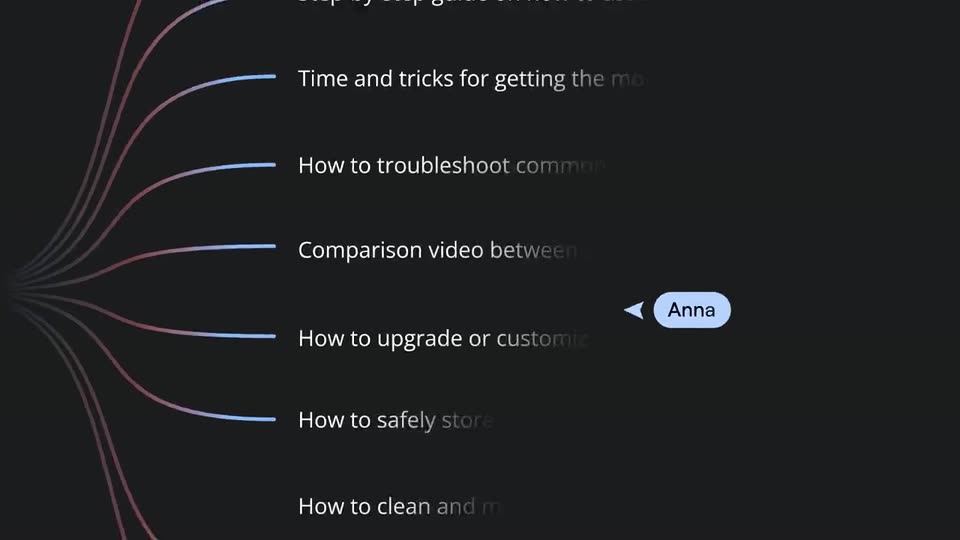
A vertical list of feature labels in thin gray type scrolls upward on a dark background. A purple gradient pill tracks the center of the list, highlighting each line in bold white as it arrives: Live Streaming, Full HD streaming, Studio branding, Multistreaming.
On-screen text: “Video framing”, “Live Streaming”, “Omnichat”, “Lower thirds”, “Studio branding”, “Full HD streaming”, “Multistreaming”, “Easy connection”, “Ready-made themes”
Techniques: Kinetic type
Camera: Pan
A flat video-call interface sits centered on a background shifting from olive green to purple to blue. Two tiles show a woman and a man, each with a name pill; a 'June in.' logo marks the left tile. A control bar with a red Record button runs along the bottom.
Camera: Push in
A teal status bar labeled Johana's Stream sits over the top of a person's curly hair. A white cursor slides up and clicks the Ready to stream pill, which flips to red and reads LIVE REC on Riverside.
Techniques: Cursor demo
Camera: Pull out
The Riverside live call interface, with two participants in separate panels, morphs into a YouTube channel page. The same stream now plays in a single centered video box while the surrounding layout restructures.
Techniques: Morph
Camera: Pull out
A Facebook-style feed holds a live video post with two hosts in a side-by-side frame. Scrambled sidebar and caption text resolves into clean labels over the half second, while stacked promo cards sit in the right column.
Camera: Static
A social feed screen stays static, showing a post with an embedded live video. Two podcasters, a woman in a brown vest and a bearded man in a gray shirt, appear in side-by-side panels. The man's face moves slightly as the clip plays.
Camera: Static
A full-screen LinkedIn feed holds static. A live video card in the center shows two hosts, Johana and Stephen, talking on camera, with a LIVE badge, viewer count and a row of reaction emojis. Left and right sidebars list a profile, contacts and recommendations.
Camera: Static
On a dark background, the bold white word 'Editing' holds the center. Below it, 'Crosstalk removal' and 'Animated captions' slide horizontally into a centered stack. A fourth line, 'Smart image suggestions', begins to fade in at the bottom edge.
On-screen text: “Editing”, “Crosstalk removal”, “Animated captions”, “Smart image suggestions”
Techniques: Kinetic type
Camera: Static
A vertical list of feature names scrolls up on a dark background while a rounded purple gradient bar travels down the list. Each label turns bold white as the bar crosses it, then dims back to gray. The frame stays locked off.
On-screen text: “Editing”, “Smart image suggestions”, “Crosstalk removal”, “Easy sharing”, “Animated captions”, “Music overlays”, “Mobile editing”, “Multi-track editing”, “Pexels image library”
Techniques: Kinetic type
Camera: Pan
The podcast editor UI appears with a feature list overlay, Multi-track editing filled white among outlined labels. The overlay clears, the view zooms into the timeline, and a hand cursor hovers the yellow track as the track label switches from Roni's track to Austin's track.
On-screen text: “Music overlays”, “Mobile editing”, “Multi-track editing”, “Pexels image library”, “Easy sharing”, “Recording capabilities”
Techniques: UI zoom, Cursor demo
Camera: Push in
A dark podcast editor timeline shows colored audio tracks and a highlighted yellow Austin track with a waveform. A hand cursor drags leftward across the waveform while a second cursor hovers over the Add music button.
Techniques: Cursor demo
Camera: Static
A dark Riverside.fm editing screen holds steady: a transcript column with speaker names on the left, a video preview of a woman in an orange shirt and headphones on the right, and a multicolored waveform timeline with clip thumbnails along the bottom.
Camera: Static
A dark podcast editor fills the frame: a transcript list on the left, a vertical toolbar on the right, and a multicolored waveform timeline below. The video preview switches from a three-person grid to a single bearded speaker as the playhead advances.
Camera: Static
On a dark charcoal field, the bold white title AI Features scales in at center, then Magic Episode, Set pace and Smart Scenes slide in beneath it one by one, forming a feature list.
On-screen text: “AI Features”, “Magic Episode”, “Set pace”, “Smart Scenes”
Techniques: Kinetic type
Camera: Static
A vertical list of feature names scrolls up on a dark background. A purple gradient bar stays fixed at center; the word it covers becomes bold white, stepping from Smooth Speech to AI Voice, VideoDub, Projects and Show notes.
On-screen text: “AI Features”, “Smart Scenes”, “Magic Mute”, “Set pace”, “Smooth Speech”, “AI Voice”, “VideoDub”, “Projects”, “Show notes”, “Magic Episode”
Techniques: Kinetic type
Camera: Pan
A bearded man in patterned glasses talks to camera in close-up against a textured gray wall. The frame then splits, his video filling the left half while a dark transcript panel with colored speaker names and timestamps fills the right.
Techniques: Split screen
Camera: Push in
Split view: a bearded man in tortoiseshell glasses on the left, a dark timestamped transcript on the right. The transcript fades to gray as a cursor selects the word pictures, wrapping it in a purple box, then a small Correct tag with a pencil icon pops above it.
Techniques: Split screen, Cursor demo
Camera: Push in
Split screen: a smiling bearded man in tortoiseshell glasses on the left; on the right, a dark transcript where a cursor clicks a Correct tooltip over the highlighted word pictures, which is then re-typed as features inside a purple selection box.
Techniques: Split screen, Cursor demo
Camera: Static
A split screen shows a smiling man with glasses and a beard on the left and a black transcript panel on the right, where a white cursor hovers. The man's panel then wipes across to fill the frame, covering the transcript.
Techniques: Split screen, Cursor demo, Masking
Camera: Pan
A bearded man with tortoiseshell glasses speaks to the camera against a wall with a wavy, maze-like pattern, softly lit from the left. He is framed from the chest up, and his expression shifts slightly as he talks.
Camera: Static
A close-up of a bearded man with tortoiseshell glasses talking, then the frame pulls back to reveal him as one of two video tiles in a tilted 3D interface, with a purple notification card and a captions panel floating around it.
Techniques: UI zoom, 3D mockup
Camera: Pull out
A dark Riverside editor fills the frame, centered on a 3D-tilted live window with two speakers, a woman on the left and a bearded man on the right. The camera pulls back to expose caption-style lists, a transcript box, and vertical tool rails.
Techniques: 3D mockup
Camera: Pull out
A single line of purple text, “Now on Riverside”, sits centered on a black background. It enters with a quick horizontal slide and a brief motion blur, then settles crisp and still.
On-screen text: “Now on Riverside”
Techniques: Kinetic type
Camera: Static
A plain black background holds the centered caption “Now on Riverside” in light purple sans-serif. The frame is locked off and the text stays static for the full duration.
On-screen text: “Now on Riverside”
Camera: Static
A black screen holds a centered white Riverside logo above the tagline Your Conversation Studio. The frame remains locked and still.
On-screen text: “Your Conversation Studio”
Camera: Static
A black end card holds the white Riverside wordmark with a small rounded square icon above the tagline Your Conversation Studio. The frame stays locked and static for the duration.
On-screen text: “RIVERSIDE”, “Your Conversation Studio”
Camera: Static