0:38
New Raycast. Coming 2026
Raycast · Productivity · Dec 2025
Harvey · Aug 2025 · 0:40 · AI-annotated
Harvey’s 0:40 launch film runs 14 scenes, about 2.9 s each. The product is on screen from the first frame and 1 feature is revealed. There is no explicit call to action. The video alternates locked-off serif text cards that build one line at a time with a clean, zoom-driven screen recording of the Harvey app, where a single typed question runs from prompt to cited answer and out to the LexisNexis document. The pace stays slow and even through the cards, tightens across the UI steps, and resolves on a centered Harvey and LexisNexis lockup.
Is this your launch? to your site or press kit.
Raycast · Productivity · Dec 2025
Cursor · Developer tools · Oct 2026
VoiceOS · Consumer · Nov 2026
The wordmark Harvey scales in at center on a black field, opening as a chrome metallic render that resolves into flat white serif type.
On-screen text: “Harvey”
Techniques: Kinetic type, Light sweep
Camera: Static
A locked-off off-white card shows the Harvey wordmark scaling in, followed by centered serif lines that appear one at a time: Your Legal AI, Now with Answers Grounded In, The LexisNexis Collection of, U.S. Case. The pace is slow and even.
On-screen text: “Harvey”, “Your Legal AI”, “Now with Answers Grounded In”, “The LexisNexis Collection of”, “U.S. Case”
Techniques: Kinetic type
Camera: Static
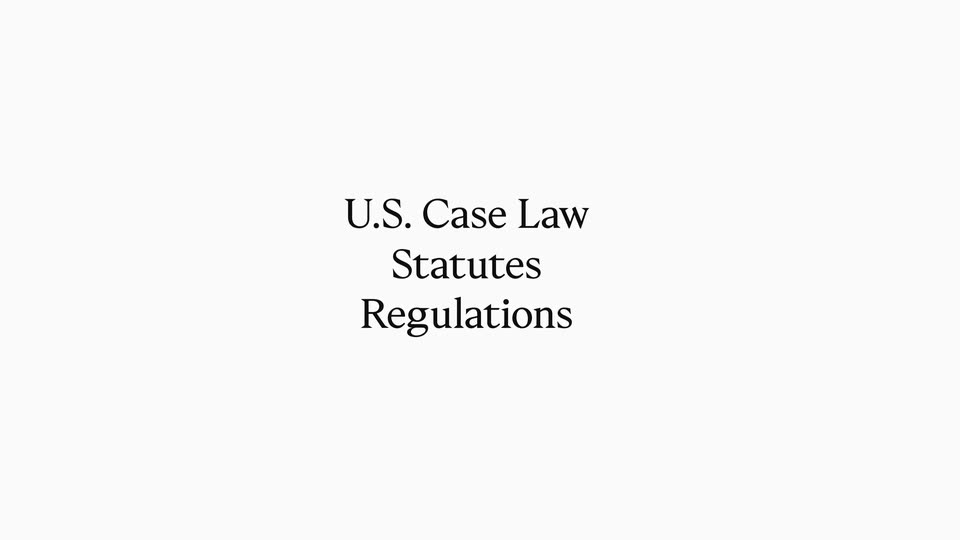
A centered dark serif list builds on a plain off-white background: “U.S. Case Law” scales in, then “Statutes” and “Regulations” stack below. The list is replaced by “All Validated,” which fades in word by word.
On-screen text: “U.S. Case Law”, “Statutes”, “Regulations”, “All Validated”
Techniques: Kinetic type
Camera: Static
A plain off-white card centers a black serif line on a locked-off frame. The text holds on 'All Validated Through', then switches to 'Shepard's Citations', the brand name in italics.
On-screen text: “All Validated Through”, “Shepard's® Citations”
Camera: Static
The black serif wordmark “Harvey” sits centered on a plain off-white field. It scales up slowly while the frame stays locked off, holding as the sign-off.
On-screen text: “Harvey”
Techniques: Kinetic type
Camera: Static
On a plain white field, the dark serif Harvey wordmark and the red LexisNexis sphere logo sit side by side with a thin rule between them. The Harvey text and the red mark scale up, then a small Click to copy chip fades in on the right.
On-screen text: “Harvey”, “LexisNexis”
Techniques: Kinetic type
Camera: Pull out
The full Harvey app screen zooms into the central prompt box. A cursor clicks the LexisNexis chip, which becomes a source tag, and a question about the Medicare Act is typed. The cursor clicks Ask Harvey, and a Working card with an Assessing query spinner appears.
Techniques: UI zoom, Cursor demo
Camera: Push in
A white progress card under a Working header builds downward: each step row's spinner flips to a checkmark as the next row and its body lines slide in, until all five steps are complete.
Camera: Static
A light-gray checklist scrolls upward, clearing the task steps and bringing a bold answer heading and its body text into view beneath a sources pill.
Camera: Static
A tight crop on a legal summary zooms out to reveal the full Harvey.ai interface and a sources panel on the right. The view zooms back in on a citation; a cursor hovers it, a source card pops up, then the cursor moves to the View in LexisNexis button.
Techniques: UI zoom, Cursor demo
Camera: Pull out
A dense wall of overlapping legal text holds a floating case card with a cursor on the View in LexisNexis button. The view pulls back to the full LexisNexis document page, then a search icon fades in beside a sidebar item and the Info tab lights up.
Techniques: Cursor demo, UI zoom
Camera: Pan
A LexisNexis case document screen fades out to white behind the centered headline “Authoritative Answers”, which then crossfades to “On Demand.” and to “More Coverage Coming Soon.”
On-screen text: “Authoritative Answers”, “On Demand.”, “More Coverage Coming Soon”
Techniques: Kinetic type
Camera: Static
A white card holds a centered black serif line reading More Coverage Coming Soon. A small red circular logo fades in at the right, then the line is replaced by Introducing Axis with the logo centered above.
On-screen text: “More Coverage Coming Soon”, “Introducing Axis”
Camera: Static
On a plain off-white background, the Harvey serif wordmark and the LexisNexis logo settle into the center, joined by a thin horizontal rule, then hold still as the sign-off.
On-screen text: “Harvey”, “LexisNexis”
Camera: Static