0:55

Smart sale prices with Differs
Differs · Oct 2023
Mistral AI · May 2025 · 0:28 · Full motion · AI-annotated
Mistral AI’s 0:28 launch film runs 7 scenes, about 4.1 s each. The product shows up at 0:04 and 1 feature is revealed. The call to action lands at 0:22 (77% in). The video is built from short vignettes that alternate cream graph-paper type cards with dark-field UI cards, cutting at a measured four per minute. Signature moves are letter-by-letter typing, a 3D card tilt, and warm yellow-to-red bars that return as chart columns, an accent stack and a logo sweep.
Is this your launch? to your site or press kit.
Differs · Oct 2023
Framer · Design · Nov 2026
Films whose music sounds like this one, voice left out
Black Forest Labs · Instrumental hip-hop
flowscope · Modern electronic, lo-fi hip-hop, and upbeat tech pop
Clerk · Lo-fi hip-hop
On a cream graph-paper background, black sans-serif text types itself out letter by letter behind a blinking cursor. The line “Transform your notes and outlines” fills in centered, then gives way to “into polished docs and decks”, typed the same way, in a locked-off frame.
On-screen text: “Transform your notes and outlines”, “into polished docs and decks”
Techniques: Kinetic type
Camera: Static
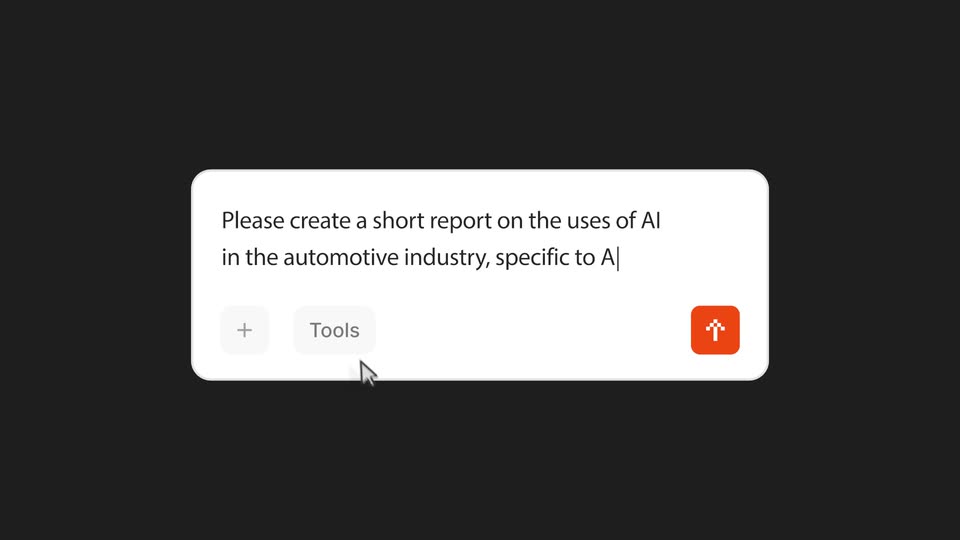
A white rounded prompt card floats on a near-black field. A sentence types itself out across two lines while a mouse pointer drifts down to rest on the Tools chip. A large caption slides in to complete the line.
On-screen text: “into polished docs and decks”
Techniques: Kinetic type, Cursor demo
Camera: Static
A cursor taps Tools on a dark prompt card and toggles Canvas in the list. The view cuts to a generated document: a paragraph highlights, a bar chart inserts, then the camera zooms to the export menu as the cursor picks PDF.
Techniques: Cursor demo, UI zoom
Camera: Push in
A flat document view with an open export menu and a cursor on the orange Export as PDF row reframes into a white comment card that tilts and rotates in 3D perspective against a gray background.
Techniques: Cursor demo, 3D mockup, UI zoom
Camera: Pull out
A white chat card on a dark background types out messages one by one: a question about an AI report, a brief reply, then a second reply with a PDF attachment.
Techniques: Kinetic type
Camera: Static
On a near-black background, the centered line reads Available in Le Chat; Available is already bright white while in Le Chat fades up to full brightness, and a thin vertical stack of yellow, orange and red squares slides in from the left edge.
On-screen text: “Available in Le Chat”
Techniques: Kinetic type
Camera: Static
Yellow-to-red gradient bars sweep right across a dark field, carrying the caption “Available in Le Chat”, then collapse into an orange rounded tile as the pixel H mark turns white; the URL “mistral.ai” fades in below.
On-screen text: “Available in Le Chat”, “mistral.ai”
Techniques: Morph
Camera: Static