0:53
Saksham - NOBODY should learn video editing anymore… Because we’ve made it eas
Cardboard · B2B · Oct 2026
Mistral AI · May 2025 · 0:40 · Full motion · AI-annotated
Mistral AI’s 0:40 launch film runs 16 scenes, about 2.5 s each. The product shows up at 0:03 and 3 features are revealed. The call to action lands at 0:33 (82% in), over a voiceover. The video alternates cream grid-paper caption cards with dark grid UI mockups, each feature announced by a typed line then shown in a floating white panel. Signature moves are typewriter captions with orange pixel accents, push-in zooms on UI cards, and pixel-art transitions (checkerboard, gradient bars) that resolve into the Mistral logo.
Is this your launch? to your site or press kit.
Cardboard · B2B · Oct 2026
The Browser Company · Productivity · May 2023
Character.ai · Apr 2026
Films whose music sounds like this one, voice left out
CapCut · Upbeat modern electronic
OpenAI · Funk, electronic funk
TwelveLabs · Funk, disco, and electronic funk
On a cream grid-paper background, centered dark sans-serif text types out character by character with a cursor, reading “Quickly access the information”. The frame then cuts to “you need” on a white rounded card, closed by an orange pixel checkmark.
On-screen text: “Quickly access the information”, “you need”
Techniques: Kinetic type
Camera: Static
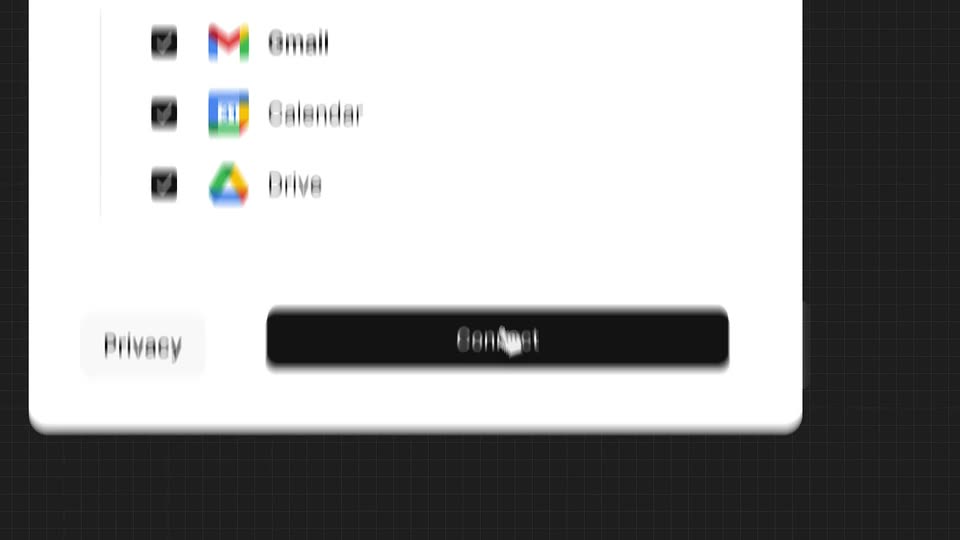
A white Connect your Google Suite modal sits over a blurred grid background; the backdrop darkens as the camera pushes in on the dialog. A hand cursor clicks the black Connect button, and the panel updates to a green-dot Automatic syncing just now status above the checked service list.
Techniques: UI zoom, Cursor demo
Camera: Push in
A white modal listing Google Suite, Gmail and Calendar with checked boxes sits on a dark grid. The modal cuts away to a cream grid background, where the caption And sort appears centered in dark type.
On-screen text: “And sort”
Camera: Static
On a cream grid background, the sentence builds word by word, starting dark and finishing with gray words. Orange highlight blocks flash behind “your” and “libraries” as a rounded bar with orange ends slides in behind the full line.
On-screen text: “And sort your files into libraries”
Techniques: Kinetic type
Camera: Static
A light Libraries settings page fills the frame, orange placeholder blocks fade out, then the view zooms in on the action row as a cursor moves to the New Library button and clicks it, the button filling solid orange.
Techniques: UI zoom, Cursor demo
Camera: Push in
A white rounded Libraries panel floats over a dark grid backdrop. It eases in from a slightly oversized, doubled state and settles crisp, revealing the heading, action buttons, and a list of library rows with orange, blue and yellow icons.
Techniques: UI zoom
Camera: Pull out
A white folder card labeled Architecture Diagrams rests on a dark grid background. The frame zooms in on the card, a hand cursor hovers over it, and a Last updated today line scales in beneath the title.
Techniques: Cursor demo, UI zoom
Camera: Static
A white file card labeled Architecture Diagrams floats on a dark grid; a hand cursor hovers it, the card expands to reveal metadata, then morphs into a full file-list panel with rows of PDF and image files.
Techniques: Cursor demo, Morph
Camera: Static
A white file-library card on a dark grid background lists documents with orange and green icons, then its rows fade out. The card dissolves into a checkerboard of orange and white squares that pulse and thin, resolving into a bare orange frame on white.
Techniques: Masking
Camera: Static
On a cream grid-paper background, a dark-gray line reads “Simply connect your sources” while orange squares fade out. It is replaced by “and ask Le Chat” with a pixel cat, then the text slides up as a white Connections panel with source cards rises from the bottom.
On-screen text: “Simply connect your sources”, “and ask Le Chat”
Techniques: Kinetic type
Camera: Static
A white Connections settings panel floats on a dark backdrop, tilted in 3D perspective, then rotates to face the camera as its card list scrolls down. The Gmail, Google Calendar and Google Drive cards settle into view above a second row ending in an Add more tile.
On-screen text: “and ask Le Chat”
Techniques: 3D mockup, UI zoom
Camera: Pan
A tilted 3D panel of an integrations grid floats on a black background. A pixelated hand cursor glides up from the bottom and clicks the Add more tile, which dips into a pressed state with a soft shadow.
Techniques: 3D mockup, Cursor demo
Camera: Static
A flat UI on a dark background shows a chat input card above a Connections card. A pixel cursor clicks the Shared S3 bucket checkbox, turning it orange. The lower card collapses, the input fills with a typed prompt, and the cursor rests on the orange send button.
Techniques: Cursor demo
Camera: Static
A white chat card on a dark background displays a user prompt and a JSON code block listing five architecture diagrams with upload times and links. The card then slides off to the right, exiting the frame.
Camera: Static
On a plain dark gray background, the line 'Available in Le Chat' scales in at the center of a locked-off frame, settling into place.
On-screen text: “Available in Le Chat”
Techniques: Kinetic type
Camera: Static
Yellow-to-red gradient bars sweep in from the left carrying the caption “Available in Le Chat”, then contract and morph into the orange Mistral app icon, which holds centered above the mistral.ai URL on a dark field.
On-screen text: “Available in Le Chat”, “mistral.ai”
Techniques: Kinetic type, Morph
Camera: Static