1:15
Character.ai - Classics, now playable. 📚
Character.ai · Apr 2026
Arc · May 2023 · 0:42 · AI-annotated
Arc’s 0:42 launch film runs 44 scenes, about 1.0 s each. The product shows up at 0:06 and 1 feature is revealed. The call to action lands at 0:34 (82% in), over a voiceover. The video is a rapid cut-up montage: a short hype hook, a long demo of the Boosts feature across many theme-swapped web pages, then a one-line CTA and a logo card. Its signature moves are hard cuts on the beat, 3D-tilted UI mockups, and instant color or theme transitions that sell the customization idea.
Is this your launch? to your site or press kit.
Character.ai · Apr 2026
The Browser Company · Productivity · May 2023
A Twitter profile for The Browser Company fills a rounded white card on an orange-to-blue gradient. The page eases upward into place, its text and sidebar items momentarily offset before aligning.
Camera: Pull out
On a black background, the white lowercase phrase “are you ready” sits centered. The word “ready” fades in from gray to white over the first beat, completing the line.
On-screen text: “are you ready”
Techniques: Kinetic type
Camera: Static
A bold blue phrase reading 'are you ready' sits centered on a plain cream background. The frame is locked off and the text holds still for the full duration of the short clip.
On-screen text: “are you ready”
Camera: Static
A Twitter profile page for The Browser Company sits in a rounded card, centered. The interface theme and the background wallpaper cycle through three looks: a peach gradient with a lavender UI, a blue sky with a cream UI, and a fiery nebula with an orange UI.
Camera: Static
Centered blue text on a plain beige background switches from the phrase 'to make the internet' to 'your internet'.
On-screen text: “to make the internet”, “your internet”
Camera: Static
A flat coral field holds the centered white phrase “your internet” for the duration of the clip. The frame stays locked off with no movement, and the background tone shifts slightly toward mauve by the end.
On-screen text: “your internet”
Camera: Static
A solid cyan field holds the white lowercase phrase “your internet” centered, locked off for the full shot.
On-screen text: “your internet”
Camera: Static
A flat blue field holds the white words “your internet” centered, then the text streaks to the right in a horizontal motion blur and clears the frame.
On-screen text: “your internet”
Techniques: Kinetic type
Camera: Static
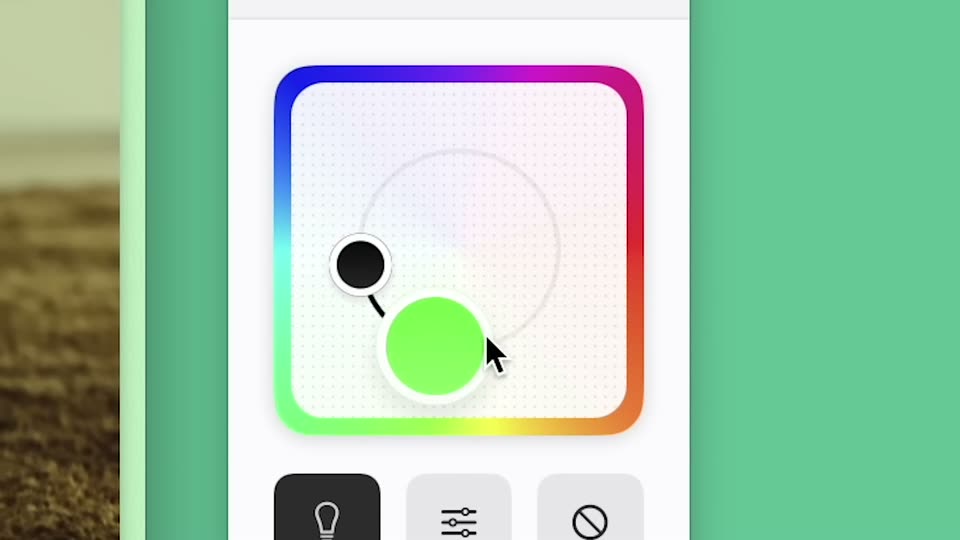
A close-up of a phone app screen shows a dotted canvas with a rainbow gradient border. A cursor drags a control dot along a curved path, and the dot shifts from purple to teal to green. Below, three icon buttons sit in a row.
Techniques: Cursor demo
Camera: Static
A close-up of a dark video-page card with a light blue frame hovers over a field of clouds, its top strip showing a person in a room. The card background and pill buttons crossfade from dark green and teal to dark navy and violet.
On-screen text: “MKBHD REVIEWED OUR BROWSER... (CEO REACTS)”, “ARC.NET”
Camera: Static
A white rounded browser card holding a New York Times article floats centered on a soft purple gradient. The card shows a static headline, subhead and three pill buttons, with a small pink shape peeking in at the right edge as the frame holds.
Camera: Static
A purple New York Times article card in a browser frame on a soft gradient background cuts to a full music app view: the Swimmer album with a tracklist on the left and a design tool panel with font settings on the right.
Camera: Static
A music app view of the album “Swimmer” sits left of a light control panel with a color picker and font grid. The app theme crossfades from dark purple to warm cream, the cover art brightens, and the panels drift left as a cursor hovers on the color picker.
Techniques: Cursor demo
Camera: Push in
A music app album page fills a tablet screen, with a vertical sidebar of icons and album thumbnails on the left. The content background fades from tan to bright green while the album art, large title and metadata line hold still.
Camera: Static
A flat music-app album page fills the frame against a lavender background. A green-to-blue gradient header holds the white title 'Swimmer' beside a cover image of two standing figures, with a track list and yellow play button below. The camera stays locked off; only small labels scale slightly.
Camera: Static
A tablet mockup in 3D perspective holds a purple music app album page for SWIMMER by TENNIS, with cover art, a teal play button and a track list, on a lavender background. The frame pushes in slowly.
Techniques: 3D mockup
Camera: Static
An album page from a music app crossfades into a white panel holding four rounded buttons: Size, Case, Zap, Code. A cursor hovers over Zap, darkening it, against a soft blurred sky.
Techniques: Cursor demo
Camera: Static
A Twitter profile page for The Browser Company fills the frame. A cursor glides down the left menu, highlighting Lists then Twitter Blue in yellow, and a floating bar with red Zap buttons slides in at the bottom before the view zooms onto it.
Techniques: Cursor demo, UI zoom
Camera: Push in
A close-up of a Twitter profile page. The left sidebar lists menu items with the More option highlighted in yellow and a cursor resting on it. The right column shows The Browser Company profile card with handle, bio, and follower counts. The frame holds static.
Techniques: Cursor demo
Camera: Static
A YouTube page mockup tilts in 3D over a pink backdrop. The cursor slides to the Shorts row, which highlights yellow, and a popup opens with a red Zap this button, a gray Zap all related elements button, and a Cancel button.
Techniques: 3D mockup, Cursor demo
Camera: Static
A tilted 3D mockup of the YouTube desktop app floats on a pink backdrop, showing the sidebar and a video player with a rider. A cursor slides right across the sidebar's edge as the scrollbar thumb clears.
Techniques: 3D mockup, Cursor demo
Camera: Static
A desktop browser view shows a news page with a yellow sidebar of numbered video stories. A cursor rests on a red button in a floating toolbar that also offers an orange and a gray option.
Techniques: Cursor demo
Camera: Static
A dark esports betting interface is framed on a mint green background. A cursor moves onto the green DEPOSIT button as a developer-tools overlay with red and orange action buttons pops up over the header.
Techniques: Cursor demo
Camera: Static
Close-up of a dark sports-betting interface on a green backdrop. A white cursor clicks the TEN tab, the tab row and the entry list below flash yellow, and the NEXT START countdown ticks from 00:06:30 to 00:06:27.
Techniques: Cursor demo
Camera: Static
A flat settings panel sits on a green field, showing a rainbow-bordered color picker and a grid of Aa font styles. A cursor hops across the grid, hovers the reset icon to pop a tooltip, and the size button flips to 150%.
Techniques: Cursor demo
Camera: Static
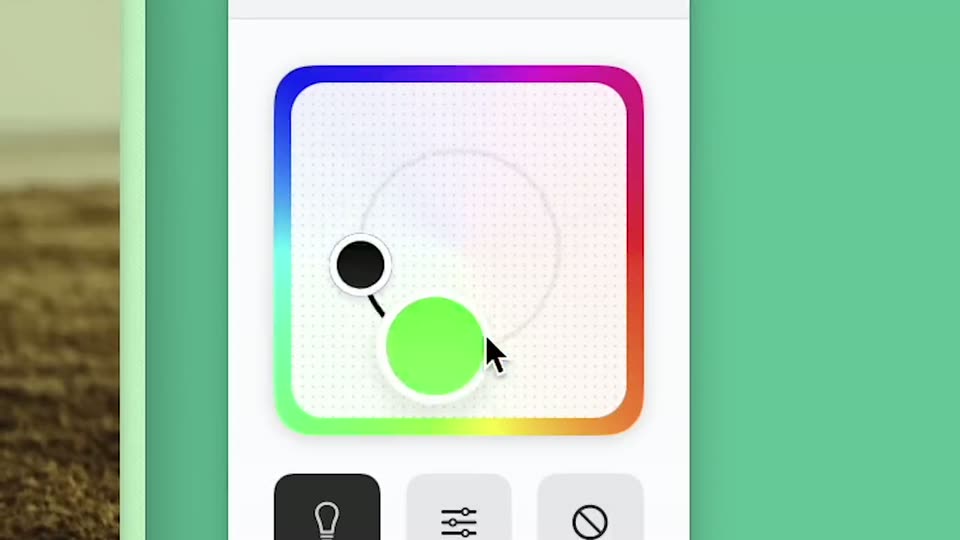
A white gradient-editor panel sits on a flat green background. A rainbow border frames a dotted canvas where a cursor drags two round handles, cyan and black, along a curved path. Three tool buttons sit below the canvas. The frame is locked-off.
Techniques: Cursor demo
Camera: Static
A flat browser window showing a channel page floats on a purple gradient. A white diagonal band widens across the frame, and the window breaks into three angled panels: a profile feed, a news page and a restaurant card, all set in 3D perspective.
Techniques: Masking, 3D mockup
Camera: Static
Three overlapping browser windows sit on a pale blue field: a social profile titled Ludwig Yeetgenstein at left, a Techmeme news page in the center, and a Los Angeles restaurant card for Jitlada at right. The composition holds static with no motion.
Camera: Static
A white screen holds three overlapping browser windows: a Mastodon profile on the left, a Techmeme news page in the middle, and a Jitlada restaurant page on the right. The flat windows carry soft drop shadows and stay still.
Camera: Static
Stacked browser windows showing web pages sit in 3D perspective. A Twitter profile window slides in from the right and settles at the front as the others shift left and recede.
Techniques: 3D mockup, Parallax
Camera: Static
A red Twitter profile page for Kendrick Lamar fills the frame. A header photo shows him reclining on a couch in a thorn crown and white tee, beside a blank black avatar. Name, handle, and follower stats sit below, with a Following button at right. The layout drifts up slightly.
Camera: Static
A pink browser window and a white Boosts panel listing four Twitter profiles slide in from the left. A cursor moves to the Kendrick Twitter row and flips its toggle on, while a Twitter profile page with a crowned figure image stays on the right.
Techniques: Cursor demo
Camera: Push in
A white extension popup lists four Twitter theme toggles over a red Twitter page. A cursor taps the Kendrick Twitter switch, flipping it on while the other rows stay off.
Techniques: Cursor demo
Camera: Static
A grainy blue-green gradient background holds the white lowercase zap wordmark flanked by two orange lightning bolts. The wordmark and bolts then reshape into the white paint wordmark with a blue paintbrush on the left and a multicolored palette on the right.
On-screen text: “zap”, “paint”
Techniques: Morph
Camera: Static
A grainy blue-to-green gradient fills the frame as the cream italic word paint sits center, flanked by a small 3D paintbrush and palette, then swaps to share with a 3D megaphone and hearted envelope.
On-screen text: “paint”, “share”
Techniques: Kinetic type
Camera: Static
A white “Simple Spotify” share card floats over a blurred podcast page. The screenshot inside swaps from a Spotify player to a lined writing pad, and a dark blue pen stroke draws a looping signature across the lines while the cursor follows.
Techniques: Cursor demo
Camera: Static
A white card with a wavy top edge frames a blue Share Boost button. A black cursor glides down from above and presses the button, which darkens to a pressed state. A blurred document with faint text sits in the background.
Techniques: Cursor demo
Camera: Static
A glossy 3D purple heart with a white checkmark sits centered over a faded music player interface, ringed by a soft violet glow, with the label Copied Link beneath it.
On-screen text: “Copied Link”
Camera: Static
A view of Earth from space shows the sun rising over the curved horizon, casting an orange glow and a thin blue atmosphere line. The phrase your whole new internet sits centered in the lower frame on a dark background, held on a locked-off shot.
On-screen text: “your whole new internet”
Camera: Static
A planet seen from space under a bright sun, its rim glowing and shifting from blue to gold across the shot. The white italic tagline holds static in the center over the dark surface.
On-screen text: “your whole new internet”, “one click away”
Camera: Static
Close-up of a browser window on a purple background. The view zooms in as the cursor clicks the rocket extension icon, and a white dropdown menu opens with My Boost, New Boost and All Boosts. The cursor then moves to New Boost.
On-screen text: “one click away”
Techniques: UI zoom, Cursor demo
Camera: Static
A browser view of oklama.com shows a favorites sidebar with app icons and a tasks list, a cursor hovering by tasks; on the right, the menu labels My Boost, New Boost and All Boosts scale in one after another on white.
On-screen text: “oklama.com”
Techniques: Cursor demo, Kinetic type
Camera: Static
A cream frame centers a bold blue stacked wordmark. A small megaphone icon pops into the upper line, a blue heart outline appears in the lower line, and a tiny URL scales in near the top.
On-screen text: “Bood”, “oooost”, “oklama.com”
Camera: Static
A blue line-drawn logo sits centered on a cream background, then yields to the bold blue word arc.net, which holds still in the center of a locked-off frame.
On-screen text: “arc.net”
Camera: Static