0:36

Result - We built the best experience for local AI on MacOS Introducing Resul
Result · Consumer · Nov 2026
Mistral AI · Jun 2025 · 0:15 · Clip · AI-annotated
Mistral AI’s 0:15 clip runs 7 scenes, about 2.2 s each. The product is on screen from the first frame and 1 feature is revealed. A single continuous screen recording that moves from the empty chat state to a streamed answer, then isolates the thinking label for a close inspection. Signature moves are the layout collapse on send, the line-by-line text stream, and the blur-to-sharp zoom with a slow vertical scroll.
Is this your launch? to your site or press kit.
Result · Consumer · Nov 2026
A dark chat screen shows a pixel crown icon above a centered input field with an Arabic prompt. The cursor clicks the send button, and the layout collapses: the icon shrinks to a red dot top-left, the prompt becomes a small bubble top-right, and the field docks to the bottom.
Techniques: Cursor demo
Camera: Static
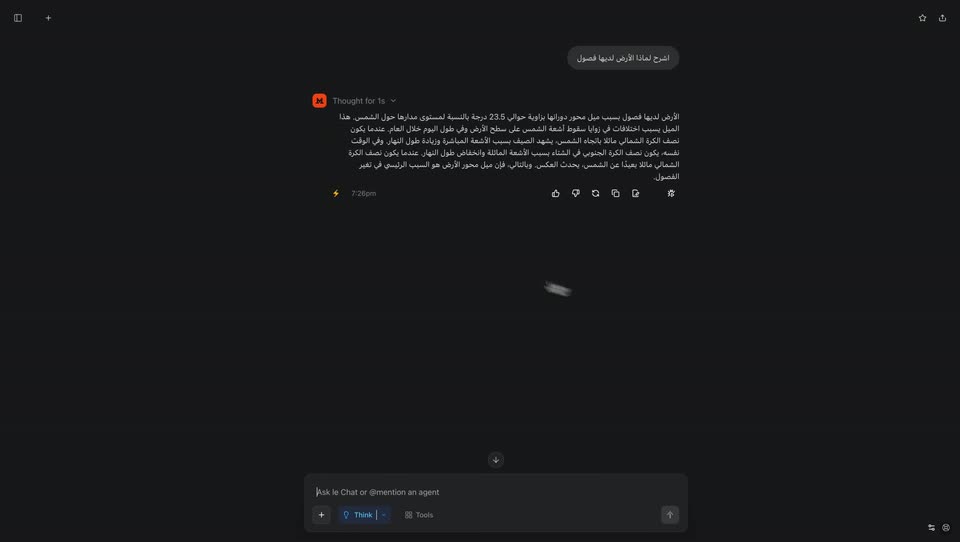
A dark chat interface stays locked on screen. An orange M badge and a Thinking label sit above a block of Arabic text that streams in line by line, then collapses into a short answer with a row of reaction icons and a timestamp.
Camera: Static
A dark chat interface displays an Arabic conversation. A mouse cursor moves from the bottom right and hovers over the 'Thought for 1s' label above the AI's response.
Techniques: Cursor demo
Camera: Static
A dark chat screen shows an Arabic answer. The orange M badge and “Thought for 1s” label scale in at the top left as the blurred paragraph sharpens, then the view scrolls down through the text while a white cursor hovers.
Techniques: Cursor demo
Camera: Push in
A dark chat interface scrolls up to reveal an orange M badge and a 'Thought for 1s' line above an Arabic answer, with a rounded prompt pill at top right. A cursor drifts over the body text as the view settles.
Techniques: Cursor demo
Camera: Static
A dark chat interface holds on a locked-off frame. An Arabic prompt sits in a top-right pill over icons and a 7:26pm time. An orange M badge and a Thought for 1s label sit left of a long Arabic answer, a cursor resting by the label.
Camera: Static
A dark chat screen opens on a close-up of a “Thought for 1s” disclosure; the cursor hovers as the Arabic answer sharpens from blur, then the view pulls back to reveal the full interface with the user’s question bubble and an input bar appearing at the bottom.
Techniques: Cursor demo, UI zoom
Camera: Pull out