0:42
Explore
00:00:00 / 01:36:04
- Length
- 1:36
- Scenes
- 38 · 2.5 s avg
- Product on screen
- 0:00
- Features shown
- 5
- Call to action
- 1:23 · 87%
- Voiceover
- Yes
- Views
- 89 on YouTube
as of November 23, 2026
Outship’s 1:36 launch film runs 38 scenes, about 2.5 s each. The product is on screen from the first frame and 5 features are revealed. The call to action lands at 1:23 (87% in), over a voiceover. The video is a host-led product demo: a talking-head presenter frames the story at both ends, while the middle is a chain of fast-cut screen recordings, each feature introduced by a single voiceover line and shown through cursor-driven navigation. Its signature visual language is browser windows tilted in 3D over a warm orange-to-magenta gradient, with quick zooms into UI details and modal dialogs to carry the eye.
Footage neededEstimated needs: 6 capture groups — your screens or recordings · 2 filmed passages — shoot, supply or replace · 6 3D passages — build or supply
Is this your launch? to your site or press kit.
More like this
3:05
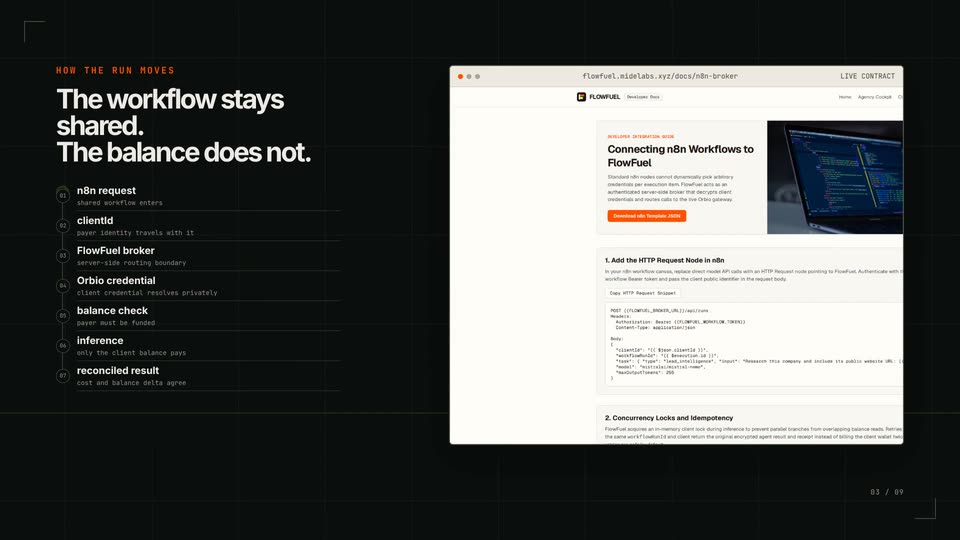
MystiqueMide - Introducing Flowfuel AI automation agencies can run one workflow and
FlowFuel (built by MystiqueMide) · Sep 2026
1:10
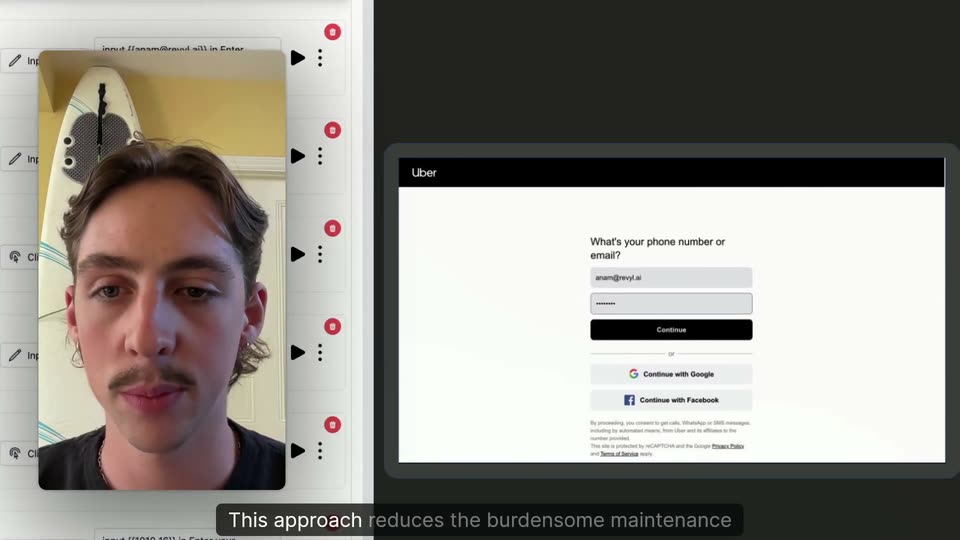

Launch YC: Revyl (F24)
Revyl · B2B · Oct 2024
Outship, scene by scene
· 38 scenes as text
01 · Product intro · 0:00–0:09
A man in a dark zip-up jacket stands centered before tall windows and white columns, facing the camera. He smiles, then speaks at a steady pace while a yellow pot with purple orchids rests at the lower right. The medium shot holds static throughout.
Camera: Static
02 · Problem · 0:09–0:12
A dark dashboard in a browser window sits over a warm gradient background. The frame zooms in on the top-left corner while a cursor glides from the sidebar menu to the open browser tab.
Techniques: UI zoom, Cursor demo
Camera: Push in
03 · Problem · 0:12–0:15
A browser window mockup of a GitHub repository page floats in 3D perspective over a warm gradient background. It begins tilted and blurred, rotates to face the camera and snaps into focus, then the view zooms toward the top of the page as it softens again.
Techniques: 3D mockup, UI zoom
Camera: Pull out
04 · Problem · 0:15–0:17
A dark browser window tilts in 3D over a warm gradient, showing the Outsiph home dashboard, then rotates flat to a Create Task screen with a centered modal where a cursor hovers on the Connect GitHub button.
Techniques: 3D mockup, Cursor demo
Camera: Pull out
05 · Feature reveal · 0:17–0:21
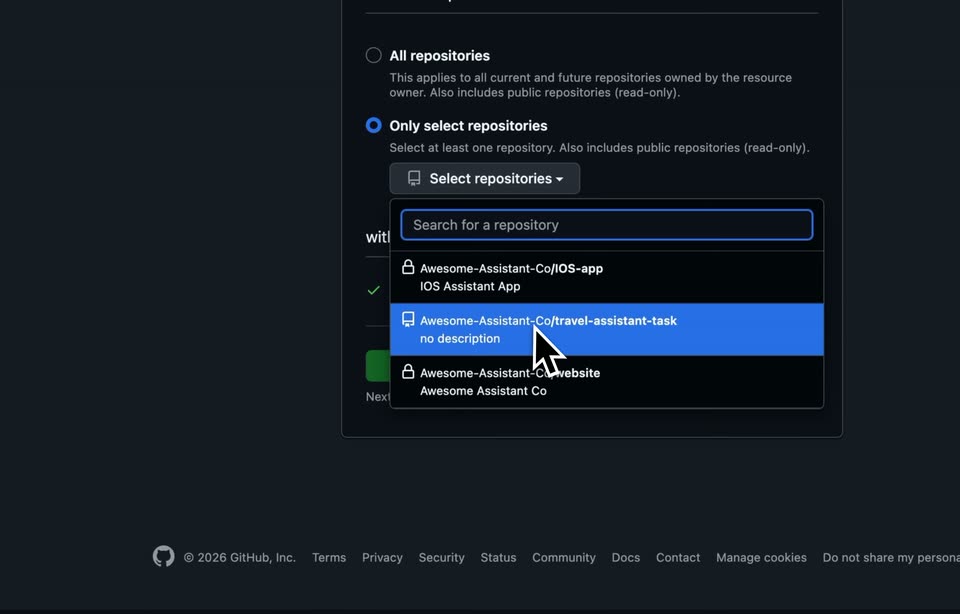
A dark GitHub install page sits in a browser over a warm gradient background. The view zooms into the form while a cursor selects the specific-repositories option, opens the repository picker, and the screen switches to a redirect notice.
Techniques: UI zoom, Cursor demo
Camera: Pull out
06 · Feature reveal · 0:21–0:23
A dark-mode web app in a browser window sits on a colorful gradient background, the frame locked. The Select Repository modal spins up, then fills with a repository entry, and a GitHub connected successfully toast slides in at the bottom right.
Techniques: Cursor demo
Camera: Static
07 · Feature reveal · 0:23–0:24
A Gmail inbox in a browser window sits on a colorful gradient background. The view zooms into the top-left corner as the cursor glides from the center to the Outship email row.
Techniques: UI zoom, Cursor demo
Camera: Push in
08 · Feature reveal · 0:24–0:25
A Gmail email view zooms into the Outship assessment invitation card. The cursor glides to the black Start Assessment button and presses it, the button dipping slightly on click.
Techniques: UI zoom, Cursor demo
Camera: Pan
09 · Feature reveal · 0:25–0:26
A browser window sits tilted in 3D perspective over a colorful abstract gradient background. Inside, a dark login card shows the Cutship logo, a masked password field, and a cursor clicks the Continue button.
Techniques: 3D mockup, Cursor demo
Camera: Pull out
10 · Feature reveal · 0:26–0:28
A browser window shows the VS Code web interface. A trust dialog sits in the center; the cursor opens a small dropdown, then the dialog closes, revealing the Welcome tab and theme cards.
Techniques: Cursor demo
Camera: Push in
11 · Feature reveal · 0:28–0:30
A browser tab displays VS Code Web against a blurred orange gradient. The welcome screen transitions to the README.md file open in the editor while the cursor clicks the file in the left tree.
Techniques: Cursor demo
Camera: Pull out
12 · Feature reveal · 0:30–0:35
A VS Code window on a gradient desktop zooms into its terminal as the command claude is typed. The Claude Code panel opens with a welcome prompt, then the view pulls back to the full window.
Techniques: UI zoom, Cursor demo
Camera: Pull out
13 · Feature reveal · 0:35–0:37
A flat code editor workspace shows a file tree, a README markdown file, and a rendered preview side by side. A cursor moves to the left sidebar and clicks an icon, opening a dropdown menu with the option to open in local VS Code.
Techniques: Cursor demo
Camera: Push in
14 · Feature reveal · 0:37–0:38
A browser workspace with a markdown README is shown; the frame zooms into a centered dialog titled Open Visual Studio Code, and a cursor rests on its blue Open in VS Code button.
Techniques: UI zoom, Cursor demo
Camera: Push in
15 · Feature reveal · 0:38–0:39
A browser tab shows a README titled Voice-Powered Travel Search over a dark gradient backdrop, with a floating macOS window in front. The view cuts to a dark VS Code window whose empty explorer panel reads Connected to remote. A cursor rests on the page.
Techniques: Cursor demo
Camera: Pan
16 · Feature reveal · 0:39–0:41
A dark VS Code window shrinks toward the right as an Outship app panel and a markdown document slide in from the left and center, settling into a three-column layout over a blurred text background.
Techniques: Split screen
Camera: Pull out
17 · Feature reveal · 0:41–0:42
A dark task-creation form sits in a browser window over a vivid orange and magenta gradient. The view zooms into the Rubric section, where a cursor hovers the Add Criterion button as a new criterion row appears.
Techniques: UI zoom, Cursor demo
Camera: Push in
18 · Feature reveal · 0:42–0:44
A white document panel lists rubric criteria under bold headings. An actions menu on the right slides away, then the cursor moves to a section heading and highlights it.
Techniques: Cursor demo
Camera: Pan
19 · Feature reveal · 0:44–0:45
A dark form panel scrolls up a touch as a cursor drops into the Rubric title field and types a criterion name, the Create Task and Cancel buttons resting at the bottom edge.
Techniques: Cursor demo
Camera: Pan
20 · Feature reveal · 0:45–0:47
A light rubric modal sits over a dark interface; a formatting bar and a context menu of AI actions open beside highlighted text, then the view blurs into a task detail table listing criteria.
Techniques: Cursor demo
Camera: Static
21 · Feature reveal · 0:47–0:51
A dark task-creation screen opens on an Edit Description dialog, which brightens then closes to reveal the full browser window. The view zooms to the Rubric table, where a cursor clicks Add Criterion and an empty row appears.
Techniques: Cursor demo, UI zoom
Camera: Pull out
22 · Feature reveal · 0:51–0:52
A context menu with AI actions closes over a white rubric document, which slides slightly right to center on a dark app screen. A cursor rests on the Architectural Research heading.
Techniques: Cursor demo
Camera: Pan
23 · Feature reveal · 0:52–0:53
A dark interface panel shows a Submission Guide and a Rubric table with one filled row. A cursor moves to the empty criterion row and types the title Architectural Research into the field.
Techniques: Cursor demo
Camera: Static
24 · Feature reveal · 0:53–0:54
A close-up of a rubric document in a white panel on a dark screen. A cursor hovers over a paragraph and a small text-action menu pops up, then the cursor drags across the paragraph, highlighting it blue.
Techniques: Cursor demo
Camera: Static
25 · Feature reveal · 0:54–0:56
A dark product dashboard: the Edit Description modal holding a paragraph of text fades away, revealing the Rubric list with two criteria rows, and the cursor glides over to the Add Criterion button.
Techniques: Cursor demo
Camera: Pan
26 · Feature reveal · 0:56–0:57
A laptop screen shows a document editor with a rubric; the view sharpens from a soft blur and reframes onto the page. A context menu with AI writing options hovers over the text while a cursor rests on a heading.
Techniques: UI zoom, Cursor demo
Camera: Pan
27 · Feature reveal · 0:57–0:58
A rubric document in a white panel over a dark app sidebar. A context menu of AI actions closes, the cursor moves to the plus icon beside the last criterion row, and that row's description text highlights in blue.
Techniques: Cursor demo
Camera: Static
28 · Feature reveal · 0:58–0:59
A dark task editor opens cropped on the Rubric table, then pulls back to reveal the full window: left navigation sidebar, the New Task form with tags, and the Submission Guide section above.
Techniques: UI zoom
Camera: Pull out
29 · Feature reveal · 0:59–1:00
A dark submissions list shows one row as a cursor hovers, then the view widens to a browser window displaying the candidate's detail page with usage stats and a loading summary block.
Techniques: Cursor demo, UI zoom
Camera: Pull out
30 · Feature reveal · 1:00–1:01
A dark candidate profile page floats in a browser window over a glowing orange and purple gradient. A mouse cursor glides down from the name field to rest on the App Link pill, while usage stats and a processing summary stay still.
Techniques: 3D mockup, Cursor demo
Camera: Static
31 · Feature reveal · 1:01–1:02
A browser window showing an AI Travel Assistant sits centered on an abstract multicolor gradient. The page lists California stays in a four-column grid of photo cards with prices, while a speaking pill rests at the bottom.
Camera: Static
32 · Feature reveal · 1:02–1:03
A dark browser window on a vivid orange and purple gradient shows a candidate detail page. A cursor travels down from the top of the window and clicks the Open Workspace button.
Techniques: Cursor demo
Camera: Push in
33 · Feature reveal · 1:03–1:03
A blurred dark dashboard with progress bars and a cursor fades to an empty gray panel with a top toolbar; the white cursor arrow settles in the center against an orange abstract backdrop.
Techniques: Cursor demo
Camera: Push in
34 · Feature reveal · 1:03–1:05
A VS Code welcome screen floats in 3D perspective over a colorful gradient background. The frame pulls back to show the full window, then a cursor glides to the explorer and hovers over the backend folder.
Techniques: UI zoom, 3D mockup, Cursor demo
Camera: Pull out
35 · Feature reveal · 1:05–1:07
A browser window shows a code editor with a file tree and Welcome tab. The cursor clicks a tab as a second window with Python code slides in and sharpens, blurring the first against an orange-blue gradient.
Techniques: Cursor demo
Camera: Pull out
36 · Feature reveal · 1:07–1:16
A tilted browser window over a vivid gradient background shows a dark candidate-assessment page. The page scrolls and the camera zooms into a rubric table; the cursor hovers a link, the report switches to all-Exceptional scores, and a detail modal opens over the blurred page.
Techniques: 3D mockup, UI zoom, Cursor demo
Camera: Push in
37 · Feature reveal · 1:16–1:23
A dark report table sits behind an open analysis modal. The cursor selects a line of text, then moves down and clicks a Read full analysis link, swapping the modal to the next criterion. The camera zooms into the new modal's paragraph.
Techniques: Cursor demo, UI zoom
Camera: Pan
38 · CTA · 1:23–1:36
A man in a dark navy zip-up jacket stands centered before a bright window, speaking to the camera in a static medium close-up. A purple orchid in a yellow pot sits at the lower right edge.
Camera: Static