2:28

Ardent - Clone any postgres DB in 6s
Ardent · B2B · Apr 2026
Mistral AI · Nov 2024 · 0:56 · Clip · AI-annotated
Mistral AI’s 0:56 clip runs 5 scenes, about 11 s each. The product shows up at 0:11. The video is a slow screen recording that opens on a dense scanned 1935 paper, downloads it, then hands it to a dark chat UI where one long take follows the conversation. Its style is a near-black palette with an orange pixel logo accent, and camera zooms that track the cursor, the typing, and the rendered equations.
Is this your launch? to your site or press kit.
Ardent · B2B · Apr 2026
RecipeUI · B2B · Aug 2023
MecAgent · Nov 2026
A PDF viewer shows the first page of the 1935 Einstein, Podolsky and Rosen paper, with a page thumbnail rail on the left. The document scrolls down through the two-column body text, the counter changes from 1/4 to 2/4, and the view settles on page 2 with numbered equations.
Techniques: Cursor demo
Camera: Pan
A PDF reader window on a dark gray background, showing a scanned physics paper with a left thumbnail strip, page 3 highlighted. The page content moves upward in a quick scroll while the toolbar and thumbnails stay fixed, and the text briefly doubles mid-move.
Techniques: UI zoom
Camera: Static
A PDF reader window on a dark background scrolls up from page 3 to page 2 of a physics paper. A cursor clicks the download icon, a Save As dialog pops up at center, the cursor presses Save, and a Done chip appears at the top right.
Techniques: Cursor demo
Camera: Static
A dark chat screen with a pixel logo and input bar. A white download popup appears, a PDF chip drops into the field, and a prompt is typed as the camera zooms in on the input. The scene ends on gray skeleton loading bars.
Techniques: Cursor demo, UI zoom
Camera: Push in
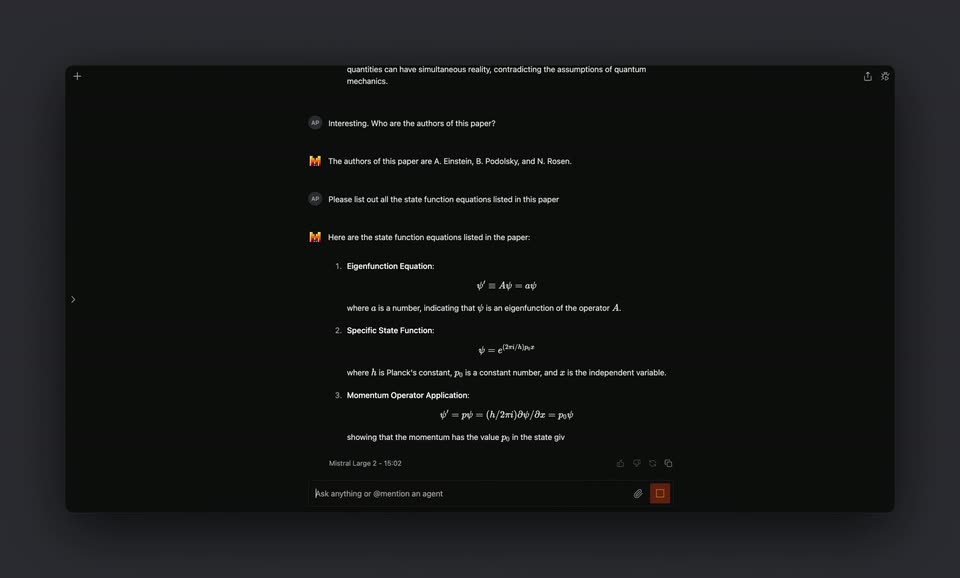
A dark chat window fades in as a user asks an AI to summarize a PDF paper; the assistant types three bullets. The frame zooms to the input bar for follow-up questions, scrolls through a long list of rendered equations, then zooms out to the full thread.
Techniques: Cursor demo, UI zoom
Camera: Pull out