2:36
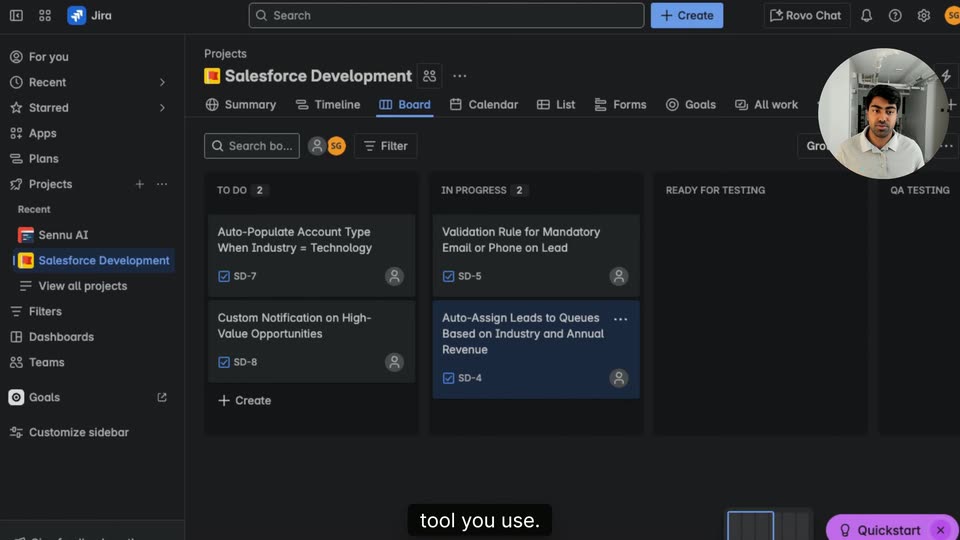

Sennu AI - AI Salesforce QA Demo
Sennu AI · B2B · Jun 2025
OpenIntake · Feb 2025 · 1:20 · Full motion · AI-annotated
OpenIntake’s 1:20 launch film runs 10 scenes, about 8.1 s each. The product is on screen from the first frame and 3 features are revealed. There is no explicit call to action; a voiceover carries the film. One unbroken screen-recording walkthrough, framed by a corner talking-head and a bottom caption bar, follows the TripleZip workflow from lease upload through expenses to NNN reconciliation. Pacing is slow and steady on long static UI takes, so the visual signature is the clean white dashboard on a muted gray stage with the cursor performing each click.
Is this your launch? to your site or press kit.
Sennu AI · B2B · Jun 2025
Freestyle · Consumer · Nov 2024
A flat screen capture of the TripleZip property dashboard sits on a gray backdrop, with a small presenter webcam in the lower right corner. White subtitle lines cycle along the bottom. Near the end the cursor clicks the green Upload New Lease button, opening a centered file-upload modal.
On-screen text: “Hi there”, “I'm Grayson and today I'm going to show you how”, “Triple Zip automates accounting for commercial”, “real estate”, “Let's start by uploading our lease.”
Techniques: Cursor demo
Camera: Static
A browser window shows the TripleZip app with an open upload dialog. A macOS file picker slides in, the cursor clicks a PDF lease file, and a small webcam of the presenter sits in the corner. A caption reads at the bottom.
On-screen text: “Let's start by uploading our lease.”
Techniques: Cursor demo
Camera: Static
Screen recording of the TripleZip web app shows the Upload Lease Document modal. The cursor clicks the green Upload button; the PDF filename loads with a spinner and the macOS dock slides up. A presenter talks from a corner webcam window while white subtitles appear at the bottom.
On-screen text: “While that's uploading,”, “I'm going to show you what a lease looks like.”
Techniques: Cursor demo
Camera: Static
A PDF lease scrolls through its pages in a document viewer, from page 12 up to the title page and back down. A right-side form panel with dates and a small presenter webcam stay fixed while caption bars run along the bottom.
On-screen text: “I'm going to show you what a lease looks like.”, “In commercial real estate,”, “we have long and complex leases.”, “This is about 45 pages of legalese and buried in”, “here are hundreds of clauses that are going to”, “impact the way that accounting is done for both”, “the tenant and the property.”, “Typically,”, “you would need to hire a lawyer to summarize this”, “information to plug into your accounting workflows, but Triple Zip does that for you automatically.”
Camera: Pan
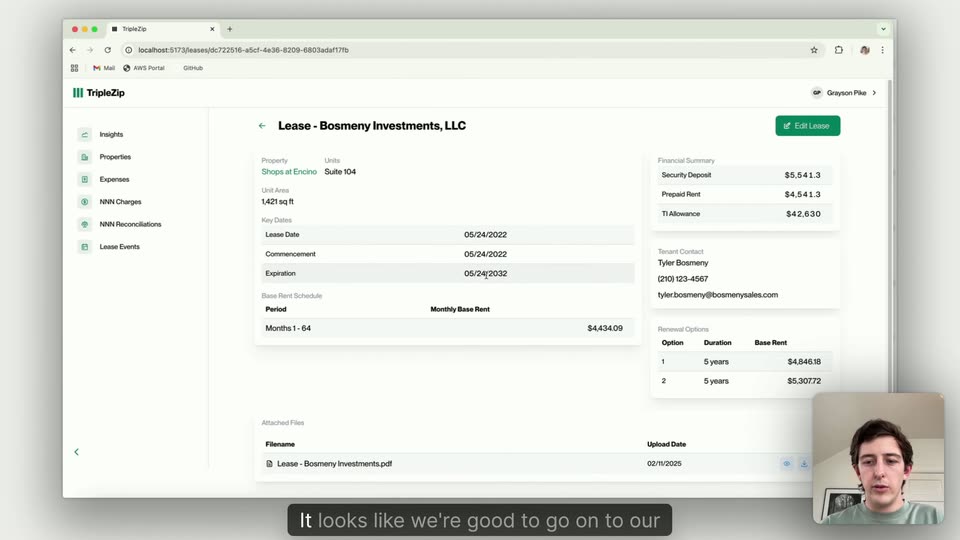
A browser window shows the TripleZip lease detail page, with a presenter in a small video inset at the bottom right and white subtitles along the bottom. The cursor drifts over the key dates, then clicks Expenses in the left sidebar, loading the expenses table.
On-screen text: “but Triple Zip does that for you automatically.”, “Here we've already pulled out all of the key”, “all the key”, “all the key dates”, “It looks like we're good to go on to our”, “accounting.”, “So let's look at the property expenses for that year.”
Techniques: Cursor demo
Camera: Static
A browser window shows the TripleZip expenses page with a two-row table. A cursor moves from the sidebar onto the Shops at Encino row, highlighting it as the address bar URL updates. A caption line appears at the bottom while a small webcam feed of a presenter sits in the corner.
On-screen text: “So let's look at the property expenses for that year.”
Techniques: Cursor demo
Camera: Static
A browser window shows the TripleZip Property Expenses table. A cursor opens the year dropdown, then the page scrolls to the January details and tenant breakdown, and finally the pro rata calculation view. A talking-head inset sits bottom right with white captions in a dark bar.
On-screen text: “So let's look at the property expenses for that”, “year”, “and you can see that our new tenant has already”, “been added.”, “There's nothing left for us to do.”, “All of the pro rata share of expenses has already”, “been calculated for us based off of the rules of”, “the lease.”
Techniques: Cursor demo
Camera: Static
A browser window displays the TripleZip lease page with pro rata share calculations, scrolling up slowly. The cursor moves to the sidebar and clicks NNN Reconciliations, loading a table. A presenter's face-cam sits in the bottom-right corner above a caption bar.
On-screen text: “the lease.”, “We can see a full breakdown of that here.”
Techniques: Cursor demo
Camera: Static
A browser window shows the TripleZip NNN Reconciliations list. A cursor clicks the Shops at Encino row, and the view switches to its detail table, whose rows load as gray bars. A small webcam feed of the speaker sits in the corner, with a caption bar at the bottom.
On-screen text: “Finally,”, “we can go and calculate the”
Techniques: Cursor demo
Camera: Static
A browser window shows the TripleZip NNN Reconciliation table as a cursor opens the Year dropdown and switches from 2025 to 2023, the figures updating and the Difference column turning red. A webcam self-view sits bottom right while subtitles run along the bottom.
On-screen text: “we can go and calculate the”, “reconciliations for that year and see how much is”, “owed.”, “We've just completed a typically two to three”, “month long accounting process in about a minute”, “with Triple Zip.”, “Thanks.”
Techniques: Cursor demo
Camera: Static